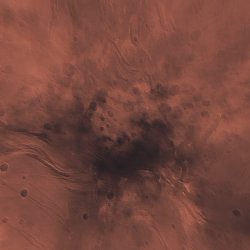
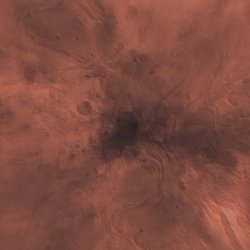
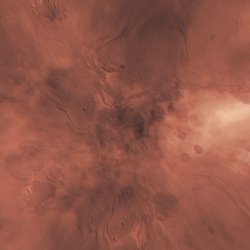
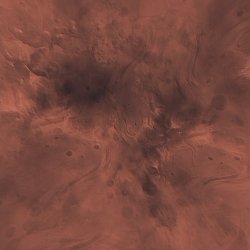
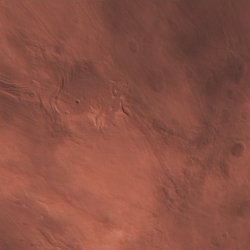
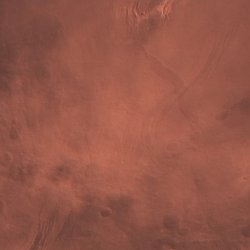
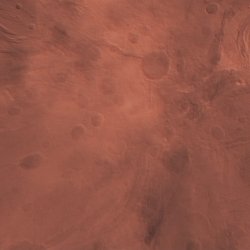
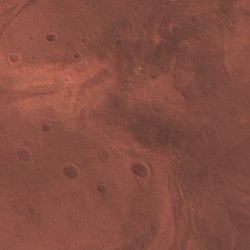
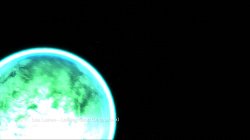
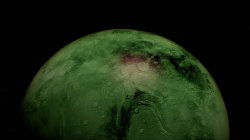
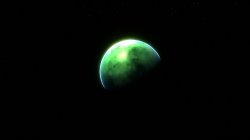
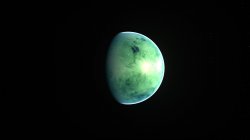
PS3 [Research] Modifying the Gaia Visualization (custom_render_plugin/earth.qrc)

Maybe... You should do it really. You're the graphics artist after all, bet you could do an amazing mod. I'm only messing around, Its actually really easy to inject jpgs. Just remove the 8 byte header from the qrc, decompress with zlib (simplyzip works), then you can inject the jpegs with a hex editor.

Here is my Death star POC mod, its fairly crap but ok for a first attempt.

Massive thanks to Sandungas for all the help with everything.


View attachment 22529 View attachment 22530 View attachment 22531 View attachment 22532 View attachment 22533 View attachment 22534

I might have ago at it. Found some good Death Star images to begin with. This issue would be the rear of it, you never really see an image of it without the dish of the kyber crystal super laser, some image trickery and image blending will have to be done to replicate this area.

As for a Starkiller Base one from The Force Awakens that might be equally/ or more so tricky to get right, but then again a good front on view of the planet with the laser could be stretched then blended with some images of snow like planets... or I have another idea for that one :)
 
I might have ago at it. Found some good Death Star images to begin with. This issue would be the rear of it, you never really see an image of it without the dish of the kyber crystal super laser, some image trickery and image blending will have to be done to replicate this area.

As for a Starkiller Base one from The Force Awakens that might be equally/ or more so tricky to get right, but then again a good front on view of the planet with the laser could be stretched then blended with some images of snow like planets... or I have another idea for that one :)
Sweet. To make it easier. You could make it with 2 sides the same. None of the camera paths really show more than 180 degrees.

With the smiley mod I put faces on both sides.

I am just trying to a full 24 texture skin of a different planet, and its fairly tricky keeping them all together and in correct locations.. :)
 
Nice one. Yeah for something that should be kind of simple, I mean it was not 500 textures, but it was harder than I expected to place them all.
Yeah, the people that have not spend much time looking at this is not going to realize, but i know you had a pain to reorder the tiles of that map (the proof is you asked me for confirmation because you was not completly sure, lol)
And i used your map as reference to verify how the tiles was aligned to each others, you had an small mistake in the one you labeled as 18 but was just a typo, other than that was perfect ;)
Cool. Did you have to rotate all the jpegs to fit that? Because I noticed when I flipped it the other way all the jpgs seemed to just fit in.

We do not need to display the map with north up and south down really...I think its better to stay the same was as the jpgs maybe?
The transformation needed to apply to the images is a "rotate 180º"... photoshop and most image viewers have this option and could be automatized to do it in batch for multiple files

I think the image we are using to represent all the "tiles" is for reference and should be the most intuitive posible, this is why is better to have the images with the north pole at north
If you are working with 100% custom images you should use that orientation too, with north pole at north, is easyer to wortk like that... (otherway is going to be a pain), the only thing needed to remember is...
1) when you extract the official images do the "rotate 180º" for all them
2) After that you can work with them normally modifying them, etc...
3) Or replace them by custom images
4) And when you are done with your image edition work do the "rotate 180º" for all them

Excellent work @sandungas. :) You were right, I just needed to break it into 4, then inject the 4 quarters into the correct positions.

View attachment 22670

So this tells us that we should work with 1024x1024 images, then as last step cut them into 4? This way the stretch is applied evenly all around the edge.
Thats it... incase of using 100% custom images you need to work with a single image for each "quarter" at 1024x1024 pixels, and without deformation

When you are ready there is an effect in photoshop that creates that deformation style, im not much used to it though but i think by using the accurate deformation settings (we dont know them yet) is going to be good enought, so the workflow should be like this:
1) Work with non-deformed images 1024x1024
2) Apply deformation effect (from center)
3) Rotate 180º
4) Split the image in 4 images of 512x512 pixels each
 
Interesting, a tool like that could be perfect, have you tryed it ?
The way i see it is we are going to find some textures for planets in google or whatever but most of them are going to be a single rectangle, like the links you posted the other day with images of the moon (good find btw), and needs to be cropped like a cross, that cropping needs to be made with some software automatically

The other way is incase we find the textures already cropped like that... yesterday i fond a tutorial to create worlds in 3D for a game named (if i remember right) "heart something"
At that point i was trying to find images of the polygonal sphere or/and the deformation patterns used in the PS3... but there was nothing like that in the link so i lost it (damn it, i cant find it again)
The interesting thing of it is that game is actually using the same texture mapping than the PS3 and it seems they had a database with textures for planets
If we find a game like that is going to be a gold mine to grab textures from it

Anyway... while trying to find that i just found an interesting thread with lot of tutorials related with the game "kerbal space program", im not sure if this game uses the same texturing tricks than the PS3 but i guess some of this could come in handy
https://forum.kerbalspaceprogram.com/index.php?/topic/165285-planetary-texturing-guide-repository/
 
Last edited:
Yeah, the people that have not spend much time looking at this is not going to realize, but i know you had a pain to reorder the tiles of that map (the proof is you asked me for confirmation because you was not completly sure, lol)
Yep :)

And i used your map as reference to verify how the tiles was aligned to each others, you had an small mistake in the one you labeled as 18 but was just a typo, other than that was perfect ;)
Oh yeah, I only just see that now. Feck.. :)

The transformation needed to apply to the images is a "rotate 180º"... photoshop and most image viewers have this option and could be automatized to do it in batch for multiple files

I think the image we are using to represent all the "tiles" is for reference and should be the most intuitive posible, this is why is better to have the images with the north pole at north
If you are working with 100% custom images you should use that orientation too, with north pole at north, is easyer to wortk like that... (otherway is going to be a pain), the only thing needed to remember is...
1) when you extract the official images do the "rotate 180º" for all them
2) After that you can work with them normally modifying them, etc...
3) Or replace them by custom images
4) And when you are done with your image edition work do the "rotate 180º" for all them
Yeah, the map needs to be the right way up, but the images should be upside down compared to the way you want them displayed when injected.

Interesting, a tool like that could be perfect, have you tryed it ?
No, it says its for Unix, Missed that when I posted it for you. Interesting anyway.

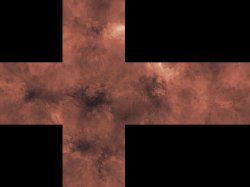
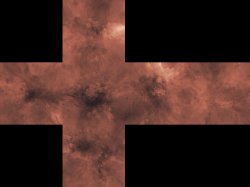
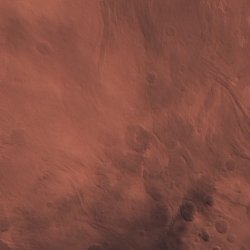
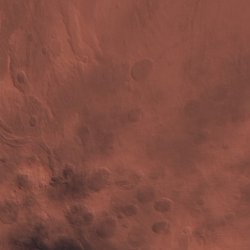
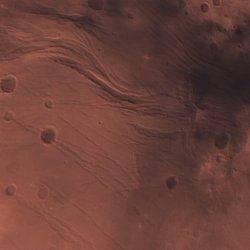
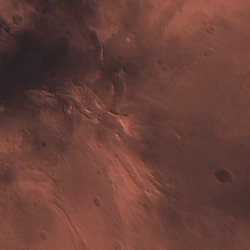
I have managed to make a full skin with 24 custom textures, I used the image below.

cubemap2.jpg

planet1.jpg


planet5.jpg


planet2.jpg planet3.jpg planet4.jpg
 
Hmmm, got it ?, in this tutorial is mentioned...
https://forum.kerbalspaceprogram.co...ing-up-eve-cube-maps-24mb-dds-4-texture-maps/
4. Open your Equirectangular to Cube Map conversion software, I recommend CubeTheSphere or Hugin (I will be using CubeTheSphere in this tutorial), and load in and convert your images to Cube Maps. In CubeTheSphere open your Equirectangular .bmp image and then select the individual cube face image size to be 2048px x 2048px under the Options toolbar. This will result in the output Cube Map to roughly equate to the same resolution as the 8k Equirectangular image.
In this image from the tutorial can be seen how converts it from a single image to the 6 "faces" of the cube
F7fMAqa.png


http://realmofconcepts.com/unreal/CubeTheSphere.html
https://en.wikipedia.org/wiki/Hugin_(software)
http://hugin.sourceforge.net/
 
I have managed to make a full skin with 24 custom textures, I used the image below.
Looks good enought by now, we are progressing a lot in the last days :)
Some btws...

The deformation pattern i posted (and later you used for a test) is not accurate enought... is very close though but the curvature of the lines is not exact
We should think in it as the latitude and longitude lines everybody is used to... that lines should be perfectly straight all around the sphere
There are only some of them that are naturally aligned with each others, because how the "tiles" are cropped, it can be seen very well in your first tests... are the lines that passes throught the centers of all the "quarters"
As example... the 2 lines that crosses on top of the ice of the south pole.... that ones are perfectly straight all around the sphere when displayed in the PS3
the same happens with the "equator" line (on top of peru)

For this kind of tests is good to add the custom images in the "clouds" layer... just because are going to be displayed together with the "ground" and "specular" so you can use the terrain as reference
But in some of the mods you are doing this is betraying you, you should add the custom images in the ground layer
The problem is the "specular" images are creating reflections (with the shape of the terrain) and the "clouds" is not fully opaque... so you can see the reflections are visibles throught your custom images, this is breaking them :/

What you could do is to create a base earth.qrc with all the specular images in fully black (to disable the reflections)
And from that point use that .qrc for your mods but injecting your custom images in the "ground" layer
Most of the ideas we had doesnt really needs reflections... in the official earth the reflections are used in the places where is water, but none of the custom mods that has been discussed here have water
Actually... is better to think in the reflections generated by the "specular" images as a feature that we dont need
Sure... if at some point we have full control of all this and someone wants to invest time in them i guess could be used to create cool efects (like reflections in the edges of metals, or glass), but by now is better to forget about them
Also, as mentioned before, the "specular" images needs to be created after you have the ground images ready... so is an "extra" feaure and you should worry about them only at the end (after you have your "ground" images ready)
The way to create the "specular" images is easy, you just need to take your "ground" images and reduce the colors to black and white scale, and play a bit with the brightness/contrast controls... this is going to create an image in black and white with soft edges

Maybe there is a setting inside an .mnu file to disable the specular reflection effects though... it would not surprise me if it exists, because this problem we are having should be a problem for them too :D

---------------------
And finally... have you tryed to find in the .mnu files if there is a setting to change the height of the clouds layer ? (distance in between the clouds and the ground)
If this exists is going to be a very good hack, use your imagination :D
We could make that idea i mentioned of a satellite network... or space stations ... of alien spaceships
Actually you can paint a space battle in it, lol

Also, keep in mind for some planets (different than earth) there are no clouds... so initially you dont need it, but you have that layer free to use it for whatever you want (maybe you just want to use the whole clouds layer to paint a single object in a small point of it, this should look realistic)


Edit:
I mean... you can increase the height of the clouds layer a lot... then replace all the cloud images by fully black images... except one of them that have an tiny image of the ISS
https://en.wikipedia.org/wiki/International_Space_Station

 
Last edited:
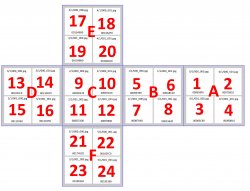
Here is a bit more info about how I did the planet:

I assigned letters to each of the cube faces to make them easier to identify.

  • A = 1,2,3,4
  • B = 5,6,7,8
  • C = 9,10,11,12
  • D = 13.14.15.16
  • E = 17,18,19,20
  • F = 21,22,23,24
map2.jpg


Then I cut out the six 1024x1024 parts from this texture:

21309-402835eabdccd293af188c1851d6bb3d.jpg


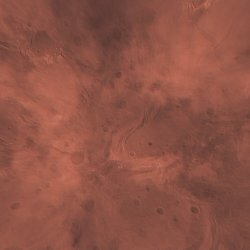
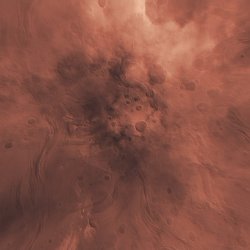
This is A,B,C,D,E,F:
A.jpg B.jpg C.jpg
D.jpg E.jpg F.jpg

Then I cut those into four 512x512 images each for 1 to 24:

1.jpg 2.jpg 3.jpg 4.jpg 5.jpg 6.jpg 7.jpg 8.jpg 9.jpg 10.jpg 11.jpg 12.jpg 13.jpg 14.jpg 15.jpg 16.jpg 17.jpg 18.jpg 19.jpg 20.jpg 21.jpg 22.jpg 23.jpg 24.jpg

That's it really...Simple..
 
The deformation works this way:
VtfBApE.jpg


When displayed in PS3... the blue lines are perfectly aligned with each others all around the sphere
And the images we see in PC... have a huge deformation in the red circle areas, note most the circle areas "hits" in water, there are only 3 ground areas affected by them
This screenshot was taken from a good perspective and it can be seen how the "equator" and the 2 lines that crosses on top of south pole are well aligned all around the sphere
6zkQySw.jpg
 
Last edited:
Yeah, I would like to use the ground layer, but that needs some messing due to the sizes, its impossible to get decent quality in the ground slots. I need to use the cloud slots as they allow 1.27MB. We could create a qrc that swaps the clouds and ground, then it would work on HEN or even OFW, but for now I will use sprx patches as its easier, and its what I know. :)

I have a sprx patch that swaps the ground and clouds. But it actually looks crap. its all washed out. So for now I will use the cloud slots.

I want to stop the reflections, I can do it in the sprx but would rather do it in the QRC. It looks good. See here:

planet7.jpg


But I am having no luck with making a solid black 512x512 image that is under 1.31kb, can you do it? I need it that small to inject into the first slot. The smallest I can get it is 1.9kb...

1.jpg

This is what I am getting now without any sprx patches...

plannet10.jpg
 
Last edited:
Yeah, I would like to use the ground layer, but that needs some messing due to the sizes, its impossible to get decent quality in the ground slots. I need to use the cloud slots as they allow 1.27MB. We could create a qrc that swaps the clouds and ground, then it would work on HEN or even OFW, but for now I will use sprx patches as its easier, and its what I know. :)

I have a sprx patch that swaps the ground and clouds. But it actually looks crap. its all washed out. So for now I will use the cloud slots.

I want to stop the reflections, I can do it in the sprx but would rather do it in the QRC. It looks good. See here:

View attachment 22778
To be honest i dont understand what you mean with the total bytes sizes of the clouds versus ground... you mean clouds takes more room (in bytes size) in the official ?

The posible pacthes to create redirections in between images from the 3 layers ground/specular/clouds probably are going to be problematic
I mean... redirecting ground to clouds and clouds to ground maybe works... but everyone have his special effects (and .mnu files iirc), most specially the specular images are intended to work together with the ground images so they should be located in the same plane
But I am having no luck with making a solid black 512x512 image that is under 1.31kb, can you do it? I need it that small to inject into the first slot. The smallest I can get it is 1.9kb...

View attachment 22779
1.15KB :) ---> http://s000.tinyupload.com/index.php?file_id=87892967835004019979

That one is pretty good, looks a lot better without reflections :encouragement:
And the yellow smiley you made was looking good too btw, it just had a problem with the specular images and the color tones not merging fine in the borders, but it was close to be perfect, it made me think in 2 mods of it...

You was injecting your images in the clouds... so you could make the eyes and mouth transparent to alllow to see the ground textures under them (like "holes" in the sphere that allows to see the internals)

Or... you could disable the clouds, move your custom images to the ground, and use the specular images (that are a monochrome version of the ground ones) to make it completly shiny except the eyes and mouth
 
Last edited:
To be honest i dont understand what you mean with the total bytes sizes of the clouds versus ground... you mean clouds takes more room (in bytes size) in the official ?

See here the files attached, the official ground textures are only 277KB... This is very small when divided by 24. The official cloud textures are 1.27MB.. So when I use those I can have my jpegs 400% bigger..


The posible pacthes to create redirections in between images from the 3 layers ground/specular/clouds probably are going to be problematic
I mean... redirecting ground to clouds and clouds to ground maybe works... but everyone have his special effects (and .mnu files iirc), most specially the specular images are intended to work together with the ground images so they should be located in the same plane
Yeah, its possible an sprx patch is the best solution here as it can swap the slots fully but they still get the correct effects. I will try injecting all black for the ground and the specular... see what it looks like.
1.15KB :) --->
Sweet, that will help.

That one is pretty good, looks a lot better without reflections :encouragement:
And the yellow smiley you made was looking good too btw, it just had a problem with the specular images and the color tones not merging fine in the borders, but it was close to be perfect, it made me think in 2 mods of it...

You was injecting your images in the clouds... so you could make the eyes and mouth transparent to alllow to see the ground textures under them (like "holes" in the sphere that allows to see the internals)

Or... you could disable the clouds, move your custom images to the ground, and use the specular images (that are a monochrome version of the ground ones) to make it completly shiny except the eyes and mouth
Yeah the smiley came out good considering I made it so simply.

Good ideas yeah, not sure if I want to get into anything too fancy... just injecting 24 images correctly is enough for me right now. Some little tools or scripts to take some of the work out of it would be good, there are maybe 1000 manual steps from start to finish... a lot of room for error :)
 

Attachments

Well, im not sure if is this one...

I was closing webbrowser tabs... and took an eye at the .pdf you posted before http://casopisi.junis.ni.ac.rs/index.php/FUMathInf/article/viewFile/871/pdf_75

In page 16:
4.3. Outerra Spherical Cube
Outerra Spherical Cube (OSC) is an SCM projection used in the Outerra planetary 3D engine [8]. The engine has the ability to render the whole planet with a full range of detail levels, from space down to individual blades of grass, and thus requires more uniform sampling than previous schemes. Unlike the other described projections, OSC does not have a closed form for the forward transformation. Hence,a Newton's iterative method is used in algorithm 1

Dunno, if the name "OSC" is standarized, but to me it looks this is exactly what the PS3 is doing, look at this image, copyed from the .pdf (page 17)
The curvature of the lines of this images (bottom ones) probably is very close or exactly the same used by the PS3, so initially im going to use them as reference for the next images i will post eventually
7p44sP0.jpg


Also, note this sentence, probably this is the reason why they decided to use OSC ;)
Code:
OSC has the least aspect distortion of all SCM projections described in this paper.
 
Last edited:
That black texture worked well. Thanks. Replaced all 48 ground and specular images with it.

No sprx patches:
View attachment 22782 View attachment 22783 View attachment 22784 View attachment 22785 View attachment 22786 View attachment 22787
Great, it was a bit special probably you noticed it when opened in hexeditor, heheh, is filled with zeroes and a area at top with 0xFF's... i was wondering if there is some tool to clean "metadata" from .jpg files that could remove that 0xFF's but never heard about it and did not matter for this test
Maybe it works by doing the same at 256x256 pixels... or 128x128 pixels ...or 64x64 etc...
Also, keep in mind the trick of remapping the index values of the .qrc structure... this could be made by injecting the black image only 1 time... then remapping all the other images of the group (in this case all the specular ones) to it
After that you are free to delete all the others that has been remapped

Im still trying to find a good image of that deformation... by now the best i found is this one, is pretty much the same pattern than i suggested and you confirmed in your test (with the lines curved towards the center), but much better painted and bigger size
Found in this thread https://www.mtbs3d.com/phpbb/viewtopic.php?f=140&t=15417
ZX5sl.png


And im wondering how many "latitude" and "longitude" lines could be handy to represent in the reference image im doing in photoshop...
The equator and the tropics (cancer and capricon) are very important... but dunno maybe is better to just paint the ones that are better spreaded geometrically
https://en.wikipedia.org/wiki/Geographic_coordinate_system (better open the wikipedia page and scrolldown to botom of the page to read the notes all around the image)
Earthmap720x360_grid.jpg
 
That idea of remapping sounds great, we have about 427KB wasted now on a 1KB image basically. If we could remap one image to all 47 others. Then if we could use the entire 426KB to either add to the cloud or grounds textures..

The cool thing about mods on this file is that its not loaded at boot, So no chance of even soft brick. Another cool thing is that you do not even need to reboot to see changes. So if you do want to do any experimental remap mods I can test em or you can test them 100% safely.

So we could have a little XMBML menu with options for switching earth.qrc and the changes could be seen without reboot like an official option :)

I would actually like a randomizer, so everytime you use it, it gets swapped from a bank of 50 earth.qrcs on dev_hdd0. Now that would be a new feature Sony should have added. :)
 
Just for curiosity sake, compare this images:
o3KSi9w.jpg


The blue dots are the centers of the cube faces
The blue lines are the horizontal borders of the cube faces
kMcUdYW.jpg


So... it matches, they are respecting the same degrees used in maps, the prime meridian (vertical line with 0º degrees) is cutting the north of africa vertically.... and the others are at 90º each

So, hmmm every face of the cube is 90º width, and the map is representing that section divided in regions of 15º each
So, hmmm every face of the cube should have lines to divide it in 6x6
 

Similar threads

Back
Top