

MVPlayer.vpk and Builder Tools
-

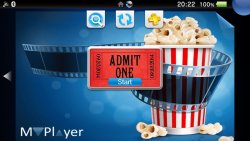
MVPlayer is a video player for the Vita and the Boxset Bubble Builder is a tool pack (for Windows PCs) that can be used to cutomised and create VPK Video Boxset bubbles, or if you prefer it can be used to convert and organise downloaded videos for use with the MVPlayer app.
- The installed VPKs that this tool uses and creates was written in Lua Player Plus Vita (lpp-vita). Learn more.
- There is a Windows App include in my pack that was not created by me called tinyMediaManager. Learn more.
MVPlayer.vpk
- The MVPlayer is the base version of what the boxset bubbles uses but instead of creating stand alone installable bubble, this can be used as a media player to display your prepared movies stored in the data/MyVideos folder of your Vita.
-
The Tools (main-menu)
there are quick launch links to the main features, otherwise all the functions of the tools can be accessed by the main menu.
- Option 1 is used to search for movie infomation and help prepare the files needed for the process, it will launch the TinMM application and help you to organise and find the artwork for your downloaded movie.. you have the option to press S during startup to skip the auto scan if you prefer. if you are running the app for the first time you will be asked where to search for your movies, i recommend you put them in a dedicated folder like for example C:\DownloadedVideos\
- Option 2 is used to create the Boxsets and has a few other options you can use if needed
- Option 3 is for preparing files for the MVPlayer.vpk and it also has a few other options
- Option 4 has a few other potentially useful tools to help you

The Tools (Boxset Builder)

The Tools (MVPlayer)

The Tools (Extras)
- Option 6 can be quite useful as you can use it to batch convert videos (upto 10 at a time) so that you can have your movies pre-converted ready for when you want to build your Boxset. Alternitively you can use MVPlayer tools option 1 to batch create and convert the files (upto 10) and then use thoes files for the boxset creation.

Movie files for the MVPlayer are stored by default in ( ux0:/data/MyVideos/Movies/Movie Name/video.mp4 ) but if you prefer you can move them to an alternitive storage such as ( uma0:/data/MyVideos/Movies/Movie Name/video.mp4 ) as long as you keep the same file structure.
the Shows section is experimental at the moment but they should work fine as long as their file structure is kept like this example. (ux0:/data/MyVideos/Shows/Show Name/Season **/Episodes/Episode **/video.mp4)
-
How do i use my video ?
- an example/tutorial of how this tool works can be seen here
- Yes unfortunetly.. this is not because im forcing you to do this, its due to fact that the Vita is an older system and doesnt understand modern video types and compression and simply cant properly handle anything it wasnt designed to view so this tool coverts your videos into the best possible resolution with minimal quality loss.


