

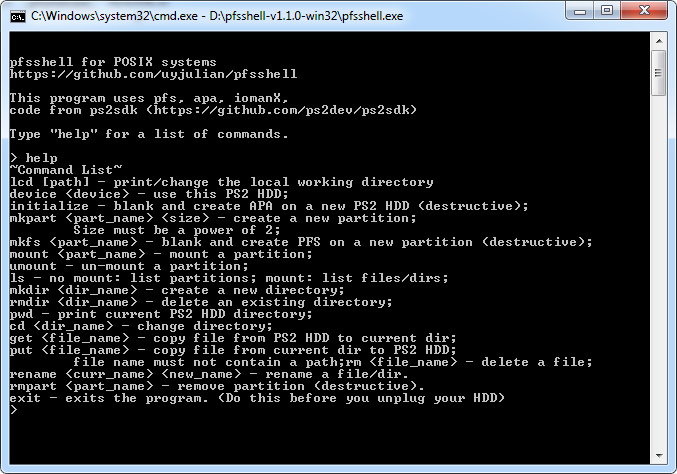
PFS (PlayStation File System) shell for POSIX-based systems.
This tool allows you to browse and transfer files to and from PFS filesystems using the command line.
This tool is useful for transfering configuration and media files used by programs such as Open PS2 Loader and SMS.
Quick start
Binaries for Win32 are availble here: https://github.com/uyjulian/pfsshell/releases
To start the program, simply provide the path to it on the command line:
Code:
/path/to/pfsshellYou will get a prompt similar to the following:
Code:
>To get a list of commands, type in the following:
Code:
> helpTo select a device which can be a disk image or block device, type in the following:
Code:
> device /path/to/deviceBlock devices can be used on Windows by using the UNC path.
Once a device is selected, the prompt will change to the following:
Code:
#To mount a partition (for example, the +OPL partition), type in the following:
Code:
# mount +OPLThe prompt will change to the following:
Code:
+OPL:/#To get a list of files, type in the following:
Code:
+OPL:/# lsTo transfer a file from the current directory of the PFS partition to the current directory of the process, type in the following:
Code:
+OPL:/# get example.txtTo transfer a file from the current directory of the process to the current directory of the PFS partition, type in the following:
Code:
+OPL:/# put example.txtOnce you are finished looking around in the partition, type in the following:
Code:
+OPL:/# umountOnce you are finished with the program, type in the following:
Code:
# exit