


-
pPlay (PS4)
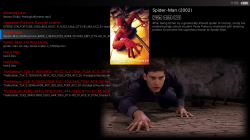
port by Cpasjuste- pPlay is a video player for the Nintendo Switch (& PS4 starting at v3.6+). pPlay support most popular video format, subtitles, http and ftp streaming and more. pPlay use the MPV interface to handle ffmpeg interoperability, which provide a fast, stable and powerful experience.
- PS4: install pkg and copy "data" folder on ps4 internal hdd
-
Notes
- pPlay can stream media from an http server with directory listing enabled, or an ftp server. To do so, you must edit the configuration file (pplay.cfg) to add your server address:
- NETWORK = "http://samples.ffmpeg.org/";
- NETWORK = "ftp://user:password@ip:port/";
- As pPlay use MPV, you can put a file named "mpv.conf" in the "mpv" folder to play with. See the CONFIGURATION FILES and OPTIONS sections in the MPV manual for more informations.
- pPlay should be able to play most media. While 720p and 1080p medias should be fine, you can unlock all the switch cpu speed for heavy medias in the main options menu (LEFT button)
- pPlay can stream media from an http server with directory listing enabled, or an ftp server. To do so, you must edit the configuration file (pplay.cfg) to add your server address:
Info via official read me @ https://github.com/Cpasjuste/pplay


