

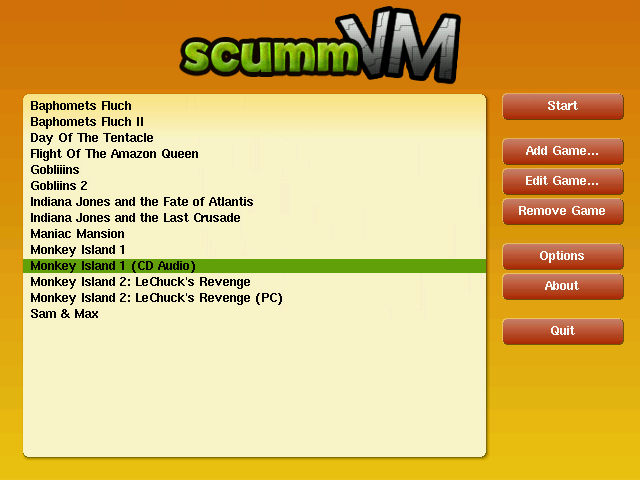
Script Creation Utility for Maniac Mansion Virtual Machine (ScummVM).
-
ScummVM is a program which allows you to run certain classic graphical point-and-click adventure games and role-playing games, provided you already have their data files. The clever part about this: ScummVM just replaces the executables shipped with the games, allowing you to play them on systems for which they were never designed!
ScummVM supports a huge library of adventures with over 250 games in total. It supports many classics published by legendary studios like LucasArts, Sierra On-Line, Revolution Software, Cyan, Inc. and Westwood Studios. Next to ground-breaking titles like the Monkey Island series, Broken Sword, Myst, Blade Runner and countless other games you will find some really obscure adventures and truly hidden gems to explore.
You can find a full list with details on which games are supported and how well on the compatibility page. -
Released 2 builds: SCUMMVM.ELF and SCUMMVM-S.ELF. The latter has engine
modules statically linked into (that's what the "-S" is for), the former
uses dynamic modules (uncached). The dynamic one is much faster to start
and has more resources available for the games. The catch is that games
detection, when you are adding a new one, is painstakingly slow...
(as it needs to load, test, unload the plugins one by one).
Until we have an optimization for that in place I would suggest you add
new games with "SCUMMVM-S.ELF", and when you are done adding you then
play them with "SCUMMVM.ELF", as this will give you the best of both.
We no longer have a separate ELF build with hdd & net adapter disabled,
as we now do it in the smart way, allowing users to disable it in their
ScummVM.ini. See under in "Configuration" for details.
We also have an improved Makefile.ps2 in ps2 folder which will allow
you to create: static, dynamic, profile and debug build version.
You can now also cleanly compile using "configure" and specifying:
./configure --backend=ps2 --host=ps2 ... -
Some media drivers require all capitalized letter, so to be on the
safe side store the files (SCUMMVM.ELF and *.IRX) in upper case.
Here comes a full list of the required *.IRX (don't worry they are all
provided pre-compiled in the binary release ;-)
IOMANX.IRX
FILEXIO.IRX
CODYVDFS.IRX
SJPCM.IRX
USBD.IRX
USB_MASS.IRX
PS2MOUSE.IRX
RPCKBD.IRX
POWEROFF.IRX
PS2DEV9.IRX
PS2ATAD.IRX
PS2HDD.IRX
PS2FS.IRX
PS2IP.IRX
PS2SMAP.IRX
PS2HOST.IRX
Make sure they are all stored in the folder that contains your SCUMMVM.ELF!
If you are starting ScummVM from CD/DVD then it will look for ScummVM.ini
a ScummVM.ini on the media folder from where you started SCUMMVM.ELF.
Notes:
- depending on the media you install Scummvm/PS2 onto, it might be
picky about files cases, so I'd leave those *.IRX uppercase and
scummmodern.zip lower ;0)
- make sure you selected a save path before you start playing!
- we added PS2IPS.IRX in case you wanted to test a debug build
(use Makefile.gdb) -
[TABLE="class: brtb_item_table"][TBODY][TR][TD]The mapping is:[/TD][/TR]
[TR][TD] [/TD][TD]GMM[/TD][/TR]
[TR][TD] [/TD][TD]'y'[/TD][/TR]
[TR][TD] [/TD][TD]'n'[/TD][/TR]
[TR][TD] [/TD][TD]'.'[/TD][/TR]
[TR][TD] [/TD][TD]Numpad 0[/TD][/TR]
[TR][TD] [/TD][TD]Escape[/TD][/TR]
[TR][TD] [/TD][TD]Enter[/TD][/TR]
[TR][TD] [/TD][TD]Left mouse button[/TD][/TR]
[TR][TD] [/TD][TD]Right mouse button[/TD][/TR][/TBODY][/TABLE]
-
There is now a [PlayStation2] section in ScummVM.ini which can be used
to make your wildest dreams come true ;-)
It accepts these entries:
tv_mode = [pal] [ntsc]
gfx_mode = [mode number] [*]
hdd_part = [partition name] [disable]
net_addr = [PS2 IP addr] [**]
usb_mass = [0] [disable]
[*] Currently supported gfx modes are:
# 1 -> SDTV progressive (NTSC: 224p / PAL: 256p)
# 2 -> SDTV interlaced (NTSC: 448i / PAL: 512i) <- default
# 3 -> EDTV progressive (NTSC: 480p / PAL: 576p)
# 6 -> VESA (640x480@60)
If no tv_mode is specified it will be autodected based on PS2 model.
The non-interlaced (progressive) modes look much better and sharper.
You can check the difference starting COMI and choosing About from
the GMM (press "start" then choose "about"). You can easily see the
difference between progressive and interlaced in scrolling text.
You can use mode 6 (VGA 640x480) if you are connecting your PS2 to
a RGB monitor. Some TVs also supports this signal.
We also do some bad-ass things, like detecting the BIOS version and
setting the GS registers by hand, for console models where a mode
is not supported ;-)
If SCUMMVM.ELF hangs at start for you try disabling the adapter by
setting in ScummVM.ini
hdd_part = 0
net_addr = 0
You can now also choose the hdd partition used for ScummVM games
(default "+ScummVM") passing it as an argument to hdd_part:
hdd_part = MyPartition (witout the "+")
If you have an adapter with hdd & net, but you don't use them you
can just set both to 0 to disable, and have a leaner and meaner
ScummVM booting much faster!
[**] TODO -
You will need "PS2IP.IRX", "PS2SMAP.IRX" and "PS2HOST.IRX" drivers too
in the folder where you are starting SCUMMVM.ELF if you want to use
the remote capability.
The IP 192.168.1.20 (ps2link default) is hardcoded in the source as
"netArg" in irxboot.cpp, feel free to modify it to match your network
configuration.
In a future release you will be able to set in ScummVM.ini using
net_addr = xxx.yyy.zzz.www
If you are starting SCUMMVM.ELF over the net using ps2client then you
are already set. If you are starting it in any other way, then you
will have to "export" the folder where you are storing ScummVM games
and data by starting ps2client from inside that folder. Eg. from a
terminal:
> ./ps2client -h [your ps2 ip] listen
Do this -after- ScummVM is up and running otherwise it will fail to
establish a connection.
Additional links:
https://www.scummvm.org/,
https://forums.scummvm.org/viewforum.php?f=10,
https://en.wikipedia.org/wiki/ScummVM,
https://wiki.scummvm.org/index.php/PlayStation_2.


