


Vanilla Conquer is a fully portable version of the first generation C&C engine and is capable of running both Tiberian Dawn and Red Alert on multiple platforms. It can also be used for mod development for the Remastered Collection.
The main focus of Vanilla Conquer is to keep the default out-of-box experience faithful to what the games were back when they were released and work as a drop-in replacement for the original executables while also providing bug fixes, compatiblity and quality of life improvements.
-
Download vanillatd.vpk or vanillara.vpk file from https://github.com/Northfear/Vanilla-Conquer-vita/releases. Install it to your PS Vita.
Copy content of installed Tiberium Dawn game folder into to ux0:data/VanillaTD/ or installed Red Alert folder into ux0:data/VanillaRA/p/.
Check Vanilla Conquer Wiki for more info about required folder/file structure and game versions compatibility:
Installing VanillaTD
Installing VanillaRA
expand.mix, expand2.mix, hires1.mix files that are required for RA expansions can be aquired from 3.03 patch.
rePatch reDux0 OR FdFix plugin may be required for proper suspend/resume support (only use one at a time).
-
Game is optimized for touch controls.
Left/Right analog stick - Map scrolling
 - Right mouse button (Cancel building, deselect unit..)
 - G (Guard Area)
 - F (Formation. RA only I guess)
 - X (Scatter Units)
D-Pad Up/Right/Down/Left - 1/2/3/4 button
R1 - Alt (force move)
L1 - Ctrl (force attack)
 - Esc (opens menu, skips videos)
 - Enter (to submit score after the mission)
Use R1 + D-Pad to create teams (1-4) and D-Pad to select them (same as Ctrl + 1-4 on keyboard). You can use DPad numbers while entering savegame names. -
Game supports nearest and linear filtering. Nearest is used by default and it produces sharp, but pixelated image (that's especially noticeable on text). Linear is smooth, but somewhat blurred. To select linear filtering edit ux0:data/VanillaTD/vanillatd/conquer.ini or ux0:data/VanillaRA/vanillara/redalert.ini and change Scaler option to linear
Code:[Video] Scaler=linear
Change it back to nearest to select nearest filtering again. -
Some screenshots:
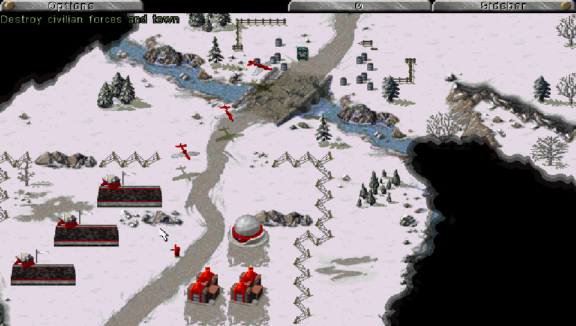

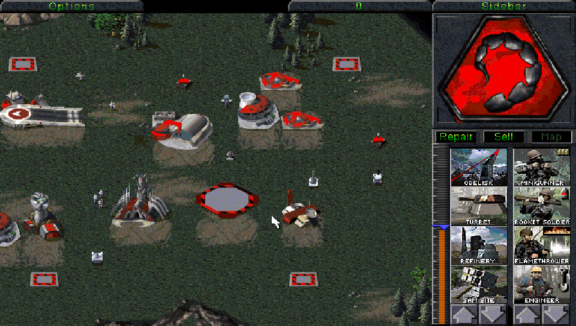
Source:
https://github.com/Northfear/Vanilla-Conquer-vita.


