
Developer @Zar is back with a new update to the very popular and functional homebrew, ManaGunZ is a excellent feature rich Backup Manager, the best for PS2 Backups w/ PS2 Config Editor built-in that has improved in this release. Also this update now supports 4.82 CFW (CEX), also the addition of a Plugin Monitor has been implemented this will allow you to load and unload plugins from the ps3 homebrew. New translation have been added (Italian, Hungarian and Spanish), plus additional fixes have been applied, all and more can be seen in the release notes provided below along with some important details about the new & Improved PS2 CONFIG Editor.
-STLcardsWS
-
Changelog v1.31
ManaGunZ v1.31
- Fix : Read&write file.
- Fix : Support big files (+4GB).
- Add : Italian, Hungarian and Spanish language.
- Add : Support fw 4.82 CEX.
- Fix : Some pnach wasn't applied correctly.
- Fix : Issue with reading files from bin/cue disk image.
- Add : Mount Game from file manager.
- Fix : Removed the refresh window everytime you use an option, sometimes it's useless.
- Add : CONFIG files extracted from softemu and gxemu.
- Add : Improved PS2 CONFIG editor. See note (1).
- Fix : Removed the DBCONFIG.txt system.
- Add : Plugin Monitor, it allow you to load or unload a plugin.
Note (1)
[LOAD] - The PS2 CONFIG editor is able to load CONFIG files and to display the result on the screen.
You'll be able to load :
- "NET" config files from '[ManaGunZ Path]/USRDIR/sys/CONFIG/NET'. These are the CONFIG found in official ps2 classic pkg.
- "GX" config files from '[ManaGunZ Path]/USRDIR/sys/CONFIG/GX'. These are the CONFIG extrated from gxemu.
- "SOFT" config files from '[ManaGunZ Path]/USRDIR/sys/CONFIG/SOFT'. These are the CONFIG extrated from softemu.
- "CURRENT" config files from '[You PS2 Backup Path].CONFIG'. This config is currently used.
- "CUSTOM" config files from '[ManaGunZ Path]/USRDIR/sys/CONFIG/CUSTOM'. These are unofficial CONFIG.
- Morever, PS2 CONFIG editor check if the original data from the commandID : 0x9 & 0xA & 0xB matches with the data of your PS2 backup.
- If it's not a match the commandID on your screen will be displayed in red.
- Once it's loaded, you'll be able to ADD or REMOVE a command ID. For now, you can only ADD the commands without parameter, the 'simple' ones.
- You can add in CONFIG the patches from pnach files. So, the widescreen patches can be added.
- You can add the patches '480' 'YFIX' and 'FMV skip' to the config too.
- Finally, with the button START, it save your configuration to '[You PS2 Backup Path].CONFIG'. Also, if you edited the CONFIG then a backup of your config is stored in '[ManaGunZ Path]/USRDIR/sys/CONFIG/CUSTOM' folder.
-
PS3 Game Settings Menu
PS2 Game Setting Menu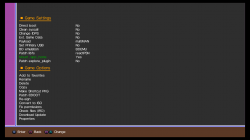
Global Settings Menu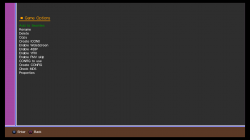
File Manager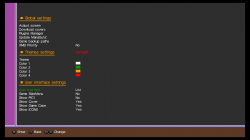
Plugin Monitor Screen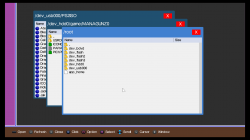
PS2 Config Options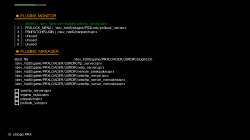
GRID UI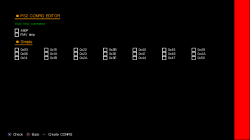

Last edited by a moderator:


 I cant wait to see the next release. Thanks for your effort Zar.







