

-
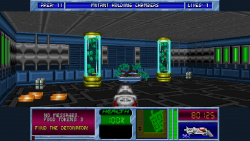
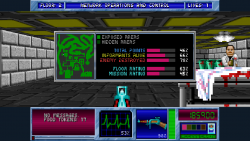
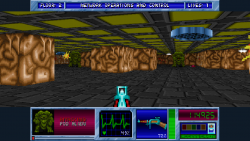
bstone-vita (Blake Stone)Blake Stone is a fun first person shooter from 1993 that sadly got overshadowed by Doom, which came out the week after its release. It's based on the Wolfenstein engine, but includes many features that would later appear in the Doom engine, such as textured floors and ceilings, interactive map elements such as switches and shootable objects, dimming of distant objects, automap, etc.
.
BStone is a full-featured port of the original source code. And now it's available on Vita, running smoothly in native resolution widescreen mode.
I think it's attained a sufficiently good state to merit the status of "release" as of now, so here you are. Big performance improvement over the pre-release version (usually in the 40s). Only caveat is that having music enabled can lead to crashing, so best to disable it in the menu (if anyone can figure out why, I'd be interested in knowing).
-
Installing and Running
Install the .vpk. Then, in the root of ux0:/data/bstone/, place the game assets, which consist, depending on the intended version, of the following files:
The full versions of Blake Stone: Aliens of Gold and Blake Stone: Planet Strike each can currently be obatined from the 3D Realms website, and additionally from Steam and GOG.
[TBODY] [/TBODY]Shareware Registered Planet Strike AUDIOHED.BS1 AUDIOHED.BS6 AUDIOHED.VSI AUDIOT.BS1 AUDIOT.BS6 AUDIOT.VSI EANIM.BS6 EANIM.VSI GANIM.BS6 IANIM.BS1 IANIM.BS6 IANIM.VSI MAPHEAD.BS1 MAPHEAD.BS6 MAPHEAD.VSI MAPTEMP.BS1 MAPTEMP.BS6 MAPTEMP.VSI SANIM.BS1 SANIM.BS6 VGADICT.BS1 VGADICT.BS6 VGADICT.VSI VGAGRAPH.BS1 VGAGRAPH.BS6 VGAGRAPH.VSI VGAHEAD.BS1 VGAHEAD.BS6 VGAHEAD.VSI VSWAP.BS1 VSWAP.BS6 VSWAP.VSI
[TBODY] [/TBODY]
Any combination of these three may coexist in the directory. Press the main "start" region to launch the game. Game version will be chosen in the following order of preference: Registered, Shareware, Planet Strike. Press the "Planet Strike" region to start Planet Strike regardless of the presence of other versions.
Important note
As of version 0.2, leaving music enabled may lead to intermittent crashing while playing. Set the "Background Music" option in the "Game Settings" menu to "None" in order to prevent this. As with other homebrew on the Vita, pressing the home button or going into sleep mode can lead to unwanted behavior upon returning to the still-running game. -
Playing the Game
.
Controls
- L - use/open
- R - fire/accept
- × - about face
- ○ - map or status window toggle
- △ - fire/accept
- □ - use/open
- ↑ - move forward
- ↓ - move backward
- ← - turn left
- → - turn right
- left stick - straight ahead and side-to-side motion
- right stick - turn
- Select - map or status window toggle
- Start - Menu/back


