

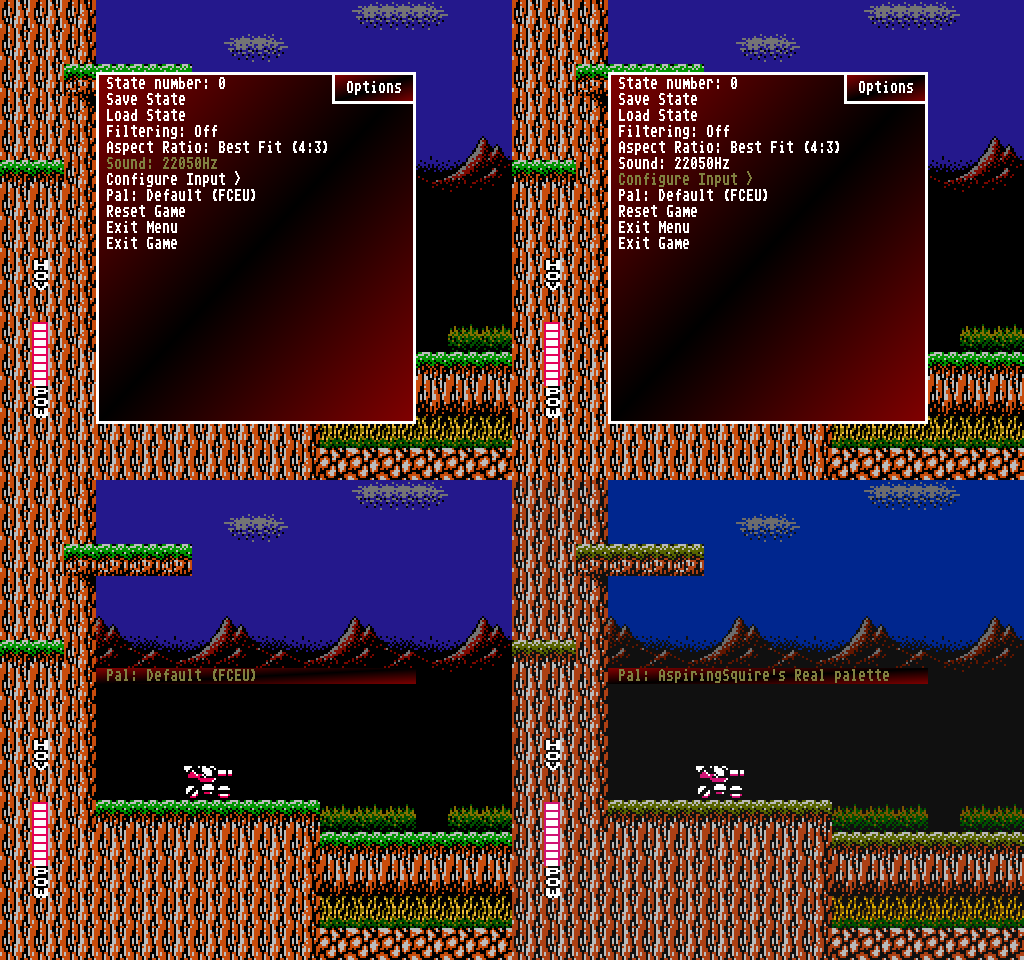
Recently infval made some improvements to FceuMM-PS2.
Here is his repo:
https://github.com/infval/Fceumm-PS2/releases.
Here is AKuHAK repo with integrated changes:
https://github.com/AKuHAK/Fceumm-PS2/releases.
Warning: delete old FCEUltra.cnf, new default button mapping is used.
Changelog:
- Added video mode DTV 640x480.
- Added "4-Players Adaptor" option to "Configure Input". Have to work with multitap.
- Added fceu-packed.x.3.x.cdvdsupport.elf - with CD/DVD support.
- Sound has 4 options: off, 11025Hz, 22050Hz, 44100Hz. With lower sound quality you can get much better performance.
- Added option to configure input in gui.
- Save path fixed and applied right after saving config.
- Turbo buttons have been added to config. RapidFire has been deleted.
- Fixed memory usage when selecting palette.
- Added default FCEU palette and some palettes from libretro. VS. UniSystem uses proper palette (default FCEU). Added PAL (Kinopio) palette. Replaced NES Classic (FBX-FS) with NES Classic (FBX). Change palettes' names and order.
- Button L3 "Insert Coin" (VS. UniSystem).
- Added aspect ratio option to in-game menu: Full Screen, Best Fit (4:3 NTSC display).
- Fixed screen size (639 -> 640, height - 1 -> height).
- Interlacing enabled by default.
- Browser: Sorting filenames by name. Folder and file icons from uLE.
- Add Autofire Patterns for turbo buttons.
- Fixed loading screen offsets (Center Screen option).
- Exit to ELF doesn't work as should.
- 480p renders very big screen.
- Chinese multitaps doesn't work.
I've also notice that this app, doesn't have an icon for PS2 MC Browser.
So, maybe this icon may help:

Files for Download are attached into Discussion:
http://www.psx-place.com/threads/fceumm-ps2-x-3-3.18924/.


