jolek
Senior Member
Short video:
-
PlayStation 2 DVD Player Exploit. This allows you to burn your own PlayStation 2 homebrew discs and play them on an unmodified console. With uLaunchELF as the initial program, users can include multiple homebrew programs on the same disc.
For technical details please refer to this blog post.
-
Boot your PlayStation 2 without any disc inserted, and press Triangle to identify which DVD Player version your console has.
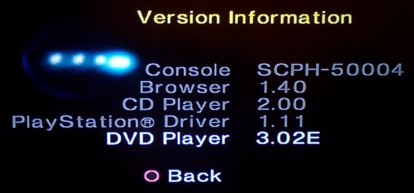
Pre-built ISO files for supported DVD Players containing just uLaunchELF are provided in this repository for ease of use (which can be used to boot homebrew over USB storage), such as 3.10EU.iso. If you intend to make your own image containing additional homebrew / modified initial loader, please read on.
- Once you've identified your console's DVD Player version, copy all of the homebrew you would like to include on the disc into that directory (EG: 3.10EU/).
-
Once you've placed all the homebrew files you'd like into the directory, generate a UDF image of the directory. The easiest way is probably to install genisoimage and run the following (where exploit.iso is the output and 3.10EU is the directory containing VIDEO_TS and any homebrew):
genisoimage -udf -o exploit.iso 3.10EU
How to:
- Download archive from attachment
- Check what DVD Player version you have (look for "Identify your DVD Player Version" tab)
- Write in on DVD-R disc (e.g. with ImgBurn)
- Place the disc into PS2
- 2.10 (Certain models only)
- 2.12 (Regions U, J, and G)
- 3.04 (Tested only region M with English language set in settings)
- 3.10\3.11 (Your console must be set to English language for the exploit to work)
https://cturt.github.io/freedvdboot.html,
https://github.com/CTurt/FreeDVDBoot,
https://www.psx-place.com/threads/u...homebrew-and-backups-on-unmodified-ps2.30204/,
https://www.psx-place.com/threads/tutorial-fmcb-installation-with-free-dvd-boot.30211/,
https://www.psx-place.com/threads/u...homebrew-and-backups-on-unmodified-ps2.30204/.
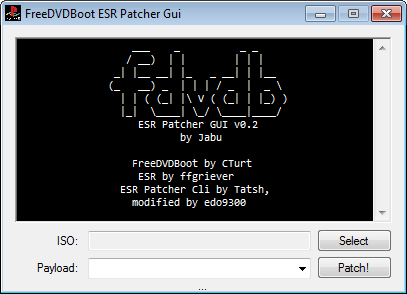
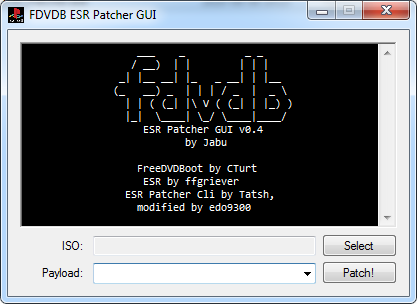
GUI-Patcher (v0.4) made by "Jabu":
https://www.psx-place.com/threads/freedvdboot.30220/#post-255696.
Patcher-Mod by @edo9300:
https://www.psx-place.com/threads/freedvdboot.30220/#post-250730.
Reason for editing: Added links for patchers
Attachments
-
3.10 only - all regions - English lang.7z451.5 KB · Views: 2,592
-
3.11 only - all regions - English lang.7z451.4 KB · Views: 5,924
-
3.04 only - M+maybe other regions except J - English language.7z451.6 KB · Views: 687
-
All PS2 Slims - English language.7z451.6 KB · Views: 2,100
-
FDVDB_ESR_Patcher_v0.4 by Jabu.7z566.8 KB · Views: 3,980
-
Some 2.10 models and all 2.12.7z619.4 KB · Views: 1,867
Last edited: