

-
Release package layout:
the release package will come with several variations of the MCA program. each one offers the following:
[TABLE="class: brtb_item_table"][TBODY][TR][TD]MCA_legacy[/TD][TD]Does not use Homebrew MCMAN nor BDM USB drivers (kept just in case) [/TD][/TR]
[TR][TD]MCA_new[/TD][TD]Uses Homebrew MCMAN and BDM USB drivers[/TD][/TR]
[TR][TD]MCA_Arcade[/TD][TD]Reads COH-H10020 Arcade Security dongles instead of retail memory cards[/TD][/TR]
[TR][TD]MCA_Developer[/TD][TD]Reads TDB Startup cards and DEX Memory Cards (it can also read Sony licensed retail memory cards)[/TD][/TR]
[TR][TD]MCA_Prototype[/TD][TD]Reads Prototype memory cards [/TD][/TR][/TBODY][/TABLE]
-
Memory Card Annihilator is a tool created back in 2007.
Its main purpose is formatting/unformatting memory cards (both PS2 and PSX)
as well as managing memory card images (creating images of physical
cards and writing images onto physical cards).
It can be used to restore cards broken by other formatters back to normal
(eg. when 64MB card has been formatted to 8MB by MCKiller and similar tools).
It has quite nice bad block handling, so even worn cards should
work fine after formatting (unless it's the very first block that
got screwed - because of the way mcman handles the cards when
recognizing the file system, I don't think this kind of error
could be solved in a different way than hardware block remapping).
The previous version, although worked really nice (got quite
a lot of success stories), had two big drawbacks:
a) was all in Polish language,
b) display mode was fixed to PAL.
Basic usage.
The video mode needed should be detected automatically
(for PAL/NTSC - depending on console).
But if it fails for some reason, you can always force particular mode
by keeping a button pressed during application startup.
The options are as follows:
a) PAL - press dpad RIGHT.
b) NTSC - press dpad LEFT.
c) VGA (640x480) - press dpad UP.
-
The keys are pretty straightforward. Some are not that obvious,
but whenever needed, a hint is displayed to make sure the user
knows what to do:
- dpad up/down: change menu item selection, change file selection
in explorer.
- dpad left/right: change horizontal menu item selection
(yes/no), change submenu item selection (fast/full formatting),
change memory card size in the size selection window to the nearest
of 8/16/32/64/128MB.
- L1/R1: change memory card size in the size selection window
by the unit of 1MB, jump to the next/previous page in file explorer.
- L2/R2: enable/disable file mask in file explorer (on by
default).
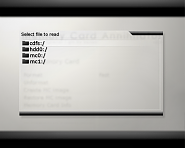
- START: display virtual keyboard in file explorer, display
"thanks/about" window.
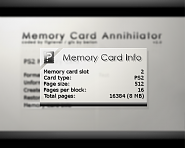
- SELECT: when in main menu (card selection screen), display
"exit to" dialog and browser to select elf file to exit to, display
memory card info screen when in memory card screen (there is also
an additional menu item that does exact same thing).
- X: confirm.
- TRIANGLE: cancel/return.
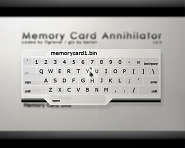
I decided to put the key mapping for virtual keyboard in
separate paragraph to make things easier for everyone. You can
open the virtual keyboard when using file explorer in write mode
by pressing START button.
- left analog stick: move cursor.
- dpad: move cursor (you can switch analog mode on/off by using
"mode" button).
- X: "press" the highlighted key.
- SQUARE: space (can also be pressed on screen).
- CIRCLE: backspace (can also be pressed on screen).
- R1: shift (active only when button is pressed, can also be
pressed on screen).
- L1: caps lock on/off (can also be pressed on screen).
- START: enter (confirms filename, exits keyboard, can also be
pressed on screen).
- TRIANGLE: exit keyboard without selecting filename.
-
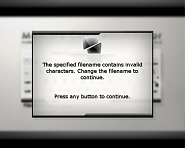
Some screenshots:



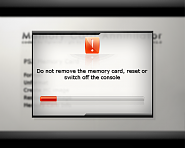
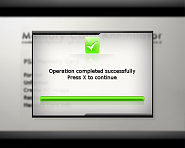
-
Changelog:
- v2.0
First public release.
- v2.0a
A warning will appear if the user selects a memory card size
bigger than the recognized one.
- Here's a list of the changes since v2.0a:
[TABLE="class: brtb_item_table"][THEAD][TR][TD]Change[/TD][/TR][/THEAD]
[TBODY][TR][TD]El_isra[/TD][TD] Replace legacy USB drivers with BDM. adding support for EXFAT USBs[/TD][/TR]
[TR][TD]El_isra[/TD][TD] Use homebrew MCMAN. adds support for ProtoKernel PS2s[/TD][/TR]
[TR][TD]El_isra[/TD][TD] Compatibility with ps2dev:v1.0 (for automated compilation mostly)[/TD][/TR]
[TR][TD]El_isra[/TD][TD] MECHAEMU Support. now MCA has special variants that read Arcade, Prototype and Developer memory cards from retail Consoles[/TD][/TR]
[TR][TD]El_isra[/TD][TD] Minor tweaks on UI text[/TD][/TR]
[TR][TD]ffgriever[/TD][TD] Make english the default and builtin language[/TD][/TR]
[TR][TD]ffgriever[/TD][TD] Print version using a font instead of hardcoding it in logo image[/TD][/TR][/TBODY][/TABLE]
-
Do not attempt to use this software to increase the size of your Memory Card. You might damage it beyond repair.
It will certainly not work as you expect (regardless of what some YouTubers or tutorials says).
It is true that the number showing the size might change, but every data written after the physical size will become garbage.
Also, there has been cases were some memory cards bricked beyond repair when they were formatted with a size larger than the real one.
More info can be found in readme.
Disclaimer:
This application is free and provided "as is", without warranty
of any kind, either expressed or implied. The authors cannot be
held responsible for any damage to the hardware or data loss caused
by application usage and missusage.
Warning:
Do not use this software to increase the size of your Memory Card.
You might damage it beyond repair.


