

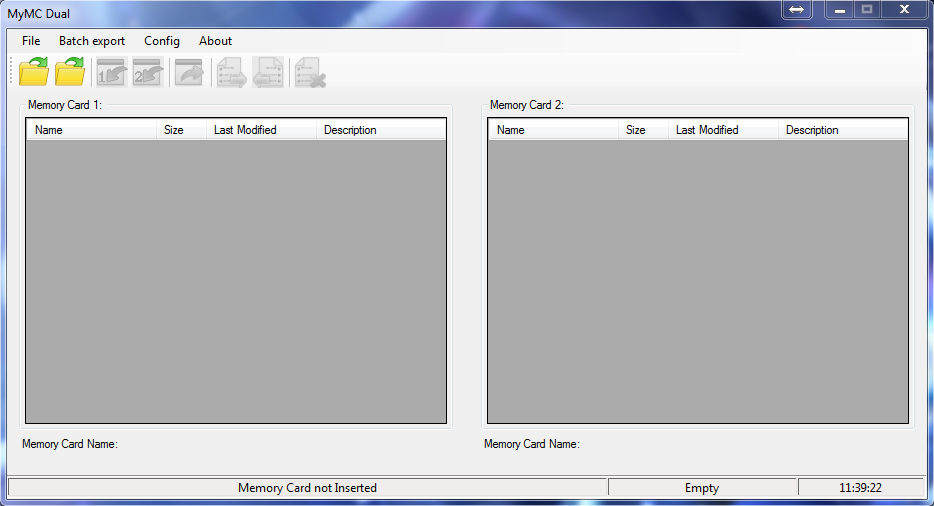
"MyMC Dual" is a joack version of the mymc memory card utility, this version allows to managed two virtual memory cards at the same time.
Note: For Windows 7 or higher this application need to install windows framework 4.5 o higher.
Note: For Windows XP this application need to install windows framework 3.5.
Main window:
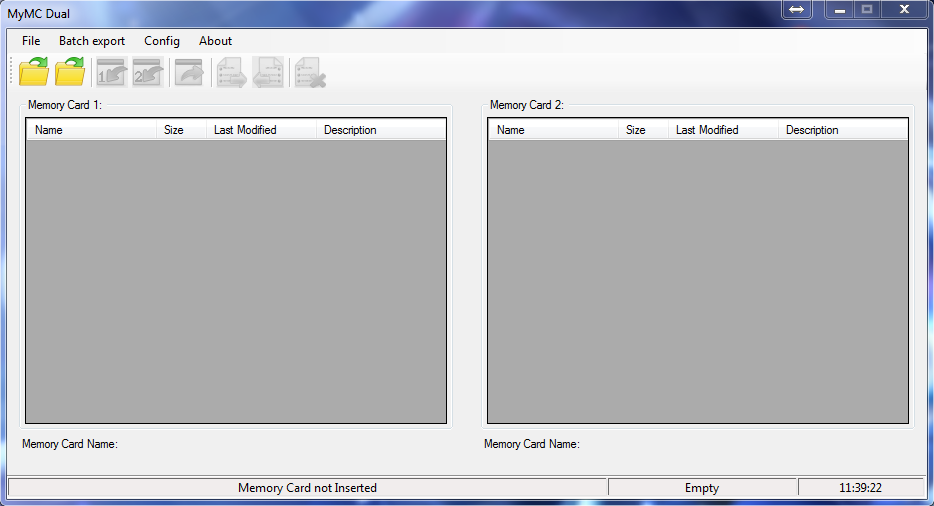
Content:
- Menu Bar.
- Icons Bar.
- Cards Slots.
- Status Bar.
Menu Bar
File:

- Close MC1: Close memory card side 1.
- Close MC2: Close memory card side 2.
- Create MC: Allows you to create a new memory card, this option open a new window.
- Exit: Exit from the application.
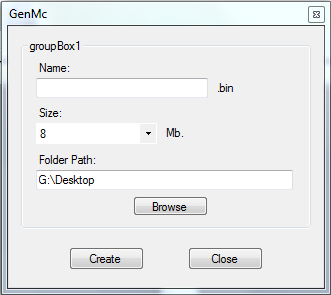
- Name: Name of the new memory card, if the name box is empty when you press the "create button", the program will assign a default name.
- Size: this dropdown allows you to select the size of the memory card (8, 16, 32 and 64 MB).
- Folder Path: this is the path where the new memory card will be created.
Batch export:
In this menu, you can set the save format when you export files from memory card.
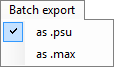
- As .psu: All files will be exported to EMS format.
- As .max: All files will be exported to Drive Max format.
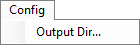
- Output dir: This menu allows you to choose the directory where the exported files will be placed, this option open a new window.
Icons Bar

This buttons perform the main actions of the program.
- Allows you to open a memory card in the side 1 or side 2

- Allows you to import save files to memory card side 1 or 2. You can import multiple files at once.

- Allows you to export selected save files from one of the memory card slots. You can export multiple files at once.

- Allows you to transfer save files between memory cards. You can transfer multiple files at once.

- Allows you to delete save files. You can delete multiple file at once.

Card Slots
When you open a memory card, the content will be displayed on the selected slot.
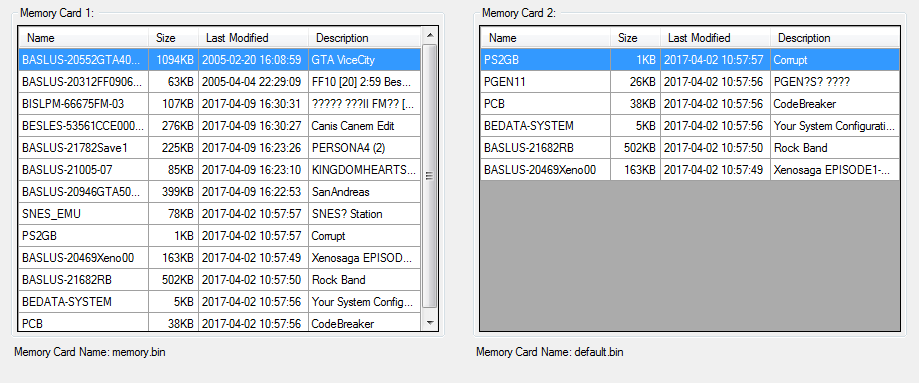
- Column Name: Shows the internal name of the save file in the memory card.
- Column Size: Show the save file size.
- Column Description: Shows a little description of the save file.
If you want, you can sort the rows by:- Name.
- Last Modified.
- Description.
- Memory Card Name label: This label shows the current name of the open memory card in that slot.
Status Bar
This bar shows information about the selected memory card.

- The first box shows the current path to the selected memory card. This is useful because it lets you know which memory card you are currently working with.
- The second one shows the free space for the current selected memory card.
- The last one shows the current time.

Note: If you press the left click button on the first box, a new window will open to that selected file .
Changelog:
Code:
v5
-- Fixed some error when try to load memory cards above 8MB.
-- Added context menu for each slot card. Now you can:
[LIST]
[*]Select all save files in the list.
[*]Copy the selected save files to the other slot.
[*]Copy all save files to the other slot.
[*]Move save files beetwen slots.
[*]Delete the selected save files.
[*]Delete all files.
[/LIST]
-- Added Log file.
-- Added new menu item 'Tools',  and a memory card converter  ( bin <--> ps2 ) with and without ECC Block.
-- Added 'Preference' menu.
-- Rename 'Batch export' menu to 'Batch actions' and add new items.

v4
-- Ability to create memory cards with ECC Block and without ECC Block..
-- Fixed bug when trying to create memory cards in folders that contained white space in their name.
-- You can now delete saves using the DELETE key.
-- Support for memory cards with ECC Block.

v3
-- Fixed some errors when trying to export files.
-- Added a new feature: Drag and Drop raw save files (still experimental).

v2
-- It seems that when the memory card was in a folder with white spaces in its name, the program went into error. I was able to fix that mistake in the end. It is now functional.

v1
-- initial release.
Download
MyMC Dual v5:
MyMC Dual v5 for Windows XP:
mymc webpage:
mymc:


