-
Vita Save Manager
Here is a handy utility created by developer d3m3vilurr, for managing your Vita Saves (decrypted)
Source Code / Releases:
-
How to use
- Install vpk
- Launch savemgr in Home shell
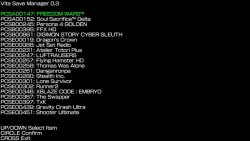
- Select game
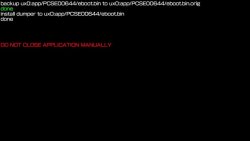
- Wait 3sec, will auto launch dumper
- Dump or Restore game save.
- Exit with X (DO NOT FORCE CLOSE)
- Auto relaunch savemgr, then cleanup injected things.
- Repeat 3~7 steps or close savemgr
- Play game.
If you want to use another dump directory format, make simple config.ini file into ux0:data/savemgr
- use ux0:data/savegames/PCSH00000_SLOT0
slot_format=%s_SLOT%d
- use ux0:data/savegames/PCSH00000/SLOT_0
slot_format=%s/SLOT_%d
Default config like this
base=/data/rinCheat
slot_format=%s_SAVEDATA_SLOT%d
Emergency guide
If you do something mess, please do these steps.
- Open VitaShell
- If you used this app for dumped or digital game, move to ux0:app/{TITLE_ID}. If used for cartridge game, move toux0:patch
- follow your case;
- Remove eboot.bin and rename eboot.bin.orig to eboot.bin
- Remove {TITLE_ID} directory and rename {TITLE_ID}_orig to {TITLE_ID} if exists directory
- Check ux0:data/savemgr/tmp, if exists, remove this.
-


- Author STLcardsWS
- Creation date
- Featured

More resources from STLcardsWS
-
 PS VITA / PSTV Animal Crossing VitaAnimal Crossing (GameCube) on PS Vita via VitaGL. Based on flyngmt's ACGC-PC-Port decompilation.
 -
 PS VITA / PSTV UT99 Vita (Unreal Tournament)This is a wrapper/port of Unreal Tournament for the PS Vita.
 -
 PS3 webMAN MODA fork of deank's original webMAN with many additional features making it a true AIO plugin
 -
 PS VITA / PSTV Starship VitaThis is a port of Starship (v.1.0.0 for now but planned to be moved up to latest upstream) for Vita
 -
 PS3 Apollo Save ToolAn application to manage save-game files on the PlayStation 3.
 -
 PS VITA / PSTV Super Mario Bros. C - PS Vita PortAn attempt to translate the original Super Mario Bros. for the NES to readable C/C++.
 -
 PS VITA / PSTV 2ship2harkinian VitaA sourceport of The Legend of Zelda: Majora's Mask
Latest updates
-
Vita Save Manager 2.0.0 is out!
Vita Save Manager 2.0.0 is out! Changelog: Re-enable package compression (cdf1833) Fix confirm... -
Vita Save Manager v0.80
V 0.8.0 - Changelog Change default directories to ux0:/data/savegames Auto migrate older... -
Vita Save Manager v0.80
Changelog v0.80 Change default directories to ux0:/data/savegames Auto migrate older... -
VitaSaveManager v0.7.0
0.7.0 Support device confirmation button & fix text grammers (#16) Use icon for button... -
VitaSaveManager v0.6.0
0.6.0 Fix broken import process of 0.5.0 Support save export/import of abnormal titleid games...