

VitaGraphs
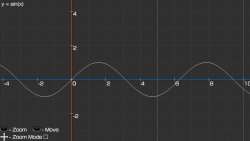
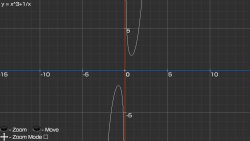
Simple Graphing Calculator written on lpp-vita (@Rinnegatamante)
Simple Graphing Calculator written on lpp-vita (@Rinnegatamante)
-
How to Use
1 Install App
2 Open App
3 Press triangle
4 Write your function (e.g. y=x+x+2*x-1/x)
5 Done!
6 Better press Select to exit app
Controls:
- Press Triangle to Write function
(support "+, -, /, *, ^, abs(), sin(), cos(), tg(), sqrt(), floor(), ceil(), arccos(), arcsin(), arctg()") - Press Cross to reset Camera
- Move Left Stick up and down to Zoom in/out (You can use touchscreen to resize)
- Move Right Stick to move (You can use touchscreen to move)
- Press Square to choose Zoom mode (vertical, horizontal, both)
- Press Triangle to Write function
https://github.com/Creckeryop/VitaGraphs/releases
http://gbatemp.net/threads/release-vitagraphs-simple-graphing-calculator-for-ps-vita.496111/


