PS2 Apollo Save Tool PS2 (development thread)

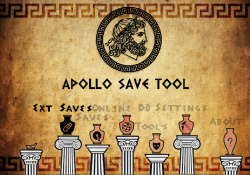
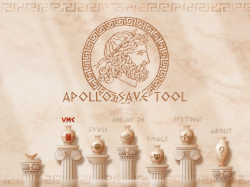
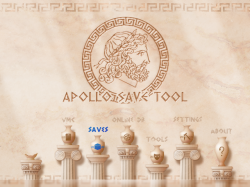
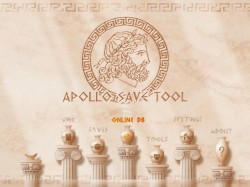
TEST ON PENDRIVE: there is a gray bar at the bottom. text is overlapping. contrast wayy too high. screen off center shifted toward the bottom right. TEST ON HDD using fake network adapter:the same. Other thing whene in the saves option Bulk Save managment says PSP.
Console: SCPH:5004
 
Hello. Can I get to test it, too?
I'm really interested about this, and would love to give some feedback even if it's minimal
 
Just sent another version with some fixes to test out.

1 - With this New build, If detect and list data from MC and remove that MC, apollo still list and export the data from old removed MC ( maybe a feature?) ( pressing square button [ ] - Refresh solves ).

upload_2023-7-19_22-33-6.png


2 - Ext Saves > "save" > import to MC, don't work for any MC port.

3 - Ext Saves > bulks save mng > copy all saves to MC, it try to Export USB mass:/

upload_2023-7-19_22-32-28.png

upload_2023-7-19_22-32-42.png


4 - Bulk Export to " mass:/APOLLO/SAVEDATA/ " and single save Export to " mass:/PS2/SAVEDATA ", maybe put all insiste apollo folder could be better, like:

/APOLLO/SAVEDATA/SAVE_FOLDER
/APOLLO/PSU/SAVE_GAME.PSU
/APOLLO/CBS/SAVE_GAME.CBS
/APOLLO/PSV/SAVE_GAME.PSV
ETC...
Or simple: " /APOLLO/PS2/SAVE_GAME.PSU, *.PSV, *.CBS "

5 - not saving Settings changes to MC apollo save.
 
Last edited:
1 - With this New build, If detect and list data from MC and remove that MC, apollo still list and export the data from old removed MC ( maybe a feature?) ( pressing square button [ ] - Refresh solves ).


2 - Ext Saves > "save" > import to MC, don't work for any MC port.

3 - Ext Saves > bulks save mng > copy all saves to MC, it try to Export USB mass:/

4 - Bulk Export to " mass:/APOLLO/SAVEDATA/ " and single save Export to " mass:/PS2/SAVEDATA ", maybe put all insiste apollo folder could be better, like:

/APOLLO/SAVEDATA/SAVE_FOLDER
/APOLLO/PSU/SAVE_GAME.PSU
/APOLLO/CBS/SAVE_GAME.CBS
/APOLLO/PSV/SAVE_GAME.PSV
ETC...
Or simple: " /APOLLO/PS2/SAVE_GAME.PSU, *.PSV, *.CBS "

5 - not saving Settings changes to MC apollo save.

1. Yes this can happen, I'm not keeping a real-time detection of memory cards or USB drives, if you disconnect after listing, the save list will remain. (Same thing would happen on Apollo PS3 or PS4 with usb drives)

2. and 5. That seems weird, looks like no files are getting written to Memory cards. Not just importing, but even saving "Apollo Settings" fails? that worked before, but now I'm loading some additional memcard modules like XMCMAN to handle memcard save properties like Date/ Time / permissions flags. Everything is still working on emulator but it might be different on hardware.

To rule things out, I can build 2 versions, one without loading the XMCxxx modules, and the other with them. Then you can try if you can at least save app Settings.

Thanks for the tests :encouragement:
 
1. Yes this can happen, I'm not keeping a real-time detection of memory cards or USB drives, if you disconnect after listing, the save list will remain. (Same thing would happen on Apollo PS3 or PS4 with usb drives)

2. and 5. That seems weird, looks like no files are getting written to Memory cards. Not just importing, but even saving "Apollo Settings" fails? that worked before, but now I'm loading some additional memcard modules like XMCMAN to handle memcard save properties like Date/ Time / permissions flags. Everything is still working on emulator but it might be different on hardware.

To rule things out, I can build 2 versions, one without loading the XMCxxx modules, and the other with them. Then you can try if you can at least save app Settings.

Thanks for the tests :encouragement:

Using default apollo.elf ( with MC modules ).

1 - Ext Saves > bulks save mng > copy all saves to MC, still try Export to USB mass:/ ( it must import to MC not export to mass:/ )

2 - Save and load Apollo Settings only in MC0.

no other problems found so far
 
Using default apollo.elf ( with MC modules ).

1 - Ext Saves > bulks save mng > copy all saves to MC, still try Export to USB mass:/ ( it must import to MC not export to mass:/ )

2 - Save and load Apollo Settings only in MC0.

no other problems found so far
Import and export to memory cards worked okay?

I'll check the bulk manager options
 

Sure, I'll send the ELF once a new build is ready. I'm fixing the Bulk management options as @Nameless32 reported issues there.

The main goals for this first release:
  • be able to import saves (in PSU, PSV, MAX, CBS, XPS, SPS formats) to the ps2 memory card, while keeping attributes/date/time values so saves remain valid and work ok
  • export and backup saves from memory card back to USB/host using PSU, PSV or CBS formats.
  • save-game patching (with SaveWizard / GameGenie codes or Bruteforce Save data scripts)
  • save-data hex editing
Things are already there, but it needs testing to confirm everything works as expected.
 
Sure, I'll send the ELF once a new build is ready. I'm fixing the Bulk management options as @Nameless32 reported issues there.

The main goals for this first release:
  • be able to import saves (in PSU, PSV, MAX, CBS, XPS, SPS formats) to the ps2 memory card, while keeping attributes/date/time values so saves remain valid and work ok
  • export and backup saves from memory card back to USB/host using PSU, PSV or CBS formats.
  • save-game patching (with SaveWizard / GameGenie codes or Bruteforce Save data scripts)
  • save-data hex editing
Things are already there, but it needs testing to confirm everything works as expected.

Awesome! And thanks.
 
@bucanero

All seems good to me. The timestamps are correct.

I have a request if you could:

An option to change the exit button to Triangle. The Circle button to exit came from the PSP I think, and was extended to PS3 and I'm guessing further with PS4 and PS5.

Although I may be wrong, I think this idea was taken from Xbox, because the B button is located in the same place as the PS Circle and that is the button that backs out. Also, before I forget, could you add a 480p option/support as well?

One more thing, the background in the middle part of the screen is very bright.
APOLLO@640x480.PNG
 
Last edited:
@bucanero

All seems good to me. The timestamps are correct.

I have a request if you could:

An option to change the exit button to Triangle. The Circle button to exit came from the PSP I think, and was extended to PS3 and I'm guessing further with PS4 and PS5.

Although I may be wrong, I think this idea was taken from Xbox, because the B button is located in the same place as the PS Circle and that is the button that backs out. Also, before I forget, could you add a 480p option/support as well?

One more thing, the background in the middle part of the screen is very bright.View attachment 40899

"triangle" to exit from the main menu screen? I know some users that have a japan model have requested the buttons reversed (circle=Ok, cross=Cancel) but I never knew about triangle.

About the background, I wonder if it's something related to the SDL2 library or the texture. While testing on emulator I haven't seen such color "burn". Thanks for reporting!
 
"triangle" to exit from the main menu screen? I know some users that have a japan model have requested the buttons reversed (circle=Ok, cross=Cancel) but I never knew about triangle.

About the background, I wonder if it's something related to the SDL2 library or the texture. While testing on emulator I haven't seen such color "burn". Thanks for reporting!

No problem.

Also, triangle is usually the exit button on most US PS1 and PS2 games, except for MGS.
 

Similar threads

Back
Top