PS2 Cannot format 1TB SATA HDD using WinHiip

Maybe because You didn't choose proper drive or WinHIIP doesn't works with USB controllers (in assumption that the same drive is visible and partitioned on PS2).

Use HDL Dump or Dumb to putting games on PS2 HDD.

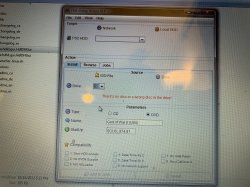
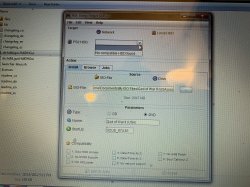
He didn't change the upper side option, so HDL dump was trying to enstablish a eth connection...

I think he got that error message on winhiip maybe 'cause he's missing the HDLoader settings partition. HDL dump also need it btw.

@SENSPLAYER07 I gaved you some instructions here, make a screen of this post: https://www.psx-place.com/threads/cannot-format-1tb-sata-hdd-using-winhiip.29989/#post-255640
 
What possibly can be wrong it won't let me add the games?
 

Attachments

  • 15EE5290-92A7-4018-AE9D-F27704B1B939.jpeg
    15EE5290-92A7-4018-AE9D-F27704B1B939.jpeg
    7.9 MB · Views: 89
  • D19A45BB-E7F0-4E30-B4F3-36BBAF0FC2A6.jpeg
    D19A45BB-E7F0-4E30-B4F3-36BBAF0FC2A6.jpeg
    7.8 MB · Views: 84
I never used this java GUI. Use just normal HDL Dumb... At least for test purposes. Choose Local HDD and You must have it on list if Your statement was true that PS2 recognize the disk (which means is formatted as APA junk).
 
I never used this java GUI. Use just normal HDL Dumb... At least for test purposes. Choose Local HDD and You must have it on list if Your statement was true that PS2 recognize the disk (which means is formatted as APA junk).

can you link me normal HDL Dumb to download? Thanks
 
What possibly can be wrong it won't let me add the games?

Make sure to:

1. run the program as administrator

2. to have the HDLoader Settings partition (128MB) on HDD

And if you already didn't, don't forget to make the +OPL partition too before installing games (for having it at the HDD beginning), do it manually from ule hddmanager the size you want.
 
Mission completed I would like to thank everyone who had Helped me and I also installed 4 games to tested one of the games God of war II started and in 3 mins it's goes Black screen? I waited for another 5 mins to come back no luck and all other 3 games played well please let me know on God of War ii going black screen? How to fix it? Have a great weekend:) thanks again :)
 
He don't need HDL partition to been HDD recognized and to installing games.

Are you sure?? I seems to remember winhiip tell you if the HDL partition is missing and you have to create it for installing games. Also with HDL dump (at least the gui version I firstly linked) I think I remember some error message if you don't have that partition (and HDL dump won't create it for you, so you'd have to do it with winhiip or Ule hddmanager if the HDD is >1tb).
 
Yes because I'm messing with it PS2 HDD last time to create tutorial:
https://www.psx-place.com/threads/apa-patitionology.30912/#post-256808
And to be honest, I didn't even know that HDL partition is needed for something. ;p

For me, HDL Dump/Dumb creating HDL partition but with embedded OPL Mini (so it is selfbootable from HDD OSD menu).

Could You tell me how it looks like? I mean: what name have it and does it can be explored in uLE? I booted HDL but it didn't create anything (but I cannot dump any game because drive is almost dead or very dirty and took me ages to see disc by HDLGame Installer).
 
Could You tell me how it looks like? I mean: what name have it and does it can be explored in uLE? I booted HDL but it didn't create anything (but I cannot dump any game because drive is almost dead or very dirty and took me ages to see disc by HDLGame Installer).

I don't remember if HDLoader create it (I think yes but I'm not sure), when formatting with winhiip it create it automatically and I always made it manually when formatting with Ule hddmanager.

upload_2020-9-5_13-13-40.png


As you know both winhiip and hdl dump have been originally made for HDLoader. As you can see, in the Compatibility section below, there are the HDLoader compatibility modes that you can either activate here when installing games (same with winhiip) or on Ps2 from HDLoader front end. Either way settings will be stored into the HDLoader Settings partition, togheter with the game-list file.

You can enter the HDLoader Settings partition from Ule filebrowser as any other partition.

Obviously OPL doesn't need that partition, so if HDL dump allow you to install games even without that partition it's ok.
Maybe it depends on the version you're using.
 
Why do You want convert BIN into ISO in the first place? HDL Dump/Dumb support *.bin/*.cue and converting on the fly to mode1 (because all games in "HDL format" must be 2048 blocks, no matter if this is CD or DVD).

You cannot convert *.cue to *.iso because it is not disc image.

@Peppe90 You don't need HDL nor OPL partition. In such case, game will be self bootable (if You have HDD OSD installed).
 
Why do You want convert BIN into ISO in the first place? HDL Dump/Dumb support *.bin/*.cue and converting on the fly to mode1 (because all games in "HDL format" must be 2048 blocks, no matter if this is CD or DVD).

I don't know about other versions, but the HDL dump gui I firstly linked to him don't support bin files, only ISOs. Indeed at the time I used winhiip for install CD games to a PFS formatted pendrive, then extract them and install on Ps2 HDD with HDL dump.
After some time I discovered WinBin2ISO and use it from then on. Not every program correctly convert Ps2 BINs to ISOs.

@Peppe90 You don't need HDL nor OPL partition. In such case, game will be self bootable (if You have HDD OSD installed).

I remember a error (happening to me and some other persons too) with HDL dump gui 2.3 if the HDLoader Settings partition were missing. Maybe I'm wrong, it's been many years ago but yet I really seems to remember it...
Always booting games with OPL or HDL though, never used a HDD OSD.
 
HDL Dumb is a GUI or HDL Dump. I don't see a reason for using another layer of GUI (especially one which needs Java). ;] And the last (?) and superior version is from AKuHAK.

https://www.psx-place.com/resources/hdl-dump-hdl-dumb.950/

And yes, the way of games booting via normal OPL is better because is up to date, while the one using in PATINFO is already outdated (and probably lack of all options).
 
HDL Dumb is a GUI or HDL Dump. I don't see a reason for using another layer of GUI (especially one which needs Java). ;] And the last (?) and superior version is from AKuHAK.

https://www.psx-place.com/resources/hdl-dump-hdl-dumb.950/

And yes, the way of games booting via normal PL is better because is up to date, while the one using in PATINFO is already outdated (and probably lack of all options).

Lately I have been using WinHiip to Add games & OPL to Add Backgrounds and But unfortunately When Plug in the HDD Backgroundd don't show up on PS2 OPL Loader Games do come up and play fine.. why wouldn't Game Background show up? How to Add Cue and Bin roms? I been converting all the files to ISO lol please help ? Thanks
 
ROMs are dumps from i.e ROM kind memory. *.bin/*.iso is disc image.

You don't need converting files. Just choose bin (or cue; I don't remember now) and just install game.
 
Back
Top