
You are using an out of date browser. It may not display this or other websites correctly.
You should upgrade or use an alternative browser.
You should upgrade or use an alternative browser.
PS2 Cannot format 1TB SATA HDD using WinHiip
- Thread starter Aquablue
- Start date
SENSPLAYER07
Forum Noob
are you using Java version? Or older one ?
HDL Dumb is a GUI or HDL Dump. I don't see a reason for using another layer of GUI (especially one which needs Java). ;] And the last (?) and superior version is from AKuHAK.
I do not argue about the last version being superior, it probably is in some way.
But personally I don't suggest anything by hearsay, this is the simple reason I always link that HDL dump version (especially to who's having problems) 'cause I installed and extracted hundreds of games on any kind of HDD with that exact HDL dump version and never had a single problem.
That absolutely doesn't mean he would have problems with newer version, but I can't guarantee for it


Berion
Developer
There are only two branches of HDL Dump/Dumb which I known. Official and the latest AKuHAKu builds which have additional features. Any other kind of GUI (like this Java's) doesn't matter as it still needs HDL Dump for target OS. So You can using Java GUI with two different mentioned earlier versions, depend which one You preferring.
SENSPLAYER07
Forum Noob
So I added many games to HDD with WinHiip and then used OPL to ADD Games Over Arts unfortunately Cover arts won't show up when connection the HDD with 3 party Sata Adapter ? What Possibly Can be done wrong ? Thanks
Have you enabled them in OPL settings?
If yes, check with Wle, Enter hdd0: > OPL > ART and see if cover arts are present. Otherwise is possible OPLM installed covers on a wrong path (on your PC instead that on Ps2 HDD).
If that's the case, you can download covers again after you correct the path. Or you can search the already downloaded covers (probably they are in some folder inside OPLM folder), and copy them to hdd0: > OPL > ART using a USB device.
If yes, check with Wle, Enter hdd0: > OPL > ART and see if cover arts are present. Otherwise is possible OPLM installed covers on a wrong path (on your PC instead that on Ps2 HDD).
If that's the case, you can download covers again after you correct the path. Or you can search the already downloaded covers (probably they are in some folder inside OPLM folder), and copy them to hdd0: > OPL > ART using a USB device.
SENSPLAYER07
Forum Noob
Have you enabled them in OPL settings?
If yes, check with Wle, Enter hdd0: > OPL > ART and see if cover arts are present. Otherwise is possible OPLM installed covers on a wrong path (on your PC instead that on Ps2 HDD).
If that's the case, you can download covers again after you correct the path. Or you can search the already downloaded covers (probably they are in some folder inside OPLM folder), and copy them to hdd0: > OPL > ART using a USB device.
So I did enabled on OPL I'm posting pic here .. I also look for WLE I can't find it anywhere ? No luck what should I do next? Thanks
Attachments
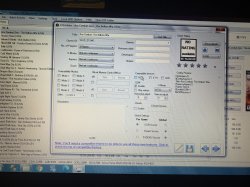
So I did enabled on OPL I'm posting pic here .. I also look for WLE I can't find it anywhere ? No luck what should I do next? Thanks
For avoiding misunderstanding: when we say OPL we mean actual OPL program pn Ps2. OPLM is OPL manager on PC. So you posted a OPLM pic.
I said you to enable artworks on OPL settings, on Ps2.
Same thing about Wle (Wlaunchelf), it is on Ps2.
I suggest you to do so:
Connect the HDD to the Ps2 and check with Launchelf if the cover arts are present in the path I said.
If they're present, probably you didn't enabled them in OPL settings. So just boot OPL, go to display settings and enable cover arts (press ok, then save).
If they're not present, look for them on your PC into OPLM folder. Copy them to a pendrive, connect the pendrive to the Ps2 and paste them to hdd0: > OPL > ART so you don't have to disconnect the HDD again from the Ps2.
If you cannot find them on any folder into OPLM folder, just re-download them to any path you prefere on your PC and do as the above line.
SENSPLAYER07
Forum Noob
Thanks all doneFor avoiding misunderstanding: when we say OPL we mean actual OPL program pn Ps2. OPLM is OPL manager on PC. So you posted a OPLM pic.
I said you to enable artworks on OPL settings, on Ps2.
Same thing about Wle (Wlaunchelf), it is on Ps2.
I suggest you to do so:
Connect the HDD to the Ps2 and check with Launchelf if the cover arts are present in the path I said.
If they're present, probably you didn't enabled them in OPL settings. So just boot OPL, go to display settings and enable cover arts (press ok, then save).
If they're not present, look for them on your PC into OPLM folder. Copy them to a pendrive, connect the pendrive to the Ps2 and paste them to hdd0: > OPL > ART so you don't have to disconnect the HDD again from the Ps2.
If you cannot find them on any folder into OPLM folder, just re-download them to any path you prefere on your PC and do as the above line.
SENSPLAYER07
Forum Noob
I finally got my PS2 Modded I would like to Thanks everyone  have a great weekend !
have a great weekend !If you see the write "No compatible HDD found" here:
View attachment 27562
Then yes, the problem could be the adaptor.
I stay maybe for 2 months to find a sloution and I use another progam
(hdl batch installer)
use it and enjoy <3
I stay maybe for 2 months to find a sloution and I use another progam
(hdl batch installer)
use it and enjoy <3
Some programs have problems with certain USB adaptors.
I never had any issue with Ps2 related programs (winhiip, hdl dump...), they could always see my Ps2 HDDs regardless of the adaptor I used (I used a lot of different ones, but not all of them, so that could be the problem's reason. HDL dump has issues with your adaptor while HDL batch installer hasn't).
Similar threads
-
-
-
PS2 Ps2 50004 hdd keep asking for for formatting after restarting ps2 on hdd manager of ulaunchelf 4.4.7
- Started by Archer somit
- Replies: 8
-
PS2 Troubleshooting SSD issues in OPL / NHDDL + Neutrino
- Started by Splatsby
- Replies: 2