Evilnat
Developer
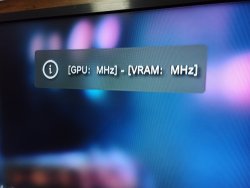
Done, I have modified the option to show RSX frequency, now it should work without any issues:remember that only gets the frequency! not sets it! the range of possible frequencies is available in haxxxen's ps3mfwbuilder-mod repository.
https://github.com/haxxxen/ps3mfw-builder-0.2.1-mod
- Now Cobra shows the correct disc image for PS2 (blue disc icon)
- Added option to export RAP license of RIF licenses in current user account (requested by @FFF256)
- Fixed [Check GPU/VRAM clock speed] option (thanks to zecoxao and M4j0r) NOT WORKING
- Updated FTP server (Experimental, maybe this option will be removed)
- Fixed libCrypt for PSX games (thanks to aldostools)
- Enabled [Install All Packages] in non QA flagged PS3
- Added german language in xai_plugin (thanks to FadedHD3)
- Updated french language in xai_plugin (thanks to EimGdt and Chronoss09)
- Updated OtherOS and PSN icon (thanks to HackZy01)
If you have my latest version of the CFW the pad sync issue is not caused by mounting dev_usb000 on startup because I didn't add it in Cobra, but if you disable it and all is back to normal something must happen, the first thing that comes to mind is if you have disabled plugin loading and restart the ps3Hi there,
Thats what I have "sync issues"
Two days ago my fat ps3 developed a problem and I had to format the HDD.
The Ps3 boot sequence is now slow, and was not before this.
Now when the console is on sleep mode and I press the PS button the controller does not sync because the ps3 takes a lot more time to boot up the system and even with the controller blinking the ps3 does not connect it. But if I insert the usb clable and remove it does sync.
If I turn on the PS3 by hand and wait 10 seconds to press the PS button, that way the remote controller syncs, or if I use the usb cable also syncs.
I found if I disable cobra the ps3 boots fine, and the controller syncs perfectly, also the booting time is normal for HDD time to boot up.
I have the same problem on SSD and HDD.
The problems started after the console encoutered an error and the only option that worked was formating the OS. The other ones on the recovery freezed the system.
Im using Evilnat 4.89.3 OC cex/pex since the release date by Evilnat
Things I´ve done to try to fix it:
Formated the HDD many times, and installed evilnat 3.88.2 - Evilnat 4.89 and Evilnat 4.89.3 (Cobra 8.3 and 8.4) cex/pex, via xmb and on recovery
Bought/Installed a brand new SSD yesterday, I did same installations as mention before on the HDD, and nothing works as before.
Is this a bug or a semi-brick?
What can I do to solve it? This very annoying
If I downgrade it to 3.55OFW fix it? or just because it stores things on Nand im fu....?
Thanks in advance
Did you try to use option 1 and 3 in recovery menu?
Last edited: