
No, the Toolset won't even load anyway because there is no compatible ssl certificate on 4.11. You need to update to official DEX 4.8x first.Will it tell me if it's compatible if it's on 4.11? As well as being able to dump it?

No, the Toolset won't even load anyway because there is no compatible ssl certificate on 4.11. You need to update to official DEX 4.8x first.Will it tell me if it's compatible if it's on 4.11? As well as being able to dump it?

Thanks for the heads up, md5 checksum matches. Should be good to go.Search fw by checksums.
Recovery mode didn't even see it, could it be because i'm using an sd card with an adapter? Or because it NEEDS to be in the right hand port.Try recovery mode, or enable system update debug and try then.

There is no requirement for using the right port for PUPS except maybe when using a FSM jig. It could be your SD reader, not sure.Recovery mode didn't even see it, could it be because i'm using an sd card with an adapter? Or because it NEEDS to be in the right hand port.
I assume it can be, since both the update page and recovery mode say it wants 3.40 or higher. And yeah, unfortunately i think that is a CEX feature as i can't find it in the debug setttings.TBH I didnt even know you can freely downgrade DECH consoles so it's new to me. Try from the XMB with System Update Debug enabled in debug settings, if you have that option. Not sure if official DEX does actually, that might be a CEX only Feature.
Yeah, the system seems to be quite stubborn when attempting to install 3.55 onto it. Even the Target Managers update option fails to do it.Yeah I've noticed when converted to DEX it always asks for minimum version alright, but always assumed it still needed to be QA flagged.


It's only part of the CEX QA debug settings unfortunately.Debug Update should be under Debug Settings. This makes possible to install fw from "dev_hdd0/updater/00/*.pup" (but don't know how looks official way to put there update package; maybe by target manager ;]).
On CEX2DEX I was installing fw from USB (remember, FAT32 on MBR, nothing else is supported).
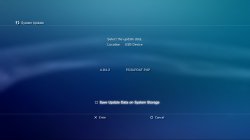
Maybe, since i have access to the drive now via TM's file manager, i could possibly create the "updater" folder and subdirectories and see if that works.not sure if there is another way via TM though.
True, considering i've done what i set out to do, i'm most likely gonna leave it on 4.11 DEX for the time being unless i have an actual reason to update.I don't think it will.
Not much good to you right now

You can create the "updater" folder in /dev_hdd0 & copy your pup files there using TM.Maybe, since i have access to the drive now via TM's file manager, i could possibly create the "updater" folder and subdirectories and see if that works.

