PS2 Discussion: "App-System Implementation"

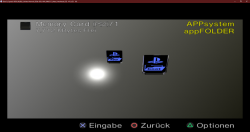
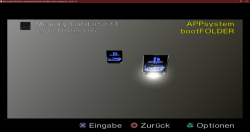
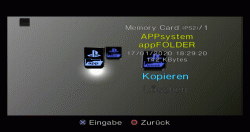
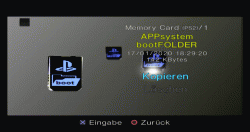
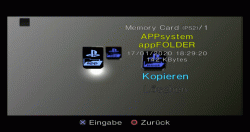
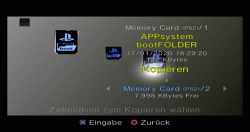
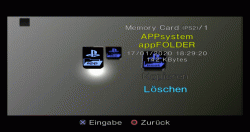
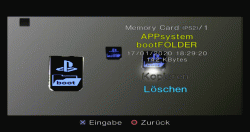
Soooooo after some work I buildt some icons for the APP folder and the BOOT folder. The attached ZIP file contains separate MAX save game files and the files themselves. Some screenshots:
unknown.png
unknown.png

Have fun :)
 

Attachments

@all: The "APP-Icon" is basically the "Mini-MC"-Stripbone-Icon with "APP" written on it!

We have no clue, how to move it to the upper left, tho'!


THX @theANY for the icons!


Edit:
Current "to-do-list" for the stripbone:
  • Sharpening texture, specifically the "Playstation 2"- and the "MemoryCard"-writing
  • Making the Mini-MC yet still a bit smaller (I think 20% are sufficient.) to not make the MC look too "uniform". The "APP"-Writing should still be readable tho' (at least hopefully)!

Edit.2: I also created a thread, over at psxtools.de and linked to it in the first post, as well as cross-linking back to this thread right here! ;)

https://psxtools.de/index.php/Thread/80970-App-System/
 
Last edited:
"Delete" is a Neon-Red Mini-MC now and "Copy" a Neon-Green Mini-MC! ;)

The Mini-MC has been "slimmed" as well...
 
I tried to make a post over at the "home" as well, but unfortunately they don't like me linking to other sources, where this is discussed...

Screenshot_20191225-131219.png


I would have linked to the thread over there, here and on psxtools.de as well, but the staff over there is not interested in it... (at least not in a discussion about it, but only "a [finished] product")
 
I present to you, the first new icons of the appSYSTEM! I am proud that I can contribute something to this project which is also useful. They are based on ideas of me and @TnA and have been made my me. The app icon is a bit smaller and pushed into the upper right corner. Despite the words "app" and "boot" the skins are the same. Here a lil' Sneak Peek of the new icons:
appICON sel.png bootICON sel.png
Has somebody a good recommendation to convert MP4s to GIFs without watermarks? Or maybe somebody who could do that for me? Wanna show some more features of the icons ;)
 
  • Like
Reactions: TnA
Due to the fact I can't edit my post here are the Icons:
appspin.gif bootspin.gif
appcopy.gif bootcopy.gif
appdel.gif bootdel.gif
They dont have THAT good quality but I can't upload MP4s here, so....
 
  • Like
Reactions: TnA
There have been some updates to this project and I will update you all accordingly.

We've got some nice icons from @SpaceCoyote and @Ripto is preparing some App-folders with them.

Once they are "perfect" (complying to the planned structure; more ideas still welcome), we are gonna upload pre-made "APP PSUs" which people can use to "install" those to an MC easily.

Since Apollo Save Manager got a lot of updates, it is one of the "early apps" using the apps we put in an app-folder.

Once these are out, the basics are done and the example/sample is set.

The next big step is the Exploit to LAUNCH these app-folders/apps from the OSDSYS. That's gonna be the harder part... BUT the structure of the app-system will give developers and users alike a better structure to orient on, than when a multitude of files and apps is slapped into the APPS-Folder (or similar).
 
Last edited:
I was thinking of the doing the following in my OSDSYS reimplementation:
"LAUNCHSV.INI" would be in a directory and contain the path to an ELF file, so it can be launched by navigating to the icon and pressing the confirm button. This would be similar to how HDD partitions are launched.
Could you elaborate on "LAUNCHSV.INI"?
 
We got a lot of updates and structural things done.

  • @Ripto, BlackNinja and @SpaceCoyote created a lot of awesome icons for apps as well as "system relevant folders"!
  • @Ripto prepared a lot of very simple installable PSUs for apps and some important folders!
  • @nuno6573 Works on XEB+ related stuff.
  • @Boon Tobias might add support to RETROLauncher.
  • @Krah added support for automatic recognition and listing of Apps which follow the "Save Application System" standard (a substandard of the overall "PS2 Application System", for MemoryCards) in "Open PS2 Loader", so apps which are installed as intended, automatically show up on OPL's APPS-page! This works from now on!
  • Apps can be copied ("installed") to another MemoryCard, as well as deleted ("uninstalled") via the PS2's Menu ("Browser" - MemoryCard Save Manager)!
 

Similar threads

Back
Top