
PS3 Fault finding YLOD with the SYSCON - First steps and Error reporting

Yes that's ok for voltages. I suspect your reflow is still not hot enough, you need to be melting that solder under the RSX chip (reason its cold to touch).

CELL and RSX talk to each other, so if the CELL is getting no response from the RSX, you will get those data errors.

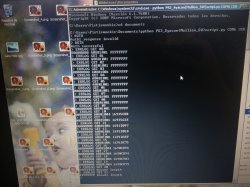
Could you run the syscon script again, turn on the ps3 in standby mode, do the usual auth mode, then type:

'bringup'

Then hit enter a few times - this will show the boot up sequence and where it stops at

Then post the full output to this thread.

>$ bringup
[SSM] state: 0600 -> 0000
[SSM] Error state is cleared.
(PowerOff State)
bringup
[SSM] state: 0000 -> 0101
Bringup Mode #0 (0xFF)
[SSM] ssmCb_OnStartingBePowOn() called.
[SSM] Bringup mode : syspm_stat=00000000/00000000
[POWSEQ] PowerSeq_Setup called.
[SSM] state: 0101 -> 0201
[POWSEQ] AV Backend Setup
[SSM] state: 0201 -> 0102
>$

[SSM] state: 0102 -> 0202
[SSM] state: 0202 -> 0103
[SSM] state: 0103 -> 0203
[SSM] ssmCb_BeforeBeOn() called.
[SSM] state: 0203 -> 0104
Psbd_SbTransMode_Half:0x20e7
[POWERSEQ] Error : BitTraining BE:RRAC:RX0:GLOBAL1:RX_STATUS
[SSM] state: 0104 -> 0304
[SSM] ssmCb_AfterBeOn2() called.
[SSM] PowSeq Fail : Detected !
[SSM] state: 0304 -> 0700
[POWSEQ] AV Backend Letup
[SSM] Shutdown mode : syspm_stat=00000000/00000000
Wait WmMcCom_DeadEvent timeout
[ERROR]: 0xa0404401
[ERROR]: 0xa0403034
[POWSEQ] PowerSeq_Letup called.
[SSM] state: 0700 -> 0600
(PowerOff State) (Fatal)
 
i tried this on another PS3 - cok-002 board

>$ bringup
bringup
[SSM] state: 0000 -> 0101
Bringup Mode #0 (0xFF)
[SSM] ssmCb_OnStartingBePowOn() called.
[SSM] First Boot.
[SSM] Bringup mode : syspm_stat=00000000/00000000
[POWSEQ] PowerSeq_Setup called.
[SSM] state: 0101 -> 0201
[POWSEQ] AV Backend Setup
[SSM] state: 0201 -> 0102
[SSM] state: 0102 -> 0202
[SSM] state: 0202 -> 0103
[SSM] state: 0103 -> 0203
[SSM] ssmCb_BeforeBeOn() called.
[SSM] state: 0203 -> 0104
Psbd_SbTransMode_Half:0x21e2
>$ lasterrlog
[POWERSEQ] Error : BitTraining RSX:RRAC:RX3:GLOBAL1:RX_STATUS
[SSM] state: 0104 -> 0304
[SSM] ssmCb_AfterBeOn2() called.
[SSM] PowSeq Fail : Detected !
[SSM] state: 0304 -> 0700
[POWSEQ] AV Backend Letup
[SSM] Shutdown mode : syspm_stat=00000000/00000000
[ERROR]: 0xa0404432
[ERROR]: 0xa0403034
[POWSEQ] PowerSeq_Letup called.
[SSM] state: 0700 -> 0600
(PowerOff State) (Fatal)

so 403034 and 404432 errors like my previous board, so i tried and only heated the nec tokins this time and it is working.
So most likely i will have to swap them at one point, but the good think is that there is no reflow or reballing needed.
 
>$ bringup
[POWERSEQ] Error : BitTraining BE:RRAC:RX0:GLOBAL1:RX_STATUS
[SSM] state: 0104 -> 0304
[SSM] ssmCb_AfterBeOn2() called.
[SSM] PowSeq Fail : Detected !
[SSM] state: 0304 -> 0700
[POWSEQ] AV Backend Letup
[SSM] Shutdown mode : syspm_stat=00000000/00000000
Wait WmMcCom_DeadEvent timeout
[ERROR]: 0xa0404401
[ERROR]: 0xa0403034
[POWSEQ] PowerSeq_Letup called.
[SSM] state: 0700 -> 0600
(PowerOff State) (Fatal)
[POWERSEQ] Error : BitTraining BE:RRAC:RX0:GLOBAL1:RX_STATUS

So this is showing a possible data issue with your CELL.

Basically your issues are poor BGA connections, you need to do a proper reflow.

Waving a hot air gun over them wont solve your issues, needs a proper reflow - preheat at 150c and top heat of 190c for a 1min with flux on both.

Nothing to do with the NEC tokins they are fine.

Your issues are needing a reflow or replace, its that simple!
 
Since this will help some newcomers so that they don't stumble in the future with the software side, I will try explain step by step, as easy as I can explain it.
Really this can be done in 10 minutes.


First of all let's make clear what we are doing:
We are simply running a python script that will let us communicate with the PS3 SYSCON, using a serial (COM) port.

We can thank guys like 'Major' and 'zecoxao' for making this possible in the first place. We are just running their script.

So, what do we need in order to run this script?

Python 2.7.18, with additional modules pycryptodome and pyserial

For Windows users (most people) this is what you can do:

-First install python 2.7.18 (you can just google python for windows)
When you run the installer, you can check the last box (it will make things easier; lets you run python commands from any location)

Once it's installed, you should already be able to run python commands and scripts. How? Directly from the windows command prompt, you can type: python script.py

But our particular script relies on two additional modules. (If you try without them, it will tell you the problem)
But don't worry,
You can download and install them automatically by typing:
pip install pycryptodome
pip install pyserial

That's it. Now you should be able to run the magic script. Just specify the COM port and the syscon mode at the end.
For example:

python uart_script.py COM4 CXR

What COM port?
This is where the USB to serial 3.3v adapter comes in handy.
When you plug it into your computer, it should show up in device manager as a COM port. If not, you need to install drivers for it.
This will depend on your particular computer and dongle.

What is CXR? This will depend on the syscon you are trying to communicate with. SW is for newer (SherWood) Syscons. CXR(F) for the older BGA models
Further details in the PDF

If all is correct, no errors will come up immediately. Even without any cables connected.
You can then type AUTH, and will get
"Auth1 response invalid"

Of course, to get past this, everything has to be connected properly. Even then it may take a couple tries in a row. Eventually you should get:
Auth successful

That's it for now
 
Guys this may be interesting.
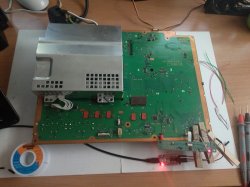
Here is another COK 002 board, but this one had GLOD. (And no artifacts as far as I know)

But It's giving errors 1001 and 1004
Prefix 80 (yeah GLOD)
Could this possibly mean what I didn't think it could mean?

And btw you may laugh at my funny connection method but I'm sure none of you could beat me if it was a race. Those of you doing this often may want to look into it after all hehehe.

Cheers
 

Attachments

  • IMG_20210224_151235.jpg
    IMG_20210224_151235.jpg
    6 MB · Views: 138
  • IMG_20210224_150607.jpg
    IMG_20210224_150607.jpg
    4.5 MB · Views: 136
Your connection is OK as you can see authentication successfully on cmd. Now trying to understand why power supply is failed to your cpu vram side. It could be that corner of cpu where sata hdd is but I never suggested to push any bga ic. Now if you see voltage on ram and on power lines in middle of cpu/gpu, resistance is nearly 3~4 ohms, delided, isolated under power supply and mobo then leave it for reball.
 
...But It's giving errors 1001 and 1004...Could this possibly mean what I didn't think it could mean?
Well, my results have shown so far that the YLOD due to tokins is throwing an 80 1002. It had the bad waveform on RSX side and a slightly bad waveform on the CPU side. It once threw a 1001 and a 1004 has occurred a couple of times in testing various combinations of removing/replacing tokins/other caps.

So maybe it means you have bad CPU tokins like we were originally thinking, but I'm not so sure with my latest round of tests. I replaced every tokin on the RSX side and reduced the bad waveform to one I would consider good, but it still threw 1002's. Now I'm removing CPU tokins and replacing with TaaPol arrays and it's getting better (RSX noise is actually lowering, the CPU bad waveform is gone), but it's still throwing 1002 errors at varying lengths of time in game play (random YLOD under normal stress).

I still have 1 CPU tokin to remove and 2 TaPol arrays to install before I know more, but so far I'm beginning to suspect that the CPU and RSX tokins/noise are more related than previously thought. You can't just replace one tokin on one side based on an error code, like 1001 means replace the CPU tokins, or 1002 means replace the RSX trokins. More like if you have a 1001 or 1002 and 1004's mixed in with those two, replace all the tokins. It's an all or nothing kind of deal. Don't mix and match! I've noticed that the filter really hates mixing different capacitors. Keep them all the same.
 
Well, my results have shown so far that the YLOD due to tokins is throwing an 80 1002. It had the bad waveform on RSX side and a slightly bad waveform on the CPU side. It once threw a 1001 and a 1004 has occurred a couple of times in testing various combinations of removing/replacing tokins/other caps.

So maybe it means you have bad CPU tokins like we were originally thinking, but I'm not so sure with my latest round of tests. I replaced every tokin on the RSX side and reduced the bad waveform to one I would consider good, but it still threw 1002's. Now I'm removing CPU tokins and replacing with TaaPol arrays and it's getting better (RSX noise is actually lowering, the CPU bad waveform is gone), but it's still throwing 1002 errors at varying lengths of time in game play (random YLOD under normal stress).

I still have 1 CPU tokin to remove and 2 TaPol arrays to install before I know more, but so far I'm beginning to suspect that the CPU and RSX tokins/noise are more related than previously thought. You can't just replace one tokin on one side based on an error code, like 1001 means replace the CPU tokins, or 1002 means replace the RSX trokins. More like if you have a 1001 or 1002 and 1004's mixed in with those two, replace all the tokins. It's an all or nothing kind of deal. Don't mix and match! I've noticed that the filter really hates mixing different capacitors. Keep them all the same.
Yes, this is what I wasn't thinking. Unexpectedly the syscon is giving an error code that can actually be associated with NEC/Tokin capacitors!

But this is not even a YLOD. It's a GLOD.
If it really turns out to be the capacitors, then we actually uncovered yet another BS statement in the original post... The least expected.

Now I (of all people) have to do a full tokin replacement on a backwards compatible ps3!
Isn't that crazy?

Normally I would have been satisfied by lazily adding parasitic capacitors... But now after your testing, looks like I will have to remove and replace all of them to make any sense...

Oh well

(Btw this system was unsealed, but there's no signs of work done. The original white thermal paste from the factory was still there.
CELL BE in circuit ohms reading is 3.1ohms
RSX is 2.9)
 
Last edited:
Hmm but, something bugs me. After I read the 20 error logs, I tested a couple times the console to see if it beeps normally when holding the power button.
It seems to beep normally.

But, then I disassembled again and read the syscon again.
The error log is the same. The same 20 errors.
I fear maybe those errors have little to do with the current GLOD? Which makes some sense. After all nobody believed the capacitors could cause GLOD until now.

I think I should first of all learn how to get to internal mode and see more what is happening. Before I start messing with the tokins.

Because maybe my GLOD started happening "after" all those power errors.

Not sure if this makes any sense
 
After a YLOD, I think what happens a lot of times is that people open the console to retrieve their game and then sell the console for parts.

Just be sure to test voltages and fuses before taking off the tokins (proper troubleshooting first). Also, please consider getting an oscilloscope and helping out. I'm very curious what the O-scope looks like on that 1001/1004.

Okay, internal mode is pretty easy.
  1. AUTH in external CXR mode as normal.
  2. EEP GET 3961 01 --> should return "00000000 FF"
  3. EEP SET 3961 01 00 (changes the bit to allow internal access mode)
  4. EEP GET 3961 01 (verify the change) --> Should now return "00000000 00".
  5. Shut off console & close the CMD prompt/terminal. Connect the Diag wire to GND and turn console back on. It will beep 3 times and start flashing because the checksum doesn't match anymore. This is normal! We're going to fix that next...
  6. You need to use internal command CXRF now. Here's an example of the commands I have to use every time I gain access for a test, but you'll have to change the "COM4" to whichever comm port your usb to serial device was assigned. You can find it under usb devices in the device manager.:
    Code:
    CD C:\Users\HTPC\Desktop\PS3\SYSCON
    python ps3_syscon_uart_script.py COM4 CXRF
  7. AUTH (Uppercase) or auth (lowecase) whichever works. I've had to use both and sometimes is just requires the one or the other. IDK why. Once you get "AUTH successful", you're in!
  8. eepcsum --> will return addresses that "should be" somthing like "0x0038". The address you need to change is the line after the "sum:0x0100" line. The sum indicates the mismatch. Ignore the line before of after, the address you want to change is the one immediately following the sum line. So for example if the that line reads "Addr:0x000039fe should be 0x0038" then you do the following...
  9. w 39fe 38 00 (don't use this command. yours will be different depending on the address that that didn't pass the checksum above. Just put it in like this example, based on your actual checksum mismatch. For example, if your address should be "0xff38" then your command should be "w 39fe 38 ff") --> should just go to the next line or say write successful, I don't remember (you only have to do this once per console). Notice that the 00 and 38 are swapped? That is endian byte swaping and the reason @squeept doesn't like doing this. Dyslexia make this type of thing more confusing than it already is. Anyway that's the hardest part.
  10. r 39fe 02 (validate the change) --> if the checksums match now, then the "sum:0x0100" line will not be there anymore. That means the console will boot normally now.
  11. Turn off the console and turn it on again. The standby led will be solid red and stop flashing. That's because the checksum matches and you successfully gained internal access. Now you need to use step 6 and 7 from now on. You can now use internal commands like "lasterrlog," "bringup," "powerstate," "errlog," and more. enjoy!
 
Last edited:
My point of view is only deformation in time and gpu ram that will fail on reball process în phat models. Once ram pinout will be released we have completed confidence where to take measurements. If we had access to jtag pinout we could do a better test of developing a pinout test with each trace line of each bga as Top jtag and TOPprobe. I have license for top jtag but bsdl pinout config is not available on any part of ps3 so not useful here.
Started exel for and though only VDD VQDD VQSS VSS will be out for ram, then ZQ will be out so I will update for at least one ram. It is hard to run for different jobs where they rely on me , not even running service for consoles but still want to do this ram pinout for further tests and measurements for my confidence before any rsx reball.
 
Last edited:
I fear maybe those errors have little to do with the current GLOD?
If you are wondering about the date of the errors... there is a command to clear the error log
What i would do is, first to take a look at the curent error info and copy/paste it somewhere (you already did with the photos you took of the terminal info)... then delete the errors... reboot and check error log again

This way you are going to be confident the error codes has been generated today and belongs to the current problem
 
PS3#7 (CECHA01) stock:
Code:
Microsoft Windows [Version 10.0.18363.1316]
(c) 2019 Microsoft Corporation. All rights reserved.

C:\Users\HTPC>CD C:\Users\HTPC\Desktop\PS3\SYSCON

C:\Users\HTPC\Desktop\PS3\SYSCON>python ps3_syscon_uart_script.py COM4 CXRF
>$ AUTH
Auth successful
>$ tmp 1
tmp 1
*** Inaccurate Temperature:0.00(0x0000) ***
[mullion]$
>$ bringup
bringup
[SSM] state: 0000 -> 0101
Bringup Mode #0 (0xFF)
[SSM] ssmCb_OnStartingBePowOn() called.
[SSM] First Boot.
[SSM] Bringup mode : syspm_stat=00000000/00000000
[POWSEQ] PowerSeq_Setup called.
[SSM] state: 0101 -> 0201
[POWSEQ] AV Backend Setup
[SSM] state: 0201 -> 0102
[SSM] state: 0102 -> 0202
[SSM] state: 0202 -> 0103
[SSM] state: 0103 -> 0203
[SSM] ssmCb_BeforeBeOn() called.
[SSM] state: 0203 -> 0104
Psbd_SbTransMode_Half:0x20e2
>$ tmp 1
[SSM] state: 0104 -> 0204
[SSM] state: 0204 -> 0105
[SSM] state: 0105 -> 0400
(PowerOn State)
[SERV NVS] READ CMD

Boot Loader SE Version 1.5.0 (Build ID: 1798,18531, Build Data: 2007-01-10_12:09:26)
Copyright(C) 2006 Sony Computer Entertainment Inc.All Rights Reserved.
[SERV SETCFG] XDR (CH0,CH1) ASSERT
[SERV SETCFG] XDR (CH0,CH1) DEASSERT
[INFO]: Connecting to Debug Device (SB UART)
[SERV NVS] READ CMD
[SERV NVS] READ CMD
[SERV NVS] READ CMD
[SERV NVS] READ CMD
[SERV NVS] READ CMD
[SERV NVS] READ CMD
[SERV NVS] READ CMD
[SERV NVS] READ CMD
[SERV NVS] READ CMD
[SERV NVS] READ CMD
[SERV NVS] READ CMD
[SERV NVS] READ CMD
[SERV NVS] READ CMD
[SERV NVS] READ CMD
[SERV NVS] READ CMD
[SERV NVS] READ CMD
[SERV NVS] READ CMD
[SERV NVS] READ CMD
[SERV NVS] READ CMD
[SERV NVS] READ CMD
[SERV NVS] READ CMD
[SERV NVS] READ CMD
[SERV NVS] READ CMD
[SERV NVS] READ CMD
[SERV THERM] NOTIFY_MODE CMD
[SERV NOTIF] CONTROL_LED
[SERV NOTIF] RING_BUZZER
[SERV NOTIF] CONTROL_LED
[SERV NVS] READ CMD
[SERV NVS] READ CMD
[SERV NVS] READ CMD
[SERV NVS] READ CMD
[SERV NVS] READ CMD
[SERV NVS] READ CMD
[SERV NVS] READ CMD
[SERV NVS] READ CMD
[SERV NVS] READ CMD
[SERV NVS] READ CMD
[SERV NVS] READ CMD
[SERV NVS] READ CMD
[SERV NVS] READ CMD
tmp 1
TZone No:01
RSX Primary  Temperature:29.00(0x1d00)
[mullion]$ [SERV NVS] READ CMD
[SERV NVS] READ CMD
>$ tmp 0
tmp 0
TZone No:00
1st BE Primary  Temperature:45.09(0x2d19)
[mullion]$
>$ fanconpolicy get 0
fanconpolicy get 0
fancon No:00
policy01: Auto
[mullion]$
>$ duty get 0
duty get 0
CrntDuty(0x0):20%(0x33)
[mullion]$
>$ duty get 1
duty get 1
CrntDuty(0x1):20%(0x33)
[mullion]$
>$ tsensor 1
tsensor 1
Raw:50.25(0x3240), Offset:2.00(0x0200)
Temperature:50.25(0x3240)
[mullion]$
>$ tzone
tzone
00: 1st BE Primary
01: RSX Primary
14: SB
[mullion]$
>$ tshutdown get 0
tshutdown get 0
TZone No:00
1st BE Primary  Temperature:85.0(0x5500)
[mullion]$
>$ tshutdown get 1
tshutdown get 1
TZone No:01
RSX Primary  Temperature:95.0(0x5f00)
[mullion]$
>$ trp get 0
trp get 0
TZone No:00
1st BE Primary  Temperature:84.0(0x5400)
[mullion]$
>$ try get 1
try get 1
*** Unknown Command ***
[mullion]$
>$ trp get 1
trp get 1
TZone No:01
RSX Primary  Temperature:94.0(0x5e00)
[mullion]$
>$ version
version
v1.0.0_k1
[mullion]$
>$ tsensor 3
tsensor 3
Temperature:52.81(0x34d0)
[mullion]$
>$ tsensor 1
tsensor 1
Raw:64.00(0x4000), Offset:2.00(0x0200)
Temperature:64.00(0x4000)
[mullion]$
>$ tesnsor 2
tesnsor 2
*** Unknown Command ***
[mullion]$
>$ tsensor 0
tsensor 0
Raw:72.75(0x48c0), Offset:0.00(0x0000)
Temperature:70.65(0x46a8)
[mullion]$
>$ tmp 0
tmp 0
TZone No:00
1st BE Primary  Temperature:70.14(0x4624)
[mullion]$
>$ duty get 0
duty get 0
CrntDuty(0x0):25%(0x40)
[mullion]$
>$ tmp 1
tmp 1
TZone No:01
RSX Primary  Temperature:62.25(0x3e40)
[mullion]$
>$ duty get 1
duty get 1
CrntDuty(0x1):25%(0x40)
[mullion]$
>$ tmp get 0
[SSM] *** Power Fail RS ***
[SSM] state: 0400 -> 0700
[POWSEQ] AV Backend Letup
[SSM] ssmCb_AfterBeOn() called.
[SSM] Shutdown mode : syspm_stat=00000000/00000000
Wait WmMcCom_DeadEvent timeout
[ERROR]: 0xa0801002
[POWSEQ] PowerSeq_Letup called.
[SSM] state: 0700 -> 0600
(PowerOff State) (Fatal)
tmp get 0
*** Invalid Argument ***
[mullion]$
>$ tmp 0
tmp 0
*** Inaccurate Temperature:68.84(0x44da) ***
[mullion]$
>$ tmp 1
tmp 1
*** Inaccurate Temperature:62.25(0x3e40) ***
[mullion]$
>$ tmp 1
Just playing around with the syscon commands. Looks like a thermal shutdown on the cell is default of 85C and RSX is 95C. That explains why the RSX dies sooner, they let it get hotter before overheating. That explains why BC consoles don't need the Cell reballed as often as the RSX. Also experianced a YLOD in menu, not in game, after about the same amount of time. Makes me suspicious that the 801002 I'm getting is temperature related, but it's quite random still and I'm not sure.
 
@squeept doesn't like doing this.

It's more anxiety, really. I rarely screw up since I'm so careful about things. But it took me a good hour to byte swap the region free BIOS for a Sega CD. It's like 3 clicks, and I named my files appropriately, but I still had to sit there and write down notes to reassure myself that I had done it correctly and saved the correct file.

I hope my quirks aren't dissuading anyone, it really is super easy when you're not neurotic.
 
Yes, this is what I wasn't thinking. Unexpectedly the syscon is giving an error code that can actually be associated with NEC/Tokin capacitors!

But this is not even a YLOD. It's a GLOD.
If it really turns out to be the capacitors, then we actually uncovered yet another BS statement in the original post... The least expected.

Now I (of all people) have to do a full tokin replacement on a backwards compatible ps3!
Isn't that crazy?

CELL BE in circuit ohms reading is 3.1ohms
RSX is 2.9)

GLOD is a variety of faults with other components, XDR RAM, USB controller, NAND/NOR flash chip, etc etc.

Connecting to the SB uart, you can see the full boot log and see where it get stuck at, this gives you an indication on whats faulty causing the GLOD.

Its not related to NEC tokins! - PLEASE people, stop going on about nec tokins, they can be faulty but not always the cause of faults!

Your ohm readings are ok, so no issues there.
 
PS3#7 (CECHA01) stock:
Code:
[mullion]$
>$ tshutdown get 0
tshutdown get 0
TZone No:00
1st BE Primary  Temperature:85.0(0x5500)
[mullion]$
>$ tshutdown get 1
tshutdown get 1
TZone No:01
RSX Primary  Temperature:95.0(0x5f00)
[mullion]$

Just playing around with the syscon commands. Looks like a thermal shutdown on the cell is default of 85C  and RSX is 95C. That explains why the RSX dies sooner, they let it get hotter before overheating. That explains why BC consoles don't need the Cell reballed as often as the RSX. Also experianced a YLOD in menu, not in game, after about the same amount of time. Makes me suspicious that the 801002 I'm getting is temperature related, but it's quite random still and I'm not sure.[/QUOTE]

As part of my fixing routine, I tweak the default fan tables to reasonable settings and not the insane Sony settings of self destruction.

I then use the command 'tshutdown' to set lower thermal shutdown.

RSX to 90c - tshutdown set 1 90
CELL to 80c - tshutdown set 0 80
 
I agree with @db260179. What about slim models that they go in same situation where you don't have nek caps. Deformation of board in time and dried thermal paste under copper ihs is most issues. I've been fixing for most 90 percent of slims without diagnosis uart by reball and delid. Now diagnosis helps to avoid most of measuring parts on board before desolder ic. Think some ps4 boards will be fixed by reball when blod state. Not all I think a 30 percent from blod can be fixed on ps4 phat models. Never had the patience to reball 16 rams but could be when all voltages were on motherboard. They are worst units.
 
Ok guys thank you for the input.

When I say I should do a NEC/Tokin replacement I'm actually trying to be the rational one here for once.
I also didn't and don't believe the NEC/Tokin capacitors are causing the common errors in the old fat ps3s. Much less the GLOD. It's all nothing short of an scam (if well intended) and I'm still waiting for @Naked_Snake1995 to tune his original post even more. (I appreciate including "research" in the title but it's not quite enough sorry)

Now... this thing just told me there can be an issue with them. What now? I'm aware of what you are saying. But after seeing those errors, how can I just ignore the capacitors now?

That doesn't mean I'm not going to try anything else I can think of first.

And yes, I can see my suspicion of the current GLOD not being directly a result of those errors is well founded. This I'll hopefully further verify today with internal commands.

Although this sounds of course like it will take time. It's already been sitting inside a wardrobe for a while, together with some other machines, I'm not expecting it to never return.

Yesterday I just went to bed wondering what the hell is an endian byte hahaha.
But now in general I don't have as much time as before. It still should be enough though. I'm curious too. That's why I do it.

@db260179 please elaborate on connecting to the southbridge
 
Also I should mention I have a couple more C models with GLOD.
But those I did see artifacting at some point.
I'm aware of the problem and of course the last thing I want is that people now start hunting and destroying the GLOD systems too with the "magic Tokin fixes"

This one is the mysterious one.
 

Similar threads

Back
Top