PS3 Fault finding YLOD with the SYSCON - First steps and Error reporting

"second board COK-001 only error a0313031, has cell - rsx delided, looking error id syscon git, looks like related cell, someone has some info-experience with this error? meanwhile checking physically board if something is off." looking this seems after delid CELL has some subtle scratch maybe this is the problem; third board a COK-002 only error A0093004 RSX_POW_FAIL already test another PSU, change some Necs, but nothing only this error, appear, someone has experience this error? thanks.
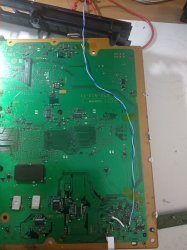
Hey ! I had error 3004 on COK-002, but I removed all the NEC's around RSX and didn't add the wire, when I added wire the error was gone. I have DIA-002 board with this error and also with all NEC's removed, replaced by tantalum capacitors but still got the error 3004. In next week I will test all points on the board with multimeter and maybe find one bad component ;)
Hi All
have to say im a big fan and iv read alot of this thread after discovering the PS3 Syscon project a few months a ago

i apologize if this has been answered before but i have tried finding it and cant seem to locate anything specific and im out of ideas on fixing this one

its a CECHC02 with YLOD the syscon output points to a HDMI chip error, i have checked all around the chip for faults and can find none, i bypassed the Termistors on the 5V rail still nothing the HDMI bus to the RSX chip has no issues i can find so short of randomly replacing chips till it starts working i am at a loss :/

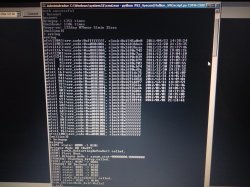
here is my boot sequence output, i can't locate the error 3013 but 3012 and 3020 are IC1001 (CELL Processor) so i assume that's what it means but it follows a bunch of HDMI chip errors so im assuming the CELL cant detect it and shuts off

SSM] state: 0600 -> 0000
[SSM] Error state is cleared.
(PowerOff State)
[SSM] state: 0000 -> 0101
Bringup Mode #0 (0xFF)
[SSM] ssmCb_OnStartingBePowOn() called.
[SSM] Bringup mode : syspm_stat=00000000/00000000
[POWSEQ] PowerSeq_Setup called.
[SSM] state: 0101 -> 0201
[POWSEQ] AV Backend Setup
[SSM] state: 0201 -> 0102
[SSM] state: 0102 -> 0302
[SSM] PowSeq Fail : Detected !
[SSM] state: 0302 -> 0700
[POWSEQ] AV Backend Letup
[SSM] Shutdown mode : syspm_stat=00000000/00000000
[ERROR]: 0xa0202120
[ERROR]: 0xa0202120
[ERROR]: 0xa0202120
[ERROR]: 0xa0202120
[ERROR]: 0xa0202120
[ERROR]: 0xa0202120
[ERROR]: 0xa0202120
[ERROR]: 0xa0202120
[ERROR]: 0xa0202120
[ERROR]: 0xa0202120
[ERROR]: 0xa0213013
[POWSEQ] PowerSeq_Letup called.
[SSM] state: 0700 -> 0600
(PowerOff State) (Fatal)

any help you can give would be really appreciated i would love to get this old girl back online :)
Hey ! I also have 3013 error with HDMI error on COK-002. I didn't think that error occurs because of bad delid CELL. I am deliding every PS3 since I bought one and I was searching for repair YLOD and after few days I decided to delid CPU and GPU and I saw why it can't boot - someone put coin/s on IHS on both and core of CELL was broken (in that time I didn't know about syscon errors).
db260179 by HDMI encoder you mean Silicon chip and Panasonic chip, right ? Silicon chip is in BGA technic, I can check this chip but someone know what size of balls does it have ?
 
Hey ! I had error 3004 on COK-002, but I removed all the NEC's around RSX and didn't add the wire, when I added wire the error was gone. I have DIA-002 board with this error and also with all NEC's removed, replaced by tantalum capacitors but still got the error 3004. In next week I will test all points on the board with multimeter and maybe find one bad component ;)

Hey ! I also have 3013 error with HDMI error on COK-002. I didn't think that error occurs because of bad delid CELL. I am deliding every PS3 since I bought one and I was searching for repair YLOD and after few days I decided to delid CPU and GPU and I saw why it can't boot - someone put coin/s on IHS on both and core of CELL was broken (in that time I didn't know about syscon errors).
db260179 by HDMI encoder you mean Silicon chip and Panasonic chip, right ? Silicon chip is in BGA technic, I can check this chip but someone know what size of balls does it have ?

im not sure of the history of my unit, i got it with a missing BD drive so it had been opened before but it defiantly hasn't been de lidded yet, the HDMI chip is the IC2502 on the service manual (i downloaded a copy so i don't have the link handy if you don't have it just google COK-002 service manual and download a PDF version the online versions don't let you zoom in on the pictures to get the chip numbers) the chip is located next to the HDMI port

no idea on the ball size sorry i haven't gotten that far in my learning, il get some balls (no pun intended) so i can reball chips but il need to research a bit b4 i jump into that :/

Look at the service manual, you can use a multimeter to test the signals from the RSX to the hdmi encoder chip. Just watch for voltage changes.

Another way is remove the hdmi encoder and see what syscon errors occur, if its the same errors then I would say thats the issue.

But check any voltage readings around the hdmi encoder area, the CELL errors are mostly likely related to no response from the encoder.

Encoder chips are available on ebay, bought some last year.

There is the hdmi command in the syscon, see if it sees the encoder chip


i took a look at the stuff above and fond out the following:

when removing the HDMI chip the error remains the same (so either the chip is dead or the part that detects the chip is dead...)
i rechecked the lines to the RSX chip and they all give a pulse at power on but it ranges between 0.1V to 0.001V im not sure if this is the correct range or not
the 3 voltage rails around the chip check out fine

here is the syscon output of the only command i could get working to check the HDMI and it looks like it cant find the Type (SiIType) of the chip so i guess not detect it.... this all points to the chip being missing according to the system i think

>$ hdmi chstat 0
hdmi chstat 0
[HDMI] ----------------------------
[HDMI] -- HDMI Channel 0 Context --
[HDMI] ------------------------------------------------------------------------------------
[HDMI] +-[System Management]
[HDMI] - SSM Task ID : 13
[HDMI] * Task Status : WAITING
[HDMI] * Wait Cause : EVENT FLAG
[HDMI] - SSM State : PowerOffReady
[HDMI] - SSM Mutex Information : ID[2] LockTID[0] WaitTID[0]
[HDMI] - SSM Event Flag Info : ID[2] WaitTID[13] FlagPattern[0]
[HDMI] - SSM Mode : Unknown
[HDMI] ------------------------------------------------------------------------------------
[HDMI] - Authentication Status : NotStart
[HDMI] - Repeater : Sink
[HDMI] - KSVs : 0
[HDMI] ------------------------------------------------------------------------------------
[HDMI] +-[Interrupt]
[HDMI] - External Interrupt Number of Mullion : 7
[HDMI] - Interrupt Mask Pattern in SiI : [0x000000]
[HDMI] - Interrupt Register Size : 0
[HDMI] - Interrupt Task ID : 12
[HDMI] * Task Status : WAITING
[HDMI] * Wait Cause : SLEEPING
[HDMI] - Semapho Information : ID[38] WaitingTID[0] Count[1]
[HDMI] - Plug Status : UnPlug
[HDMI] ------------------------------------------------------------------------------------
[HDMI] +-[SiIType]
[HDMI] - Chip Type : Unknown
[HDMI] ------------------------------------------------------------------------------------
[HDMI] +-[EDID]
[HDMI] - EDID Mutex ID : 3
[HDMI] - EDID Mutex Information : ID[3] LockTID[0] WaitTID[0]
[HDMI] - EDID Block Size : 0
[HDMI] ------------------------------------------------------------------------------------
[HDMI] +-[I2C Bus]
[HDMI] - Device Address 0x72(0) 0x7A(1)
[HDMI] - Semapho Information : ID[36] WaitingTID[0] Count[1]
[HDMI] ------------------------------------------------------------------------------------
[HDMI] +-[AV Setting]
[HDMI] - Audio Setting State : Unset
[HDMI] Mute ; Mute
[HDMI] - Video Setting State : Unset
[HDMI] Mute ; Mute
[HDMI] Setting : 00 00 00 00 00 00 00 00 00 00 00 00
[HDMI] : 00 00 00 00 00 00 00 00 00 00 00 00 00 00 00 00 00 00 00
[HDMI]
 
Last edited by a moderator:
Welp just read the syscon of a 3000 series slim. It shuts down after 30 odd seconds with GLOD symptoms kinda interesting.

However it has codes that i dont think are documented yet "A0805FFF" nor do i have anyclue what they mean, nor do i know of any prior.
history of this console. However due to the fact its shutting off after 30 seconds im suspecting maybe some kind of nor corruption possibly?
Can you check resistance of your cpu? Should be 4 ohms, not 7~8. It was already reported as permanent dead cpu in different ways. It may look good but cpu goes somehow 5 seconds off. Had 2 of them.
Next stage level3 of repair will be
https://www.psx-place.com/threads/reball-ps3-cell-rsx.32376/
 
Hey ! I had error 3004 on COK-002, but I removed all the NEC's around RSX and didn't add the wire, when I added wire the error was gone.
changed all necs in cok-002 A0093004 RSX_POW_FAIL add bringe wire each side but not luck same error, now testing another cok-001 with a0003001 POW_FAIL, changed psu, nothing happens, also cleared old log syscon not log errors anymore; another cok-001 with a0403034 = BE Error (reballing).
 
I get the 3001 error on a working console if I connect the psu using the white cable but I leave it out of the prongs on the mobo. If you are saying the psu is good for sure then there must be some problem of power flowing from the prongs to wherever it needs to go on boot up. The 3034 has been solved by proper reball. It's rsx related. As for the necs, I know that if you remove one nec and try to power on then u get 1001/1002 errors.

changed all necs in cok-002 A0093004 RSX_POW_FAIL add bringe wire each side but not luck same error, now testing another cok-001 with a0003001 POW_FAIL, changed psu, nothing happens, also cleared old log syscon not log errors anymore; another cok-001 with a0403034 = BE Error (reballing).
 
I know that if you remove one nec and try to power on then u get 1001/1002 errors.
This is not necessarily true. Have you actually tested this yourself? Please confirm.
"Removing 1 nec and get 1001 error"

80 1002 maybe, but I have tested up to 2 nec tokin missing (50%) and console still boot fine. Both CPU and RSX side.

Can be confusing so be careful
 
I have tested myself on a working DIA-001.
I removed one nec from bottom of rsx and I got a delayed ylod with 1001. I replaced the nec with caps and everything came back.


This is not necessarily true. Have you actually tested this yourself? Please confirm.
"Removing 1 nec and get 1001 error"

80 1002 maybe, but I have tested up to 2 nec tokin missing (50%) and console still boot fine. Both CPU and RSX side.

Can be confusing so be careful
 
@squeept said when He was testing PS3#7 that it was filling the error codes with 1001 and 1002s...
I've got wonderful bad news! The CECHA01 I reballed last night is crashing during stress testing with GT6! I'll hold off on replacing the caps for a day or so to see if anyone (@RIP-Felix) comes up with any kind of relevant non-destructive (for the board, not the caps...) testing that they want to see, but I'm afraid I'm not willing to attempt to remove them intact on this one. The board has already been through 2 rework cycles, and it will take 4 more to remove them all. Combine that risk with the fact that I recently popcorned a warranty sealed system so I suspect uneven heat on my bottom plates that I may need to investigate soon, I'm not willing to risk this one when it just needs a simple fix.

Anyway, it was what is now the standard 3 second YLOD A0403034 with the normal amount of noise and fixed by a reball, however, the GPU caps had a very clear sawtooth waveform visible prior to rework.

Here's CPU idle at system menu, looking totally normal:
u9qBl8y.jpg


GPU idle at system menu, showing a very clear sawtooth wave, but notice when comparing it to the "bad" image in my signature, it doesn't have any "stuttering" to it and the amplitude is MUCH smaller. This image is pretty much identical to what I observed prior to rework:
uxiIHMq.jpg


CPU playing GT6, showing a very clear sine wave just like the bad image from my signature:
siGDTUY.jpg


GPU playing GT6, the sawtooth is beginning to gain the "stutter" from the "bad" image:
5Nd9s6e.jpg


And, more importantly, since most of you don't have oscilloscopes, the error log is now flooded with A0801001 and A0801002. The interesting thing about that, though, is that I only crashed it twice.... but it filled the error log with those two codes at all different times.

Anyway, this kind of confirms to me that capacitance and noise aren't really in play at all.... you're looking for that underlying waveform to swap over to looking like the images in my signature, and the amplitude of the sine or sawtooth wave is what really indicates the health of the caps, noise be damned. And we have confirmation that 1001 and 1002 error codes can come up from verified bad caps.

I'm now on board for switching out any caps that show a sawtooth or sine wave of ANY amplitude, or that give any 1001 or 1002 error codes. Let me be clear, though, for those that are reading this thread and don't have the means to perform any of this testing: your odds are still super, super low (4 in roughly 150 here now). Please, for the love of god, get the USB serial adapter that's like $5 and check the syscon thread before you start destroying things.

edit: yes, the Vpp doesn't match my spreadsheet. I'm still being sloppy and only do one freeze frame when filling out the sheet, so it can vary by a good bit depending on the spikes I catch.

edit 2: one other interesting thing of note - this board made my testing power supply whine like crazy. It has never done that before.
That was before he shipped it to me and the USPS damaged the tokins further. I was getting 3004 (instant YLOD) and 1002 (2-10s YLOD) after that. 1002 could range from a 2-10s YLOD to in game under normal load. I didn't see it myself, but the 1001's he was getting occured under stress and didn't cause a YLOD every time. So they could be the first sign of a filter failure, but that's speculative.
 
I have tested myself on a working DIA-001.
I removed one nec from bottom of rsx and I got a delayed ylod with 1001. I replaced the nec with caps and everything came back.
Did you use bringup and got this error because of that really and on RSX side? You sure this error wasn't just there already in the log?
If somebody else has 1001 and think it's tokin please report.

Error 1001 is very dangerous because it can mean nothing. Don't touch a capacitor just because you see 1001 in the logs. Many people have already removed tokin for nothing due to misinformation. 1001 is typically on every perfectly working console and is also pretty guaranteed to be there in case of GLOD. Because it appears when there's a sudden power cut while system is ON.

@squeept for example can say, he has already been misled changing good tokins on a bunch of 1001 GLOD for nothing

So really, eeeven if a tokin fault can actually trigger error 1001 (which I still would doubt, please confirm), don't just assume error 1001 means it's the capacitors.
 
Did you use bringup and got this error because of that really and on RSX side? You sure this error wasn't just there already in the log?
If somebody else has 1001 and think it's tokin please report.

Error 1001 is very dangerous because it can mean nothing. Don't touch a capacitor just because you see 1001 in the logs. Many people have already removed tokin for nothing due to misinformation. 1001 is typically on every perfectly working console and is also pretty guaranteed to be there in case of GLOD. Because it appears when there's a sudden power cut while system is ON.

@squeept for example can say, he has already been misled changing good tokins on a bunch of 1001 GLOD for nothing

So really, eeeven if a tokin fault can actually trigger error 1001 (which I still would doubt, please confirm), don't just assume error 1001 means it's the capacitors.

You are correct, don't assume its the NEC tokins. The tokins can only be tested off the board.

I've just received a SEM-001 board with two faults - very common fault with this board is poor BGA connection.

Following errlog:

ofst[ 52]:err_code:0xa0801001, clock:0x1ae0ffbf 2014/04/16 08:45:51
ofst[ 56]:err_code:0xa0801001, clock:0x1ae0ffe7 2014/04/16 08:46:31
ofst[ 60]:err_code:0xa0801001, clock:0x0b4886cc 2005/12/31 00:01:16
ofst[ 64]:err_code:0xa0801001, clock:0x0b4886e6 2005/12/31 00:01:42
ofst[ 68]:err_code:0xa0801001, clock:0x0b488729 2005/12/31 00:02:49
ofst[ 72]:err_code:0xa0801001, clock:0x0b48875e 2005/12/31 00:03:42
ofst[ 76]:err_code:0xa0801001, clock:0x0b4887c8 2005/12/31 00:05:28
ofst[ 80]:err_code:0xa0801001, clock:0x0b488864 2005/12/31 00:08:04
ofst[ 84]:err_code:0xa08014ff, clock:0x0b488905 2005/12/31 00:10:45
ofst[ 88]:err_code:0xa0801001, clock:0x0b488905 2005/12/31 00:10:45
ofst[ 92]:err_code:0xa0404401, clock:0xffffffff
ofst[ 96]:err_code:0xa0403034, clock:0xffffffff
ofst[100]:err_code:0xa0404401, clock:0xffffffff
ofst[104]:err_code:0xa0403034, clock:0xffffffff

As you can see its had alot of CELL BE power VRAM failures.

Second fault, thats its stopping from booting is:

ofst[100]:err_code:0xa0404401, clock:0xffffffff
ofst[104]:err_code:0xa0403034, clock:0xffffffff

And the recorded - [POWERSEQ] Error : BitTraining BE:RRAC:RX0:GLOBAL1:RX_STATUS

So what i will do first, is measure the resistance on the NEC tokins on both CELL and RSX. This allows me to judge if its worth reflow or replace.

The CELL checks out at 3.5ohms and the RSX is 4.0ohms. So for me this is good state and will cope with a reflow.
If the RSX was 1.4ohms, i would replace the RSX as it will die eventually (just my experience based on previous repairs).

So, because i dont know the state of the NEC tokins, I first removed both sections from the CELL and RSX, only the top layer. Most of the time the bottom caps can be left, depends on how efficient you want to be.

The CELL NEC tokins where reading, 900uf and 1.9 ESR, which is not good, RSX side was 1300uf and 0.5 ESR.

This process is easy for me as i have a IR heater, so easy to remove and replace. I just replace with new NEC tokins. Most cheap tantulams caps are not good and i dont trust them to last at all!

So now, i've just reflowed the RSX and put new NEC tokins, BOOM! it works fine now.

If replacing the NEC tokins didnt fix it, i would use my multimeter, and measure the voltages from the power ic chips around the CELL area. As if these die can cause vram power issues.

Hope this helps the process.
 
Last edited:
@squeept said when He was testing PS3#7 that it was filling the error codes with 1001 and 1002s...

That was before he shipped it to me and the USPS damaged the tokins further. I was getting 3004 (instant YLOD) and 1002 (2-10s YLOD) after that. 1002 could range from a 2-10s YLOD to in game under normal load. I didn't see it myself, but the 1001's he was getting occured under stress and didn't cause a YLOD every time. So they could be the first sign of a filter failure, but that's speculative.

1001 and 1002 the first port of call is the NEC tokins checking, there is no choice with this, you cant test them on the motherboard.

I use this esr meter - https://www.aliexpress.com/item/327...earchweb0_0,searchweb201602_,searchweb201603_

For the money it does a good job. Normal multimeters can only grasp the capacitance's and not the ESR reading. High ESR readings usually means the caps are becoming resistors in simple terminology.

This is where it is tricky to fix PS3 motherboards without a preheater, i've seen people use captone tape over the nec tokins and heat enough to get them off, but its mind blowing time consuming and just easier to get a preheater for $100.
 
You are correct, don't assume its the NEC tokins. The tokins can only be tested off the board.

I've just received a SEM-001 board with two faults - very common fault with this board is poor BGA connection.

Following errlog:

ofst[ 52]:err_code:0xa0801001, clock:0x1ae0ffbf 2014/04/16 08:45:51
ofst[ 56]:err_code:0xa0801001, clock:0x1ae0ffe7 2014/04/16 08:46:31
ofst[ 60]:err_code:0xa0801001, clock:0x0b4886cc 2005/12/31 00:01:16
ofst[ 64]:err_code:0xa0801001, clock:0x0b4886e6 2005/12/31 00:01:42
ofst[ 68]:err_code:0xa0801001, clock:0x0b488729 2005/12/31 00:02:49
ofst[ 72]:err_code:0xa0801001, clock:0x0b48875e 2005/12/31 00:03:42
ofst[ 76]:err_code:0xa0801001, clock:0x0b4887c8 2005/12/31 00:05:28
ofst[ 80]:err_code:0xa0801001, clock:0x0b488864 2005/12/31 00:08:04
ofst[ 84]:err_code:0xa08014ff, clock:0x0b488905 2005/12/31 00:10:45
ofst[ 88]:err_code:0xa0801001, clock:0x0b488905 2005/12/31 00:10:45
ofst[ 92]:err_code:0xa0404401, clock:0xffffffff
ofst[ 96]:err_code:0xa0403034, clock:0xffffffff
ofst[100]:err_code:0xa0404401, clock:0xffffffff
ofst[104]:err_code:0xa0403034, clock:0xffffffff

As you can see its had alot of CELL BE power VRAM failures.

Second fault, thats its stopping from booting is:

ofst[100]:err_code:0xa0404401, clock:0xffffffff
ofst[104]:err_code:0xa0403034, clock:0xffffffff

And the recorded - [POWERSEQ] Error : BitTraining BE:RRAC:RX0:GLOBAL1:RX_STATUS

So what i will do first, is measure the resistance on the NEC tokins on both CELL and RSX. This allows me to judge if its worth reflow or replace.

The CELL checks out at 3.5ohms and the RSX is 4.0ohms. So for me this is good state and will cope with a reflow.
If the RSX was 1.4ohms, i would replace the RSX as it will die eventually (just my experience based on previous repairs).

So, because i dont know the state of the NEC tokins, I first removed both sections from the CELL and RSX, only the top layer. Most of the time the bottom caps can be left, depends on how efficient you want to be.

The CELL NEC tokins where reading, 900ohms and 1.9 ESR, which is not good, RSX side was 1300ohms and 0.5 ESR.

This process is easy for me as i have a IR heater, so easy to remove and replace. I just replace with new NEC tokins. Most cheap tantulams caps are not good and i dont trust them to last at all!

So now, i've just reflowed the RSX and put new NEC tokins, BOOM! it works fine now.

If replacing the NEC tokins didnt fix it, i would use my multimeter, and measure the voltages from the power ic chips around the CELL area. As if these die can cause vram power issues.

Hope this helps the process.
Hmm, except you can actually check them in the board, with an Oscilloscope.

In fact it could be argued that you can't really check them outside the board. Why?
Because to remove them from the board you need to use a lot of heat. And who knows if the parameters of the capacitor are the same before and after? Probably not. So testing out of circuit is not ideal either. Not to mention the heat will affect the whole board, not just the capacitors themselves.

So, because i dont know the state of the NEC tokins, I first removed both sections from the CELL and RSX, only the top layer. Most of the time the bottom caps can be left, depends on how efficient you want to be.
This can be not ideal either, especially since your board has 3034 now.
You removed nec tokin based on seeing old error 1001 in the log. This is what I'm advising against.
Why?
The error 80 1001 is old and you don't know how or why it happened. It could be simply from the time the console was working fine years ago, but power outages happened/ the switch on the back was flipped while it was ON.

But even more likely in your particular case... Something else comes to mind.
You see, based on your thought process, you are betting there are actually 2 problems at the same time. Can be, but rare.
Instead, what if this board had GLOD as a result of RSX problems, filling the log of 1001 errors? But then the same RSX problems now manifest themselves as the typical 3034 YLOD you are having now.
Which is not that rare at all. We've seen plenty of RSX YLOD turn into GLOD and vice versa. I have a system like that.

The point is, that you can't be sure you actually had tokin problems just because you saw 1001 in the log.
Probably your tokins were fine and you only had RSX problems.

Even if they you think you tested them and they were bad, maybe they were good before you removed them from the board. It's not easy to test tokins, this is why we are here after all.

I'm still waiting for you to edit the first page, because even true things can be misleading.

Cheers
 
Hmm, except you can actually check them in the board, with an Oscilloscope.

In fact it could be argued that you can't really check them outside the board. Why?
Because to remove them from the board you need to use a lot of heat. And who knows if the parameters of the capacitor are the same before and after? Probably not. So testing out of circuit is not ideal either. Not to mention the heat will affect the whole board, not just the capacitors themselves.


This can be not ideal either, especially since your board has 3034 now.
You removed nec tokin based on seeing old error 1001 in the log. This is what I'm advising against.
Why?
The error 80 1001 is old and you don't know how or why it happened. It could be simply from the time the console was working fine years ago, but power outages happened/ the switch on the back was flipped while it was ON.

But even more likely in your particular case... Something else comes to mind.
You see, based on your thought process, you are betting there are actually 2 problems at the same time. Can be, but rare.
Instead, what if this board had GLOD as a result of RSX problems, filling the log of 1001 errors? But then the same RSX problems now manifest themselves as the typical 3034 YLOD you are having now.
Which is not that rare at all. We've seen plenty of RSX YLOD turn into GLOD and vice versa. I have a system like that.

The point is, that you can't be sure you actually had tokin problems just because you saw 1001 in the log.
Probably your tokins were fine and you only had RSX problems.

Even if they you think you tested them and they were bad, maybe they were good before you removed them from the board. It's not easy to test tokins, this is why we are here after all.

I'm still waiting for you to edit the first page, because even true things can be misleading.

Cheers
Indeed!
 
...1001 is typically on every perfectly working console and is also pretty guaranteed to be there in case of GLOD. Because it appears when there's a sudden power cut while system is ON.

@squeept for example can say, he has already been misled changing good tokins on a bunch of 1001 GLOD for nothing

So really, eeeven if a tokin fault can actually trigger error 1001 (which I still would doubt, please confirm), don't just assume error 1001 means it's the capacitors.
I think you are getting confused with one of my results.

The 1004 can be associated with GLOD's, because you can't shut down the console when it's frozen. The only choice you have is to flip the PWR rocker to turn it off, generating the 1004. The SYSCON see's an improper PWR off as an "AC/DC power failure."

While testing PS3#7, I noticed that I got a 1004 when I flipped the power off without shutting off the console first. I had gotten a 1001 error once before, but it only showed up rarely and when there wasn't adequate filtering. Most of the time I was getting 1002's that caused YLOD's ranging from 2-10s, to normal use in game. @squeept was getting 1001's filling up the error log without causing a YLOD at all. This was after an otherwise successful reball that ruled out BGA defects.

So 1001's can certainly be associated with bad TOKINS, but DOES NOT diagnose bad tokins. We already know that BGA defects and RSX issues can cause 1001's. So If I saw a 1001 and a 3034 together, I would reball first, because that's the bigger issue and the tokens don't cause 3034. Just because you see an error associated with tokins, doesn't let you off the reballing hook!

1001 and 1002 the first port of call is the NEC tokins checking, there is no choice with this, you cant test them on the motherboard.

I use this esr meter - https://www.aliexpress.com/item/327...earchweb0_0,searchweb201602_,searchweb201603_

For the money it does a good job. Normal multimeters can only grasp the capacitance's and not the ESR reading. High ESR readings usually means the caps are becoming resistors in simple terminology.

This is where it is tricky to fix PS3 motherboards without a preheater, i've seen people use captone tape over the nec tokins and heat enough to get them off, but its mind blowing time consuming and just easier to get a preheater for $100.
ESR meters I've seen are made for electrolytic capacitors, not tantalm or aluminum polymer, MLCC, and other types. That meter claims an ESR resolution of 10mOhms, but doesn't specify if that's in or out of circuit. I doubt it's good enough to provide accurate results in circuit on AlPol-Electrolytic hybrid caps, which is what the tokins are.

Have you tried it in circuit on a 470uF Tantalum with low ESR? Did it read ballpark? I'm skeptical.
 
I think you are getting confused with one of my results.

The 1004 can be associated with GLOD's, because you can't shut down the console when it's frozen. The only choice you have is to flip the PWR rocker to turn it off, generating the 1004. The SYSCON see's an improper PWR off as an "AC/DC power failure."

While testing PS3#7, I noticed that I got a 1004 when I flipped the power off without shutting off the console first. I had gotten a 1001 error once before, but it only showed up rarely and when there wasn't adequate filtering. Most of the time I was getting 1002's that caused YLOD's ranging from 2-10s, to normal use in game. @squeept was getting 1001's filling up the error log without causing a YLOD at all. This was after an otherwise successful reball that ruled out BGA defects.

So 1001's can certainly be associated with bad TOKINS, but DOES NOT diagnose bad tokins. We already know that BGA defects and RSX issues can cause 1001's. So If I saw a 1001 and a 3034 together, I would reball first, because that's the bigger issue and the tokens don't cause 3034. Just because you see an error associated with tokins, doesn't let you off the reballing hook!

ESR meters I've seen are made for electrolytic capacitors, not tantalm or aluminum polymer, MLCC, and other types. That meter claims an ESR resolution of 10mOhms, but doesn't specify if that's in or out of circuit. I doubt it's good enough to provide accurate results in circuit on AlPol-Electrolytic hybrid caps, which is what the tokins are.

Have you tried it in circuit on a 470uF Tantalum with low ESR? Did it read ballpark? I'm skeptical.
Well, more or less you are right, but I don't think I'm getting confused.
The error 1004 conditions you describe can also be registered as 1001. That's the thing. 1001 is actually very similar to 1004. So In the same way that 1004 is giving very little information, 1001 can't be used as evidence of bad tokins (or bad anything). At least without catching it with bringup. Because it probably means nothing.
Makes sense?

I have rested this myself on a bunch of consoles, and anyone else can test too.
And every single GLOD I have tested naturally gets filled with some 1004 errors as you say... But mostly 1001! And this is not even a YLOD. It might as well be a working console.

Sorry if this is starting to feel a bit repetitious
Cheers
 

Attachments

  • IMG_20210228_124236.jpg
    IMG_20210228_124236.jpg
    5.1 MB · Views: 591
No, I just mean that flipping the pwr rocker is not what's causing the 1001s. It'll cause a 1004.

A GLOD might still trip a bunch of 1001's, depending on what's causing it. @squeept rebaled an RSX recently and the errors were then full of 1001s. Changing tokins had no effect and he concluded bad bumps, but I wonder if a CPU reball would have yeilded anything.
 
No, I just mean that flipping the pwr rocker is not what's causing the 1001s. It'll cause a 1004.

A GLOD might still trip a bunch of 1001's, depending on what's causing it. @squeept rebaled an RSX recently and the errors were then full of 1001s. Changing tokins had no effect and he concluded bad bumps, but I wonder if a CPU reball would have yeilded anything.
Hmm Ok. Interesting, I was pretty sure it did.
At least I feel like we're on the same page now and I'm not just repeating myself.

Tomorrow I will test more
 
Hmm, except you can actually check them in the board, with an Oscilloscope.

In fact it could be argued that you can't really check them outside the board. Why?
Because to remove them from the board you need to use a lot of heat. And who knows if the parameters of the capacitor are the same before and after? Probably not. So testing out of circuit is not ideal either. Not to mention the heat will affect the whole board, not just the capacitors themselves.

You check them once cooled down, you are looking for an average in capacitance. When they are new, they read 2000uf per tokin.

Below 1300uf is not a good state, ive reheated them loads of times, they dont die or degrade that quickly.

In circuit reading without a oscilloscope wont read anything. Not everyone has an oscilloscope.

This can be not ideal either, especially since your board has 3034 now.
You removed nec tokin based on seeing old error 1001 in the log. This is what I'm advising against.
Why?
The error 80 1001 is old and you don't know how or why it happened. It could be simply from the time the console was working fine years ago, but power outages happened/ the switch on the back was flipped while it was ON.

But even more likely in your particular case... Something else comes to mind.
You see, based on your thought process, you are betting there are actually 2 problems at the same time. Can be, but rare.
Instead, what if this board had GLOD as a result of RSX problems, filling the log of 1001 errors? But then the same RSX problems now manifest themselves as the typical 3034 YLOD you are having now.
Which is not that rare at all. We've seen plenty of RSX YLOD turn into GLOD and vice versa. I have a system like that.

The point is, that you can't be sure you actually had tokin problems just because you saw 1001 in the log.
Probably your tokins were fine and you only had RSX problems.

Even if they you think you tested them and they were bad, maybe they were good before you removed them from the board. It's not easy to test tokins, this is why we are here after all.

I'm still waiting for you to edit the first page, because even true things can be misleading.

Cheers

Its a process of elimination and preventative fixing and experience.

Also if you read carefully, I had measured the caps off the board, so I knew they where bad - based on previous repairs.

What you need to understand, is the reoccurring errors that pop up in the syscon, seeing lots of 1001 means the nec tokins are not doing their job properly, regardless if someone is turning it on and off, the tokins usually causes errors on runtime.

We have established several times on repairs that 1001 are nec tokin related issues, and as i said in my sentence (read carefully now), if this doesnt fix the issue measure the power ic's around that area. 3034 error is a side effect to the RSX, not the cause. Replacing the RSX is a last resort as usually the other components can cause errors.

Measuring the ohms from the nec tokins can give an indication on a potential problem with the RSX or CELL.

Im afraid people shouldn't be here, if they think its an easy fix without the tools? - this thread was started to diagnose in depth, then with the correct tools fix.

It is what it is.
 
You check them once cooled down, you are looking for an average in capacitance. When they are new, they read 2000uf per tokin.

Below 1300uf is not a good state, ive reheated them loads of times, they dont die or degrade that quickly.

In circuit reading without a oscilloscope wont read anything. Not everyone has an oscilloscope.


Its a process of elimination and preventative fixing and experience.

Also if you read carefully, I had measured the caps off the board, so I knew they where bad - based on previous repairs.

What you need to understand, is the reoccurring errors that pop up in the syscon, seeing lots of 1001 means the nec tokins are not doing their job properly, regardless if someone is turning it on and off, the tokins usually causes errors on runtime.

We have established several times on repairs that 1001 are nec tokin related issues, and as i said in my sentence (read carefully now), if this doesnt fix the issue measure the power ic's around that area. 3034 error is a side effect to the RSX, not the cause. Replacing the RSX is a last resort as usually the other components can cause errors.

Measuring the ohms from the nec tokins can give an indication on a potential problem with the RSX or CELL.

Im afraid people shouldn't be here, if they think its an easy fix without the tools? - this thread was started to diagnose in depth, then with the correct tools fix.

It is what it is.
Contradictions aside, all I'm saying (for now) is that I would like to be convinced better that error 1001 indicates nec tokin problems. Have you found this to be the case really?

Remember we are "fault finding" after all yeah?
 
No, I just mean that flipping the pwr rocker is not what's causing the 1001s. It'll cause a 1004.
Well, I did test more as I said I would do and, sure enough... Flipping the rocker IS indeed causing the 1001 errors to be registered in the log. Not just 1004. If instead I hold my finger for the 10sec to force shutdown, no new errors are generated.
I tested this on 2 different C models with GLOD.
But I also tested this on more working consoles and the results were interesting too.
On a working slim, I could not have any errors be registered at all.
But on a working C model, I could not get any errors to trigger reliably. Most of the times no error at all, sometimes 1004 and yes, sometimes 1001.
Now on yet another working C model... What I found is actually more interesting. Sometimes it would register a 1002 error.
Yes 1002, not just 1001 or even 1004.

So OK, for the sake of argument, let's assume that error 1001 could actually indicate tokin problems in some cases (much like 1002) but less common.

This still doesn't invalidate my point that simply seeing this error in the log is not enough to isolate any problem. You need to watch it happen in the form of a YLOD, ideally capturing the error with bringup.
Otherwise it's meaningless!
Please people don't be misled, but especially don't mislead others either

As I've said before, you don't have to take my word for it. This isn't what we are here for... Anyone can test.

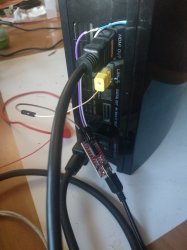
If you are wondering how I can test this easily, is because before I assembled the working consoles, I did this:

Cheers
 

Attachments

  • IMG_20210402_005046.jpg
    IMG_20210402_005046.jpg
    1.3 MB · Views: 91
  • IMG_20210403_170956.jpg
    IMG_20210403_170956.jpg
    1.3 MB · Views: 368

Similar threads

Back
Top