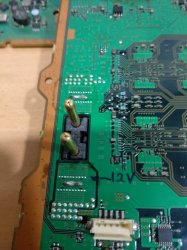
PS3 Fault finding YLOD with the SYSCON - First steps and Error reporting

@victor, it seems I made a mistake in the analysis, error 2024 and error 2124, it is a damage in cellbe connection area with rsx or connection area with sub cxd9963 (final rule3), not related to CellBe RAM, I have corrected the damage by replacing 1 set cellbe, now the ps3 is normal, unfortunately I didn't record the clk pulse, it's rare to find a ps3 with such damage. Now I can say RAM Rsx and Ram Cellbe are not included in the syscon error.
So it means when they come together we are not able to fix. What was cpu power line resistance?
This is what M4j0r reply for me:
At least you can tell by the 80 in the A0805FFF that it happened while the console was fully running (according to syscon).The A0 in A02024 means that it happened while power to the board was applied (before the led goes red). And 202 means that it's related to the AV Encoder / HDMI chip.
So my supers was in 3 beeps mode before that and didn't try any reball on it as I was sure it was something different then cpu/rsx.
That part with 5fff was for another unit unrecovered because dead cpu near 2 ohms.
 
Last edited:
Got another (second) working PS3 CECHG08 (SEM-01)
Before: A0403034, A0404421 - [POWERSEQ] Error : BitTraining BE:RRAC:RX0:GLOBAL1:RX_STATUS
Applied 5min 350°С to RSX with RSA flux
After: booted up
 
Aha, now that looks like a pro hacker tool!

About your DYN 001 with funny thermal sensor...
This may sound silly, but it occurs to me, what if you modify the syscon to disable the safety thermal shutdown?
It's dodgy but if you are having thermal shudtdown while the temperatures are actually under control... Maybe you could try to fool the syscon if you don't know what else to do?
I think even in sherwood you can still make temporary changes to volatile Syscon RAM. Just for test without messing with checksum. The changes will disappear automatically next time the standby power is lost. So really no danger in trying.

tshutdown set 0 255
tshutdown set 1 255

Although... Yeah you say your 1200 error is gone already... So probably the problem is something else?
Oh well
I will test this myself self on next problematic units, this board was really receiving correct information from cpu/gpu as I get right temperatures with time, syscon was really received SDA/SCL from both. Now I only have to understand is cpu or gpu. In a hour I will be sure, already reballed, now thinking to test in halt or normal to get SB debugging to start and probably get better understanding of corruption/wrong flash. Testing purposes.
 
So it means when they come together we are not able to fix. What was cpu power line resistance?
This is what M4j0r reply for me:
At least you can tell by the 80 in the A0805FFF that it happened while the console was fully running (according to syscon).The A0 in A02024 means that it happened while power to the board was applied (before the led goes red). And 202 means that it's related to the AV Encoder / HDMI chip.
So my supers was in 3 beeps mode before that and didn't try any reball on it as I was sure it was something different then cpu/rsx.
That part with 5fff was for another unit unrecovered because dead cpu near 2 ohms.
Later tomorrow I will check it, it's a habit if it's not a problem in the input voltage I rarely check the cpu ohms, you mean in C1 right?
Hopefully the cellbe hasn't been thrown away by the employee...lol
 
Last edited:
Yes C1. Don't bother to much :)
Later I will update info about partially fixed dyn001. Cpu went fine, still glod, now I see debugging SB message on task( uart - SC) and it take recovery commands manually from button , still glod. I haven't connected second port yet to putty but I assume flashed nor went fine. No AV/Hdmi screen.
No more errlog , it is rsx quite near 2 ohms instead of near 3~4 as seen on 65nm model.
Rsx40 can work on 2, not always.
This is related to a previous heat gun.
Need a break from them.
About nor wrong flash it won't show/start SB debugging if isn't right flashed.
It will show all PS ok and stop there, this is a case on SW SC.
 
Last edited:
@victor, it seems I made a mistake in the analysis, error 2024 and error 2124, it is a damage in cellbe connection area with rsx or connection area with sub cxd9963 (final rule3), not related to CellBe RAM, I have corrected the damage by replacing 1 set cellbe, now the ps3 is normal, unfortunately I didn't record the clk pulse, it's rare to find a ps3 with such damage. Now I can say RAM Rsx and Ram Cellbe are not included in the syscon error.
Someone can correct me if i'm wrong
Your method can distinguish minor differences in the bootup sequence that the SYSCON error codes don't necessarily capture. Mainly because it doesn't generate a code for GLOD situations.

However, if you use the bringup command to start the console it will show the power sequence in the log. If there is an error that occurs before the boot-loader starts, it should show in that log. This works in mullion SYSCON's with internal access, at least. Here is what a COK-001 power sequence should look like normally:
Code:
[SSM] state: 0000 -> 0101
Bringup Mode #0 (0xFF)
[SSM] ssmCb_OnStartingBePowOn() called.
[SSM] First Boot.
[SSM] Bringup mode : syspm_stat=00000000/00000000
[POWSEQ] PowerSeq_Setup called.
[SSM] state: 0101 -> 0201
[POWSEQ] AV Backend Setup
[SSM] state: 0201 -> 0102
[SSM] state: 0102 -> 0202
[SSM] state: 0202 -> 0103
[SSM] state: 0103 -> 0203
[SSM] ssmCb_BeforeBeOn() called.
[SSM] state: 0203 -> 0104
Psbd_SbTransMode_Half:0x20e2
[SSM] state: 0104 -> 0204
[SSM] state: 0204 -> 0105
[SSM] state: 0105 -> 0400
(PowerOn State)
[SERV NVS] READ CMD
If there is an error, it should generate a YLOD and say where in the PowerSEQ it failed, with an error code. If everything is normal, the PowerSEQ only takes about half a second to complete. If the tokins are going out or there is some kind of issue with the power it can take longer. So that can clue you into an possible error. However, in the case of a GLOD it often stalls out in the bootloader which attempt to load just after the PowerSeq. I've seen a bunch of errors and retrys in the log.

I also want to circle back to something I noticed before that hasn't seemed to gain traction. And it's the Bittraining error that can be seen in the lasterrlog. Here's an example:
Lasterrlog.JPG

This was PS3#4, a COK-001 that only had a 1.5s YLOD and a single 3034 error. I traded this board to @squeept for a motherboard that had bad tokins. He reballed the RSX, but it changed to a GLOD with syscon errors 1001. He attempted the first frankenstein mod on it.

The reason I bring it up is that if you look at the bittraining error it says the problem is in the "BE:RRAC:RX2:GLOBAL1:RS_STATUS." BE is the Cell processor and RRAC I recongnize from the "RRAC VDDIO Bypassing" section of the schematic. I came across it last night when I was trying to figure out which BE voltage @botakompong was referring to as C3. It's the +1.2v_YC_RC_VDDIO. If you search the CELL pinout wiki for RX2 you can find the pin cordinates for the RC_VDDIO (AD37-41 & AC34-36). It's literally telling you where the signal degraded! IF you measure the voltage at C3 and it's good. Then reball the CPU to fix it! I totally missed that.
CPU.png

This explains @squeepts failure to fix this console. He was focusing on the RSX when it was a Cell reball that's needed! And any subsequent frankenstine mod was doomed unless this problem was fixed first!

 
Last edited:
Got another (second) working PS3 CECHG08 (SEM-01)
Before: A0403034, A0404421 - [POWERSEQ] Error : BitTraining BE:RRAC:RX0:GLOBAL1:RX_STATUS
Applied 5min 350°С to RSX with RSA flux
After: booted up
If it fails again, try reflowing the CPU.
 
Test after new cpu ,without flashing right dump of nor:
Code:
>$ errlog
00000000
# CODE     CLOCK
# FFFFFFFF FFFFFFFF
# FFFFFFFF FFFFFFFF
# FFFFFFFF FFFFFFFF
# FFFFFFFF FFFFFFFF
# FFFFFFFF FFFFFFFF
# FFFFFFFF FFFFFFFF
# FFFFFFFF FFFFFFFF
# FFFFFFFF FFFFFFFF
# FFFFFFFF FFFFFFFF
# FFFFFFFF FFFFFFFF
# FFFFFFFF FFFFFFFF
# FFFFFFFF FFFFFFFF
# FFFFFFFF FFFFFFFF
# FFFFFFFF FFFFFFFF
# FFFFFFFF FFFFFFFF
# FFFFFFFF FFFFFFFF
# FFFFFFFF FFFFFFFF
# FFFFFFFF FFFFFFFF
# FFFFFFFF FFFFFFFF
# FFFFFFFF FFFFFFFF
# FFFFFFFF FFFFFFFF
# FFFFFFFF FFFFFFFF
# FFFFFFFF FFFFFFFF
# FFFFFFFF FFFFFFFF
# FFFFFFFF FFFFFFFF
# FFFFFFFF FFFFFFFF
# FFFFFFFF FFFFFFFF
# FFFFFFFF FFFFFFFF
# FFFFFFFF FFFFFFFF
# FFFFFFFF FFFFFFFF
# FFFFFFFF FFFFFFFF
>$ bringup
00000000
# [SSM] Bringup Start.
# [SSM] PS0 ok.
# [SSM] PS1 ok.
# [SSM] PS2 ok.
>$ task
F0000003
# [SSM] PS3 ok.
# [SSM] PS4 ok.
# (PowerOn State)
OK 00000000
# [UCMD] Unknown command.
>$ errlog
00000000
# CODE     CLOCK
# FFFFFFFF FFFFFFFF
# FFFFFFFF FFFFFFFF
# FFFFFFFF FFFFFFFF
# FFFFFFFF FFFFFFFF
# FFFFFFFF FFFFFFFF
# FFFFFFFF FFFFFFFF
# FFFFFFFF FFFFFFFF
# FFFFFFFF FFFFFFFF
# FFFFFFFF FFFFFFFF
# FFFFFFFF FFFFFFFF
# FFFFFFFF FFFFFFFF
# FFFFFFFF FFFFFFFF
# FFFFFFFF FFFFFFFF
# FFFFFFFF FFFFFFFF
# FFFFFFFF FFFFFFFF
# FFFFFFFF FFFFFFFF
# FFFFFFFF FFFFFFFF
# FFFFFFFF FFFFFFFF
# FFFFFFFF FFFFFFFF
# FFFFFFFF FFFFFFFF
# FFFFFFFF FFFFFFFF
# FFFFFFFF FFFFFFFF
# FFFFFFFF FFFFFFFF
# FFFFFFFF FFFFFFFF
# FFFFFFFF FFFFFFFF
# FFFFFFFF FFFFFFFF
# FFFFFFFF FFFFFFFF
# FFFFFFFF FFFFFFFF
# FFFFFFFF FFFFFFFF
# FFFFFFFF FFFFFFFF
# FFFFFFFF FFFFFFFF
>$ tmp 0
00000000
# TZone No:00
# Temperature:+41.0(0x2903)
>$ tmp 1
00000000
# TZone No:01
# Temperature:+34.50(0x2280
>$ tmp 0
00000000
# TZone No:00
# Temperature:+43.0(0x2B03)
>$ tmp 1
00000000
# TZone No:01
# Temperature:+35.75(0x23C0
>$ tmp 0
00000000
# TZone No:00
# Temperature:+44.0(0x2C03)
>$ tmp 1
00000000
# TZone No:01
# Temperature:+36.75(0x24C0
>$ shutdown
00000000
# [SSM] Shutdown Start.
# [SSM] Shutdown ok.
# (PowerOff State)
>$ task
F0000003
# [UCMD] Unknown command.
>$ eepcsum
00000000
# csum = 0x44FA

After flashing right dump

dyn001norsx.jpg
dyn001norsx1.jpg

Now I can understend better after reball and at least cpu goes well .
This board will be for tests purpose
 
So my ps3 keeps doing the instant ylod and keeps showing the 3001 error code after changing the power supply with other working ones. I think that might be it for this ps3. Unless reballing the rsx will do anything.
 
So my ps3 keeps doing the instant ylod and keeps showing the 3001 error code after changing the power supply with other working ones. I think that might be it for this ps3. Unless reballing the rsx will do anything.
Hey, be careful right there. That's not what we are here for.
Rsx problems may be common, and reballing may solve some of them but....

You have missing 12v!
Nothing to blame RSX here yet...
If you are sure your power supply is good, then you probably have a blown fuse or other problems in the main 12v rail.
And that makes you think your board is done? What kind of problem were you expecting then hahaha?
Just take it easy.

If it fails again, try reflowing the CPU.
Now be careful with this too. The CPU is the brain and you really don't want to damage it.
It's good that you realize that 3034 by itself can also be the CPU (or even the southbridge) and not necessarily the RSX always.

But when there's 4421 precisely... Further tests are needed but, I think this is precisely the internal short RSX error that botakompong was talking about. The one that can opened with hairdryer predictably...

Maybe to make sure it would be possible to take a knife and scratch the whole row of pins on the back of the board, under the RSX which go to the CPU (flexIO)
And check for shorts with a multimeter.
There should be no shorts, either to GND or to each other.
If short is found, "then" apply heat and check again. It probably goes away.
Maybe we could map the specific pins to the specific errors. 4421 or the specific point in the bittraining for example may correspond to a specific pair of pins.

This could disprove a BGA issue, both in the RSX and CPU without reballing. And it's the terminal RSX case.

If no shorts are found, then probably it's just the BGA or some poor contact
 
Last edited:
I also want to circle back to something I noticed before that hasn't seemed to gain traction. And it's the Bittraining error that can be seen in the lasterrlog. Here's an example
Actually you can think of this as the second part of the boot sequence (bringup). Not really lasterrlog. You can get this information also by simply hitting enter again; the new command is irrelevant.

To keep talking about this, yes this bittraining error could be a ball under the CPU... But also a pad or trace on the board or... What if this signal is going directly to the RSX? The syscon has no real way of knowing where the fail was.

CPU, CPU ball, pad, trace........ pad, RSX ball, RSX. Maybe the problem can still be caused by the RSX. And after all... He reballed and the particular error went away. GLOD means that the bittraining was successful.
He concluded that the RSX was bad inside. Maybe he was wrong, but he had valid reasons to think this too.

I notice that some old boards like some A and B models will not show the additional 4xxx error even if they "should". Maybe it's something that was updated in newer syscon versions or revisions.
 
You have missing 12v!
Nothing to blame RSX here yet...
If you are sure your power supply is good, then you probably have a blown fuse or other problems in the main 12v rail.
Not to be rude, but what does missing 12v mean? I'm not very knowledgeable with this stuff. And where is the 12v rail?
 
Your method can distinguish minor differences in the bootup sequence that the SYSCON error codes don't necessarily capture. Mainly because it doesn't generate a code for GLOD situations.

However, if you use the bringup command to start the console it will show the power sequence in the log. If there is an error that occurs before the boot-loader starts, it should show in that log. This works in mullion SYSCON's with internal access, at least. Here is what a COK-001 power sequence should look like normally:
Code:
[SSM] state: 0000 -> 0101
Bringup Mode #0 (0xFF)
[SSM] ssmCb_OnStartingBePowOn() called.
[SSM] First Boot.
[SSM] Bringup mode : syspm_stat=00000000/00000000
[POWSEQ] PowerSeq_Setup called.
[SSM] state: 0101 -> 0201
[POWSEQ] AV Backend Setup
[SSM] state: 0201 -> 0102
[SSM] state: 0102 -> 0202
[SSM] state: 0202 -> 0103
[SSM] state: 0103 -> 0203
[SSM] ssmCb_BeforeBeOn() called.
[SSM] state: 0203 -> 0104
Psbd_SbTransMode_Half:0x20e2
[SSM] state: 0104 -> 0204
[SSM] state: 0204 -> 0105
[SSM] state: 0105 -> 0400
(PowerOn State)
[SERV NVS] READ CMD
If there is an error, it should generate a YLOD and say where in the PowerSEQ it failed, with an error code. If everything is normal, the PowerSEQ only takes about half a second to complete. If the tokins are going out or there is some kind of issue with the power it can take longer. So that can clue you into an possible error. However, in the case of a GLOD it often stalls out in the bootloader which attempt to load just after the PowerSeq. I've seen a bunch of errors and retrys in the log.

I also want to circle back to something I noticed before that hasn't seemed to gain traction. And it's the Bittraining error that can be seen in the lasterrlog. Here's an example: View attachment 33782
This was PS3#4, a COK-001 that only had a 1.5s YLOD and a single 3034 error. I traded this board to @squeept for a motherboard that had bad tokins. He reballed the RSX, but it changed to a GLOD with syscon errors 1001. He attempted the first frankenstein mod on it.

The reason I bring it up is that if you look at the bittraining error it says the problem is in the "BE:RRAC:RX2:GLOBAL1:RS_STATUS." BE is the Cell processor and RRAC I recongnize from the "RRAC VDDIO Bypassing" section of the schematic. I came across it last night when I was trying to figure out which BE voltage @botakompong was referring to as C3. It's the +1.2v_YC_RC_VDDIO. If you search the CELL pinout wiki for RX2 you can find the pin cordinates for the RC_VDDIO (AD37-41 & AC34-36). It's literally telling you where the signal degraded! IF you measure the voltage at C3 and it's good. Then reball the CPU to fix it! I totally missed that.View attachment 33786
This explains @squeepts failure to fix this console. He was focusing on the RSX when it was a Cell reball that's needed! And any subsequent frankenstine mod was doomed unless this problem was fixed first!
Looks like I also have to try other commands in syscon, such as "Bringup" and others, so far I only use ERRLOG, I want to first group all the error logs I encounter, I'm slow in the program, so I focus on ERRLOG First, after the data is complete according to the reality of the field, maybe I will move on to something else. Actually, for the glod problem, it's easy to find the problem by checking the "clk pulse", apart from Bringup of course. Especially after reballed rsx (glod), syscon error 1001? I'll see what it's related to later.
Well.., there is no 12volt, it seems yesterday I forgot to plug in 12v, that's right @Pacorretaco
 
Last edited:
This explains @squeepts failure to fix this console. He was focusing on the RSX when it was a Cell reball that's needed! And any subsequent frankenstine mod was doomed unless this problem was fixed first!
This is very clarifying for the frankenstein experiments :encouragement:
Yes C1. Don't bother to much :)
Later I will update info about partially fixed dyn001. Cpu went fine, still glod, now I see debugging SB message on task( uart - SC) and it take recovery commands manually from button , still glod. I haven't connected second port yet to putty but I assume flashed nor went fine. No AV/Hdmi screen.
No more errlog , it is rsx quite near 2 ohms instead of near 3~4 as seen on 65nm model.
Rsx40 can work on 2, not always.
This is related to a previous heat gun.
Need a break from them.
About nor wrong flash it won't show/start SB debugging if isn't right flashed.
It will show all PS ok and stop there, this is a case on SW SC.
You replaced the CELL in the DYN-001 and now everything works fine ?... then i guess i was right in thinking the sensor inside CELL was fryed
Well, now you know the old CELL have (at least) 1 permanent problem but dont trash it, maybe the rest of his internal circuits works fine (but is not much probable though) and you can use it to dirty-fix other board

Im still curious about the temperatures reported for the new CELL, when you run the "tmp" command the temperature values that can be seen in hexadecimal still have that +3 deviation you had before
And right now we are completly sure that deviation of +3 is not caused by CELL neither by the thermal monitor chip because you replaced both
This is making me think if there is still a problem in the 2 resistors and the capacitor in D+ D-pins... as far i understand in the datasheet this 3 components are used as some kind of calibration
But dont replace them yet just because im mentioning this... maybe that deviation of +3 is something that happens more frequently than what i though

This is why i asked you to run the "tmp" command in other motherboards to see if the reported values (last byte) is always 00, 40, 80 or C0

Can someone else check this too ? @Pacorretaco @RIP-Felix ?
Please run the "tmp" command a few times (waiting some seconds in between to get different values) and post them in this thread and tell also the motherboard model
 
Also I thought you guys might like this. I modified @vyktormvmpay25's RSX Power Pinout image. First it's orientated to match the schematic. So if you are looking at the schematic, the pinout matches the board. I traced out the names of each power line, confirmed with a multimeter on a COK-001 with the RSX removed. This is most useful in combination with the Schematic to test voltages going into the RSX. There are 7 voltages!
RSX Power Pins.png
RSX PWR Flowchart.png


+1.8v_RSX_PLL_VDD was difficult to find. It's in continuity (no resistance) with FB6001. It was difficult to hold the probe on the pad and reach around to the backside of the board to find anything that buzzed. I fount a cap, then lead me to the correct voltage and confirmed it with that fuse. The light green and dark blue have no resistance between them. I'm pretty sure they are the same thing, but @vyktormvmpay25 had them different colors and I didn't want to assume he was wrong.

Also +1.8v_RSX_VDDQ is missing from the following? Perhaps some of these need edited?
COK-002 (Diagnostic Jumper leads).png
COK-002 (Diagnostic Jumper Key).png
 
Also I thought you guys might like this. I modified @vyktormvmpay25's RSX Power Pinout image. First it's orientated to match the schematic. So if you are looking at the schematic, the pinout matches the board. I traced out the names of each power line, confirmed with a multimeter on a COK-001 with the RSX removed. This is most useful in combination with the Schematic to test voltages going into the RSX. There are 7 voltages!
View attachment 33792View attachment 33793

+1.8v_RSX_PLL_VDD was difficult to find. It's in continuity (no resistance) with FB6001. It was difficult to hold the probe on the pad and reach around to the backside of the board to find anything that buzzed. I fount a cap, then lead me to the correct voltage and confirmed it with that fuse. The light green and dark blue have no resistance between them. I'm pretty sure they are the same thing, but @vyktormvmpay25 had them different colors and I didn't want to assume he was wrong.

Also +1.8v_RSX_VDDQ is missing from the following? Perhaps some of these need edited?
Yes and there are thermal points of CELL and RSX I've added in link, not many mine photos in my link, just collected data over years.

http://s.go.ro/ux2mg5g8
http://s.go.ro/cs4gwfqn
I will add and edit your photos inside link as well
 
Last edited:
To keep talking about this, yes this bittraining error could be a ball under the CPU... But also a pad or trace on the board or... What if this signal is going directly to the RSX? The syscon has no real way of knowing where the fail was.
I think that blanket statement may be false. I'm asking you to consider the possability that the SYSCON can know under some circumstances, and that it might actually know what it's talking about when it tells you general area where the problem is coming from.

Imagine this scenario:

SYSCON: "Hey CPU! Ya dead?"
CPU: "Nope, I'm good here."

SYSCON: "Hey SB! Ya dead?"
SB: "Nope, I'm good here."

SYSCON: "Hey RSX! Ya dead?"
RSX: "Nope, I'm good here."

SYSCON: "Hey CPU! Can you hear RSX okay?"
CPU: "Hold on! Hey RSX! Ya dead?"
RSX: "Nope, I can hear you loud and clear."
CPU: "Okay, I'm back. Yup, RSX checked in loud and clear."

SYSCON: "Okay you guys clear to start the bootloader. GG!"

The SYSCON must have comm line with each chip individually and they have lines with each other. By cross referencing who can't communicate with who, the SYSCON is able to narrow the fault down to a general area. I'll wager that most of the time a BGA defect is not going to land in a spot where it can't narrow it down to either the RSX or CPU. That's the kind of information SONY's repair techs want to know. SO I'm sure they enginerred a solution to. Probably a super awesom jig that runs spring pins that run dignostics with a neat GUI that spits out, "replace CPU" or "Replace RSX" or "replace IC6102."

That's not really the point though. The point I was making is that the SYSCON is trying to tell us where the problem is and we are ignoring it and applying a blanket fix, "Reball the RSX anyway." Just like false positive occur from hair driers due to thermomechanical reconnection of BGA defects, I'm sure a reflow on the RSX could look like a success when the CPU is where the BGA defect was and still is! Perhaps this is why some of these reflows/reballs fail soon after! They didn't also reflow the CPU. We're ignoring the bittraing error that's trying to tells us where the problem is. Of course, in the case of RSX errors, that's harder since we don't have the same documentation we have for the Cell.
 

Similar threads

Back
Top