sandungas
Developer
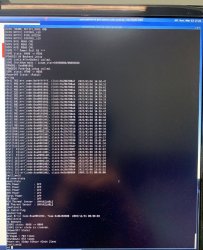
The command bestat displays info about CELL processor, i dont know what the info means, but it seems is working fineHey everyone, I'm trying to get the ERRLOG data out of a PS3, but it doesn't seem to be working for some reason... This is a VER-001, with a SW-301 SYSCON. I have it all connected, and auth/AUTH works just fine. I can use the commands bringup and shutdown, but becount doesn't seem to be recognized, and after using bestat, I get this:
# [SSM] PS3 ok.
# [SSM] PS4 ok.
# (PowerOn State)
#!
#!Boot Loader SE Version 2.4.5
#!(Build ID: 3163,33519,
#!Build Data: 2008-07-14_20:31:16)
#!
#!Copyright(C) 2007 Sony Computer Entertainment Inc.All Rights Reserved.
#!
#![ERROR]: 0xb0000004 lv0 authentication fail
# [SSM] Cond/Fatal received, msg=2649.
# [SSM] Fataldown Start.
# [SSM] Fataldown ok.
# (PowerOff State) (Fatal)
# (Error State) (Fatal)
# State = 07
Not sure if this is normal, but more importantly, my errlog/ERRLOG commands return nothing but FFFFFFFF. Is it blank? I'm not entirely sure where to go from here... I was trying to read the SYSCON logs before replacing the caps, because it seems like my problem is something else... Any help would be appreciated!
The command becount was removed in sherwood syscons, and i dont know if there is a replacement command for it with a different name, but i can tell you that counters still exists inside syscon EEPROM, if you are really interested in it you can read the data in "raw" and do the conversion in PC, there are some samples about how the data is organized here:
https://www.psdevwiki.com/ps3/Talk:SC_EEPROM#BE_Count_region
You can read them by reading 8 bytes at offset 0x800 in sherwoods:
Code:
>r 800 8In the first example in wiki (CokR40, REX-001emmc, SW3-304), you need to convert them from hexadecimal to decimal:
First 2 bytes = 05 B6 = 1462 bringups
Next 2 bytes = 05 23 = 1315 shutdowns
Next 4 bytes = 00 3D AD FA = 4042234 seconds
EDIT:
----------------
And btw, you can read the errolog in raw too, at offset 0x900 in sherwod syscons, the errors are cummulated "from top to bottom" so try to read a chunk of bytes (lets say... 0x40 bytes) from beginning of the errorlog area and if you see is filled with FF then yeah.. your errorlog is empty
Code:
>r 900 40
Last edited:


 .
.