DeadEnd
Senior Member
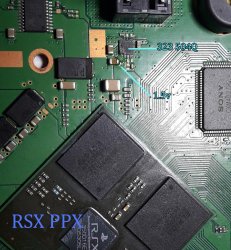
Rip-Felix meaning that ic D35287 schematic.
He was talking about "motherboard revision" though... But I can't find datasheets for BD35287 either...

Rip-Felix meaning that ic D35287 schematic.


I didn't provide a script for the patch decryption, only one which parses the decrypted patch to visualize the content (it decodes the decrypted version).
First you have to decrypt the pkg and then the content of the pkg, then you have the patch. unpkg is used for the pkg and zecoxao released the patch decryption tool.
And the offsets are of course not part of the patch, these are for the firmware, but are also instructions for the patch - where does the data need to be written to and what data?
You even quoted that link: https://www.psdevwiki.com/ps3/System_Controller_Firmware#PTCH_Firmware_TOC. It has four "PTCH Addresses" and four "PTCH #x Instruction / Data". Address is where the address goes and Instruction/Data is where the data goes - just be aware of the endianness.
You can then check your patch using https://pastebin.com/xGDH6taM .
I advise you to not install a new modified PS3 system firmware without having a way to recover from it, same goes for a syscon patch.
The offsets/data that I provided for the syscon patch are safe. If you just want to enable the full eeprom access over UART, you don't need the first patch, that's just for the CELL side.


I won't go over how to work with the main ps3 firmware. You need to know how to deal with that else you brick your PS3.Well, clearly I misunderstood you about the Offsets. It was for the firmware... So that's all that's needed then? I just overwrite values with the ones you provided at those offsets?
I found them by looking at HEX of the CWF, yet there is a spanish text at those offsets. Did you use OWF then? Does it have to be specific version?
The COK-002 firmware hasn't been dumped yet, so nobody can find the needed offsets.But since you understand this topic much better, perhaps you could then possibly share the offsets and patch for COK-002, and we can just move on to the next steps?
Ok, I get that. I just dumped COK002 firmware before upgrading to CWF. So I can now unpack it and make my custom patch using all this knowledge...
No, you need the syscon firmware, which is not part of the PUP.
The next step is already dumping the firmware. You make sure nothing is plugged into the HDMI port, then listen to the UART interface using e.g. TeraTerm (with the log enabled) and push the power button - the firmware will be dumped.
Then you can use the same python script with the original Syscon patch to restore it.
The main PS3 FW is a PUP file, and it contains a patch for the syscon firmware. The syscon firmware is only stored on syscon itself as well as the currently applied patch.One last question before I give up on the syscon endevour.
You still refer to 'patches' and firmwares in a way that is easy to mix up. There is the patch inside PUP - a pkg file. Then there is a Firmware, as in CWF or OFW, then there is also a Syscon firmware that is separate and cannot be dumped with a pup. Correct?
No, you need to overwrite the syscon patch which is saved on the syscon with a blank syscon patch contained in a modified PS3 FW, then you use the syscon UART interface to install a special dump patch.So I got a CWF from evilnat now installed on COK002. At this point, can I now dump the syscon FW over UART ? Do I need any special script for it? You wrote here while ago, but not sure which script you were referring to:
The main PS3 FW is a PUP file, and it contains a patch for the syscon firmware. The syscon firmware is only stored on syscon itself as well as the currently applied patch.
No, you need to overwrite the syscon patch which is saved on the syscon with a blank syscon patch contained in a modified PS3 FW, then you use the syscon UART interface to install a special dump patch.

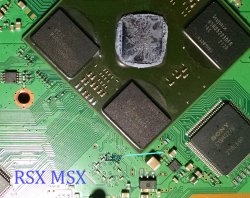
I wasn't sure if there were schematics for those model PS3s. I only work on A models and am looking for the equivalent VRM for the RSX_VDDR.
It appears these "D35_ _ _" IC's are all pretty similar. Same function different features. The only difference I see are resistors that set the voltages properly are either inside (fixed) or set by the user with the pads provided on the board.
They all are set to the same voltages, so I don't think it really matters unless that chip is bad or allows too much noise through.
That may have been what happened in the second console swap. However, we should measure the voltages and noise characteristics on all the donor and recipient consoles, just to be sure the electrical environment is verified to be the same. Then if it doesn't work, we know the hardware is not why. Will make things easier for the software guys.
Of course, we're just speculating on the changes seen in the few pictures and 2 consoles we have to go off of. And I'm not an EE! I just watch videos and read the datasheets I can find. That should be disconcerting. If there's a real EE out there, you should be double checking our work and chiming in (unless you're having too much fun laughing - I'm sure SONY is).


Yes, the Sherwood (SW) uses a virtual mapping to create the nvs for you if you read it, it's not stored continuously on the flash eeprom like on the Mullion (CXR). But since we can't simply read it via hardware, it doesn't matter.This is the eeprom map of a syscon CXR series (doesnt applyes to syscon SW1/2/3 series because it seems they uses some kind of "virtual map")
The fimware is actually already applied at the chip factory, it's a mask rom, not a PROM (same goes for the Sherwood, Sony orders them already programmed from NEC but it's flash technology so you can change it (but it's disabled for security reasons)).The syscon firmware is everything that appears in that table, except the areas named "Patch part 1" and "Patch part 2" (it seems the name "patch" is an official codename btw), the whole syscon firmware is written at factory (so the only way to make a copy of it is by reading it from inside syscon)
Think in the "Patch part 1" and "Patch part 2" as "slots" that are empty from factory, and are ready to install a patch in them
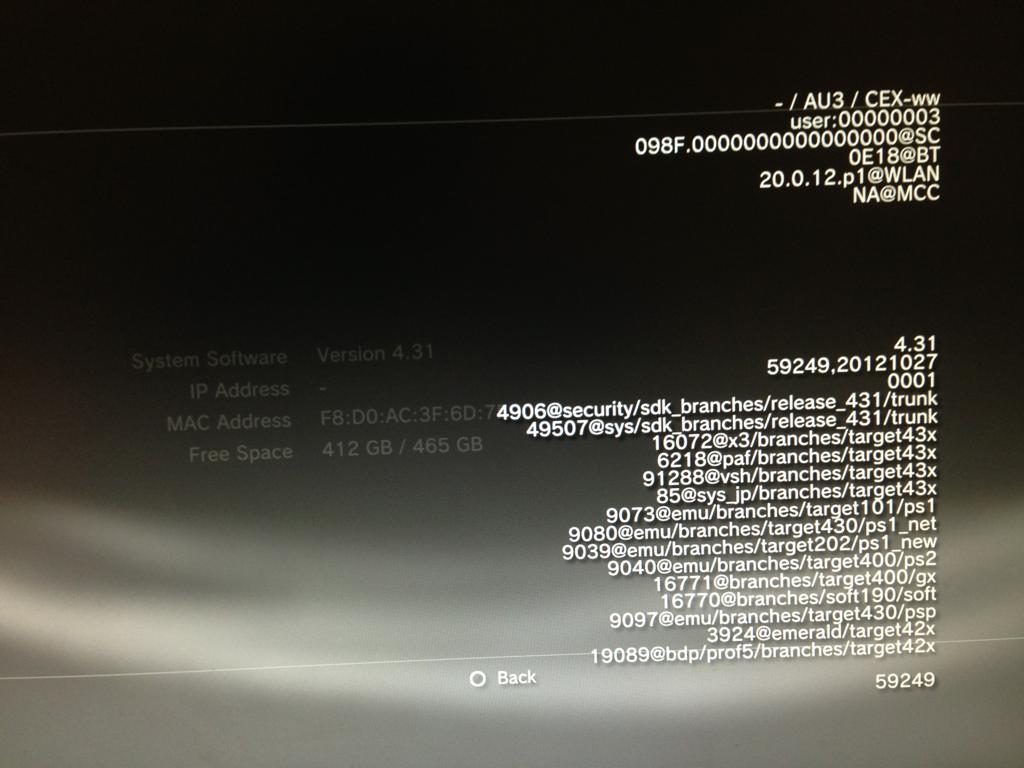
The "soft id" is actually just the build id of the syscon firmware.The 098F is an identifyer of the syscon ID (im not going to enter in more details, but indicates which patches from inside the PUP are applicable to the syscon hardware)
The fastest way for a repair shop is just to use the hardware eeprom interface (SPI) on the CXR. The SW always needs a working PS3 since you can't program the patch over the UART interface, the only way to do it via hardware is to glitch it. But if you want to put a newer RSX on these units you need to glitch it in order to update the firmware either way.I can tell you @M4j0r is not hiding much info, is just there are hundreds of things that needs to be explained before getting your hands dirty with this, also, as far i seen, everytime he writes something technical (thats most of his posts, lol) he is trying to cover all scenarios posibles:
...
Yes, Sony is using a special device for that on the CXR (since you can't overwrite ROM), on the SW it all happens in RAM.Another btw... i think (but im not sure) the way how syscon loads the data is by using some kind of "overlay" where the patch is "pasted" on top of the base firmware... but this happens on runtime, the original data is still there is just syscon loads the data in the patch instead the original
The patch is only really meant to patch the (not rewritable) firmware ROM, using it for the eeprom would be wasteful, since you can just rewrite it. As explained above you just use the existing lv1 interfaces through lv2 to overwrite/read any eeprom region.The original data areas that can be patched is a bit doubful for me, in the other thread about the syscon keys we was talking about it, i was wondering if it could be posible to patch the "thermal config" area just by running an app in a CFW (that app doesnt exists though)
Im shy to ask about it because probably is mentioned somewhere in psdevwiki but i cant find itYes, the Sherwood (SW) uses a virtual mapping to create the nvs for you if you read it, it's not stored continuously on the flash eeprom like on the Mullion (CXR). But since we can't simply read it via hardware, it doesn't matter.
Ok, so is a single patch divided in half.. and it allows to patch 4 addressessThe fimware is actually already applied at the chip factory, it's a mask rom, not a PROM (same goes for the Sherwood, Sony orders them already programmed from NEC but it's flash technology so you can change it (but it's disabled for security reasons)).
Patch Part 1 and Patch Part 2 are actually only one patch, Sony splits them into the main patch and the hdmi patch section. The Sherwood patch is also splitted but saved in one place.
If you want a user friendly solution (for changing the fan settings etc.) you need to pack the patches into the PS3 firmware. I provided the example patches, which fully unlock the syscon eeprom to the CELL side (usable by lv1) and the UART. This enables you to do anything with the eeprom. Then you just need to use the syscon device access service through the lv1/lv2 interface in a user program - that already exists.
Well, after thinking in all this i guess is better to include inside the PUP the (common) patch to unlock syscon, after that use a program to change the thermal config with the "set" command (that doesnt makes permanent changes to the eeprom) to try some configurations, and when we are satisfyed with it write the custom thermal config permanently into eepromThe patch is only really meant to patch the (not rewritable) firmware ROM, using it for the eeprom would be wasteful, since you can just rewrite it. As explained above you just use the existing lv1 interfaces through lv2 to overwrite/read any eeprom region.
Im shy to ask about it because probably is mentioned somewhere in psdevwiki but i cant find it
There is some image or table where we could see the eeprom map after tat "virtualization" has been removed ?
For me that image you posted with the map of CXR has been very useful since some weeks ago (to try to digest the technical info published about all this stuff), but now since the virtualization used in sherwood i feel a bit lost
You can patch HDMI functions (which is used to dump the firmware but not useful in other cases) or increase the space for the optional patch code, but you won't get more than 4 universal patch offsets.The fact some of that patch data is related to HDMI represents a restriction for us... or we can repurpose that hdmi stuff to patch other data ?
Yes, that's probably the best solution.Well, after thinking in all this i guess is better to include inside the PUP the (common) patch to unlock syscon, after that use a program to change the thermal config with the "set" command (that doesnt makes permanent changes to the eeprom) to try some configurations, and when we are satisfyed with it write the config permanently into eeprom
And after that keep the syscon "unlocked" forever, just incase we need to acces it for other magic tricks in the future

View attachment 29677
That looks like a juicy target. But if there is a schematic for your motherboard revision, look up the RSX and be sure that's it.