Fannste94
Member
I did and they are using the OPL daily builds version which shows the PS1 tabLook at the POPStarter-Wiki or the OPL-Tutorials!
Is there maybe a OPL for PS1 games that I can add in Funtuna?
Last edited by a moderator:


I did and they are using the OPL daily builds version which shows the PS1 tabLook at the POPStarter-Wiki or the OPL-Tutorials!
That is utter nonsense! It never was, doesn't currently and never will link to the "OPL DB" Fork!I did and they are using the OPL daily builds
This bugged thing is not needed!version which shows the PS1 tab
There is no "OPL for PS1 games"... OPL only starts PS2-ISOs and PS2-Apps.Is there maybe a OPL for PS1 games that I can add in Funtuna?

Follow the install instructions and use the correct uLE (WorkingULE) to paste the PSU file. Your wLE probably did not set-up the timestamp correctly.Hello there. I create memory cards from opl so that the save files of the games do not break the funtuna, but the next day when I try to open the game, the funtuna is broken. What is the solution to this? I read something about timestamp but didn't understand.
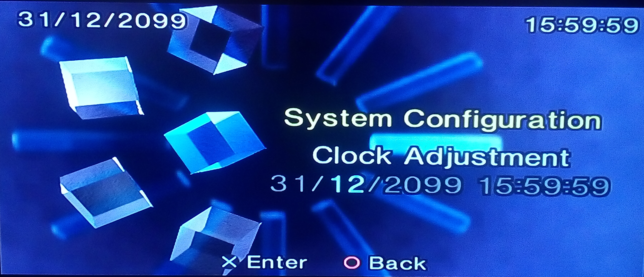
In your console the higher is 15:59:59 due to your time zone.@HWNJ you set a little bit higher date (31/12/2099 23:59:59).
Did you checked this date on a real hardware (PS2)?
That's normal too. The folder timestamp and the files timestamp are oposite poles...Thanks, I did not think about the timezone.
Maybe that is why I have 0000.00.00 00:00:00 in wLaunchELF:
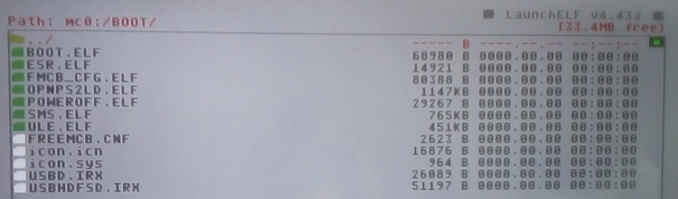
Oposite poles (in this case a timestamp is the max, the other is the minimum) (just a physics joke)I'm not sure what "opposite poles" means when you compare a timestamp of files to a timestamp of a folder...
But it is good to know that it is fine\normal.
Which settings do not take effect?When I set scrollings options, save to mc0 and the settings cannot take effect,Do I need to set a timestamp, all my operations are set from FMCB_CFG
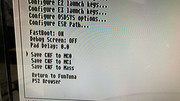

top delimiter After setting, saving cannot take effectWhich settings do not take effect?
The timestamp should be edited once hitting Save CNF to MC0.
Delimiters are hard coded. They won't change on FunTuna v1. I forgot to remove the hard coded ones before the release. It was supposed to be hard coded just for the BETA version. Anyway... the next revision will not have them hard coded.top delimiter After setting, saving cannot take effect
Thanks for answerDelimiters are hard coded. They won't change on FunTuna v1. I forgot to remove the hard coded ones before the release. It was supposed to be hard coded just for the BETA version. Anyway... the next revision will not have them hard coded.
The only Phat console where FunTuna works are SCPH-500XX with ROMVER 1.90.I understand funtuna is not for first generation ps2 consoles,but like i said in another post i tested it on phats and even did game saves on the memory card,afaik its still working great.