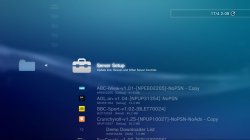
HAN Toolbox

PS3 HAN Toolbox - The Xploit 3.0 Companion v0.7.1

can tell how to remove pasthardlink and

can u provide ps3 all in one tool of ur lastbulid pack made by u sir?

Save the following code as remove_paste_hard.reg and execute it:
Code:
Windows Registry Editor Version 5.00

[-HKEY_CLASSES_ROOT\*\shell\Paste Hard Link]
[-HKEY_CLASSES_ROOT\Directory\shell\Paste Hard Link]
[-HKEY_CLASSES_ROOT\Directory\Background\shell\Paste Hard Link]

The latest pack available is 4.8.1

BTW you posted your question in the wrong thread!!!
 
Save the following code as remove_paste_hard.reg and execute it:
Code:
Windows Registry Editor Version 5.00

[-HKEY_CLASSES_ROOT\*\shell\Paste Hard Link]
[-HKEY_CLASSES_ROOT\Directory\shell\Paste Hard Link]
[-HKEY_CLASSES_ROOT\Directory\Background\shell\Paste Hard Link]

The latest pack available is 4.8.1

BTW you posted your question in the wrong thread!!!
Sry because i found u in this post commenting so sry
 
By installing a new PKG list via usb.
I do that (if you mean the Package List you get from rescanning, sorry if being a noob, just started using han recently still don't know much), but only the PKG files on the folder update, the server info stays the same.
 
I do that, but only the PKG files on the folder update, the server info stays the same.
Well the server info is whatever IP and port you write into PKG Linker, so if you want it to change, you must change it.
 
Well the server info is whatever IP and port you write into PKG Linker, so if you want it to change, you must change it.
Yes, but it doesn't update on PS3, keeps showing the old IP i had on PKG Linker, i wanted it to show the new one, sorry for being a noob, got into han recently, still don't know much about it.
 
Yes, but it doesn't update on PS3, keeps showing the old IP i had on PKG Linker, i wanted it to show the new one, sorry for being a noob, got into han recently, still don't know much about it.
Well you must be something wrong, make sure to save settings in PKG Linker, and also you need to reboot after loading a new list. Cant help after that.
 
Well you must be something wrong, make sure to save settings in PKG Linker, and also you need to reboot after loading a new list. Cant help after that.
Yes, when i save setting on PKG Linker i go and install the new package and reboot PS3, it just doesn't update server info.

I see, yea it's most likely me doing something wrong, i'll see if i can work around it, thanks for taking your time to help me :)
 
Yes, when i save setting on PKG Linker i go and install the new package and reboot PS3, it just doesn't update server info.

I see, yea it's most likely me doing something wrong, i'll see if i can work around it, thanks for taking your time to help me :)
What is the issue you are having? is it not picking up the right IP? Or why do you need to change the info?
 
i have a problem help me pliiz when i do han enabl my ps3 stops and i hav off my ps3 and turn ps3 and also problem i do han enable when i want turn game and i turn han enabl in a fisher nam is han tolobox befor gestionnere pkg and thx bro
i instal rap and game but last is han enable
sorry for my english
 
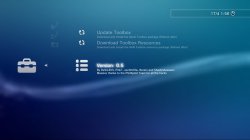
HAN Toolbox v0.5

New Features:
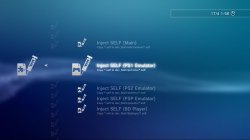
  • Self injector added
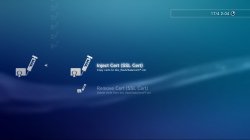
  • Cert remover added
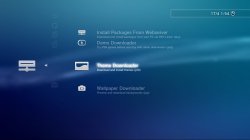
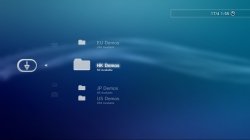
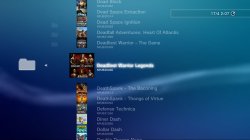
  • Demo Downloader updated with demos from all regions
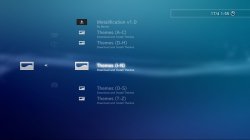
  • Theme Downloader added
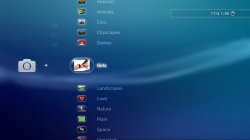
  • Wallpaper Downloader added
  • Menus rearranged
  • Debug Settings Toggler added
  • DEX Xploit links added (Auto switching, see below)
  • New icons

External Content Downloaders
For the downloaders, There is an initial setup to be done, this involves going to Toolbox Settings and Downloading a resource pkg, its quite simple, download the pkg then reboot. If you don't want to use the content downloaders then you don't need to do this step.

@ShaolinAssassin Has done some amazing work adding the other regions demos to Demo Downloader, This is really excellent because it was not something I planned to get back to for a long time if ever tbh.

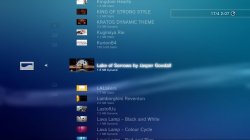
@pink1 Helped me rewrite the original XMBPD theme downloader from scratch and in a much better way, now all themes have icons which is something I wanted to do for a long time, theme type and size are displayed on the XMB too, and we also increased the available theme count to over 1001.

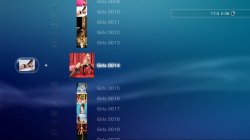
Wallpaper downloader: When downloading a wallpaper, when the image loads up in the browser, press triangle, go to File>Save Image>System Storage, then you can go to the photo category to set it as a wallpaper.

Note: If you browse thousands of items in one session you will get missing icons, a reboot solves it.

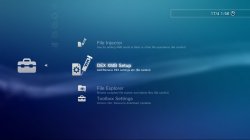
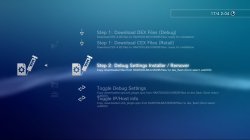
Debug Settings Toggler
Options to download CEX and DEX settings files to HDD, and then options to inject which ever files you have downloaded, if you don't already know how to use Debug Settings DO NOT use this item.

Auto Switching to DEX Xploit links
If you use the new Debug settings Xploit from Team PS3 Xploit, and you want to have your Xploit links in the Toolbox auto switch to DEX http links when on DEX XMB, then inject this category_game_tool2.xml = DOWNLOAD , if you don't understand what is meant by this, don't use this feature.
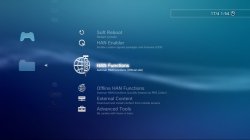
1.jpg 2.jpg 3.jpg 4.jpg 5.jpg 6.jpg 7.1.jpg 7.jpg 8.1.jpg 8.jpg 9.jpg 10.jpg 11.jpg 12.jpg

Use at your own risk.

Read the rest of this update entry...

 
Last edited:

Similar threads

Back
Top