PS3 hi im new to ps3 hacking, im organizing a ctf and I would need some help

Hi,

So basically I'm organizing a CTF competition and would like to configure my ps3 to be debuggable, and I'm kinda lost.I would like to configure it such that I can attach a debugger to internet browser while loading the webkit buffer overflow so I can debug the ropchain and the rest of payload. anyone got any good tutorial on how to modify the system such that I can attach a debugger to it :) ?
 
Just need evilnat cfw pex. Convert to Dex and there should be an option in xai to enable vsh debugging. You can do it on older firmware also using debug stage2 or xai.

Then can add ps3 in target manager and connect prodg to ps3. You need the IP address and set to Debugging Station when adding. Then you can attach to vsh with prodg

You can check my ROP videos also for some references.

https://youtube.com/playlist?list=PLtp8ugow2Tpi5u8FLF8lPyYyo4MCpsDNY
 
out of curiosity so since the goal of the challenge I plan to do basically is have them hack the browser from the console, I am curious does the ps3 support say doing eg from ropchain to end up with something like system(cat /dev_hdd0/flag.txt) ? like what I would like to see them do is to modify the exploit to basically cat a file from usb . now im not familiar with webkit (the closest I came to hack a js engine was an nday I did with a friend for chakracore) but I would assume there is a separation between the vuln renderer and the filesystem eg there's a sbx in place right ? and such I would assume they would still need to utilize 2nd stage exploit right ? cause for this challenge I would like them not to do the 2nd stage exploit

also any ideea why whenever I refresh prodg process tab even with the browser opened whenever I try to refresh the processes I see none even tho target manager says im connected to ps3 but it won't show any process at all whenever I go and open the processes icon

also when you guys searched for gadgets how did u extract the binary of browser from the os ? cause normally when u search for gadgets u search with rp++ but that requires a binary to analyze. such im curious how you extracted that from os
 
Last edited by a moderator:
The WebKit browser has root access, so you can make almost any lv2 syscall from it with ROP. You can write a file directly using fwrite sub function or cellfs syscalls. The pointer and file descriptor video shows this.

Did you use xai to enable vsh debugging? I am pretty sure its in Nat's xai. If not, I can send you one that does.

This thread has the debug stage2 as an alternate to xai, but it is old. Also has links to test HTML/js and videos.

https://www.psx-place.com/threads/w...tion-editing-debugging-ps3-development.15826/

The vidoes show how to attach to vsh.

The vsh.self can be extracted from pup. Then decrypt it with ps3tools.
 
Last edited:
yep got it I was able to attach to vsh now I just forgot apparently to enable it with xai. tho I am kinda lost ish how would extracting vsh.self help me , cause what I don't understand is vsh.self is like /bin/bash right ? than that in itself is not the binary for browser which say would not allow me to basically have it mapped in ida so I can find base address to set a bp to the said gadget from the video where u break eg mr r1,r11

also for searching gadgets cause they(the competitors) would have to search for gadgets would need the binary of browser

ohh also im wondering since this is supposed to be a ctf could you recommend me something(a method) that the players would be able to have to debug their exploit. basically just realized now that they would need a way to emulate in idk qemu or something ps3 firmware in order to be able to debug their sploits before they show it on stage on real hardware. any ideea of any kind of this type of projects
 
Last edited by a moderator:
Use aldostools to then get context menu to unpack self. Right click and extract. Load elf into ida or ghidra. You then want to run script to analyze vsh, from xorloser ps3 ida tools. Get the TOC and then add that to processor settings and reanalyze.

The gadgets that are used can be verified from JavaScript in ida or ghidra. Keep in mind the file offset and the virtual address. VSH VA is +0x10000 iirc.

The tutorial videos cover all of it.

Unfortunately for debugging, emulators like rpcs3 cannot correctly work with WebKit for some reason, AFAIK.

Edit: You can also use other loaded sprx gadgets, or even load one yourself from ROP. The address will be wherever its loaded into memory as its base + 0x(offset).

The current vsh gadgets JS functions handle pretty much all use cases for executing syscalls, calling subroutines, reading files, writing files, memcpy, memcmp, malloc, free, loading bytes, storing bytes, etc. You have full access to all 32 PPU registers in GameOS (vsh).

Also you can reference this project (original tutorial that morphed into what it is) for lots of info.

https://github.com/PS3Xploit/pett

Edit 2: We don't use any gadgets from WebKit sprx, but you could. The most useful ones we found in vsh for doing all common low level stuff needed.

Here are the original webkit tests we compiled together, with crash notes and screenshots, that used to be on the PS3 Playground github

https://www.mediafire.com/file/w0fy3d6l634fzmo/ps3-webkit-vuln-tests-20190223a.zip/file

Silk browser is also vulnerable to some of these, but we never progressed with it. You can switch the browser with debug settings and toggle silk and webkit

Edit 3: This was also used to make it easier to look at and test ppc code for proper instructions in payloads. Also converts raw hex into ppc code

https://github.com/Dnawrkshp/CodeWizardPS3
 
Last edited:
amm what is TOC in this context and how do you get that ?
Its the Table of Contents and it can be seen in ida, using xorloser scripts.

I feel like I've explained quite a bit, and the tutorials show almost everything, even though they are a bit "boring" to watch at times lol.

I also have a thread attached in my signature for setting up debugger, etc, and one link for the ROP tutorial.

Edit: I am on my phone and it sucks for explaining things :)

Debugging tutorial
https://www.psx-place.com/threads/t...g-up-development-debugging-environment.13287/
 
agreed np :) yeah tutorials is great but you know me and my friend still have questions to asks before we get going on with the tutorial we need to have a base of info such that info ends up making sense :) what we were lost is basically somehow getting the browser from the ps3 . we understood that basically vsh is just like a bootstrapped and that in actually the browser is started from either one of these webbrowser_plugin.sprx and in your tutorial you show how to I guess extract a package and from what I understood from the wiki the browser isn't a package cause its not like something you install it's preinstalled so somehow again I guess bc of info gap on how to aldotools I guess its a little criptic as in what me and my friend were think is how we could dump main-vsh.vsh so we can further analyse it . you know we understand that there wasn't lots of interest in hacking ps3 and that's why the proper explanation wasn't there but its kinda cryptic on terms of I guess pkg and structure of how apps are there. cause yeah I read the tutorial on debugging stuff only issue I guess is that the tutorial shows .pkg I guess reverse and from what I read again from wiki is the fact that at least browser is not a pkg and we dont know what to take to throw in ida . cause bottom line is what we want to do is have a bp set at a gadget and yeah obv we dont know how to setup a bp in prodg cause idk we never quite got used to it even tho its similar in regards to how windbag shows I didn't see manual input so we could set a a bp *address for example, cause yeah what we would like is to set a bp at base_of_sprx+offset to gadget but we dont even know the mapping of sprx and base of loaded modules cause we can't see them on prodb like in windg lm m *. any chance you might have a discord so we can add you so whenever we working on something we could ping u faster ?

cause what we did was rip the code and have the code basically return for now to 0x4141414141 and obv later we will return to controlled buffer which we obtain through leak but we kinda lost on like some analysis from this point

yeah I guess bottom line is we lost with aldostools to then get context . I know you supposed to install it on windows and ps3 I guess but from there which tool to use ?

got the elf from vsh.self! wow that was a journey ! im lost now tho i extracted webrender_plugin.sprx and got a webrender_plugin.prx not elf how do i analyze webrender_plugin.prx or extract it to get the elf from it :) ?

hey I have to ask you in your tutorial you have a dex version of vsh. when I inspected my file explorer with aldtools I extracted vsh but it shows as vsh.self.cex . I have a dex firmware obv. any ideea how I could my hands on a vsh.self.dex for 4.91 ?

could you take a look also at my attempt of exploit
; cause even tho this runs perfectly and im able to get a leak whenever i attach a debugger i seem to never hit the breakpoint you show eg mr r1,r11 which is the stack pivot and even when i force to return into the found buffer by doing poc_crash_browser(mama); i crash into other instructions instead of returning to the buffer
 

Attachments

Last edited by a moderator:
The bp set in tutorials is gadget2. The mr r1, r11 instruction.

There are 2 jumps that happen with initial rop. Gadget2 is the first time we see our value from parsefloat bug put into r11.

Edit: please edit that last post and upload file or put code into codebox

The 1st tutorial on YT and others have original links to exercise files in description.

Here is the first one.

https://www.mediafire.com/file/klgk2zl88v222pk/create-new-chain-part-1-exercise-files.zip

Start with a very simple example.
 
Last edited:
from hen's exploit from github repo for 4.91 var
gadget2_addr =
6332644 which is 60A0E4 and in my vsh.elf this is seg001:0060A0E4 bne cr7, loc_60A120 which i guess is why i dont hit that bp. any chance you could tell me where i could get my hands on a vsh.dex prefferably for 4.91 ? cause the one i got on my ps3 was .cex
 
File offset and virtual address are different.

Just paste the gadget offset directly into ida with vsh.elf loaded. (G key)

You dont have dex 4.91

If anything, you have dex 4.84 hybrid of 4.91
 
Yeah that works i got the offset for rop gadget but idk how to compute the va for it. I would assume you leak it somehow right ?
Va is +0x10000 for vsh on ps3 iirc.

Ida will show both on bottom

Can verify in prodg.

Edit: Everything loaded in vsh anyways, so any vsh gadget should just need lower 4 byte value. If you load gadgets from sprx files, you will need their base offset + gadget file offset for that sprx.

Can verify those under kernel in prodg. I used to have a list. Maybe its on github

Edit2: here are the mappings I was talking about. I think they are accurate for 4.81 dex, but would verify in prodg anyways. Those are only the loaded sprx while the web browser is running.

https://github.com/PS3Xploit/pett/blob/master/files/js/api/fw/481/mmap-dex.js
 
Last edited:
any ideea why it might happen that whenever i return into the buffer now with right stack pivot gadget i crash like this code is as follows var gadget2_addr=0x00000000000106f0 //: mr r1, r11 ; blr
base_fp=unescape("\u4141")+hexw2bin(gadget2_addr)+unescape("\u0102\u0304\u0506\u0708\u0910\u1112\u1314\u1516\u1718\u1920\u2122\u2324\u2526\u2728\u2930\u3132\u3334\u3536\u3738\u3940\u4142\u4344\u4546\u4748\u4950\u5152\u5354\u5556\u5758\u5960\u6162\u6364\u6566\u6768\u6970\u7172\u7374\u7576\u7778\u7980\u8182\u8384\u8586\u8788\u8990\u9192\u9394\u9596\u9798\u9900")+unescape("\u2F2A");

ph = 0x2a2f; //this is last part from the chain reasone why used god knows
//so basically only last part ok :)
alert(base_fp)
do
{
if(search_max_threshold<search_range_size){
if(total_loops<max_loops){reloadInitROP();}
else{searchFail();}
return;}
base_found=false;
base_fp=base_fp.replaceAt(0,hexh2bin(ph));
base_fp_addr=findJsVariableOffset("base_fp",base_fp,search_base_offset,search_range_size,debug_mode);
//alert("nainte");
if(base_fp_addr.toString(16) != 0)
alert(base_fp_addr.toString(16));
mama=base_fp_addr;
poc_crash_browser(mama);
search_max_threshold-=search_range_size;
}while(base_fp_addr==0);
if(base_fp_addr!=0){base_found=true;base_offsets.push(base_fp_addr);setPointerOffsets();}else{base_found=false;}
//alert(base_found);
break;
function findBase()
{
initRopDefaults();
findOffset("base_fp");
//alert(base_found);
alert("finished")
//poc_crash_browser(mama);
return base_found;
}

function poc_crash_browser(exploit_addr){
var span = document.createElement("div");
document.getElementById("BodyID").appendChild(span);
span.innerHTML = -parseFloat("NAN(ffffe" + exploit_addr.toString(16) + ")");
}

 

Attachments

  • 2.PNG
    2.PNG
    82.5 KB · Views: 17
  • 1.PNG
    1.PNG
    73.8 KB · Views: 19
What are you using for gadget2? You have too many zeros. It should be 4 bytes padding (00000000) + 4 bytes offset. Where did you get the value of 000106f0?

What version fw are you testing?

When you say it crashes, you mean before you get to bp in prodg?

Your current stackframe will crash as is, with those bytes.
 
Last edited:
0x00106f0 was found by ropgadget.py and is
0x00000000000106f0 : mr r1, r11 ; blr ; fw is 4.91 evilnat yes and when i crash i dont hit the bp on the stack pivot gadget i dont hit like the bp i set to the gadget

python C:\Users\Vlad\Desktop\ROPgadget-master\ROPgadget.py --binary vsh.elf --depth 5 > rop.txt this is what i used to get the gadget

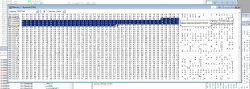
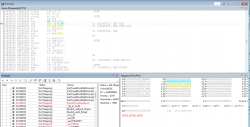
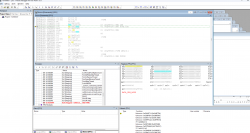
so i think i spotted the mistakes to say so one was i was missing a byte and such stackframe was missalligned now it still "crashes" eg i never reach bp for stack gadget but as you can see now r9 has the right gadget address. what happens is that i get DATA_SLB_MISS but whwnever i press f5 broaser still loads, so i guess its a exploit optimisation thingy ? cause exploit is started by
<body onload="findBase();">
 

Attachments

Last edited by a moderator:
Honestly, you should start with the simple example I gave you earlier. This file is so huge with so much bloat.

Make sure you can hit bp normally with known offsets and known working code.

I'll try to make some time and check old tutorial examples with debugger later. The later ones before merging into PETT project are more basic, but the PETT project only supported up to 4.84 originally since offsets were never updated.

Its been so long since I've messed with this code.

Edit: I did forget that the first few tutorial project files you had to manually set stackframe size. This was changed later to be automatic. I'll have to go through and find which one is the best one for you to use as a base. Its in video description I think.

The PETT base is not a bad base to use, but there are lots of things in it that could be considered bloat. It was very experimental.

Using the current HEN or HAN base JS is probably best. There are a couple small differences in js code, but both are updated to support up to 4.92.
 
Last edited:

Similar threads

Back
Top