Ps3OfwUser
Member
Please somebody tell me, idk how to run sh files on ubuntu


Open a terminal (I assume you are using X) & simply typePlease somebody tell me, idk how to run sh files on ubuntu
./resign_linux.shcd /test
./resign_linux.shOpen a terminal (I assume you are using X) & simply type
You might need to use the cd command to change your working directory first.Code:./resign_linux.sh
Let's say for instance that the sh file is in a folder which path is /test, use the cd command like so:
Code:cd /test ./resign_linux.sh
Open a terminal (I assume you are using X) & simply type
You might need to use the cd command to change your working directory first.Code:./resign_linux.sh
Let's say for instance that the sh file is in a folder which path is /test, use the cd command like so:
Code:cd /test ./resign_linux.sh
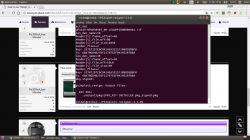
 , but when i don't put anything in the raps and pkg folders,
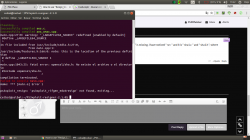
You will need to install "libssl-dev" and try to recompile the code again.This error
You are a genius dude.You will need to install "libssl-dev" and try to recompile the code again.
FYIYou are a genius dude.
Oh, thanks BguervilleFYI
You will encounter missing header errors regularly when compiling projects, dependency issues such as this one are extremely common place on Linux.
A quick Internet search for whatever missing header problem on Linux would usually give you the name of the missing source package.
In order to get a header file, you usually need the source code of the related binary package. Here, sha1 is implemented by the libssl binary package & the source for libssl is packaged as libssl-dev. Note that the "-dev" (or "-devel" & "-src") suffix is commonly used to label the source package corresponding to a Linux binary package.