
You are using an out of date browser. It may not display this or other websites correctly.
You should upgrade or use an alternative browser.
You should upgrade or use an alternative browser.
IsoBuster beta with added new consoles support


Berion
Developer
Forgot to mention that since v5.2, IB also supporting *.imgc. Native compressed format used by HDD RAW Copy Tool. IsoBuster is so far the only one application which allows to browse its contents instead to writing image to some media, even HDDRCT itself cannot do that. ^^ It is not strictly consoles related format but often used by PS2 or Xbox disk images (for unknown to me reason... :P). However, the larger the image is and the more compressed data needs resources, the longer would be image processing for opening file and parse contents. It is normal that taking from few seconds to even half minute (fastest on SSDs and lot of RAM).
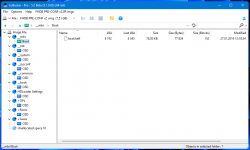
@haxxxen Thanks. It works. And I see the problem with 2352 XAs now. I will let know the author and test it myself. If this will be implemented, for sure not earlier than in 5.3 (around end of 2023, IB is releasing once per half year).
@haxxxen Thanks. It works. And I see the problem with 2352 XAs now. I will let know the author and test it myself. If this will be implemented, for sure not earlier than in 5.3 (around end of 2023, IB is releasing once per half year).
Last edited:
Berion
Developer
To @haxxxen and all interested people.
For clarification what I tried (on Windows 10 64bit) to test 2336/2352 XA and STR stuff (be warn that some of them are infected or are false-positive!). Tested media files came from "Vagrant Story" and "Tenchu: Stealth Assassins".
PSMplay v0.4
The best app. Supporting XA and STR with 2352 and 2336 blocks.
PSXMultiConverter (last free and last commercial version)
Does not found any plugins so it seems like some time bomb, as I remember back in times that was one of security checks was timestamp. I didn't mess with RTC so I dunno. It was great app back in days...
PSXTulz v0.3b
For some reason, it stops playing any files... I don't know why and how to fix that. Tried only 2352 files and *.xa wasn't recognized, *.str played only after scan and without sound, while from 2048 file played without scanning need but also without sound.
StrConv v1.1
Doesn't play, only converts video. Recognizing only 2336 *.str.
Strplay v0.9
Plays only with 2336 *.str.
VGMToolbox R1040
Doesn't run at all.
XA Player (XAPlay) v0.8
None files recognizing, not XA. Maybe incompatible somehow with Win10? I dunno. Error message in SJIS in Japanese, so... :P
For clarification what I tried (on Windows 10 64bit) to test 2336/2352 XA and STR stuff (be warn that some of them are infected or are false-positive!). Tested media files came from "Vagrant Story" and "Tenchu: Stealth Assassins".
PSMplay v0.4
The best app. Supporting XA and STR with 2352 and 2336 blocks.
PSXMultiConverter (last free and last commercial version)
Does not found any plugins so it seems like some time bomb, as I remember back in times that was one of security checks was timestamp. I didn't mess with RTC so I dunno. It was great app back in days...
PSXTulz v0.3b
For some reason, it stops playing any files... I don't know why and how to fix that. Tried only 2352 files and *.xa wasn't recognized, *.str played only after scan and without sound, while from 2048 file played without scanning need but also without sound.
StrConv v1.1
Doesn't play, only converts video. Recognizing only 2336 *.str.
Strplay v0.9
Plays only with 2336 *.str.
VGMToolbox R1040
Doesn't run at all.
XA Player (XAPlay) v0.8
None files recognizing, not XA. Maybe incompatible somehow with Win10? I dunno. Error message in SJIS in Japanese, so... :P

60fpshacksrock
Member
Make sure you check out jpsxdec and psxprev.
Berion
Developer
@60fpshacksrock Thanks. jPSXdec works, yet accepting only 2352 disc images, and 2336 and 2352 files. Handy, quick, larger, handier GUI. Cool application. Thank You.
PSXPrev is for 3D stuff. But also didn't know about its existence. Interesting.
PSXPrev is for 3D stuff. But also didn't know about its existence. Interesting.
Berion
Developer
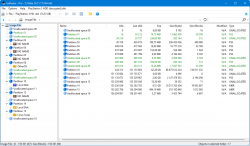
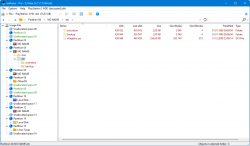
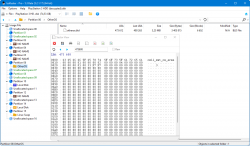
IsoBuster v5.3 beta has been released. As always, I listing only consoles related changes (full changelog here):
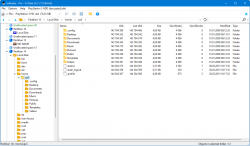
@haxxxen
- MODE 2 can be extracted in 2336 blocks (XA), whole image or files.
- PS3PT support which means PlayStation 3 HDD support but disk must be decrypted.
- OtherOS support, also on encrypted drive (because OtherOS area(s) is/are not encrypted). Which this tutorial covering up.
@haxxxen
Last edited:
60fpshacksrock
Member
"PS3PT support which means PlayStation 3 HDD support but disk must be decrypted."
How so? Is there now a homebrew tool to make a raw HDD dump?
How so? Is there now a homebrew tool to make a raw HDD dump?
Berion
Developer
@60fpshacksrock Available since 5 or 6 years now?  Three solutions:
https://www.psx-place.com/threads/h...on-3-hdd-on-pc-tutorials-tools-hub-faq.36261/
Fully properly is possible only on PS3 side. However, data what is malformed in that process have no value at all. Maybe except OtherOS bootloader if it is some unique, but this one can be now easily retrieved via IsoBuster.
Three solutions:https://www.psx-place.com/threads/h...on-3-hdd-on-pc-tutorials-tools-hub-faq.36261/
- ENCDEC Emulator (no VFLASH decryption)
- HDD Decryption Tool (no VFLASH decryption)
- PS3 HDD Decryption Helper (with VFLASH decryption but in hacky way)
Fully properly is possible only on PS3 side. However, data what is malformed in that process have no value at all. Maybe except OtherOS bootloader if it is some unique, but this one can be now easily retrieved via IsoBuster.
Berion
Developer
You can do RAW copies in IsoBuster too. In DMDE also. HDDRCT is flagged as malware on many of AV engines - maybe that's false positive or maybe not. Just sayin'. 
In addition, by default HDDRCT using *.imgc, and unaware user will not understand that it must change it to *.img, or else image will be compressed, and compressing encrypted data gains almost zero but extremely enlarging image creation process.
In addition, by default HDDRCT using *.imgc, and unaware user will not understand that it must change it to *.img, or else image will be compressed, and compressing encrypted data gains almost zero but extremely enlarging image creation process.
60fpshacksrock
Member
The best way to make decrypted copy of PS3 HDD is doing it on PS3 - as I said - but such tools not exist. Perfectly if via nbd, which isn't written. This could be best solution for any network stuff, making FTP and any custom protocols a toycats. ;p
That's basically what I was asking. That's unfortunate.
Berion
Developer
I will try to make proper dumper in 2024. It is just time consuming because needs parsing both partition tables, some guess challenges for OtherOS and also needs from me some analysis to be sure what is, from where, how long and where to copy. It is doable but because everyone are lazy (including me), such software not exist yet.That's basically what I was asking. That's unfortunate.
Berion
Developer
IsoBuster v5.4 has been released. Changes for us, related to consoles, are:
- Detection of PS4 External Storage. Which means not reading its contents, because logic structure is unknown and encrypted in unknown way, but IB can tell You that this specific drive is PS4ES (Windows will only tell You it is empty and needs formatting :P).
- Support for *.qcow2 format. It is native format of wildly used vm on pc called QEMU, but also by various of Xbox emulators/virtualisers like XEMU. Just a reminder: IsoBuster fully support Xbox Classic drives, including custom partition table used by modchips and partitions "F:\" and "G:\".
Last edited:

GuilloteTesla
Moderator
Anyone knows how to determine layer break on PS2 DVD9? It not occur after last file and it not occur on constant value for all. How Apache 3 doing that, because it seems values are always proper there?
@TnA [?]
Hey Berion, have you checked the number of sectors in layer 0?. I think there you can find the layer break there.
Here they talk about that: http://forum.redump.org/topic/6849/layer-break-on-ps2-dvd9-games/
Berion
Developer
In next IsoBuster release, which will be 5.5 in December. Features related to consoles be:
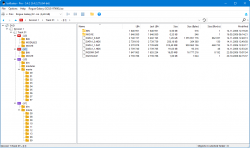
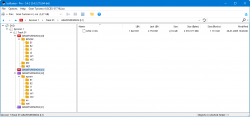
PS: LayerBreak for PS2 DVD9 is written in PVD.
- PS2 DVD-ROM DL (so called PS2 DVD9) and their images support - which means user can now browse both layers and no longer need apps like Apache 3 for that.
- *.cu2 support in version v1 and v2. That's format related to PSIO device but if user want burn disc or use images in emulators but he no longer have *.cue, he can use IB for conversion.
PS: LayerBreak for PS2 DVD9 is written in PVD.
Similar threads
-
PS3 Unencrypted .VM2 support on PS2 Classics (CECH-2101A)
- Started by James Buckwas
- Replies: 8
-
-
-
