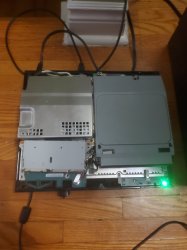
Looking for help PS3 can't install firmware

1st error is apparently a hard drive issue
https://www.playstation.com/en-gb/get-help/help-library/error-codes/8002f281/

2nd I'm not finding much that's definitive. Only person I saw who said they solved it said they were trying to install CEX over DEX. I assume the drx means D-REX, but can't find any reference to that firmware to be sure.

Over my head at this point. Hopefully someone more knowledgeable can swoop in and help you. My advice would be just replace the ribbon cable. NoBD isn't generally desirable anyways as it has some limitations.

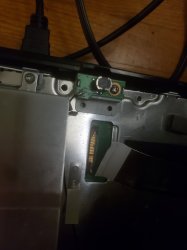
I just remembered I went super retard on this one and forgot I actually tired super glue on the BD peice that holds the ribbon cable and I tried gently removing the peice and ended up destroying the "teeth" connectors on the actual motherboard now.

Looks like either I get nobd cfw working or just junk it at this point since it needs a new connector soldered onto the motherboard at this point
 
qa flag should be enabled then.

try a different hard drive if you can with nobd cfw.

EDIT:
the hdd will get formated by ps3!
I'll try other one, I was originally using a 60gb from other ps3 it was working properly on that other ps3 yesterday even tried formatting it on my pc with a sata to usb connector.

I found out after trying option 5 which generally will reformat the ps3, it back outs of safe mode and stays on a black screen and then turns off.

Upon connecting it to my pc I found that the partition I made was deleted. I made sure it wasn't the program I was using as I reformatted it and disconnected and reconnected the hdd on my pc and it did in fact work as it would pop up on my pc as a fat32 external hdd.

I'm going to try a reformat on pc again and just go straight to system update and see if it will prompt me to format or give other error
 
I'll try other one, I was originally using a 60gb from other ps3 it was working properly on that other ps3 yesterday even tried formatting it on my pc with a sata to usb connector.

I found out after trying option 5 which generally will reformat the ps3, it back outs of safe mode and stays on a black screen and then turns off.

Upon connecting it to my pc I found that the partition I made was deleted. I made sure it wasn't the program I was using as I reformatted it and disconnected and reconnected the hdd on my pc and it did in fact work as it would pop up on my pc as a fat32 external hdd.

I'm going to try a reformat on pc again and just go straight to system update and see if it will prompt me to format or give other error
if you format on pc, try ntfs.
 
if you format on pc, try ntfs.
So I've made progress... probably useless though but something

It was stuck soooo long on "checking" then it finally got to format, then it went to "checking" again then after a long wait it went to formatting. It is now installing 4.81.1 drex which will probably fail because of the no bd.

Now I just need a no bd firmware to install for dex...
 
Could try making your own, maybe. Doesn't seem too difficult from this guide, but if you screw up then you can easily get to the point where you ain't fixing it without a nand backup and a hardware flasher.
https://www.psx-place.com/threads/unofficial-rebug-4-75-3-d-rex-nobd-patched-mentd-cfw.3138/
https://www.psx-place.com/threads/ps3-unofficial-rebug-v4-78-1-d-rex-nobd-mentd-cfw.9226/

So It got to 79% and threw a error 8002F14E

Which is the missing BD.

I'll definitely try to make my own again, this ps3 is basically garbage at this point without a no bd firmware so if it destorys it oh well i have two other ps3 anyway lol thanks again
 
Might want to make a topic or something asking for specifics about making NoBD firmware. Seems like between 4.75 and 4.78 stuff changed. I dunno, make sure to read both topics very carefully at the very least. Good luck!
 
Might want to make a topic or something asking for specifics about making NoBD firmware. Seems like between 4.75 and 4.78 stuff changed. I dunno, make sure to read both topics very carefully at the very least. Good luck!

Damn, I wish those links weren't broken. Thanks though maybe someone else can point me to a premade one as I cannot find any with working links
 
Yeah, seems to be pretty difficult finding a working link to a NoBD D-REX CFW, unfortunately. I'm no help on the specifics as I've never had to make a NoBD since my 2 PS3s never had a broken drive/cable.
 
Yeah, seems to be pretty difficult finding a working link to a NoBD D-REX CFW, unfortunately. I'm no help on the specifics as I've never had to make a NoBD since my 2 PS3s never had a broken drive/cable.

Hi guys thanks for all the help.

After searching I could not find any MFW Builder without broken links or ones that worked...

I did find 4.50 DEX PSITA no bd/no bt and I have successfully updated thanks again guys.

I'll lost the link to it here if it's not allowed please remove or let me know, this is mostly incase anyone decides to Google this and can't find a working no bd dex cfw here it just read the description and download:

https://archive.midnightchannel.net/SonyPS/Firmware/?cat=cfw
 

Attachments

  • 20200713_061114.jpg
    20200713_061114.jpg
    1.3 MB · Views: 45
  • 20200713_061746.jpg
    20200713_061746.jpg
    1.7 MB · Views: 46
  • 20200713_061739.jpg
    20200713_061739.jpg
    1.7 MB · Views: 48
  • 15946356701121619535419980739392.jpg
    15946356701121619535419980739392.jpg
    942.2 KB · Views: 49
Last edited:
Hi guys thanks for all the help.

After searching I could not find any MFW Builder without broken links or ones that worked...

I did find 4.50 DEX PSITA no bd/no bt and I have successfully updated thanks again guys.

I'll lost the link to it here if it's not allowed please remove or let me know, this is mostly incase anyone decides to Google this and can't find a working no bd dex cfw here it just read the description and download:

https://archive.midnightchannel.net/SonyPS/Firmware/?cat=cfw
lol i meant to check that site but forgot. that link is fine. but there are a few files on it that it says to not use...just so people know to pay attention.
 
Nice! Always nice to see a happy ending. Hope the few downsides to a NoBD firmware don't bother you and you can get maximum enjoyment out of that PS3 for years to come. :)
 
Back
Top