
You are using an out of date browser. It may not display this or other websites correctly.
You should upgrade or use an alternative browser.
You should upgrade or use an alternative browser.
PS2 [MX4SIO/SIO2SD] SD Card Adapter and SD-driver for the PS2 SIO2 interface
- Thread starter TnA
- Start date

fpp
Forum Noob
Oh shit... Can you believe that they just don't exist on my country? No one sells them, and I don't think that buying one from outside my country is worth it. Has someone tested any other brand that works? Does Kingston work fine?@fpp Sandisk won't work regardless of the method used.
We are using Toshiba Exceria for best compatibility and speeds.

Workz_777
Senior Member
Oh shit... Can you believe that they just don't exist on my country? No one sells them, and I don't think that buying one from outside my country is worth it. Has someone tested any other brand that works? Does Kingston work fine?
Sorry i should have added, most other brands do work (at least those which have been tested) i believe other friends have tested Kingston and they should work fine. I'm not sure about Panasonics though.

psydefx
Member
is it normal for 1629-bdm3 to not save settings? i can boot into it fine using the opl 1.10 config but just hangs when changing a setting and choosing save. tried booting bdm3 elf from different memory cards and usb. also tried a different ps2 and still same
i think i saw one of @Versatile youtube video were his 1629-bdm3 does save settings
EDIT: got settings to save using @Workz_777 opl config
i think i saw one of @Versatile youtube video were his 1629-bdm3 does save settings
EDIT: got settings to save using @Workz_777 opl config
Last edited:
Workz_777
Senior Member
Ok, I'm going to wait and see if someone confirms that Kingston works fine and then I'm gonna buy a 32gb uSD and hope for the best
@Vendest
EDIT: got settings to save using @Workz_777 opl config
That's good to hear, i too was having the same problem originally, and setting up the OPL config settings (and saving them) using OPL v1.1.0 first, then putting OPL 1629 BDM3 on the FMCB after that was done, seemed to fix it.
psydefx
Member
yeah i was doing that but still was having issues for some reason@Vendest
That's good to hear, i too was having the same problem originally, and setting up the OPL config settings (and saving them) using OPL v1.1.0 first, then putting OPL 1629 BDM3 on the FMCB after that was done, seemed to fix it.
i can confirm that mx4iso works on a mechapwned ps2. my scph-50001 (converted to retail-dex dtl-h50001) boots games fine using opl 1629-bdm3. tested various games with "issues" from list and most behave save as on deckard ps2s. thought maybe at least the fmv slight stuttering would disappear on a fat ps2 but sadly no :/
psydefx
Member
tried these so far:Then the "slight stuttering" is very likely going to happen via disc as well...
Which game and which Game-ID?
alien hominid usa - freezes at first screen
dragon ball z budokai tenkaichi 3 usa - fmv slight stutters
gradius v usa - bsod
lego batman - bsod
Workz_777
Senior Member
tried these so far:
alien hominid usa - freezes at first screen
dragon ball z budokai tenkaichi 3 usa - fmv slight stutters
gradius v usa - bsod
Hi bro, here is the google spread-sheet with (so far tested) game compatibility:-
https://docs.google.com/spreadsheets/d/1zHxhwT4nSkrCCAqJNlSndw1Yeh_9g3eL/edit#gid=669997000
If you want to submit any tested games results, here is the form link for that:-
https://docs.google.com/forms/d/e/1FAIpQLSdIw2HJZ1EKwxNrFDM8BiVkA8eBrtD4HjxvuGiK4hDMnAcQ_Q/viewform
Our friend @Versatile will update the details there


AngryHelder
Forum Noob
I had some people let me know that Onn brand which is from Walmart seems to work, my own tests with the NewEgg brand TeamGroup works fine also just heard today that Kingston Canvas Select Plus cards work.@fpp Sandisk won't work regardless of the method used.
We are using Toshiba Exceria for best compatibility and speeds.

Vendest
Member
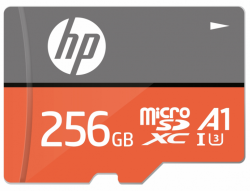
Happy to report HP microSDXC U3, A1 - 256GB is compatible.
No improvement for FMVs
@Workz_777 Do you check the writing speed in USB2.0 mode, writing from PC to microsd?
No improvement for FMVs
@Workz_777 Do you check the writing speed in USB2.0 mode, writing from PC to microsd?
Workz_777
Senior Member
Happy to report HP microSDXC U3, A1 - 256GB is compatible.
No improvement for FMVs
@Workz_777 Do you check the writing speed in USB2.0 mode, writing from PC to microsd?
View attachment 36653
Yes, I've been testing the write speeds using OPL Manager, when writing the .bin files to the MicroSD via USB2.0 (PC to MicroSD), when OPL Manager is writing the files it shows you current speed.

Workz_777
Senior Member
A friend with Samsung 32gb doesn't work. I told him to try 16kb clusters so he will report back.
Thanks for the info, i'm putting Samsung with Sandisk on my list for not compatible (yet).
I have a Samsung Evo 256GB which works, BUT FF XII does not work from it with the same adapter and the same console it works on with the Toshiba Exceria!
I'll try some other Cluster-size when I find the time!
I DID notice, that even that can change compatibility a bit!
I'll try some other Cluster-size when I find the time!
I DID notice, that even that can change compatibility a bit!
Workz_777
Senior Member
I have a Samsung Evo 256GB which works, BUT FF XII does not work from it with the same adapter and the same console it works on with the Toshiba Exceria!
I'll try some other Cluster-size when I find the time!
I DID notice, that even that can change compatibility a bit!
Oh yes that's right, i forgot you had that Samsung Evo 256GB that worked. Hmmm @Versatile could you find out what type of Samsung memory card your friend has? Would be good to compare.

psydefx
Member
tested these on a scph-90000 (mechapwn dtl-h90001) bdm3 opl. toshiba 32gb class10 microsd
work:
Samurai Shodown Anthology SLUS_216.29 - FMVS FLUID
Sonic Unleashed SLUS_218.46 - FMVS FLUID
Tekken Tag Tournament (v1.00) SLUS_200.01 - FMVS FLUID
not working:
Vampire Darkstalkers Collection SLPM_659.98 - BSOD AFTER CHOOSING GAME
work:
Samurai Shodown Anthology SLUS_216.29 - FMVS FLUID
Sonic Unleashed SLUS_218.46 - FMVS FLUID
Tekken Tag Tournament (v1.00) SLUS_200.01 - FMVS FLUID
not working:
Vampire Darkstalkers Collection SLPM_659.98 - BSOD AFTER CHOOSING GAME
Similar threads
-
-
-
PS2 [Testers Needed] MX4SIO - WIP SD Compatibility Thread
- Started by qnox32
- Replies: 199
-
Need help understanding OPL, BDM #'s, MX4SIO, SD card game booting
- Started by devsfan1830
- Replies: 1