
PS2 [MX4SIO/SIO2SD] SD Card Adapter and SD-driver for the PS2 SIO2 interface

Would something like this be possible for PSX/PS1? Would be great for PSone that has zero compatibility with the XStation/PSIO, that is if the MC ports are fast enough
No... Not for games.
Maybe MX4SIO can be used in Homebrew as an easy accessible storage device.

@Workz_777
Regarding the compatibility-list: The "DualShock2-info" is redundant! It has nothing to do with MX4SIO!

@Versatile Would you please change the "January Testbuilds" to "BDM-Testbuild" or "BDM1/1627" or something alike?

...because what @Anakin94 wrote about it being from "2021" is FALSE! It is from January 2020, or am I mixing stuff up??

Edit: Alright... BDM3 is from January 2021 and the old BDM1 Testbuild is from August 2020!

So... SOMETHING is wrong in those "entries"!

For example:
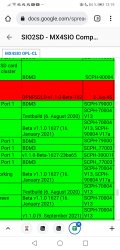
Screenshot_20220319_131940_com.android.chrome.jpg

Something is clearly wrong here...
 
Last edited:
@Workz_777
Regarding the compatibility-list: The "DualShock2-info" is redundant! It has nothing to do with MX4SIO!

Ah o.k, good to know. Sorry my test list was from a while ago, i haven't done any more testing since then. It was just in my notes to say i had only tested with a DS2. In the future, all being well, if i submit any more game tests i won't add that anymore. :encouragement:
 
Hi I'm new.
I ordered this mod and its already on the way.
On the ordering page it says it needs a special version of OPL, but where can I download it?
There is no link.

found this beta build from january, not sure if this is the latest version supporting MC2SIO ?
 
Last edited:
No... Not for games.
Maybe MX4SIO can be used in Homebrew as an easy accessible storage device.

@Workz_777
Regarding the compatibility-list: The "DualShock2-info" is redundant! It has nothing to do with MX4SIO!

@Versatile Would you please change the "January Testbuilds" to "BDM-Testbuild" or "BDM1/1627" or something alike?

...because what @Anakin94 wrote about it being from "2021" is FALSE! It is from January 2020, or am I mixing stuff up??

Edit: Alright... BDM3 is from January 2021 and the old BDM1 Testbuild is from August 2020!

So... SOMETHING is wrong in those "entries"!

For example:
View attachment 36680

Something is clearly wrong here...

Whatever the build is, get it from bottom of page 15.
 
New test build of OPL with BDM and sio2sd / mx4sio:
- Mode 2 is no longer needed to get games working
- Game compatibility greatly increased
- SD compatbility should still be the same
- "release" build, so no debug info, but fastest speeds

Other noteworthy things:
- USB driver has issues, I'm working on them
- IEEE1394 driver is included. With a compatible drive you should be able to at least see a list of games. But don't expect many games to work.
- My 240p / 288p code is included, this can result in an unexpected (OPL GUI) resolution
- PADEMU seems to be working, but it could conflict with sio2sd as they both "hack" into sio2man
- The same for MCEMU, but I have not tested.

Demo of all 3 BDM drivers:

EDIT: New version "bdm2" uploaded with workaround for controller issue on SLIM/DECKARD models. @wisi do you know why I cannot save/restore the ctrl register? What I did is:

Code:
// Save ctrl register
sio2man_save_crtl = sio2_ctrl_get();

// do MX4SIO stuff...
// ...

// Restore ctrl register
sio2_ctrl_set(sio2man_save_crtl);

The workaround I'm now using restores ctrl to a fixed value of 0x3bc. This seems to work, but I don't like restoring a value other than the one I saved. One other solution would be to check what model it is, then do the right solution for FAT, and the workaround for SLIM.
What's the simplest way to detect if the model is DECKARD or not?

EDIT2: The "bdm2" release accidentally had a debugging commit in there I used to debug IOP modules used in the GUI. That version does not work in normal conditions. Iǘe removed the commit and uploaded "bdm3", without that faulty commit.


thanks for your contribution! the saving function works well by OPL BSM3. and I've tried to copy sav from other MCA to the FMCB MCA, and the old saves of games are also active now.
And if you have put this OPL onto github, could you share the links? thanks
 
So just to contribute to the sd compatibility topic again:
I can confirm all SAMSUNG EVO and SAMSUNG SELECT cards are working fine for me ion different adapters and various sizes.
Additionally I tested one of those cheapish Gigastone Endurance cards which also worked fine.
 
Since i spent 2 days to test MX4SIO with different mermory card and OPL, some experience would be shared:
1. format micro SD with 16K cluster will obvious speed up CG playback to normal speed. if format with WIN11 default setting of 8KB, the CG of some games lags.
2. must use the specific OPL BDM3 which is attached in page15 of the POST. the official OPL 1.2 have bugs when saving settings and even can't detect the memory card(so you can't save game). only under the specific OPL, you can switch FMCB card with your memory card after game launched.
 
I downloaded OPL from page 15 but it does not show my games that are on the SD card.
I'm using a Samsung SD card btw, the other ones I have are all Sandisk.
if I use my cardreader with the same sd card and load the usb driver, it works and shows my games....
any ideas? or do I have to change something?
 
I downloaded OPL from page 15 but it does not show my games that are on the SD card.
I'm using a Samsung SD card btw, the other ones I have are all Sandisk.
if I use my cardreader with the same sd card and load the usb driver, it works and shows my games....
any ideas? or do I have to change something?
now I tried the 1.2.0 beta, it works, but I can't save in games, they don'T find memorycards.

just for understanding, this is how my folder structure looks:
Azui9fG.png


I use USB extreme method since I cannot put whole isos on fat32 for obvious reason.....

So am I'm stuck to not use savegames or what version of OPL should I use???
I did try the version from post 15, but like I said it doesn't work and it doesn't have the block device toggle options in settings.
 
Last edited:
Try downloading and using the latest beta version of the official version of OPL and make sure you enable MX4SIO in the settings only down side is that you can't save your games if that works for you then were in the same boat as I can't get it working with the Custom BDM version as well currently waiting for a new version.

I manually made my own using 2 Fake PS1 memory cards using 2 different wiring guides that looks like it was made by the same person the other one has 2 resistors and the other one only has one but it does not work on the Custom BDM version of OPL and I have 3 different PS2 slim versions and it does not work on all of them.
 
I downloaded OPL from page 15 but it does not show my games that are on the SD card.
I'm using a Samsung SD card btw, the other ones I have are all Sandisk.
if I use my cardreader with the same sd card and load the usb driver, it works and shows my games....
any ideas? or do I have to change something?

Some Samsung are not compatible and all Sandisk are not compatible. Most other brands are compatible though, even no-brand ones. Toshiba Exceria are really good for speeds, or Kioxia Exceria (who are Toshiba but a little cheaper).
 
Some Samsung are not compatible and all Sandisk are not compatible. Most other brands are compatible though, even no-brand ones. Toshiba Exceria are really good for speeds, or Kioxia Exceria (who are Toshiba but a little cheaper).
I tried a 16GB KIOXIA as well that came with my Anbernic device, but that one doesn't work either.
I mean.. it does work but only with the 1.2.0 beta. but I'm unable to save with that build.

its either that I'm doing something wrong with the other builds or my folder structure is wrong.. ?
 
I tried a 16GB KIOXIA as well that came with my Anbernic device, but that one doesn't work either.
I mean.. it does work but only with the 1.2.0 beta. but I'm unable to save with that build.

its either that I'm doing something wrong with the other builds or my folder structure is wrong.. ?

I have just managed to get mine working on the BDM3 version as well it's not a memory card issue if its working with the 1.2 beta reformat the SD card using the USB format tool make sure FAT32 is selected then use the OPL PC TOOLS to install the games and make sure the split game files is selected for some reason using a standard ISO does not work in the BDM3 version of OPL but works just fine on the 1.2 beta.
 
I have just managed to get mine working on the BDM3 version as well it's not a memory card issue if its working with the 1.2 beta reformat the SD card using the USB format tool make sure FAT32 is selected then use the OPL PC TOOLS to install the games and make sure the split game files is selected for some reason using a standard ISO does not work in the BDM3 version of OPL but works just fine on the 1.2 beta.

I don't think so. The BDM3 works fine for me.
1. firstly, make sure it's magicgate mermory card
2. maybe before you install BDM3 OPL, you should firstly check if there is enough space on memory card, since there is some clone FMCB card is actually 8M but formated as 64M, so install the new OPL may fail.
3. and it's recommended to re-install FMCB by FMCB installer, and then replace OPL with the BDM3 version, then everything should be all right.

I downloaded OPL from page 15 but it does not show my games that are on the SD card.
I'm using a Samsung SD card btw, the other ones I have are all Sandisk.
if I use my cardreader with the same sd card and load the usb driver, it works and shows my games....
any ideas? or do I have to change something?
what you need is to re-install FMCB and replace OPL with the BDM3 version.
 
Last edited by a moderator:
I don't think so. The BDM3 works fine for me.
1. firstly, make sure it's magicgate mermory card
2. maybe before you install BDM3 OPL, you should firstly check if there is enough space on memory card, since there is some clone FMCB card is actually 8M but formated as 64M, so install the new OPL may fail.
3. and it's recommended to re-install FMCB by FMCB installer, and then replace OPL with the BDM3 version, then everything should be all right.

What do you mean you don't think so are you making me in to a liar or something just because something is working fine for you does not mean it should be the same for everyone else. Look I just tried it again and ISO's are not loading in the BDM3 version of OPL but the split files made by the OPL PC Tools works fine I have only managed to get it working today and I have been toiling at this for over a week now. the 1.2beta of OPL has always worked for me both ISOs and Split files but is unable to save I don't know why ISOs are not working and I don't care I am now able to play games and save just fine so it's not a major issue for me re-installing free mcboot does nothing and I am loading OPL via a USB flash drive so it's not loading from the memory card and I got my memory cards together with my PS2s from Japan when went I there for a holiday a few years back so I am sure these are original.
 
what you need is to re-install FMCB and replace OPL with the BDM3 version.

yea thats exactly what I have done. Installed FreeMCBoot 1.966 and replaced the OPNPS2LD.ELF in boot folder with the BDM3 version....

I tried it with a PNY microsd card now and still not working.

whats the difference between BDM3 build and the MX2SIO toggle in latest 1.2.0 Beta?
is that a different method on how the sdcard is being read?
 
@kibato9999 and @nex86 ...Is your PADEMU settings = "Global" and Enabled = "On" ?

What model number is your slim PS2?

MX4SIO with BDM(1) or with BDM3 works for 99% of people here who have tried, so there must be something at your ends. Use GUiFormat and format your SD cards to FAT32 and 16K clusters.

Just a suggestion, try this...

First, install (only) OPL v1.1.0 on your FMCB memory card, then load up OPL v1.1.0 as you normally would for USB games...

(Once on the OPL page where it shows the list of your games)

(1) press the "Start" button on your controller to enter "Menu"
(2) then click on "Settings" and check you have these settings below
(3) "USB Device Start Mode = Auto"
(4) "Default Menu = USB Games"
(5) "Save Changes"

Now return to the list of games and press the "Triangle" button on your controller to enter "Options" and check you have these settings:-

(6) click "Configure PADEMU"
(7) "Settings Mode = Global"
(8) "Enable Pad Emulator = On"
(9) now go back and "Save Changes"

Once all that has been done...

For SCPH-10000 to SCPH-700XX ...install OPL 1627 (BDM) on your FMCB memory card.

For SCPH-75XXX (or higher) ...install OPL 1629 (BDM3) on your FMCB memory card.

You can download OPL 1627 (BDM) or OPL 1629 (BDM3) here at the bottom of Maximus32's post: https://www.psx-place.com/threads/m...-ps2-sio2-interface.29210/page-15#post-275928

Now with MX4SIO inserted, via your PS2, load OPL Beta 1629 (or 1627) to your OPL games list, and see if this worked for you.

:D TnA will kick my ass for these suggestions, but you can try them anyway, you have nothing to lose and it could work.
 
Look as I said it's working with the split files so I am not really keen to troubleshoot any further as I don't really care how my games get in there as long as it's there doesn't matter to me if ISOs work or not but my 3 PS2 slims are a 77000, 75000 and a 70003 all are NTSC-J my self made MX4SIO only works on 2. Of them. The 77000 and the 70003 plugging it on the 75000 makes it not power on also does not work on my Fat 35000 PS2 it's not detecting the MX4SIO which is the oldest one I own doesn't really matter as I can use an HDD on it just fine. Also enabling pad emu breaks game input for me at least with the games I tested like RE Code Veronica, POP Sands of Time and POP Warrior Within so I have it globally Off for now is it normal for VMC to not work I am using the 1629 BDM3 from page 15. adding a VMC make games freeze during memory card detection.
 

Similar threads

Back
Top