
Hi, I need all your expert help on my 2nd hand PS3
I got this from facebook market the details said that
"HDD is broken"
"when install another HDD and struck at below image"
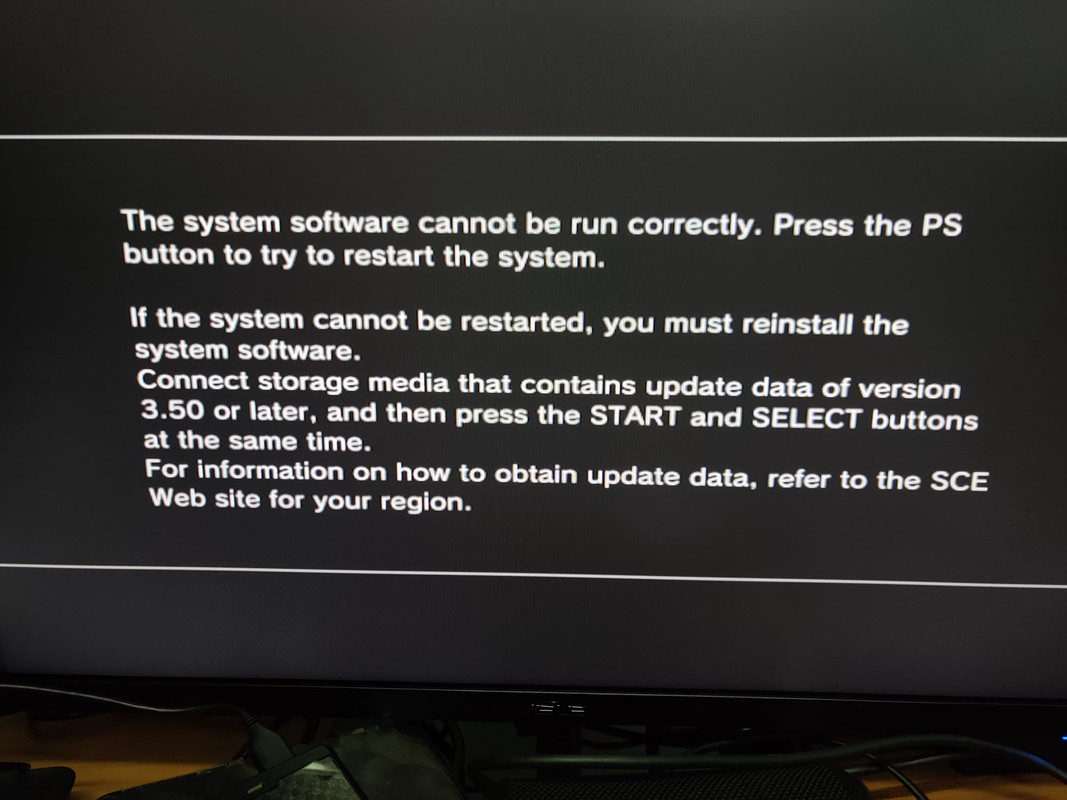
I do some research and think that "Hey this should not be that hard to fixed it, I might able to do it with just replace with new HDD, so I can get a functionable PS3 with a very good price"
Things turn out a lot harder than I thought...........
I literally struck on this below screen for 6 hours now.......

I did literally everything that can research through website and forum, from simple mistake like capital letter of the folder, FAT32, MBR partitioning etc. to something like uhhhhh, various OFW, CFW, CEX, DEX, nothing let me get through this screen.
I found some old instruction as per below link
https://www.psx-place.com/threads/the-system-software-cannot-be-run-correctly.27725/
I manage to follow every step and I still struck at the same page......
believe me, I am not the type of person that got some small issue and turn to get some help from community, but this time, I desperately need some help from your expertise.
Thank you in advance.
I got this from facebook market the details said that
"HDD is broken"
"when install another HDD and struck at below image"
I do some research and think that "Hey this should not be that hard to fixed it, I might able to do it with just replace with new HDD, so I can get a functionable PS3 with a very good price"
Things turn out a lot harder than I thought...........
I literally struck on this below screen for 6 hours now.......
I did literally everything that can research through website and forum, from simple mistake like capital letter of the folder, FAT32, MBR partitioning etc. to something like uhhhhh, various OFW, CFW, CEX, DEX, nothing let me get through this screen.
I found some old instruction as per below link
https://www.psx-place.com/threads/the-system-software-cannot-be-run-correctly.27725/
I manage to follow every step and I still struck at the same page......
believe me, I am not the type of person that got some small issue and turn to get some help from community, but this time, I desperately need some help from your expertise.
Thank you in advance.


