NHDDL

PS2 NHDDL v1.2.2

Yea. You are right. Now most of games do not need any compatibility mode with NHDDL+Neutrino.
Although from a quick test I have noticed that:
  • Jak and Daxter: The Precursor Legacy - needs "EE : Unhook syscalls".
  • Ultimate Pro Pinball - needs "IOP : Sync reads".
Ok. Why not all my iso files load on NHDDL game list? Is there any option to force hdd files search ones more? Also I have no cover arts for games - OPL shows covers with no problem. Games are in DVD and CD folders and covers are in ART folder. All covers downloaded with OPL menager
 
More info is needed.
Like e.g. screenshots of CD, DVD, ART, folder.
Which version of NHDDL did you try?
Which version of Neutrino did you try?
Which device (USB, MX4SIO...)?
Additionally add file or text from nhddl\cache.bin if you use v0.3.0 of NHDDL.

Also try to rename working ISOs with e.g. different extension.
Instead of .iso, change extension to .osi.
If NHDDL will show other ISOs previously not working then... there might be something wrong.
 
Last edited:
Ok. Why not all my iso files load on NHDDL game list?

That depends on your ISO naming (which should always end with .iso, ZSO is not supported by Neutrino).
Folders and ISOs must not have any non-ASCII characters in them.
If they don't have non-ASCII characters but still do not show up — you'll need to provide an example.

Is there any option to force hdd files search ones more?

There's no need to. Search is performed on every launch.

Also I have no cover arts for games - OPL shows covers with no problem. Games are in DVD and CD folders and covers are in ART folder. All covers downloaded with OPL menager

Make sure all your front covers are in PNG, support for JPEG covers was dropped a while ago to reduce binary size.
OPL Manager v24 should default to PNG when downloading covers.
 
Yea. You are right. Now most of games do not need any compatibility mode with NHDDL+Neutrino.
Although from a quick test I have noticed that:
  • Jak and Daxter: The Precursor Legacy - needs "EE : Unhook syscalls".
  • Ultimate Pro Pinball - needs "IOP : Sync reads".

I was testing some games that didn't work properly on Grimdoomer. I don't know if they were fixed in newer versions of regular OPL, because having a 4tb disk I couldn't use it.
- Onimusha 2 crashes at the intro video. You can skip that video with Start, but 20 minutes before the end of the game there is another video and this time it can't be skipped, making it impossible to finish the game.
- Shikigami no shiro 2 (AKA Castle of shikigami 2) , its BGM sounds incorrect unless you activate "accurate Read" mode in OPL.
- Capcom vs SNK 2 NTSC, its BGM crashes and the game goes mute. AFAIK, this is a long-standing bug in regular OPL.
I've played hours of all 3 titles (I even finished Onimusha 2) and they all work correctly, without even touching compatibility options in Neutrino

Ok. Why not all my iso files load on NHDDL game list? Is there any option to force hdd files search ones more? Also I have no cover arts for games - OPL shows covers with no problem. Games are in DVD and CD folders and covers are in ART folder. All covers downloaded with OPL menager

How many isos do you have, and in what folder are they?
 
Last edited by a moderator:
More info is needed.
Like e.g. screenshots of CD, DVD, ART, folder.
Which version of NHDDL did you try?
Which version of Neutrino did you try?
Which device (USB, MX4SIO...)?
Additionally add file or text from nhddl\cache.bin if you use v0.3.0 of NHDDL.

Also try to rename working ISOs with e.g. different extension.
Instead of .iso, change extension to .osi.
If NHDDL will show other ISOs previously not working then... there might be something wrong.
Nhddl v. 0.3.0
Neutrino 1.3.1
Device ata hdd 4tb
879 games - 40 in CD folder and the rest in DVD folder - only 718 games shows in NHDDL

Problem solved.
1. My covers were in .jpg format. After changing to png all covers appeared.
2. It seems that Nhddl is case-sensitive to the extension. The games that did not appear on the list had an extension .ISO. After changing to low letter .iso problem was solved.

When it comes to compatibility:
- Onimusha 2 works and does not crash on intro and after the video with the falling airship
- Donkey Xote does not work, same like with OPL - black screen
- Mobile Suit Gundam: Zeonic Front does not load objects and graphics and freezes on the first mission like in OPL.
 
Donkey Xote does not work, same like with OPL - black screen
- Mobile Suit Gundam: Zeonic Front does not load objects and graphics and freezes on the first mission like in OPL.

Did you try compatibility modes for these games?
E.g. "EE : Unhook syscalls".
 
I checked some games and all of them I have installed work
Soul Calibur 3 has a problem on grimdoomer opl where the art gallery section black screens.
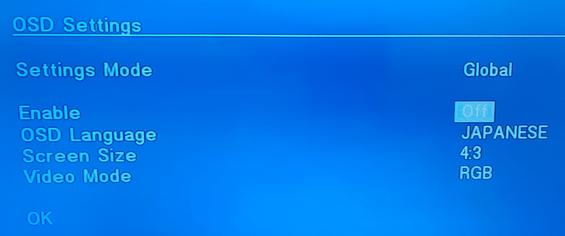
It works correctly in Neutrino, but Neutrino doesn't have OSD language options so even the Japanese version of the game defaults to English
 
I checked some games and all of them I have installed work
Soul Calibur 3 has a problem on grimdoomer opl where the art gallery section black screens.
It works correctly in Neutrino, but Neutrino doesn't have OSD language options so even the Japanese version of the game defaults to English

Maybe I'm wrong, but isn't the game's language determined by the console's system language?
I have Soulcalibur 3 Pal, which is multilingual. On its first load, it showed me the texts in Spanish, which is correct for me. And the language of the voices can be chosen, and I put them in Japanese, this last option saved in the memory card.
Maybe I misunderstood your problem, can you explain it better?
 
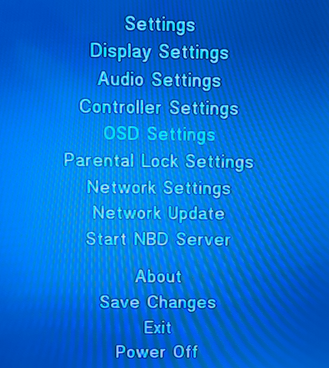
OPL can change (fool) console's OSD language:
osd1a.png
osd1.png
 
Yes, SC both of them check the console language for text and voice. Text cannot be changed which is what I want too
Are SC Japanese version actually (World) region?, not sure why it has English
 
Did you try compatibility modes for these games?
E.g. "EE : Unhook syscalls".
Yes, I tried all modes and some combinations. Accurate reads, Unhook syscalls and sync reading doesnt work. Donkey xote doesnt load at all, and Gundam works until the first mission. Mission loads with only background and HUD elements but with no 3d objects - there should be a city street with team of mechs.
 
I just confirmed the issues for both games. However, they should be reported to Neutrino's Github, NHDDL is just a frontend and has nothing to do with compatibility.
 
I just confirmed the issues for both games. However, they should be reported to Neutrino's Github, NHDDL is just a frontend and has nothing to do with compatibility.
So, all compatibility issues are Neutrino related and we don't post them in this thread?
Is there any compatibility list for Neutrino?

As for the NHDDL, could the author add a faster jump between titles on the same page when holding UP or Down on dpad?
 
So, all compatibility issues are Neutrino related and we don't post them in this thread?
Is there any compatibility list for Neutrino?

As for the NHDDL, could the author add a faster jump between titles on the same page when holding UP or Down on dpad?

Because it lacked a GUI, Neutrino is rarely used, being too complex, I think. This should start to change now.
This is the github for neutrino, where you can find info about it and its compatibility issues.
https://github.com/rickgaiser/neutrino
 
But then I have other issue, and I'm not sure what can be the cause, it lists game quickly, I see covers but then starting the game works only once, second time I try it freezes at Launching screen unless I'll remove whole neutrino/NHDDL folder and put back in on official (fully working) MC 8MB, console has no modchip only mechapwn.
 
But then I have other issue, and I'm not sure what can be the cause, it lists game quickly, I see covers but then starting the game works only once, second time I try it freezes at Launching screen unless I'll remove whole neutrino/NHDDL folder and put back in on official (fully working) MC 8MB, console has no modchip only mechapwn.

The last time someone encountered a similar issue, it was due to a strange (and possibly corrupted) memory card. NHDDL got stuck trying to update the history file on it. Not something I have control over since all reads and writes go through PS2SDK modules — I just call functions that make EE and IOP do that (correct me if I'm wrong).
For some reason, their 8MB memory card declared that it has 32 pages per block, even though all sources indicate that 8MB cards should have 16 pages per block. Even PCSX2 had trouble writing to a dump of that memory card until I manually edited the memory card header to say that it has 16 pages per block.
 
Other elfs work from this MC but I'll test another one. Thanks @pcm720

Other ELFs (apart from OPL) probably do not write to the memory card, though.
I've no idea why this happens, but other memory cards this person had were working properly across all launches on the same system.

If I had to guess, it probably has something to do with writes going to nonexisting blocks on the memory card, similar to those fake SD cards and flash drives formatted to seem bigger than they actually are.
 

Similar threads

Back
Top