
You are using an out of date browser. It may not display this or other websites correctly.
You should upgrade or use an alternative browser.
You should upgrade or use an alternative browser.

PS2 NHDDL v1.2.2
- Thread starter pcm720
- Start date


pcm720
Developer
I tested 5 genuine 8MB memory cards and the same behavior...
Well, okay then.
Please send me a PM with details on how to replicate it (including launcher mode).
If possible, also include full path to the ISO you're trying to launch (from the root of your drive) and attach dumps of your memory card before and after this happens (you can make it with MCA)


volventura
Member
It "seems" like ATA or Internal HDD that's been built with HDLBInstaller cant be used as ATA sources for NHDDL.. I will do further checking to see if I'm wrong.
pcm720
Developer
It "seems" like ATA or Internal HDD that's been built with HDLBInstaller cant be used as ATA sources for NHDDL.. I will do further checking to see if I'm wrong.
I mean, it literally says this in the readme:
NHDDL is a Neutrino launcher that scans FAT/exFAT-formatted BDM devices for ISO files, lists them and boots selected ISO via Neutrino.
NHDDL only works with MBR/GPT FAT/exFAT-formatted devices (including ATA).
Anything related to HDL installs games into APA partitions.
pcm720
Developer
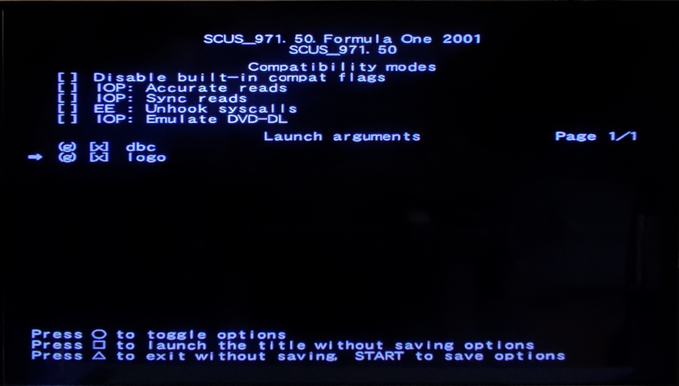
Game will not boot.
I have to uncheck this option.
Is there something that can prevent this situation to happens?
No. When -logo is passed to Neutrino, it runs the game through the PS2LOGO the same way the original OSD does.
PS2LOGO attempts to decrypt the boot logo from the game disc and fails to boot the game if decryption fails (on all consoles except the earliest ones) or if the logo checksum doesn't match the expected value (on PAL and NTSC-J). Since PAL and NTSC logos are slightly different, PS2LOGO serves as a region protection mechanism.
I know that OPL performs its own logo check and disregards the setting if it fails, but NHDDL is designed to allow you to pass any input to Neutrino without any checks; it doesn't verify the arguments. In fact, it's possible that you might intentionally want to pass -logo to an out-of-region game.
Last edited:
Hello, i want to try nhddl. I have a fat with sata gamestar NA, formatted hdd to exFAT, made two folders "CD" & "DVD", put one game on each.
I have nhddl-v0.3.0-46-gd785c7d, neutrino v1.3.1 with folders "config" & "modules".
nhddl.elf & nhddl.yaml are in neutrino folder (nhddl.yaml has entry "mode: ata")
NEUTRINO folder is in "mc0:/APPS/NEUTRINO"
If i use grimdoomers fork of opl, the games show in opl and they start correctly.
If i run nhddl, it shoes loading the modules, then some text appears, but it resets immediately and i can´t read it. It kicks me back to osdsys.
What can it be?
Or has nhddl some debug commands like pops to make a break on error, instead to reset?
EDIT: Ok i solved it, i choosed the v.0.2.0 Unified BDM support version and it works!
I have nhddl-v0.3.0-46-gd785c7d, neutrino v1.3.1 with folders "config" & "modules".
nhddl.elf & nhddl.yaml are in neutrino folder (nhddl.yaml has entry "mode: ata")
NEUTRINO folder is in "mc0:/APPS/NEUTRINO"
If i use grimdoomers fork of opl, the games show in opl and they start correctly.
If i run nhddl, it shoes loading the modules, then some text appears, but it resets immediately and i can´t read it. It kicks me back to osdsys.
What can it be?
Or has nhddl some debug commands like pops to make a break on error, instead to reset?
EDIT: Ok i solved it, i choosed the v.0.2.0 Unified BDM support version and it works!
Last edited:
pcm720
Developer
What can it be?
Everything seems correct at first glance.
Or has nhddl some debug commands like pops to make a break on error, instead to reset?
No, not really (unless you're able to run NHDDL via PS2Link).
Try this one, I've increased the exit on error delay from 3 to 20 seconds:
https://github.com/pcm720/nhddl/releases/download/nightly/nhddl-v0.3.0-46-gd785c7d-dirty.elf
Everything seems correct at first glance...
Thx, but as i edit my post above, i choosed the v.0.2.0 Unified BDM support version that worked.
Or must the nightly work too? I try to look what it stays.
Try this one, I've increased the exit on error delay from 3 to 20 seconds:
https://github.com/pcm720/nhddl/releases/download/nightly/nhddl-v0.3.0-46-gd785c7d-dirty.elf
This works. Thx
Last edited by a moderator:
pcm720
Developer
Thx, but as i edit my post above, i choosed the v.0.2.0 Unified BDM support version that worked.
Or must the nightly work too? I try to look what it stays.
They all should work, but extended BDM support (needed for testing support for two HDDs) is only available in the nightly version.
This works. Thx
Interesting, as I didn't change anything other than that delay (which should have no effect on NHDDL working)...
pcm720
Developer
Hey everyone, v1.0.0 is out.
Be sure to check out the changelog and README as it brings some breaking changes (unless you've been using nightly releases )
)
https://github.com/pcm720/nhddl/releases/tag/v1.0.0
pcm720 updated NHDDL with a new update entry:
NHDDL v1.0.0 is out!
Read the rest of this update entry...
Be sure to check out the changelog and README as it brings some breaking changes (unless you've been using nightly releases
)https://github.com/pcm720/nhddl/releases/tag/v1.0.0
pcm720 updated NHDDL with a new update entry:
NHDDL v1.0.0 is out!
Significant UI upgrades
Save Application System support
- NHDDL now starts with splash screen instead of showing simple debug text
- Button prompts are now actual icons
- No more FONTM
- Double-buffered rendering: no more flickering when traversing title list
- Button inputs are handled every frame, making list traversal faster
- NHDDL is now a fully SAS-compliant application
- NHDDL app PSU and nhddl.yaml can be generated with an easy-to-use Web UI...
Read the rest of this update entry...

jolek
Senior Member
New version is starting to look better and better:
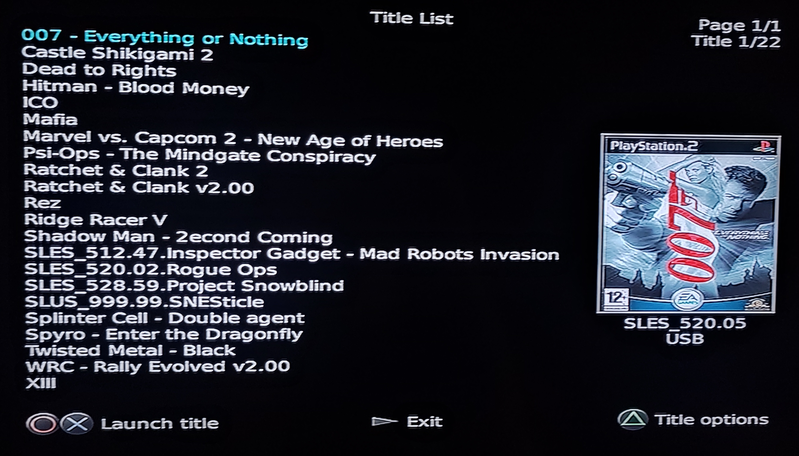
Edit: Nevermind.
Anyway thanks to @HWNJ here is an icon for the PS2 Browser:

https://www.mediafire.com/file/eqx01ovbey5nm8k/NHDDL_icons.7z.
Edit: Nevermind.
https://www.mediafire.com/file/eqx01ovbey5nm8k/NHDDL_icons.7z.
Attachments
Last edited:
pcm720
Developer
Anyway thanks to @HWNJ here is an icon for the PS2 Browser
.
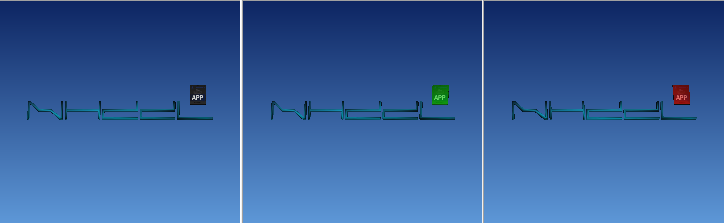
I've made 3D PS2 Browser icons for NHDDL a week ago while getting it SAS-compliant since you can't really make an app a SAS app without icons.
https://github.com/pcm720/nhddl/tree/main/res/sas/app
The very same icons are included in NHDDL PSU.
jolek
Senior Member

HyldenKing
Member
I've got PAL PS2 on SCART TV
Everything looks good except the white text flickers slightly.
Everything looks good except the white text flickers slightly.
pcm720
Developer
I've got PAL PS2 on SCART TV
Everything looks good except the white text flickers slightly.
Well, NHDDL runs in interlaced mode by default, so that's why the text can flicker.
On PAL this might be more noticeable.
You can try enabling 480p mode if your TV supports it.
alexboanta3107
Member
NHDDL v1.0.1 is released!
Similar threads
-

-
-
PS2 Troubleshooting SSD issues in OPL / NHDDL + Neutrino
- Started by Splatsby
- Replies: 2
-
