NHDDL

PS2 NHDDL v1.2.2

It will not boot ISOs from anything other than BDM devices.

Hi.
I cannot boot any ISO on NHDDL v1.1.2 with the latest neutrino development build (20250121-0ed1583c) - released yesterday.
After selecting a game from the list I am getting kicked back to the PS2 Browser.

However everything is fine with neutrino v1.4.0 released 2 days ago.

Tested on SCPH-77004 & SCPH 70004 (PAL consoles).
 
I cannot boot any ISO on NHDDL v1.1.2 with the latest neutrino development build (20250121-0ed1583c) - released yesterday.
After selecting a game from the list I am getting kicked back to the PS2 Browser.

Works fine on my end with non-standalone NHDDL with ATA, UDPBD and USB when neutrino.elf is on a memory card.
Are you using the standalone or the non-standalone version of NHDDL?
What BDM device is used?
Where is neutrino.elf located?
Any custom Neutrino flags?
 
Non-standalone.
USB device.
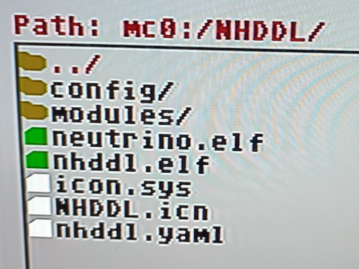
mc0:/NHDDL/:
path.png


I additionally have in global.yaml:
Code:
dbc:
logo:

nhddl.yaml:
Code:
#video: ntsc # supported video modes: ntsc, pal, 480p
mode: usb # supported modes: ata, mx4sio, udpbd, usb, ilink. If not present or commented out, all devices will be used to search for ISO files
#udpbd_ip: 192.168.1.6 # PS2 IP address for UDPBD mode (commented out)
 
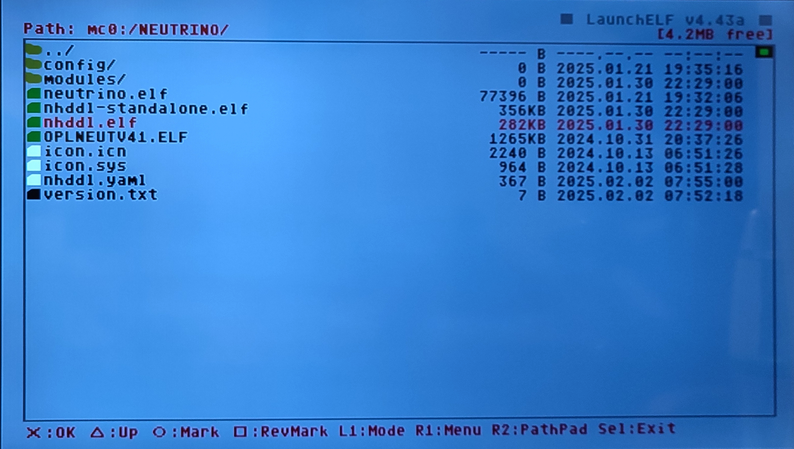
use "mc0:/neutrino" directory instead

If anything, it should be mc0:/NEUTRINO, not mc0:/neutrino.
Case matters because file access on memory cards is case-senstitive.
If someone's using standalone version of NHDDL or newer wLaunchELF, they will have issues with NHDDL not being able to find neutrino.elf since one of fallback paths is "mc?:/NEUTRINO/neutrino.elf", not "mc?:/neutrino/neutrino.elf".
 
Source, up-to-date readme and release notes:
https://github.com/pcm720/nhddl.

To skip all other devices, mode: hdl must be present in nhddl.yaml.

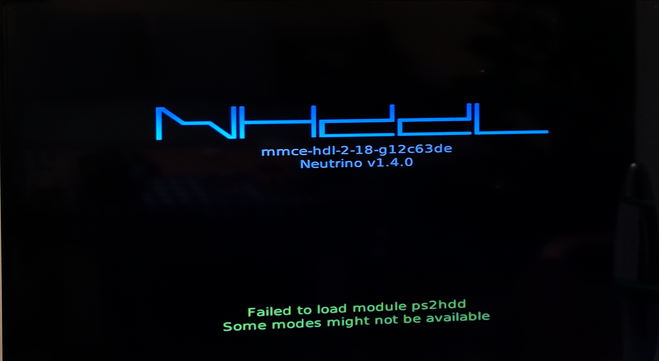
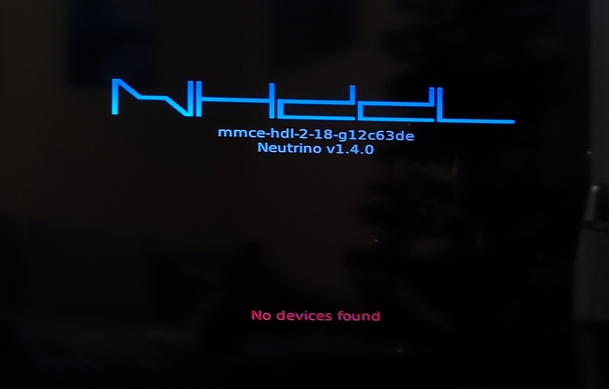
Recently I tried how hdl suport works on SCPH-50004 with nhddl-mmce-hdl-2-18-g12c63de.zip & neutrino v1.4.0.

I cannot force NHDDL to display anything with just mode: hdl in nhddl.yaml.
It gives me an error that ps2hdd was not found.
When I additionally add mode: ata everything is fine...

A working config for me (USB + HDL):
Code:
#video: ntsc # supported video modes: ntsc, pal, 480p
mode: hdl # supported modes: bdm, ata, mx4sio, udpbd, usb, ilink, mmce, hdl. If not present or commented out, all devices will be used to search for ISO files
mode: ata # multiple modes are supported via multiple mode strings
mode: usb #
#udpbd_ip: 192.168.1.6 # PS2 IP address for UDPBD mode (commented out)

I use non-standalone version of NHDDL.
All my files are in mc0:/NHDDL.
 
I use non-standalone version

And this is exactly why I want to drop it.
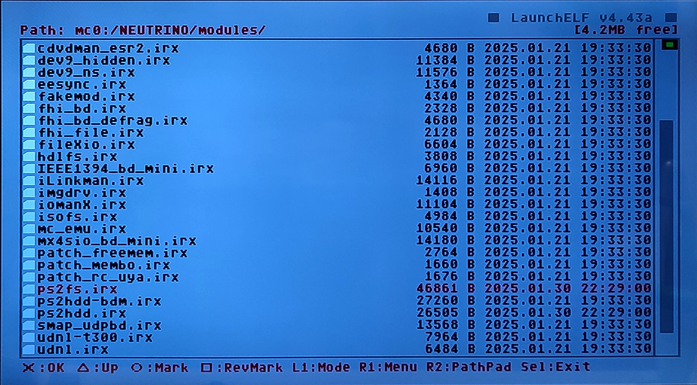
APA modules aren't a part of Neutrino, so you must grab them from NHDDL release's modules folder and copy them into Neutrino directory.

As for running NHDDL and Neutrino from APA HDD, with non-standalone version it gets especially tricky.
To load HDD modules from APA HDD, NHDDL needs... HDD modules already loaded. If your ELF launcher resets IOP before launching the ELF file, there is no way to access HDD modules from anywhere other than memory cards and MMCE.
Recent releases of wLE started resetting IOP, so as of now the only launcher I know of that keeps IOP modules loaded is FMCB's hacked OSDSYS.
 
And this is exactly why I want to drop it.
APA modules aren't a part of Neutrino, so you must grab them from NHDDL release's modules folder and copy them into Neutrino directory.

I copied ps2hdd.irx and ps2fs.irx into mc0:/NHDDL/modules.

As for running NHDDL and Neutrino from APA HDD, with non-standalone version it gets especially tricky.
To load HDD modules from APA HDD, NHDDL needs... HDD modules already loaded. If your ELF launcher resets IOP before launching the ELF file, there is no way to access HDD modules from anywhere other than memory cards and MMCE.
Recent releases of wLE started resetting IOP, so as of now the only launcher I know of that keeps IOP modules loaded is FMCB's hacked OSDSYS.

Yeah.
The standalone version works without mode: ata
So just mode: hdl is needed for it.
 
Failed to load module ps2hdd:

This happens after the module is read into memory...
Not sure what happened here considering standalone version loads it properly.

Can you try launching non-standalone version from the latest wLE_ISR?
https://github.com/israpps/wLaunchELF_ISR/releases/tag/latest
It rebooting IOP shouldn't matter with Neutrino on mc0/1.
If this fails too, also try setting mode to hdl in nhddl.yaml to avoid NHDDL loading unneeded modules.
 
Ok.
I will do it later.
Now it is time to :sleeping:

EDIT:
Non-standalone version in nhddl-mmce-hdl-2-19-g05394cf works as it should.
Code:
#video: ntsc # supported video modes: ntsc, pal, 480p
mode: hdl # supported modes: bdm, ata, mx4sio, udpbd, usb, ilink, mmce, hdl.
mode: usb # multiple modes are supported via multiple mode strings
#udpbd_ip: 192.168.1.6 # PS2 IP address for UDPBD mode (commented out)

I even renamed mc0:/NEUTRINO to mc0:/NEUTRINOa.
Everything was fine, the modules was loaded (probably from mc0:/NHDDL/modules).
Thanks.
 
Last edited:
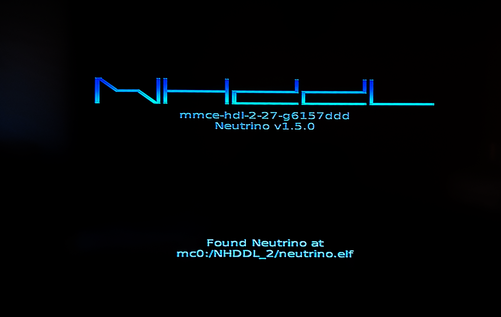
I cannot launch any game from USB with the latest standalone version nhddl-mmce-hdl-2-27-g6157ddd:
v2-27.png

The main menu when I can select a game is shown, but after launching a game I get kick back to the PS2 Browser.

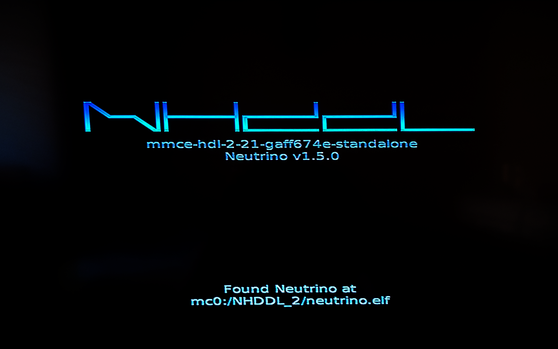
There was no problem with it on nhddl-mmce-hdl-2-21-gaff674e:
v2-21.png


The other thing is that the version of Neutrino is being shown almost at the end of initialing NHDDL,
at least with the standalone variants nhddl-mmce-hdl-2-27-g6157ddd, nhddl-mmce-hdl-2-21-gaff674e.
With non-standalone variant (nhddl-mmce-hdl-2-27-g6157ddd which was the last non-standalone version) shows this info almost at start, which is better IMHO.
 
The main menu when I can select a game is shown, but after launching a game I get kick back to the PS2 Browser.

Note: this nightly requires latest Neutrino nightly build due to switching to quickboot mode

Neutrino quickboot issues were fixed only three days ago.
Currently Neutrino has no nightlies because PS2SDK updates broke cdvdman_emu module, so you have to compile Neutrino yourself using an older toolchain...
 
Note: this nightly requires latest Neutrino nightly build due to switching to quickboot mode

I had to skip this one word...

Neutrino quickboot issues were fixed only three days ago.
Currently Neutrino has no nightlies because PS2SDK updates broke cdvdman_emu module, so you have to compile Neutrino yourself using an older toolchain...

Thanks for the explanation.

What about showing a neutrino version almost at start like currently dropped non-standalone version did?
 

Similar threads

Back
Top