OPL (Open PS2 Loader)

PS2 Open PS2 Loader v1.1.0

Then maybe add a compression option in the OPL because slim PS2 only has a USB connection

There's ZSO format but it only compresses a little (depends on the game though)
It doesn't compress FMV or audio data AFAIK and won't help you eliminating the slowdown completely and in few cases it might make the slowdown/stutter even worse.
Toying with the cache size in OPL settings might help but IMO for USB the effect is really placebo.

Oh, and only 1.2.0 beta supports it.
 
Last edited:
@Fannste94
Pack a zip into a zip... Does it get smaller?

Don't you think people who can write something like OPL have thought about things like that?

/s Genius ideas from people which have no clue what they are talking about...


...and why are you spreading misinformation, like "it only has USB".
It has MemoryCard-ports and LAN as well and games can be loaded from those and way better than from USB...
 
@Fannste94
Pack a zip into a zip... Does it get smaller?

Don't you think people who can write something like OPL have thought about things like that?

/s Genius ideas from people which have no clue what they are talking about...


...and why are you spreading misinformation, like "it only has USB".
It has MemoryCard-ports and LAN as well and games can be loaded from those and way better than from USB...
Games on memory card and LAN?

And also PS1 games won't load in the Apps section that were made with the POPStarter Game Installer https://www.psx-place.com/resources/popstarter-game-installer-for-opl.1176/
 
Last edited by a moderator:
Oh, I almost forgot your dementia...

Here a reminder of what you wrote...
Then maybe add a compression option in the OPL because slim PS2 only has a USB connection
You claimed the Slim PS2 only has USB-PORTS/Connection... and that is ABSOLUTE BULLSHIT!

Games on memory card and LAN?
Oh you forgot SMB and UDPBD for LAN and MX4SIO for the MemoryCard port AGAIN...

And also PS1 games won't load in the Apps section that were made with the POPStarter Game Installer https://www.psx-place.com/resources/popstarter-game-installer-for-opl.1176/
Also BS, but as always you probably messed something up and blame it on the app and not yourself.
 
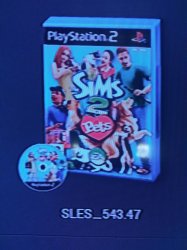
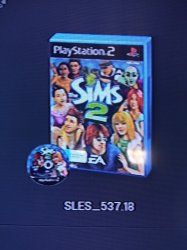
The Sims games won't launch, it shows a black screen
 

Attachments

  • IMG_20240812_124919.jpg
    IMG_20240812_124919.jpg
    1.7 MB · Views: 38
  • IMG_20240812_124907.jpg
    IMG_20240812_124907.jpg
    1.4 MB · Views: 34
All I can say is:
Code:
Title =
ID =
Media =
OPL version =
Device =
Compatibility Mode(s) used =
VMC =
PADEMU =
IGR =
Compatible =
MD5 Checksum =
Notes =
 
That is how game reports are supposed to be done and they should be done in the APPROPRIATE threads!
 
OPL Game Compatibiliy Reports
OPL Bug Reports

...or similar names.

CONTEXT provided the answer to your question before you asked them.
 
In terms of compatibility with games, does the SMB method differ much with HDD?

I ask because I want to buy a 2TB external hard drive and I'm using SMB.
 
Apologies if there was a guide on how to switch games that span on multi-discs on OPL beforehand, but I've made many searches, and there doesn't seem to be a straightforward answer.

One clue is to sync a VMC file between all discs, but does that mean that the menu of the multi-disc games have two separate entries and two directories of the same game? Not that I mind, but just so I know what to expect, I will raise the question.

Great tool and nice day! My birthday is on the seventeenth, so a less-pwning answer to my ignorant post is appreciated.
 
First of all... Stop multiposting! 2 comments, 1 Minute apart?

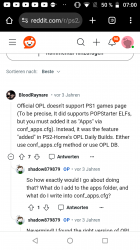
When do you get it in your head? OPL has NOTHING to do with PS-games... FIRST reply in the thread on Reddit that you linked to...
Screenshot_20240913-070010.png
 

Similar threads

Back
Top