


gamerman 5000
Developer
-
Free application that provides metadata for Open PS2 Loader.
Downloads covers, logos, "cfg" files, etc., needed to display information and art for PS2 games.
The "OPL Mobile Scanner (for Android)" database is synchronized with the "OPL Scanner (for Windows)" database.
Important:
This app requires internet access and permissions to access your files.
If these permissions are not granted, the app will not be able to download any files to your device's storage.
On Android 11 or higher, access permission is required for all files due to security improvements in recent versions.
Make sure to enable it when launching the app for the first time.
Download the app from trusted sources provided by the author (YouTube (user "RWolf") and Psx-Place (user "gamerman 5000"). -
Requirements:
OPL Mobile Scanner is an application built using the .NET Maui development framework that integrates a "net9.0" runtime environment and requires thefollowing specifications:
1. Android 9 or higher.
2. 64-bit architecture.
3. 2GB RAM is more than enough.
4.-Processor with 1.6GHz should work without problems.
5. Approximately 65 MB of total storage plus any metadata downloaded.
How to use it
OPL Mobile Scanner works with folders created by the homebrew game launcher Open PS2 Loader (DVD, CD, CFG, ART, THM, etc.).
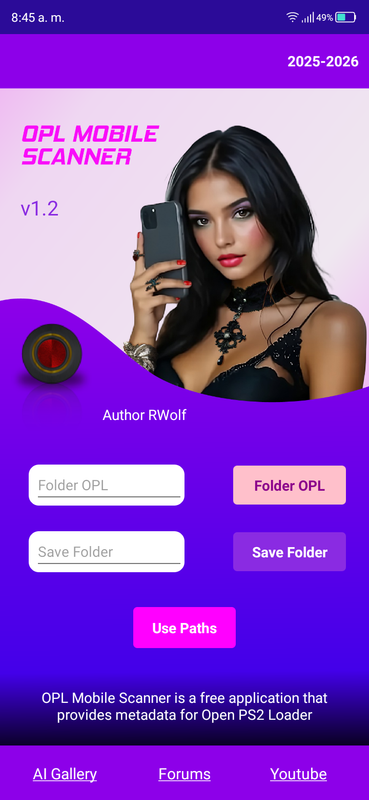
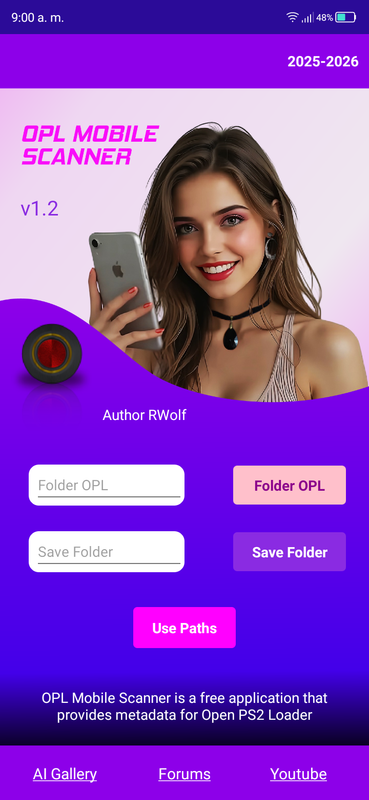
Enter the OPL path to the folder that includes these folders using the "OPL Folder" button.
PS2 games must be placed in the "DVD" and "CD" folders in "ISO" format, while PS1 games must be placed in the "POPS" folder in "VCD" format so that OPL Mobile Scanner can load them into the interface.
Game names must be formatted accordingly:
Example:
For PS2 games, they should be renamed:
SLUS_XXX.XX.GameName.iso
For PS1 games, they should be renamed:
SLUS_XXX.XX.GameName.VCD
OPL Mobile Scanner will ask for an output path, which must be entered using the "Save Folder" button.
When a game is scanned, the application will automatically create a folder called "OPL_Scanner_Images" for the images, and within it, it will create another folder called "OPL_Scanner_Files" for files with the "cfg" extension.
When it finds metadata, the application will attempt to automatically move it to the corresponding folders within the "OPL Folder." This feature is included because even with the necessary permissions, the application may not have write access to external storage.
If this is the case, the metadata will be available in the output folder.
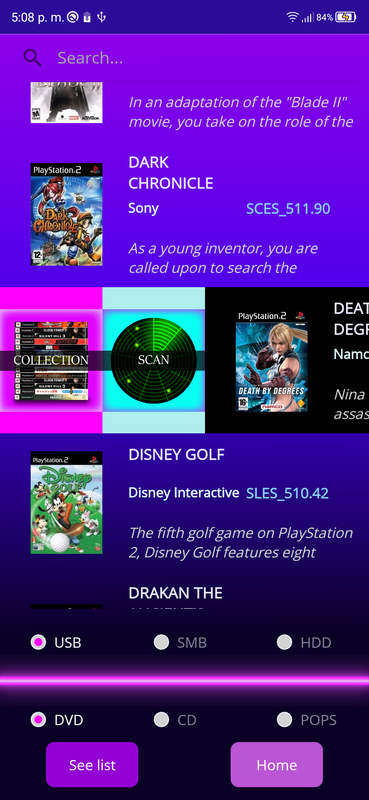
To scan a game, slide the container to the right, where two options will open:
"Collection":
Use this to view the available or downloaded gallery.
"Scan":
Use this to download the metadata for the selected game.
To search for a specific game, use the search tool at the top, enter the game name, and matching results will appear if there are any.
Notes:
Auto-rotate mode is not available for this app, so the view will always be vertical.
Although it works on tablets, the app is not compatible with large screens, so some elements will appear smaller.
Important:
When downloading metadata for a game, please wait 5 to 10 seconds, depending on your internet speed, before making further requests.
Otherwise, the images may not correspond to the correct serial number for the game's region.
Use the "Collection" button to see if the entire collection for the game has been downloaded. Press the "See Images" button repeatedly to refresh the page.
The available collection will depend on the availability of images in the
database.
Keep your application updated to expand the collection.
-
Sample video
Screenshots
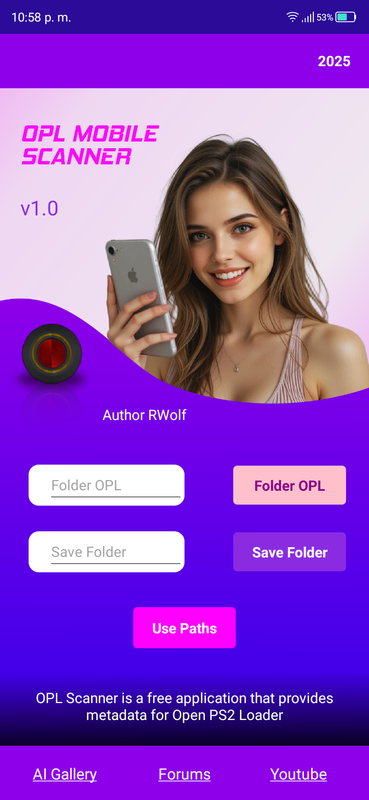
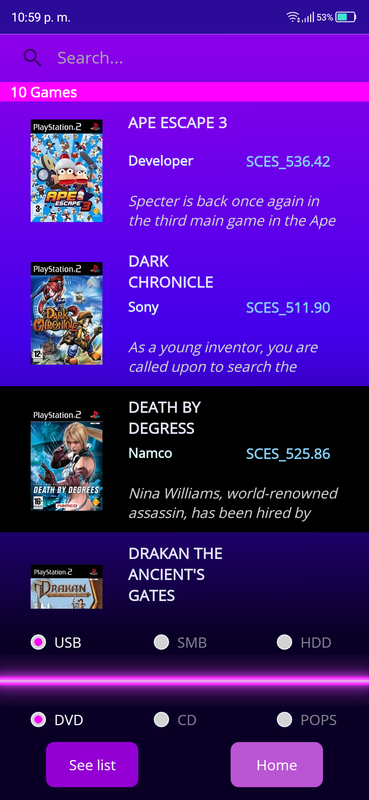
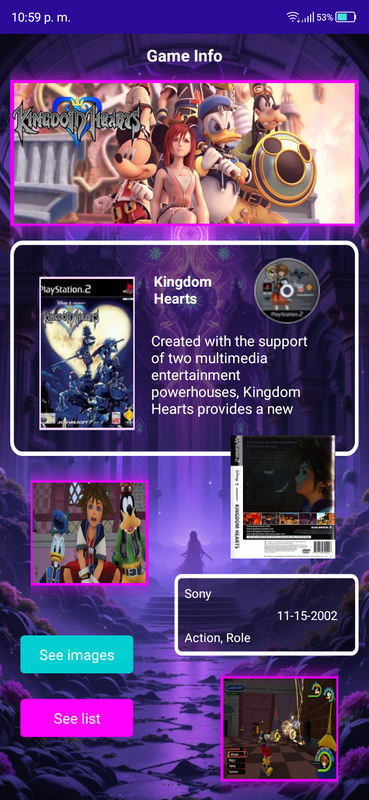
-
14-10-2025
v1.1
1.- A new girl model has been added to the main page.
Note: AI-created models will be displayed randomly each time you launch the app.
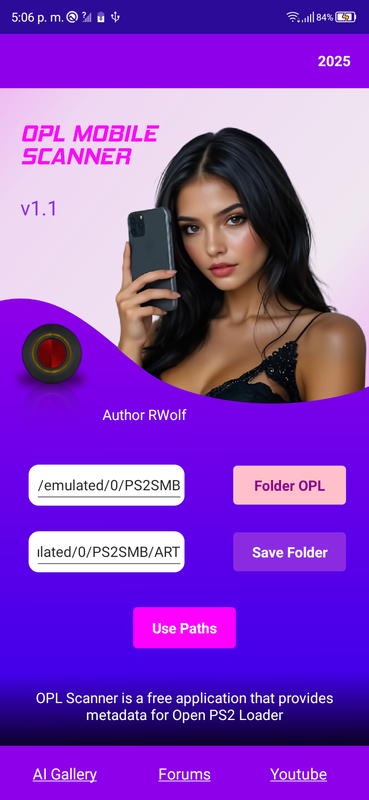
2.-The margin of the "text boxes" on the main page was modified for better alignment.
3.- Icons were added to the "sliding container" of game titles on page 2.
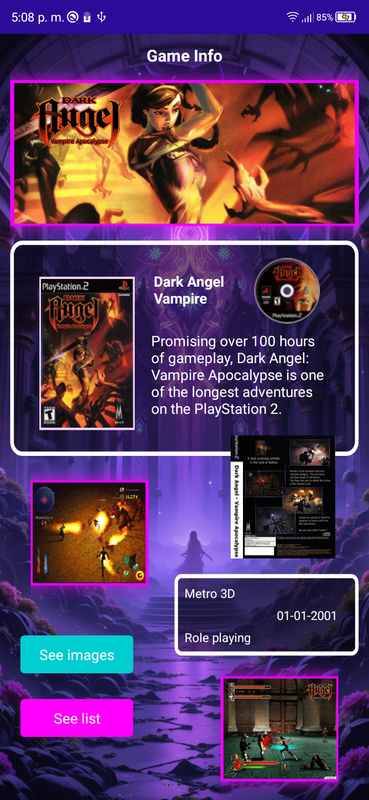
4.-Corrected the cover (COV) on page 3 (game information) to display completely.
5.-The database has been synchronized with the latest OPL Scanner update 09/28/2025.
Update 16/01/2026
v1.2
1.-The Welcome screen was changed to a design more in line with the application.
2. The models' hands were styled to give them a more natural appearance, and accessories were added to enhance their look. These enhancements included makeup, bracelets, rings, chokers, and manicures.
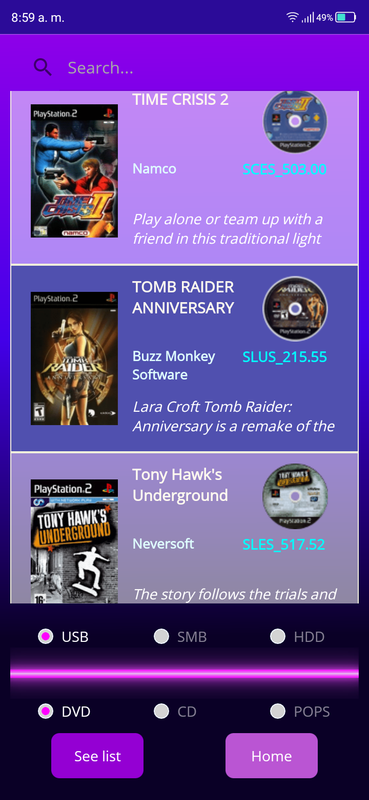
3.-The "game gallery" page has been improved; it will now also display the disc icon for each game in a more organized container with separators.
4.-The database has been synchronized with the latest OPL Scanner update 06/01/2026.
Update 06/03/2026
v1.3
1.-New feature added, iso images for PS2 games can now be renamed.
Note: to use this function you must try to view the gallery or scan a misnamed game, the application will throw a warning and ask if you want to rename the game.
Valid exclusively for the ISO 9660 standard file system and applied to serials (SLES,SCES,SLUS,SCUS,SLPM,SLPS).
2.-New action implemented, now the application will make three attempts to download an existing image in the database, thus increasing the chances of a successful download per image.
3.-The database has been synchronized with the latest OPL Scanner update 05/27/2026.
Last edited:


