
Are all of you including the time taken for the HDD to spin up?
Ah, I was launching it with wLE...
With a cold boot and launching from OSDSYS it takes ~20 seconds.
That's still a massive improvement


Are all of you including the time taken for the HDD to spin up?
Oh, alright! Yes, indeed!I meant since this: http://www.ps2-home.com/forum/viewtopic.php?f=90&t=6207
Quite new? No! We already had some people using 1TB-HDDs in ~2008!Anyway there wasn't this need before, to have very huge game-lists is a quite new trend after all.
Only tests can certainly answer this question. The function you propose here would need to find the +OPL-Partition in the first place to read the settings, which by that time could simply read the original cache-file...I'm curious to know the @sp193 opinion about it. If it really makes a noticeable difference in loading time it would be good to add an option in settings to specify where the file will be saved, i.e. these 3 options: hdd0:/+OPL, hdd0:/system-partition, mc?:/OPL.
Partition-wise, yes! But the ultimate setup would be an SSD!I've the "absolute" setup
lolYes, I'm developing mind-reading powers
That's due to it simply adding a chunk at the end... The main-partition is still in the beginning... so adding that chunk shouldn't make a difference!Well, to have the +OPL partition at the beginning would be Always the best (you have, cfg, vmc, into it, to not talking about cover-art and screenshot!).
About it, I know people that enlarged the OPL partition when having the HDD almost full, and it don't seems to affect in a noticeable way the loading time of game CFGs and cover arts…
Ah! That makes sense!It don't power off when IGR. I access Ulaunchelf from Apps in OPL and the HDD spindown.
Regarding '2.': Well, this can shorten the life-time of the HDD and would increase the load-up-time between the sessions.For me it's a very good thing. For 2 resons:
1. If I'm leaving OPL to do something not related to the iHDD (like playing from USB with PS2ESDL, playing a DVD, etc...)
2. Even if I'm leaving i.e. for switching to another OPL version/HDLoader (or other applications that use the iHDD) it is better to restart the HDD modules with the new program (as we know it could make many differences).
I am not so sure... It MIGHT make a difference but I doubt it to be the universal solution... But it is worth a test!Anyway I must thank you for this input, I'm going to try this:
Make a IGR, go to Ule (HDD will spin down), press square (my shortcut from Ule to OPL) and I bet that it would solve the "after IGR problems" in FC and SPPS
THX for adding your partition-structure and for testing!Tested OPNPS2LD-GAMELIST-3.ELF
I deleted the previous games.bin and generated a new one.
Everything seems good, ~12 second load time is amazing, thank you!
This 2Tb HDD is almost full, the partitions are set up as:
__mbr
__net
__system
__sysconf
__common
+OPL
Then the games. 1100 games, ~104 of which are larger than 4Gb so all up ~1210 partitions.
I sincerely hope it's the latter
I can't test it currently with the HDD (too less games installed) and the SSD would not be of use in these tests + has no spinup-times.Are all of you including the time taken for the HDD to spin up?
I'm not sure if it is 'necessary' (for what exactly?), but it's certainly worth some tests.Yes, and that was not mentioned, but it was done because I think it is necessary.
Did 'the real developer' (in quotes, because I am quoting @Grahf... It's NOT to discredit you or your skills of course...) @sp193 just confirmed, that he has a similar/the same suspicion about 'init' possibly being related to that issue?!?But this game was known to have issues. It might have some problem related to uninitialized hardware, since letting the PS2LOGO program run first would magically solve things.
We might have to either patch the game or to initialize the SPU2 in the way it expects, since the game would be normally booted after PS2LOGO.

IMO he wasn't exactly clear in what he was asking!No, the capabilities of a program are determined by the program itself. Usually, we don't share modules between programs, due to possible compatibility problems.
Correct! But listen to an HDD, when the cache is full and becoming useless! On every scroll you hear multiple reads and jumps! The time the hardware needs for these physical movements (seeks, etc.) and reads is pretty much completely eliminated.I doubt it'll change for the HDD OSD's case. Once you exceed the limits of the HDD.IRX cache, the cache becomes totally useless and cannot become any more useless.
Indeed!Now that you mentioned it, this might be the problem. Well, we cannot solve all problems.
Yes, that is exactly what I thought.I'm sure it's a plausible reason, because of how APA (unfortunately) works. If it's the 1100th partition, the poor thing must go through 1100 partitions to find the +OPL partition (or not). Anyway, since game settings are stored in +OPL, it needs to be accessed sooner or later.
Except if you make a lot of test!But once you boot a game on another device, you won't go back to select another game for a while.
I didn't even remember that (you see how long I haven't used discs on that system anymore? Lol)! Interesting!Even Sony does this, when you boot a disc-based game from the CD/DVD drive from the HDD browser.
Hm??? I thought it would do that everywhere (after IGR and so on) but @Peppe90 cleared that up!If you're a developer, why would you have HDD set to AUTO and not boot games from it?
I know!This was an earlier patch, to put the HDD in STANDBY mode first, to prevent an emergency park by some HDDs when power is cut when DEV9 is shut down.
I think saying that the logical position within APA (rather logical, than physical) is quite appropriate to describe it correctly. So... Not exactly the (physical) beginning of the HDD, but rather at the (logical) 'beginning'/start of APA.Oh no, it won't be just a few ms, since we're trying to reduce the 40s loading time observed by some people. It's not about the position of the partition on the HDD, but whether it's behind 1000 partitions or behind just 5.
On another note: The medium which this cache belongs to, also should 'hold' it, or various issues could occur... Imagine someone with his MC going to a friend (both start their games from the same type of medium)...Game CFGs are stored in +OPL and this will always be checked for, so it is impossible to avoid spending some time scanning for +OPL (even if it doesn't exist).
THX for the confirmation and additional informations!Yes, that is true. Game title information is only 2 sectors per game and this is read after a list of games is generated. It also exists once for each title. So if you have 500 titles, then it will seek an additional 500 times. If each game took up 2 partitions (not always the case), we can say that it might represent a third of the seek time observed.
For a 2TB-HDD? Certainly! LolSo if @Tupakaveli always had to wait 50s, just scanning for the partitions (omiting this step) could reduce the wait by a third.. which is still quite some time. It would have been nice if this wasn't a problem though. Unless 30s is still tolerable.
Awwww... That's really sad... :-|It's sad, but this is only a problem because the cache within HDD.IRX does not work.
Otherwise, it would have helped with reducing the time taken to scan through the whole disk, at least once.
Yes, FHDB is a prime-example! It's even the most obvious example and I have not thought of it... *shame*Now to think about it, this might need some tweaking because we're back at this question: what happens when a user boots a program that uses the HDD unit?
In the case of FHDB, I think I chose to just leave the HDD unit on.
I ought to remember that the discussion about that 'secure shutdown' of the HDD, included multiple approaches. Was this way mentioned as well?We can also choose to implement something like the HDDUNITPOWER setting that Sony uses, which is used to determine whether the HDD is put into IDLE mode (because only the NIC is required), the HDD & NIC are left on or if DEV9 should be shut down entirely.
Why do I have a similar sentence ("...not a 'fix'...") in mind?But it isn't a solution.
Like I mentioned in the upper part of this post: It could be in a 'state' (for example it is initialized, before the drivers are loaded), that might cause these issues if a game is not 'coldboot-started'.Now that we will block further accesses to ATA before IGR, I'm not sure why you will have problems under specific conditions...
Really?! I thought we should clutter the GUI with as many things as possible! :PBut if we can avoid it, the less options there are, the less choices the user must make.
That's really impressive for a 2TB-HDD!Ah, I was launching it with wLE...
With a cold boot and launching from OSDSYS it takes ~20 seconds.
That's still a massive improvement

Only tests can certainly answer this question. The function you propose here would need to find the +OPL-Partition in the first place to read the settings, which by that time could simply read the original cache-file...
Essentially, that proposal voids itself!
...or 'the snake bites her own tail'...
Regarding '2.': Well, this can shorten the life-time of the HDD and would increase the load-up-time between the sessions.
Btw.: Why should it be 'better'? Do you think this might fix some issues which appear when a game isn't 'cold-booted'?
That MIGHT be true for some games, but I doubt it would fix everything. Maybe it doesn't even change anything...
I am not so sure... It MIGHT make a difference but I doubt it to be the universal solution... But it is worth a test!
I'm not sure if it is 'necessary' (for what exactly?), but it's certainly worth some tests.
it appears that some HDD manufacturers treat a simple cut to the HDD's power as an "emergency unload". However, it does not seem like ATA-4 (the ATA standard that the PS2 was originally designed for) describes a proper procedure for shutting down.
At ATA-7 (from 2005), the IDLE IMMEDIATE command with UNLOAD FEATURE was added. However, it is optional and there was still no description of whether HDDs really need this to be shut down correctly.

...and to be honest... When the HDD is initialized before, it MIGHT cause issues i.e. when the software which is about to be loaded doesn't 'like' the pre-initialized state, even tho' it should be able to re-init it!
That's however not due to 'shared modules', but possibly rather the init.
It also could be, that a software-part (for example one of the drivers, which are related to HDD-Support) doesn't expect it to be initialized before...
That leads me to conclude that an SSD could indeed yield quite a big improvement in that regard!
Nevertheless, it MIGHT still increase the speed, even if +OPL is 'at the end (of APA)', because as far as I remember OPL still reads small chuncks to get the game-ID, or does it do that solely when 'selecting' it and not on HDD-Startup?
Except if you make a lot of test!
Even if you/anyone would not have had it set to 'AUTO', it would still require the HDD to be turned on and spun up...
As for the 'Why...': for example: Because 'that person' who has it set to 'Auto' wants to start a game from another device or just an app from OPL...
Btw.: An 'Apps-Config/Compatibility-Menu might be interesting as well... It could have a per-app-option if the HDD is shut down, or not...
Btw.: So... The cache has these informations contained?
Game-ID, Game-Name, sectors/partition-name of the game?!?
Yes, FHDB is a prime-example! It's even the most obvious example and I have not thought of it... *shame*
I ought to remember that the discussion about that 'secure shutdown' of the HDD, included multiple approaches. Was this way mentioned as well?
You once had a question regarding the Idle command. The Idle command was meant for power-management. We have this option to configure the Standby Timer of this function because it used to be that some people complained that the HDD would go to sleep and the game would crash.
But IMO, it should not have been a problem in the first place.
But this game was known to have issues. It might have some problem related to uninitialized hardware, since letting the PS2LOGO program run first would magically solve things.
We might have to either patch the game or to initialize the SPU2 in the way it expects, since the game would be normally booted after PS2LOGO.
This might not be related to this feature, as I only cache the existence of games. As it is quite simple, it should either always work or not at all.
There are too many existing problems with OPL and the PS2SDK, unfortunately.
Game CFGs are stored in +OPL and this will always be checked for, so it is impossible to avoid spending some time scanning for +OPL (even if it doesn't exist).
So if @Tupakaveli always had to wait 50s, just scanning for the partitions (omiting this step) could reduce the wait by a third.. which is still quite some time. It would have been nice if this wasn't a problem though. Unless 30s is still tolerable.
Now to think about it, this might need some tweaking because we're back at this question: what happens when a user boots a program that uses the HDD unit?
In the case of FHDB, I think I chose to just leave the HDD unit on.
I'll try it going to OPL from OPL apps page.We can also choose to implement something like the HDDUNITPOWER setting that Sony uses, which is used to determine whether the HDD is put into IDLE mode (because only the NIC is required), the HDD & NIC are left on or if DEV9 should be shut down entirely
But it isn't a solution. Now that we will block further accesses to ATA before IGR, I'm not sure why you will have problems under specific conditions...
I am not so sure... It MIGHT make a difference but I doubt it to be the universal solution... But it is worth a test!
Btw.: FC=Force Close (?); SPPS=?
But if we can avoid it, the less options there are, the less choices the user must make.
...What "secure shutdown"? If you're referring to the risk we've been exposing some modern 2.5" HDDs to, it's not covered by Sony because the PS2 was designed for 3.5" HDDs from the early 2000s.
That being said, if the standby timer cannot be set via the IDLE command, it might be a problem with your SATA adaptor.Understood. Anyway it never worked for me.
This game is just perfect for me. I don't need to enable the Ps2 Logo or any other trick/MODEs or DMA settings. It happened only that time to have this weird problem. Probably it wasn't related to the program, maybe a coincidence, indeed I could repeat the problem a
couple times IGResetting. But after I power-off the Ps2, the problem did not show up anymore (and I was always using the same OPNPS2LD-GAMELIST-2
Btw I tried OPNPS2LD-GAMELIST-3 a couple times and the problem didn't happened (IGResetting from the same game). So maybe this problem was in some ways related to the OPNPS2LD-GAMELIST-2 bug.
Or maybe when the HDD is full of partitions it just takes more time to spin up (?). Indeed even with Ulaunchelf (accessing HDD0) or other programs, if the HDD is huge and filled up, it seems to take more time to load the modules.
Probably the HDD would spindown, then the other program will make it spinup normally
I think we can do better than that. I will not create a new UI, but we can add a new option to do what Sony did. Of course, we will also opt to shut down DEV9 entirely by default.I think it's the best to sut down the DEV9 entirely.
About that I've a question: It's possible to play games via ETH without making the HDD spinning (or to turn off it after)??
I understand. Perhaps it would be good to make an ELF, similar to the Ps2 Poweroff.elf, but for turning off the iHDD only. I would set the path to it in OPL apps and use it when it happens to play from USB
About secure shutdown.
I've Always noticed a thing that I thought was normal, but it makes makes me a little suspicious:
When I power-off the Ps2 (when the iHDD is on), sometimes it make a gentle noise, a progressive spindown, then the Ps2 completely power-off. Other times instead it makes a nasty "clack", like something is being violently detached, then the Ps2 power off.
With the new OPNPS2LD-GAMELIST-3 it seems to Always shutdown the HDD kindly (so far). But with older OPLs, the power-off.elf and the Ule power off it makes this bad noise almost every time.
That being said, if the standby timer cannot be set via the IDLE command, it might be a problem with your SATA adaptor.
Okay, but I'm telling you that the game is known to have that problem. It's been like that for years, although I don't think I have personally witnessed it either.
No, it's not possible.
I meant to say that we need to cover that use case. As of now, it will happen as you say.
I think we can do better than that. I will not create a new UI, but we can add a new option to do what Sony did. Of course, we will also opt to shut down DEV9 entirely by default.

It's already done.
I meant to write that we can design a system that offers a good user experience, without needing the user to be bothered with more settings. Gamers just want to play games with minimum hassle, that has been the premise of consoles.
Like when it comes to newer consoles or even your PC, do you tell the OS when to switch off the HDD?
That was the purpose of the series of commits for adding that new feature. Software must be updated to be built with the newest SDK revision and to issue the USBHDFSD devctl() command, to properly shut down supported devices.
Existing software will continue to do what they have always been doing.
Related commits:
https://github.com/ps2dev/ps2sdk/commit/f0e62ac75758a6e9ad35dd3863667f59c60f1d6b
https://github.com/ps2dev/ps2sdk/commit/97b53a15bbf715c5cede81fb4230796a64701ede
There does not seem to be a standard for this, hence the lack of official admin instructions. Basically, we have been slowly destroying some of our modern 2.5" HDDs because the old way of just cutting power causes mechanical stress.
I have added code for issuing STANDBY IMMEDIATE before the power to dev9 is cut. For USB devices, I have added a devctl() function for issuing the SCSI START STOP UNIT command to cause the HDD to park its heads, but this must be issued by the software.
Not shutting down the unused devices before booting a game will forfeit the opportunity for OPL to properly deactivate such HDDs.
Actually this game problem is to make a sound buzz when in game, I experienced that problem when using the Gamestar NA and older OPL builds (I just needed MDMA 0 to solve). Now I can play in UDMA 4 without any MODE (and without the Ps2 Logo) and the game just plays fine.
I tested this game, it's not just the buzz sound during the game. There's also a problem with the BGM during the first loading screen and the menu. The BGM starts playing then drops out.
Using different DMA modes I could get the BGM to play for longer before it dropped out but it always did eventually. Also tried different Mode combinations but couldn't fix it completely.
I don't use PS2 Logo either.
I tested this game, it's not just the buzz sound during the game. There's also a problem with the BGM during the first loading screen and the menu. The BGM starts playing then drops out.
I'm using the maxdiypower sata boar at the moment. What problem could be?? It shut down perfectly the HDD with the OPL power off function (and power-off function of the Others programs too, works). It's just the HDD spin down option that doesn't work. It doesn't worked with the Gamestar NA too.
Btw I wanted to use that function when switching from HDD to other devices (like usb) to not leave the HDD spinning down uselessly. But I know the spindown function is enabled only when playing from the iHDD, therefore I don't need it at all
So the probably I'll experience this issue with the new build too. It worries me a little 'cause I have to hard-power-off the Ps2 when it happens… Btw it happens only IGResetting from the damned Ferrari Challenge Trofeo Pirelli.
Well on which apps could you go that use internal HDD?? OPL?? You're already there. If you access an app stored within the iHDD it wouldn't spinoff (or yes??)
So that way you will make Power-off.ELF up to date with the OPL power-off function, I understand well??
However at last you need to return to OPL for a safer shuting off, based on what you said to @TnA
Above all the last phrase. i.e. when IGResetting the HDD never spindown. So pretend that I have the IGR <not set> After IGR I go to ULE (the HDD is still pinning up), then I have just to power-off the Ps2. It would be safer to return to OPL for shuting-off the console??
I mean, with the auto-refresh on by default, OPL will work as it always did, just scanning for the games at every boot. So people that may not be aware of the new feature, won't have problems (it's a good thing to use the auto-refresh also for who have a small HDD, 80gb or so and has the habit to install/uninstall games frequently).
It's good for all tastes
)We'll leave this to the OPL team to decide.Or you can just make a parallel release for now.
Uh. I'm not sure if it's because you are expecting something else.
So to clarify: there exists a few power states of the HDD: Active, idle, standby and sleep. Active consumes the most power as the HDD is on, while sleep is lowest power state.
By the ATA specification, we can specify after how long of inactivity, should the HDD enter standby state, with the standby timer. There are also a few commands for setting this timer, but that isn't important here. The standard did not really specify what the HDD will really do in each state, but standby state could mean that the HDD spins down.
So what this "spindown" setting of OPL does, is to set the standby timer with the specified amount of time. In OPL, the range of values is from 0 to 20, whereby each unit corresponds to 60s. If you set it to 1, then the HDD will only spin down after 60s if it encounters no activity.
Setting it to 20 means it will spin down only after 1200s of no activity. No activity = no commands issued for the period of time.
What you wanted was something different: the HDD should be switched off immediately, if it is not required.
Yes, it may come back.
Since APP mode is considered its own mode, booting an app from it will cause the HDD unit to be switched off. So it probably doesn't even work now.
Actually, I added a new function into FMCB/FHDB. So that ELF will be deprecated...
...LaunchELF can do the same job, as long as you got a new version.
Auto refresh is disabled (regardless of the setting) for the HDD unit because the HDD cannot be hot-plugged, so it doesn't make much sense to have it enabled. In fact, the refresh button was also previously disabled for it, so I made a number of other changes to make it work in the current way.
(But why the different tune now? After we've come so far too.
That's really impressive for a 2TB-HDD!
Imagine those, who autoboot to OPL and have the HDD set to 'Auto'!
Would you mind trying that as well?
I suppose it will be ~15seconds?
APPS/
  LaunchELF/
    title.cfg
    BOOT.ELF
  SMS/
    title.cfg
SMS.ELFtitle=LaunchELF v4.50
boot=BOOT.ELFthen leaving the HDD without reading (i.e. in FFX, I'm sure it doesn't read anything, the music loop in Ps2 ram). I tried playing games from other devices, and the HDD remains spinning up for hours…
It could be a good thing in case of booting HDLoader (patched with the DMA selector) 'cause it set the DMA (you could change via hot-Keys) at the HDD spinup. So maybe it would result in some problems (HDLoader would fail to correctly set the DMA) if the HDD is already spinning??
Indeed… It depends on games. So far: Ferrari Challenge Trofeo Pirelli and Ace Combat The unsung War.
Maybe it's time to update my 3 years old custom FMCB '^^
Unless it really did nothing much, I find it a little hard to believe it will not read any extra data because the EE only has 32MB of memory, which is also required for graphics.
Actually, commands are issued to the HDD all the time. Changing the transfer mode is also done with a command.
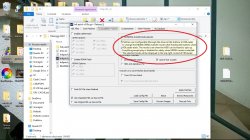
Is it a very common occurrence? If I just went to the menu and did IGR, will it happen?
Welcome to 2019.
...About Wlaunchelf, at the end you managed to solve the corruption when copy to mass??With OPNPS2LD-GAMELIST-3.ELF set as FMCB auto E1 Launch Key it's the same, ~20 seconds.
That's just how long it takes for OPL to init, HDD to spin up and games.bin to be read.
I guess if I used FHDB it would be ~12 seconds since the HDD would spin up at boot but I prefer to use FMCB.
While you're making improvements to the game list, I have a related request. Could you change the behaviour of the SMB game list so that if OPL fails to connect (e.g. Error 300) then the "Start device" action remains on that screen?
I noticed that the "exit" function doesn't power-off the HDD. So it could be a good option to acces other apps without letting the HDD to spindown (as @TnA requested).
Playing FFX from DVD you can remove the DVD and the music keep playing forever. It freezes if you are moving when finding a casual encounter or accessing the menu. But if you stay still (there's not even need to put the game on pause, but I tried that way too), the game doesn't seems to read nothing.
I was referring to this:
View attachment 14312
Btw was just an assumption. So HDLoader can correctly set the DMA even if the HDD is already spinning??
It happens every time with those games, booting OPL from the MC. I have other tests in mind (but too little time!!)
About Wlaunchelf, at the end you managed to solve the corruption when copy to mass??
It would takes the remaining 8 secs for the Ps2 to boot

