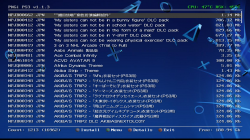
PS3 PKGi PS3 v1.2.2 released

v1.1.3 not working on super slim ps3, black screens and messes up HEN install..
Had to remove and reinstall HEN. The balck screens kill the PS3, have to hard reboot, reminds me of the old Multiman black screens.
Previous version worked, but had HTTP ssl errors, and was non responsive to input.

Was really hoping this was gonna work, but ooh well..
 
v1.1.3 not working on super slim ps3, black screens and messes up HEN install..

I've developed pkgi using a super slim PS3 with HEN, so I'm sure it works alright and brings no compatibility issues with it.

As nobody else has reported such kind of issues, I assume your setup might be custom (plugins, toolboxes, etc.) and could bring problems.
 
I've developed pkgi using a super slim PS3 with HEN, so I'm sure it works alright and brings no compatibility issues with it.

As nobody else has reported such kind of issues, I assume your setup might be custom (plugins, toolboxes, etc.) and could bring problems.

no custom settings, i only have multiman and HEN, I even have default theme..

tried to install 3 times, same problem, each time, it black screens and messes up HEN install..
(HEN hangs when starting) Remove this addon, everything back to normal after HEN reinstall..

And do you even think I'd post an error here if it was working? Don't shoot the messenger..
Captain there is a problem "shes gonna blow!"
 
This is a great app, so thanks to the developer(s) for it, no doubt.

I also have black screens and hangs when I try to launch the new pkgi ps3 v1.1.3. I would need to unplug the power cord. I'm using super slim with hfw 4.86 with PS3HEN(3.0.1) and WebMan Mod(1.47.27). I reinstalled (with PGKI folder delete confirmation) twice, with no success. Using pkgi_*.txt files, and not config.txt. When pkgi launches, I can see the list/download/install with no issues.

For me the issue happens about 50% of the times I access pkgi. So far I don't have HEN issues as reported by the other user. I was also using the previous version of pkgi and I didn't have this issue.

I was in the process of creating a profile/joining this forum doing more testing when SteveGW posted his update.

Again, great app!
 
Last edited:
right now the app only creates the .rap after the .pkg has been downloaded (or queued for background download)
so if you only need the .rap , is probably much faster to copy it manually
I've developed pkgi using a super slim PS3 with HEN, so I'm sure it works alright and brings no compatibility issues with it.

As nobody else has reported such kind of issues, I assume your setup might be custom (plugins, toolboxes, etc.) and could bring problems.
Hello Bucanero, I have some suggestions, can you put an additional column where one chooses a second place to install the pkg file ?, for example in Hdd0 / packages. Also, if I could change the background image and additional font of the application from config.txt
 
tested the v1.1.3.

works fine for me, on HEN no black screen whatsoever. tested download DLC, it finally let me downloads them now without uninstalling the updates or the game it self.

still that auto update still doesn't work for me so no live links from that website to fetch the .tsv files so im sticking with manual updating the tsv files intead by ftping it.
 

Attachments

  • PKGi PS3.png
    PKGi PS3.png
    1.2 MB · Views: 176
no custom settings, i only have multiman and HEN, I even have default theme..

tried to install 3 times, same problem, each time, it black screens and messes up HEN install..
(HEN hangs when starting) Remove this addon, everything back to normal after HEN reinstall..

And do you even think I'd post an error here if it was working? Don't shoot the messenger..
Captain there is a problem "shes gonna blow!"
In the way how you reported it looks like is a bug that affects 100% of the PKGi users... but is not because as @bucanero said he have a basic HEN setup and works fine for him

So by now it seems to be some kind of incompatibility with other custom code, but you are mentioning you only have multiman installed so this is more confusing

Btw, as far i can imagine, an standalone app booted in a standard way (in format EBOOT.BIN) like PKGi or multiman cant interfere the HEN boot sequence because at the time HEN boots they are completly unloaded. I mean, the EBOOT.BIN needs to be initiated manually (but is imposible to do it before the HEN boot sequence)

A different matter are the plugins as webman, the plugins are initiated automatically at some point of the HEN boot sequence, also are loaded at all times so when you boot PKGi you have webman running at background (and it could interfere the PKGi boot sequence)

In your case it seems the HEN boot sequence is interfered indirectly because the PS3 firmware crashed in the last session, i guess that crash is what makes HEN boot sequence to fail... but im wondering if the same could happen when other apps crashes
 
tested the v1.1.3.

works fine for me, on HEN no black screen whatsoever. tested download DLC, it finally let me downloads them now without uninstalling the updates or the game it self.

still that auto update still doesn't work for me so no live links from that website to fetch the .tsv files so im sticking with manual updating the tsv files intead by ftping it.

thanks for your feedback!

btw, about the auto-update, I assume you are referring to updating database files from the web. Are you experiencing problems with http links, or you're using https links? I ask because I tested it with http URLs and it works, but since the https is quite bitchy about certs, you might find issues when trying to access https sites.

If you have a chance, let me know if using http links also fails to update the DB files
 
In the way how you reported it looks like is a bug that affects 100% of the PKGi users... but is not because as @bucanero said he have a basic HEN setup and works fine for him

So by now it seems to be some kind of incompatibility with other custom code, but you are mentioning you only have multiman installed so this is more confusing

Btw, as far i can imagine, an standalone app booted in a standard way (in format EBOOT.BIN) like PKGi or multiman cant interfere the HEN boot sequence because at the time HEN boots they are completly unloaded. I mean, the EBOOT.BIN needs to be initiated manually (but is imposible to do it before the HEN boot sequence)

A different matter are the plugins as webman, the plugins are initiated automatically at some point of the HEN boot sequence, also are loaded at all times so when you boot PKGi you have webman running at background (and it could interfere the PKGi boot sequence)

In your case it seems the HEN boot sequence is interfered indirectly because the PS3 firmware crashed in the last session, i guess that crash is what makes HEN boot sequence to fail... but im wondering if the same could happen when other apps crashes

yes, with in-memory plugins you could see something like that, for example Artemis plugin is known to bring some unpleasant crashes when the system runs out of memory and you're trying to apply cheats, that might end overwriting memory areas that shouldn't be changed.

but PKGI is not a plugin, is a regular gameOS app that allocates memory to load the database files and some icons and images, that's pretty much all. I do have seen app crashes (freezing on the pkgi screen) when a user tries to load random database files, or when the text files are not properly formatted. (the app can't parse the DB and dies there)

again, there are many ps3 firmwares, setups and Mods flying around, and my dev environment is a "vanilla" PS3 HEN (4.84)...
but with over 30K downloads on Github, if the app crashed and burned PS3s everywhere, I'm sure I would have gotten tons of reports by now.
 
Last edited:
As I mentioned above, launching pkgi v1.1.3 now fails most of the times. The super slim PS3 hangs, and I need to unplug/replug the power cable.

I have only PS3HEN (3.0.1) and WebMan Mod installed (1.47.27) running on HFW 4.86. This is also a fresh install as I upgraded the drive to 1TB over the past weekend and had to reinstall everything from scratch (with no issues during the installation). I had initially installed pkgi v1.1.2. But then saw this update (v1.1.3) which then I installed, then I ran into the hangs.

I reinstalled v1.1.3 several times, with the same outcome. I've reinstalled v1.1.2 several times, and no crashes.

I do not have any custom code nor custom plugins. WebMan Mod is running in its default settings (whatever they are). The only PS3 system changes I have is to not auto-load a disc if inserted, to not auto-sign-in to PSN, and the web browser close confirmation thing (needed for HEN).

Again, this is a great app. And I appreciate the effort from the developer. But let's not focus only on the other user who reported the issue as well, and that he may or may not be running custom code (he said he's not). We're at least two users seeing an issue.

There's definitively a marginality issue. The fact the people downloaded it doesn't necessarily imply that they installed it. And if they installed it doesn't mean they used it. It's safe to say at this point that the issue doesn't affect everyone, and that it affects only a small portion of users so far.

My hard reboot/crash counter now on WebMan Mod is almost 30. It was less than 5 before installing pkgi v1.1.3

@bucanero you said you tested on 4.84. Perhaps the issues are not present in 4.84? If I get a chance over the weekend, I'll look at the source code an compile a debug version for my testing.

Cheers.
 
Adding another piece of data here.
  1. I uninstalled WebMan Mod (1.47.27)
  2. Power cycle the PS3 (Using full restart from the hybrid firmware tools)
  3. Enable HEN
  4. Launch pkgi v1.1.3
  5. Repeat steps 2 to 4, 9 more times for a total of 10 iterations
Results:
  • 9 successful pkgi v1.1.3 launches
  • 1 black screen hangs (on the second iteration)

I reinstalled WebMan Mod (1.47.27), power-cycled, ran pkgi v1.1.3 and it crashed on the first run.

Cheers
 
Can you try this @engineer ?, the goal of this test is to see if there is an incompatibility in between the different settings file/s created by the different versions of PKGi
1) uninstall all previous versions of PKGi (with triangle button on top of the icon)
2) install latest PKGi version

And btw, unplugin the power cord is the last resort (use it only incase the others doesnt works), you should always try it in this order
1) single press ON button
2) press and hold ON button (for 10 seconds or so)
3) unplug power cord :'(
 
@bucanero you said you tested on 4.84. Perhaps the issues are not present in 4.84? If I get a chance over the weekend, I'll look at the source code an compile a debug version for my testing.

Cheers.

just to be sure, have you tried launching the app without any configuration and no database file?

I mean: a clean install, nothing on dev_hdd0/game/NP00PKGI3/USRDIR/ except EBOOT.BIN

if you want try, there's a debug version EBOOT.BIN attached, that should record a log file on
Code:
 /dev_hdd0/tmp/pkgi.log

another test could be trying an older pkgi version, such as 1.0.8

I think that is not related to the HFW version (4.84 vs. 4.86) , but from your posts it might be some connection with the latest webman mod?. (perhaps it uses more memory, thus leaving less memory to pkgi)

btw, on my ps3 4.84+HEN I do have webman Mod installed too, but it's an older version (I think it's 1.47.25)
 

Attachments

Last edited:
@sandungas
I did already tested with completely uninstalling pkgi v1.1.2 (with triangle, and confirm pkgi folder deletes), and installing v1.1.3. Same outcome (that is it crashes more than launches). I did this several times. Same outcome. I even tried just re-installing over the existing version, either with 1.1.2 or 1.1.3. Also same outcome (v1.1.2 works, v1.1.3 crashes most of the time). This was tested earlier this week with WebMan Mod 1.47.27 installed.

Yes, removing the plug is the last resort. But that's the only thing that works. Pressing or holding the power button is not responsive. Even remote (URL) access to the PS3 through WebMan Mod is frozen.

@bucanero
I'll try the two tests you suggested. And no, I have not tried to launch the app on "empty".

Cheers.
 
thanks for your feedback!

btw, about the auto-update, I assume you are referring to updating database files from the web. Are you experiencing problems with http links, or you're using https links? I ask because I tested it with http URLs and it works, but since the https is quite bitchy about certs, you might find issues when trying to access https sites.

If you have a chance, let me know if using http links also fails to update the DB files

yep it definitely works with http links instead.... finally got that figured out. thanks!!

btw is there any PS1 games category for PKGi?
 
@bucanero
  1. I uninstalled pkgi v1.1.3 (using traingle, then delete)
  2. I confirmed the pkgi folder was gone from /dev_hdd0/game/
  3. I deleted the pkgi folder from /dev_hdd0/tmp/
  4. Power-cycled
  5. Installed pkgi v1.1.3. I did not add db files nor dbformat nor config files. I didn't add/edit anything from a fresh pkgi install
  6. launched pkgi. pkgi launches with the expected error "ERROR: pkgi.txt file(s) missing or bad config.txt file"
  7. At this point the circle button to exit doesn't work. I can't figure how to exist. So I click on the PS button to quit
  8. Without power-cycling, I relaunched pkgi v1.1.3 9 more times, for a total of 10 iterations
  9. 8 successes, 2 fails (on iterations #2, #6, after which I would hard-reboot)
I should also state that in this test and the test from post #132 (with pkgi db files), I had one instance (in each test) where "Enabling HEN" would hang, needing a hard reboot.

I will test with the debug EBOOT.BIN later. I will test with WebMan Mod installed and added pkgi db files, etc... as that is the normal use case which is the one that causes the most crashes for me.

@sandungas
It appears I was not holding the power button long enough. You are right. Holding the power button for more than 15 seconds (I measured!) does work. It seems that I was holding the power button for about 10 seconds which is why I wasn't getting a hard reboot, and needed to unplug the power cord. Also noticed that power-cycling with holding the power button sometimes triggers the drive corrupt/scan message, and at other times the ps3 would boot normally.
 
@bucanero

I removed the original EBOOT.BIN and I placed the debug EBOOT.bin in /dev_hdd0/game/NP00PKGI3/USDIR/. I managed to get the pkgi to launch and crash a few times. But I don't see /dev_hdd0/tmp/pkgi.log. Nor in /dev_hdd0/tmp/pkgi/.

Is there some setting I need to change?

Also, for the first time the pkgi crashed/hanged on exit, after it had launched successfully with db files and all.
 
@bucanero

I removed the original EBOOT.BIN and I placed the debug EBOOT.bin in /dev_hdd0/game/NP00PKGI3/USDIR/. I managed to get the pkgi to launch and crash a few times. But I don't see /dev_hdd0/tmp/pkgi.log. Nor in /dev_hdd0/tmp/pkgi/.

oops, I uploaded the wrong file, re-download the .zip above with the correct EBOOT.BIN with debug log enabled.
 
yep it definitely works with http links instead.... finally got that figured out. thanks!!

good to know! :encouragement: the issue with https is related to the CA certs, I haven't found any workaround to disable the check/verification of certs using the internal SSL functions.
I even did some tests with the ported libcurl available on PSL1GHT, and even after disabling the checks I wasn't able to connect to some https servers.

An option is to add certs manually to the app (I've seen an example in Managunz source), but it would be very painful to maintain in the long run.

btw is there any PS1 games category for PKGi?

no, there's no PS1 category, but it could be easily added as a new one. (e.g. Content type 10 = PSX)
 

Similar threads

Back
Top