PS3 Project RSX Boost: Overclock your Retail PS3 RSX Speeds (ps3 cfw only)

how can i install this sprx file?
Also does it work on hfw devices?
It should work on both hen & cfw, not on hfw which is basically ofw.
Like for all custom vsh plugins, you just need to copy the sprx on the internal HDD or on USB fat32 stick, edit /dev_hdd0/boot_plugins.txt and add the full path to the sprx file, on reboot the plugin will load automatically.
To uninstall the plugin, do the opposite ie remove the sprx path from the boot_plugins.txt file & reboot.

I sometimes wonder whether the text files are such a good system for cobra/hen plugin loading. Wouldn't we be better off just loading any sprx found in a specific folder?
We could add the same safety procedure as for stage2.bin to automatically disable (rename) any sprx that crashes on loading so as to avoid issues. In terms of coding, it would be a very easy change to make.
 
Last edited:
I sometimes wonder whether the text files are such a good system for cobra/hen plugin loading. Wouldn't we be better off just loading any sprx found in a specific folder?
We could add the same safety procedure as for stage2.bin to automatically disable (rename) any sprx that crashes on loading so as to avoid issues. In terms of coding, it would be a very easy change to make.

Yes that system would be more simple in some sense, but there are some scenarios that should be handled:
1. How to load plugins in certain order.
2. When conflicting plugins are copied in the same folder (e.g. webftp_server.sprx & sman.sprx or webftp_server_noncobra.sprx)
3. A failsafe system when the system doesn't boot due a bad plugin. Currently deleting or renaming boot_plugins.txt is enough.
4. Existing homebrews that already use boot_plugins.txt but use any other path for the sprx.
 
Yes that system would be more simple in some sense, but there are some scenarios that should be handled:
1. How to load plugins in certain order.
2. When conflicting plugins are copied in the same folder (e.g. webftp_server.sprx & sman.sprx or webftp_server_noncobra.sprx)
3. A failsafe system when the system doesn't boot due a bad plugin. Currently deleting or renaming boot_plugins.txt is enough.
4. Existing homebrews that already use boot_plugins.txt but use any other path for the sprx.

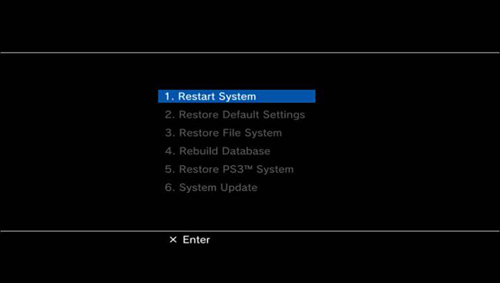
a off topic question, but you or anyone here know why we dont have a custom recovery for PS3 ?
with some options like " disable plugins ", or " load NAND dump "
RecoveryMenu.jpg
 
Yes that system would be more simple in some sense, but there are some scenarios that should be handled:
1. How to load plugins in certain order.
2. When conflicting plugins are copied in the same folder (e.g. webftp_server.sprx & sman.sprx or webftp_server_noncobra.sprx)
3. A failsafe system when the system doesn't boot due a bad plugin. Currently deleting or renaming boot_plugins.txt is enough.
4. Existing homebrews that already use boot_plugins.txt but use any other path for the sprx.
Yep that sounds about right.. ;-)
For homebrews, I am afraid updates would be necessary to avoid having to support a legacy system.
Which homebrews do you know use boot_plugins and are closed source ie problematic to update?

I might look into this when I have a minute to spare, the changes should be minimal, even with the requirements you listed.
 
a off topic question, but you or anyone here know why we dont have a custom recovery for PS3 ?
with some options like " disable plugins ", or " load NAND dump "
RecoveryMenu.jpg

There are 2 main reasons why we don't have one:
1- If we replace it with a custom recovery and that tool fails by some unexpected bug, those systems could not be recovered.
2- emer_init.self is flashed by CORE_OS_PACKAGE when the FW is installed. That app would have to be included by CFW devs.

If these 2 reasons are solved, it would be feasible to have a custom recovery.

Maybe it could be replaced by a pre-loader that select what to boot based on a combo or the files detected on a pendrive.
If none are pressed, the default emer_init.self would be loaded. Otherwise a different application could be launched.
 
Yep that sounds about right.. ;-)
For homebrews, I am afraid updates would be necessary to avoid having to support a legacy system.
Which homebrews do you know use boot_plugins and are closed source ie problematic to update?

I might look into this when I have a minute to spare, the changes should be minimal, even with the requirements you listed.

I was thinking that your system could be implemented as a complementary load method instead of a replacement for boot_plugins.txt

It could use a new folder "/dev_hdd0/autoboot" or "/dev_usb000/autoboot" that start the plugin after 15 seconds (when XMB has been loaded). That would be relatively safe, it would allow to load plugins from /dev_usb000 and don't require to edit a text file.

The user could decide how the method to load their plugins.

Now the question is: do we really need this?
 
Maybe it could be replaced by a pre-loader that select what to boot based on a combo or the files detected on a pendrive.
If none are pressed, the default emer_init.self would be loaded. Otherwise a different application could be launched.
That's exactly what I had in mind, the original emer_init would remain the default recovery environment.
 
Last edited:
I was thinking that your system could be implemented as a complementary load method instead of a replacement for boot_plugins.txt

It could use a new folder "/dev_hdd0/autoboot" or "/dev_usb000/autoboot" that start the plugin after 15 seconds (when XMB has been loaded). That would be relatively safe, it would allow to load plugins from /dev_usb000 and don't require to edit a text file.

The user could decide how the method to load their plugins.

Now the question is: do we really need this?
Personally I have never liked the text file system, I might just implement this stuff to use it in private builds, personally I don't use any homebrew features relying on boot_plugins anyway, I always handle my plugin management needs manually.
Of course if you are asking whether it's a priority, the answer is no, there's more important stuff to develop, it's just that such a feature is a formality to write.
 
Alright, so apart from installing the modded Evilnat CFW, how would loading the .self files into the LV1 hypervisor work? Or are the .self files just there for compiling a .PUP yourself? Sorry for the newbie question but I'm interested since I get the modded cfw part but not the .selfs for the hypervisor part.
 
Alright, so apart from installing the modded Evilnat CFW, how would loading the .self files into the LV1 hypervisor work? Or are the .self files just there for compiling a .PUP yourself? Sorry for the newbie question but I'm interested since I get the modded cfw part but not the .selfs for the hypervisor part.
They're for diffing to figure out where it changes and they're for implementing on a CFW
 
There needs to be a bit more caution with this release, i see to many novice user's trying to run this. There is still many unknowns only seen a couple actual good test and that is not enough to conclude the potential dangers. Testing is not just showing the FPS increases, but how your system is taking it as well and if there is notable changes on your model.

At this point, the overclocking should not be used unless its for valid testing and not just for blind general purpose for the casual user , unless you do not mind potentially damaging your PS3.
 
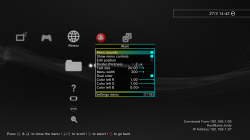
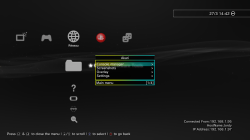
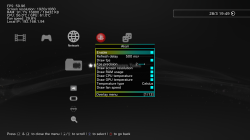
@zecoxao In case you have missed this release: Jordy-Nateur and TheRouletteBoi updated the FPS plugin with a fantastic VSH Menu.
https://github.com/Jordy-Nateur/Akari/releases/tag/v1.1.0

Use L1 + L3 to show up the menu. It allows to show more information, customize the FPS location and the font size.

Have not seen this yet, but would be nice to see Temperature and FPS displayed.
Or maybe even a txt report of some stats to usb for user to submit.?.


edit: some images of the VSH Menu
160284724-191861c3-29e9-4a31-ba99-6e157dc83240.png 160284617-befda427-14ca-463e-9e0f-4ab0ba59707f.png 160466345-e4620c97-8dec-43ce-8689-09f05189fa98.png

https://github.com/Jordy-Nateur/Akari
 
Last edited:
Have not seen this yet, but would be nice to see Temperature and FPS displayed.
Or maybe even a txt report of some stats to usb for user to submit.?.


edit: some images of the VSH Menu
View attachment 36759 View attachment 36760 View attachment 36761

https://github.com/Jordy-Nateur/Akari


Would be nice if we get a boot_plugins_game.txt to load this kind of plugin only when a game is running to get the FPS/Temperature without user interation.

Something like this

boot_plugins_vsh.txt (Eg: Jordy plugin that shows IP/host name only on the xmb (same as dex xmb_plugin.srpx, but without need to replace the sprx))

boot_plugins_game.txt ( Eg: standalone fps counter can be set only to be loaded in-game)

It has been used for years on the PSP, the Vita also has game plugin config under tai.txt and even per tittle Id plugins haha
 
Last edited:
Would be nice if we get a boot_plugins_game.txt to load this kind of plugin only when a game is running to get the FPS/Temperature without user interation.

Something like this

boot_plugins_vsh.txt (Eg: Jordy plugin that shows IP/host name only on the xmb (same as dex xmb_plugin.srpx, but without need to replace the sprx))

boot_plugins_game.txt ( Eg: standalone fps counter can be set only to be loaded in-game)

It has been used for years on the PSP and the Vita also has game plugin config under tai.txt
damn, I hate the boot text files as it is and you are suggesting adding 2 more... lol
 
Back
Top