PS3 Project RSX Boost: Overclock your Retail PS3 RSX Speeds (ps3 cfw only)

None taken, with the exception of my CECH2502B I've had pretty mediocre results across my consoles lol


I agree, I think it just comes down to the silicon lottery. My CECH2512B can only do 700/900, so it performs on par with your CECH2004B despite having a 40nm RSX and being manufactured more than a year later.


At the time I only had 650/800 as the 600/XXX and 650/XXX firmware variants were taken down when I was testing. I've run some tests this morning and 600/800 has artifacts in the XMB, 650/750 didn't have artifacts in the XMB but did cause crashes without even launching games. I was able to change firmware in the XMB on 600/800 but had to go through safe mode to do it on 650/750 as it would otherwise crash, thankfully it worked first try in safe mode.
Yes, silicon lottery probably play a huge role here.
Still, according to PSDevWiki, there are 3 RSX models in the 25XX series :
- CXD5300A1GB
- CXD5300CGB
- CXD5300GGB

It would be interesting to compare performances/limits between same RSX models to see if there is a pattern or if it's full lottery.
Thanks for your report, I'm glad that your 2002A didn't get bricked ^^'
 
Last edited:
Also related, if you can please provide insight into the Cell OC that would be helpful.
haxxxen said:
please share information on CELL OC
The CELL overclock only works on 90nm CELL. The PLL value is read by CELL before the config ring. This has been disabled on 65nm/45nm (tested).
Screenshot 2024-05-01 145135.png
The info can be found here: https://pastebin.com/qy3u25Av , it's also just a tweak to some Syscon EEPROM values (clockgen and PLL).

I'll investigate how the RSX clock setting from syscon can be brought back to modern firmwares and how it works in the TestBench firmware.
 
I have a 25xx as well, but kind of new to this thread and CFW in general. Are people applying a patch or flashing a full CFW file with the OC statically applied? Seems like the latter, but with release of Beta 7 CFW, I'd like to apply just a patch on top of it.
 
Helllo, newbie here.:tranquillity:

I just installed the beta OC CFW to my slim (2503a),and I want to go a little further .

Can anyone make an update files for different speeds?

(I've been looking around and my main problem is I made my system as a DEX, and most of the update files for PEX/CEX)
 
rsx: rsx40 a01 600/750 vpe:ff shd:3f [NBC378-23:0:4:17:5:d:6:0:1][23:0:e:0:1:0:1][1:1:0]
Could yopu please decrypt this line for me?

Yes, use evilnat CFW tools to dump lvl1 to a USB device. Open it on a PC with HxD. Search for your clocks. For example, if you the default OC of "600/750" search for that. It should take you directly to the info I'm referring to. Post post everything from rsx to the end of the 3 bracked sections. That contains the rsx info about fab and VIDbin.
 
Helllo, newbie here.:tranquillity:

I just installed the beta OC CFW to my slim (2503a),and I want to go a little further .

Can anyone make an update files for different speeds?

(I've been looking around and my main problem is I made my system as a DEX, and most of the update files for PEX/CEX)
Just switch back to Cex and u are good to go

Yes, silicon lottery probably play a huge role here.
Still, according to PSDevWiki, there are 3 RSX models in the 25XX series :
- CXD5300A1GB
- CXD5300CGB
- CXD5300GGB

It would be interesting to compare performances/limits between same RSX models to see if there is a pattern or if it's full lottery.
Thanks for your report, I'm glad that your 2002A didn't get bricked ^^'
I am now using my Slim Cech-2004B Date Code 9D. 650/900 runs fine atm. I dont know if i should go higher with VRam so 650/950 or if i should start on doing the Core higher.

What Infos do we have about Slim-2000er Models atm ?
 
Last edited by a moderator:
So i tested my Slim Cech-2004B Date Code 9D. 650/900 was stable. After i installed 650/950 it was freezing in XMB instand. Now i tryed installing Stock Cex CFW but the Console is freezing in Recovery Menu after i clicked on System Update.

So i guess now i have reached the point where i have to install my E3 to get it back working. Glad i dumped everything befor i did this.

Help how to recover this is still good for me because i never recovered a OC Nor Ps3. Only normal bricked Systems.
 
I think once anyone reaches 900 memory, the next step should be 925. Hopefully that would show minor glitches/artifacts and prevent users from attempting 950 at all which could potentially be too big of a jump for some consoles to handle.

@cha0shacker could you please add the /925 and /975 memory options to onedrive whenever you have the chance?
 
I have a 25xx as well, but kind of new to this thread and CFW in general. Are people applying a patch or flashing a full CFW file with the OC statically applied? Seems like the latter, but with release of Beta 7 CFW, I'd like to apply just a patch on top of it.
You must use MFWBuilder. With it you can apply OC to Evilnat Beta 7 CFW.
Or ask to someone if you can't manage to use it.

So i tested my Slim Cech-2004B Date Code 9D. 650/900 was stable. After i installed 650/950 it was freezing in XMB instand. Now i tryed installing Stock Cex CFW but the Console is freezing in Recovery Menu after i clicked on System Update.

So i guess now i have reached the point where i have to install my E3 to get it back working. Glad i dumped everything befor i did this.

Help how to recover this is still good for me because i never recovered a OC Nor Ps3. Only normal bricked Systems.
Didn't see this soon enough. 2004B model stable limits seems to be 700MHz on core / 900MHz VRAM.
950MHz VRAM really is too much for it.
I can't guide you through E3 usage though, I never used one myself.
But you will probably find help here.
 
I am going to recover it tommorow. If i get it back to working i start with 700/800 OC and then go higher till it happen again. I guess a higher Vram OC is better then a higher Core OC drom what i was reading a few pages back.
 
You must use MFWBuilder. With it you can apply OC to Evilnat Beta 7 CFW.
Or ask to someone if you can't manage to use it.


Didn't see this soon enough. 2004B model stable limits seems to be 700MHz on core / 900MHz VRAM.
950MHz VRAM really is too much for it.
I can't guide you through E3 usage though, I never used one myself.
But you will probably find help here.
Well I do need help may someone kindly do 750/975 on the latest firmware I feel like I would mess up but I am about research and learn more about MFWbuilder.
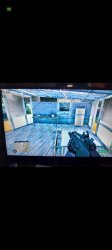
I never thought id enjoy crysis but I've played through the story and about to finish it. Spent hours of gameplay I am 100% that 2504B is stable with 750/975 Going to cherish this OC thank you everyone!!! :)
 

Attachments

  • Screenshot_20240501_220845_Gallery.jpg
    Screenshot_20240501_220845_Gallery.jpg
    405.3 KB · Views: 64
  • Screenshot_20240501_220836_Gallery.jpg
    Screenshot_20240501_220836_Gallery.jpg
    378.3 KB · Views: 66
  • Screenshot_20240501_220830_Gallery.jpg
    Screenshot_20240501_220830_Gallery.jpg
    368.2 KB · Views: 67
  • Screenshot_20240501_220815_Gallery.jpg
    Screenshot_20240501_220815_Gallery.jpg
    450.6 KB · Views: 66
So, your PS3 is still running perfectly at 1000MHz VRAM (since you installed it) ? Nice :D

On my side, I tried several games at 700/900 on my 2004B and everything is fine so far.

Games I tested :

- Crysis, aka THE test. No issues. Nice framerate boost.
- Sonic Unleashed. Same. No artifacts or anything.
- Drakengard 3. No issues either.
- Asura's Wrath. No issues.
- Dark Souls, in Blighttown. Everything is fine.
- Fallout New Vegas. Nothing abnormal for a Bethesda game.
- MGS HD Collection. No issues.
- MGS4. No issues. Better framerate.

PS1, PS2 and PSP games works well too. No instability.

Temperatures are almost unchanged.

No instabilities on XMB to report too.

Just had a first issue at 700/900 (CECH-2004B).
Metal Gear Rising Revengeance : Crash after ~30/45 minutes of gameplay → shutdown.
Temperatures were good, no artifacts noticed.

I wait to see if it will happen again in this game or another before returning to 700/850.

EDIT : Okay, so I've found several players reporting the exact same issue with this game. Maybe this is not OC related.
Example :
b2AWpmZ.jpeg

EDIT² :
Re-tested Crysis for an hour since it's one of the most demanding games and no crash.
Metal Gear Rising Revengeance itself is the problem I guess. It is truly the only game giving me issue so far.
(Btw, the more I am testing Crysis, the more I like it :cool2:)
TTgaUzj.jpeg
 
Last edited:
You must use MFWBuilder. With it you can apply OC to Evilnat Beta 7 CFW.
Or ask to someone if you can't manage to use it.


Didn't see this soon enough. 2004B model stable limits seems to be 700MHz on core / 900MHz VRAM.
950MHz VRAM really is too much for it.
I can't guide you through E3 usage though, I never used one myself.
But you will probably find help here.
Surprised there is no tutorial for this yet, entire thread is people including myself begging for specific patch. There has to be an easier way :/ the one in the Github is different from the screenshots, from what I'm seeing.
 
Surprised there is no tutorial for this yet, entire thread is people including myself begging for specific patch. There has to be an easier way :/ the one in the Github is different from the screenshots, from what I'm seeing.
I did tell people what you needed to do. Download mfw builder from GitHub (the zip rather than cloning, because when I cloned, there was a weird error when building a mfw. It might've been a fluke though). Open the provided bat to add 4.90 and 4.91 keys. The keys are the same, since like 4.25, so it will add them. Open mfw as administrator, select ps3keys as the location of your keys. Then, select evilnat as the pup, output can be named whatever you want, but it may be required to have the PUP extension. Select 4.xx cex for tarbells' base. Deselect both rebuilder options, select the lv1 overclock option, scroll down the list to what you want. Then build. I think that's it. Also, depending on where your mfw builder is you may have to give full privileges to the user group.
 
Last edited:
I did tell people what you needed to do. Download mfw builder from GitHub (the zip rather than cloning, because when I cloned, there was a weird error when building a mfw. It might've been a fluke though). Open the provided bat to add 4.90 and 4.91 keys. The keys are the same, since like 4.25, so it will add them. Open mfw as administrator, select ps3keys as the location of your keys. Then, select evilnat as the pup, output can be named whatever you want, but it may be required to have the PUP extension. Deselect both rebuilder options, select the lv1 overclock option, scroll down the list to what you want. Then build. I think that's it. Also, depending on where your mfw builder is you may have to give full privileges to the user group.


I'm almost finishing my github repo for overclocked firmwares, also i'm trying to figure out how to make my MFW Builder to work, it is still giving me errors.
 
Just had a first issue at 700/900 (CECH-2004B).
Metal Gear Rising Revengeance : Crash after ~30/45 minutes of gameplay → shutdown.
Temperatures were good, no artifacts noticed.

I wait to see if it will happen again in this game or another before returning to 700/850.

EDIT : Okay, so I've found several players reporting the exact same issue with this game. Maybe this is not OC related.
Example :
b2AWpmZ.jpeg
Could it be back then the hard drive being slow and pausing so hard it would crash? Back then we didn't have SSDs on consoles. And HDDs are known to cause crashes.
 
I couldn't figure your error out. I'm on windows 11 btw, but mfw builder probably works as early as at least windows 7.

Can you upload me your keys folder? i think it is not properly updating mine

Could it be back then the hard drive being slow and pausing so hard it would crash? Back then we didn't have SSDs on consoles. And HDDs are known to cause crashes.


You are back XD, how is your 900/1000?

What model and etc..
 
Last edited by a moderator:
Back
Top