PS2 PS2 Slim with OPL 1.1.0: Using the Eye Toy Cam

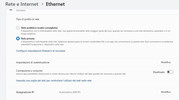
Change your network status to "private network" by doing the following:

1. Go to Settings

2. Select "Network & Internet"

3. Select Properties for your Ethernet network

4. In Network Profile, change it to "Private"

5. Make sure the changes have been saved by checking the network status again.

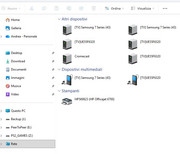
6. Check if your computer appears on the network.
 
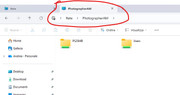
Try manually accessing your network. To do this, follow these steps:
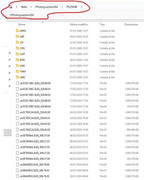
Open File Explorer and type:

\\PhotographerAM

Edit:
Remember that "PhotographerAM" is the name you gave your equipment.
 
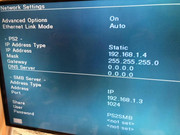
For the PS2 I think I can leave everything as it was set... actually... I have to temporarily disconnect from the internet to set a fixed IP on the PC, remove antivirus and firewall, right?

especially because it can be seen manually while the PC is not on the network?
 
:mad new::mad new::mad new::mad new::mad new::mad new::mad new::mad new::mad new::mad new:
alway error 303


It's not possible, it's not possible, it's not possible...it's been months...

Furthermore, if I don't start the PC, she won't be able to play...
 
Last edited:
It's strange...:sco hmmthink:
but at least the problem is with the PS2's configuration... Try establishing a connection using your router as a bridge between the PC and the PS2. Use DHCP in the configuration for both OPL and your PC.
 
that is, what do I have to set?

so you understand that the problem is the ps2?

in some guides opl server is not even used...please watch the video of msg #111
 
OPL Server is useful for avoiding activating an outdated protocol that makes your system vulnerable.
However, you can still try it if you want.
But you'll need to re-enable the Sambav1.0 protocol in Windows and configure port 445 in the OPL settings. Always remember to disable your antivirus and firewall during testing.
 

Similar threads

Back
Top