
PS3 PS3 game updates tool

Spawn

Member
I used @aldostools tool collection, more specifically PS3 game updates tool, to check my games for updates.

Every other tool I've used, works flawlessly.

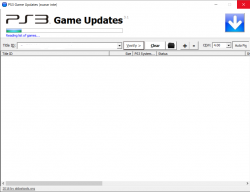
I enter the path (192.168.x.x/dev_hdd0/game) and press verify. It's connects, goes for about 10 seconds but then freezes. Then it's unresponsive.

Any ideas or fixes for this?
 
I used @aldostools tool collection, more specifically PS3 game updates tool, to check my games for updates.

Every other tool I've used, works flawlessly.

I enter the path (192.168.x.x/dev_hdd0/game) and press verify. It's connects, goes for about 10 seconds but then freezes. Then it's unresponsive.

Any ideas or fixes for this?
Are you using static IP address on both PC and PS3?

Also it's suggested that the PS3 is connected through Ethernet. The WiFi on the PS3 is old and slow, and may disconnect easily if there is much interference from the neighbors or from other electronics in the room.
 
Are you using static IP address on both PC and PS3?

Also it's suggested that the PS3 is connected through Ethernet. The WiFi on the PS3 is old and slow, and may disconnect easily if there is much interference from the neighbors or from other electronics in the room.

Yes, I have static IP on both.

Tried both ETH and WiFi. Will check my cables today, and possibly buy a new one.
 
So I set it up like this:

PC:
IP - 1.1.1.1
Netmask - auto
DNS - auto

PS3:
IP - 1.1.1.2
Netmask - matching PC
DNS - matching PC

I use direct connection between PC and PS3.

Launch the app, enter adress "1.1.1.2/dev_hdd0/game" and click on verify.

The progressbar moves about 1cm, then the app goes unresponsive.

All other apps works great this way.
 
If you're accessing that path through http, you must have webMAN or sMAN loaded and running in background. Press SELECT+START and a popup notification with system information should show up if they are running. Do not run both. Only one of them.

If you have Cobra enabled, these plugins load through /dev_hdd0/boot_plugins.txt. If Cobra is disabled, they load through /dev_hdd0/boot_plugins_nocobra.txt (I'm assuming that you have CFW 4.84 or later). If you have HEN only /dev_hdd0/boot_plugins.txt or /dev_usb000/boot_plugins.txt are supported (usb001 too).

If you're accessing that path through ftp, you can use any backup manager (multiMAN, IRISMAN or ManGunZ) or the plugins mentioned above.

If you're using webMAN's FTP server, make sure that you don't have the IP filter enabled. You can delete /dev_hdd0/tmp/wm_config.bin and reboot to restore the default settings.
 
I'm running evilnat 4.88 with sMan only, Cobra enabled.

Never changed any settings related to IP filtering, so they should be default.

I'm in the XMB when I try to connect from the ps3 game updates app.

Edit:

I can access 1.1.1.2/dev_hdd0/GAMES without issues, but not 1.1.1.2/dev_hdd0/game.
 
I'm running evilnat 4.88 with sMan only, Cobra enabled.

Never changed any settings related to IP filtering, so they should be default.

I'm in the XMB when I try to connect from the ps3 game updates app.

Edit:

I can access 1.1.1.2/dev_hdd0/GAMES without issues, but not 1.1.1.2/dev_hdd0/game.

You can check if installing webMAN MOD you get different results. You should remove sMAN before to avoid conflicts.

Also check you have gameDATA enabled. It redirects /dev_hdd0/game to /dev_usb000/GAMEI
 
You can check if installing webMAN MOD you get different results. You should remove sMAN before to avoid conflicts.

Also check you have gameDATA enabled. It redirects /dev_hdd0/game to /dev_usb000/GAMEI

I'll have a go when I get back home and report back.
 
gameDATA is not enabled.

Tried using wmm, but it still hangs. Even faster this time.

Could it be related to the amount of games installed?
 
So I can connect to my PS3 with Filezilla, webbrowser etc.. Everything runs great.

But this specific app does not work.
 

Attachments

  • Namnlös.png
    Namnlös.png
    70.3 KB · Views: 81
So I can connect to my PS3 with Filezilla, webbrowser etc.. Everything runs great.

But this specific app does not work.

It could be related to the number of games installed. The directory listing may be failing due a timeout.

That application uses the built-in FTP client of Windows Explorer.

Try connecting to ftp://1.1.1.2/dev_hdd0/game from Windows Explorer's address bar.
If that doesn't work, that application and PS3 FTP Client will not be able to connect either.
Both applications use the Windows FTP client as backend.
 
It could be related to the number of games installed. The directory listing may be failing due a timeout.

That application uses the built-in FTP client of Windows Explorer.

Try connecting to ftp://1.1.1.2/dev_hdd0/game from Windows Explorer's address bar.
If that doesn't work, that application and PS3 FTP Client will not be able to connect either.
Both applications use the Windows FTP client as backend.

I'll give it a go.

Is there an alternative to this app?
Maybe I'll have to copy the game folder to my PC..
 
That works great. So I guess they are compatible.

Tested both WiFi and ETH and they both work great.

Seems to be restricted to that particular app.
 
Does this move updates to the external HDD? or does it move game saves?

It doesn't move anything.

The game files are read or installed on /dev_usb000/GAMEI instead of on the default path in /dev_hdd0/game

The saves are stored on /dev_hdd0/home
This requires another map path.

Check in webMAN Setup menu. IIRC there is an option that performs that mapping too.
 
It doesn't move anything.

The game files are read or installed on /dev_usb000/GAMEI instead of on the default path in /dev_hdd0/game

The saves are stored on /dev_hdd0/home
This requires another map path.

Check in webMAN Setup menu. IIRC there is an option that performs that mapping too.
Whats that mean though. "game files read or installed…"
Arent they read off the source of the game?
 
Whats that mean though. "game files read or installed…"
Arent they read off the source of the game?
If you enabled gameDATA the folder/dev_hdd0/game is redirected to/dev_usb000/GAMEI
The games and DLC are read from the subfolders in that path. If you install a pkg, it is installed there too.

If you don't enable gameDATA, the games and DLC are read from /dev_hdd0/game
 
Back
Top