flycast-vita

[RELEASE] Flycast Vita - Sega Dreamcast emulator for PSVITA/PSTV v.1.1


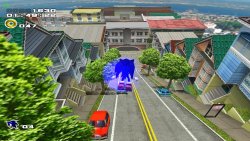
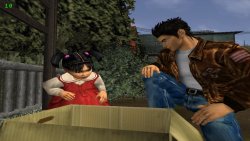
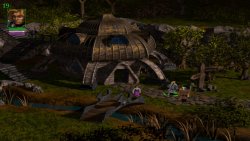
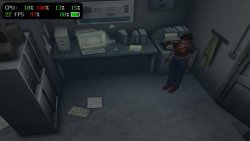
  • Flycast Vita is a port of Flycast (A popular opensource Dreamcast emulator) for the PlayStation Vita. Due to the nature of the console emulated by this emulator, it's not to be expected a perfect emulation on every available title. You can consult a Compatibility List from this link: https://www.rinnegatamante.eu/newflycast.
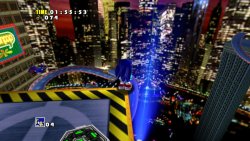
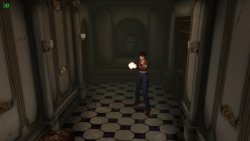
    Fa9CON2XkAARYM6.jpg Fa9CN4qXEAAzDUt.jpg

    Tweaks & Issues

    - The emulator seems to memleak (probably related to some issues clearing some cache during emulation) thus causing games to degrade in performances during long runs and eventually even crashing the emulator due to out of memory. We STRONGLY suggest to take savestates often in order to not lose progresses.

    - Due to the nature of CHD and CDI dumps (compressed), GDI dumps must be preferred for best performances.

    - It's recommended to use PAL dumps and to stick to TV Composite option for the Cable option. This will make games to run with 25 fps/50 fps as target (Like EU TVs at the time) instead of 30 fps/60 fps. Due to the lower fps target, games will run smoother with these settings.

    - The new kubridge requires enso. If you don't have it, install it. It also has been tested only on 3.60 and 3.65 fw.

    - Stick to as low amount of plugins as possible. kubridge requires a lot of memory to work as it should for Flycast which means having a lot of plugins can make it fail to allocate memory and thus causing a crash at boot of the emu.​

  • Suggested Options Setup
    On the compatibility list, you can find a perfect options setup for each game. A good starting options setup is the following:

    General

    -----------------------------
    Cable: TV Composite
    Broadcast: PAL
    Region: Europe
    Video
    -----------------------------

    Transparent Sorting: Per Strip
    Fast Sorting: Enabled
    Automatic Frame Skipping: Normal
    Shadows: Disabled
    Fog: Disabled
    Texture Filtering: Default
    Use Mipmaps: Enabled
    Use Simple Shaders: Enabled
    VSync: Disabled
    Native Depth Interpolation: Disabled
    Internal Resolution: 640x480 (Native)

    Audio
    ------------------------------

    Enable DSP: Disabled

    Advanced
    -------------------------------

    CPU Mode: Dynarec
    Idle Skip: Enabled
    Use Neon SIMD: Enabled
    Downclock Ratio: 1.500
    Self-Modifying Code Checks: Off
    Enable UPnP: Disabled
    HLE BIOS: Disabled
    Multi-threaded emulation: Enabled
    Fast GDRom Load: Enabled

    - If a game has issues during rendering try to change: Cable, Transparent Sorting, Shadows, Fog, Use Mipmaps, Use Simple Shaders, Native Depth Interpolation, Copy to VRAM, Use Neon SIMD options.

    - If a game crashes during gameplay, try to change: Self-Modifying Code Checks. (The more complete the checks, the lower the performances, so be sure to stick to Off when not required and to stick to Reduced when Full is not necessary).

    - If a game has issues with audio, try to change: Enable DSP. (Enabling DSP will lower performances, so be sure to disable it if not required)

    NOTE: In order for most of these settings changes to take effect, you'll need to restart the game.


  • Installation Process
    - Install kubridge and FdFix by copying kubridge.skprx and fd_fix.skprx to your taiHEN plugins folder (usually ux0:tai) and adding two entries to your config.txt under *KERNEL. [NOTE: You need to update kubridge if you had it already installed for previously released Android ports].

    - Install libshacccg.suprx, if you don't have it already, by running this homebrew.

    - Install Flycast.vpk using VitaShell.

    - (Optional but strongly recommended) Dump your own DC bios and place it inside ux0:data/flycast/data.

  • v1.1
    • Downstreamed to latest official Flycast commit. (BoxArts support has been disabled by default. It's recommended to enable it from emu.cfg solely if you have few roms cause, with a lot of roms, it will cause general instability in the emulator due to mem constraints).
    • Added Fast GDRom Load option. (Faster loading times in games but may cause issues in some games).
    v1.0.3
    • Replaced AutoPlugin2 warning with a check on kubridge versioning.
    • Added a check for kubridge existence.
    • Increased available memory for the emulator by 6 MBs.
    • Fixed an error causing a crash when attempting to boot unsupported platforms roms. Now it'll nicely error instead.
    • Added Fast Sorting option for Transparency Sorting for a faster but less precise sorting algorithm usage.
    • Updated to latest vitaGL commit.
    v1.0.2
    • Updated Livearea assets (Thanks to TheIronUniverse).
    • Added support for microphone.

    Changelogs can be seen >here<


  • Credits
    - gl33ntwine for sorting out the build system on the Vita.
    - flyinghead for creating Flycast and for giving insights on improving the port.
    - TheIronUniverse for the Livearea assets.
    - All my patroners for their awesome support:
    - @Sarkies_Proxy
    - Badmanwazzy37
    - Delon5
    - drd7of14
    - Freddy Parra
    - Heraldian Despot
    - Jacob Martinez
    - Joey
    - Mighty Sashiman
    - mmtechnodrone
    - Shin Megami
    - sputnik
    - The Vita3K project
    - Al Capwn
    - Andrew Timmerman
    - CatoTheYounger
    - Colin Steinmann
    - Count Duckula
    - Dean Stark
    - Dieter B.
    - Elgx3 13
    - Ian Stoffberg
    - Igor Kovacs Biscaia
    - Imran Akthar Syed
    - John Laschober
    - Marc Cané
    - Mored4u
    - mxadi25
    - Neil
    - Other Retro Matt
    - Pape Moussa SARR
    - polytoad
    - PSX-Place.com
    - rsn8887
    - Russ Crandall
    - steven powell
    - suLac4ever
    - tantaxa
    - The Libretro Team
    - Waffeleisen
    - Wiese
    - 2Mourty
    - Aaron Von
    - ADELL Hunter
    - Alfredo Gutierrez
    - Andyways
    - BOBdotEXE
    - BrainCheese87
    - bruno lima Lima
    - Cheerful Despair
    - Daniel Krusenbaum
    - Danny
    - David Stieben
    - Diego G.
    - Dr Yosef Lodgardes IV
    - drivenby
    - Elwood Blues
    - Enrique Romero
    - Error
    - Gonzalo Arévalo Ibarra
    - Gwijde Maegherman
    - Hòa Hiệp Bùi
    - The Jack!
    - James Guzman
    - Joe bringle
    - Jonathan Steen
    - Justin
    - Kyle Ring
    - LaFlex
    - Lucas Brugnaro Badur
    - Mark Brown
    - Martial B.
    - Matt Hargett
    - Michael Kristensen
    - gnmmarechal
    - Neil MacAlasdair
    - nowhereman87
    - Pedro Guizar
    - Pepelu1975
    - Pirloui
    - Simon Sawert
    - spriteice
    - Stefanos P.
    - Sternaid
    - Thomas Wurgler
    - wasabinator
    - Daniel Cassidy​


Last edited:
ErJZfp8XcAIBQkk.jpg ErJZf4sW8AA2B0g.jpg


  • flycast-vita

    flycast-vita is a port of flycast, popular multiplatform Dreamcast emulator maintained by flyinghead. It's based on the libretro core version of the emulator, uses RetroArch as frontend built in a custom bubble (due to the fact it requires multiple executables for the best compatibility. A build inside RetroArch buildbot will come in the future too however).


    What has been done so far:
    CPU
    • The current port does feature DynaRec for both main sh4 processor and arm7 processor (audio). Due to the lack of mmap/mprotect in vitasdk, currently MMU has been disabled thus causing slow code paths to be used in several instances inside the emu (eg: self modifying code checks and memory accesses).
    • To mitigate the lack of MMU, three executables are bundled inside this release:
    • Normal mode: Has self modifying code checks completely disabled (Best performances)
    • Self Modifying Code (Performance): Has self modifying code checks only for 4 bytes per code block (Small tradeoff for better compatibility)
    • Self Modifying Code (Accuracy): Has self modifying code checks for full code blocks (Best compatibility; this is the mode in which Flycast runs on other devices).
    • In order to improve framerate, an huge downlock has also been set on the sh4 processor. (Roughly running on Vita at 40% its original clock)

    GPU
    • flycast renderer has been rewrote to use vitaGL at its best performances. The lack of mmap/mprotect caused texture caching to not work properly. To get rid of this issue, a slow path for texture caching has been added too that will perform hash checks on VRAM memory blocks once every 120 frames and to mark as dirty the linked textures to VRAM blocks that changed their contents. This is slower than original flycast approach but allows for games to properly update textures correctly.

    What can be improved:
    • First off, if a working mmap/mprotect implementation will ever come in vitasdk, this will allow us to move to faster code paths in several places of the emulator, allowing us to have faster emulation in general.
    • The libretro core also received some updates that offload some calculations from CPU to GPU that are not yet ported in the Vita build. (Mostly related to paletted textures, which not so many games use).
    • There's also always room for optimization in the DynaRec as well as some stuffs may be made multithreaded in the future (eg. arm7 emulation).

  • Compatibility List:

  • How to install DC bios:

    • flycast does have an HLE bios which works decent enough in most cases however for best accuracy and compatibility, it's suggested to use a real Dreamcast bios with it. You can use your own dumped bios by placing it inside ux0:data/retroarch/system/dc named as dc_boot.bin and dc_nvmem.bin.
    • When launching a game, if you get the Dreamcast logo, it means the bios has been properly installed. If you get only the Sega logo, it means you're still using the HLE bios.


  • Credits:
    • flyinghead for the amazing emulator and for his constant help addressing key issues with the Vita port and suggesting enhancements to get better performances off the emulator
    • frangarcj for helping with fixes related to the RetroArch frontend
    • TheIronUniverse for the Livearea assets used in this release
    • All my Patroners for their awesome support:
    • Badmanwazzy37
    • Freddy Parra
    • Tain Sueiras
    • Colin VanBuren
    • Titi Clash
    • psymu
    • @Sarkies_Proxy
    • The Vita3K Project
    • drd7of14
    • Al Capwn
    • Charles Goodsell
    • Count Duckula
    • Igor Kovacs Biscaia
    • Joseph Campo
    • Mored4u
    • Rob G
    • Sandeep Rai
    • Tanguy Dip
    • The Libretro Team
    • Tomg
    • Waffeleisen
    • Wiese
    • camp coma
    • polytoad
    • rsn8887
    • suLac4ever
    • 2Mourty
    • BOBdotEXE
    • Daniel
    • Daniel Krusenbaum
    • Des
    • DiDoSvK
    • Dr Yosef Lodgardes IV
    • Elwood Blues
    • Ethan
    • GregoryRasputin
    • Jack Chiu
    • Jean_Monje
    • Jonathan Steen
    • Justin
    • Keeponjammin
    • LaFlex
    • Lars Zondervan
    • gnmmarechal
    • Marshall Westall
    • NeX
    • Neil MacAlasdair
    • PSX-Place.com
    • Pirloui
    • Roman Murashov
    • Thomas Radeck
    • Stefanos P.
    • Thomas Würgler
    • UnrootedTiara
    • Zendrick42
    • armandyno 85
    • frankyfife
    • mineer4
    • n
    • sanyok snk
    • spriteice
    • styroteqe

ErJZgDOW4AAKVSF.jpg ErJZfdnXMAACSXF.jpg
Links:
.NOTE: When installing the emulator, BE SURE to set gl1 as video driver in RetroArch frontend. Basically, first install the vpk, then launch it and set gl1 as video driver. Then close it from Close Retroarch option and then launch it again. You'll also need libshacccg.suprx to use this emulator. If you didn't already extract it, a comprehensive guide can be found here: https://samilops2.gitbook.io/vita-troubleshooting-guide/shader-compiler/extract-libshacccg.suprx
I also strongly recommend to disable V-Sync for best performances.

 
Last edited by a moderator:
CDI is not compressed.
CDI were used at the time to burn into CDs, just like ISO nowadays.
CDI was used because it was easier to create due to the Dreamcast Selfboot method.
What release teams did, however, were downsample videos, sometimes audio, converting from Stereo to Mono and similar stuff to reduce the games from the 1.4GB maximum to fit into 700MB or sometimes even 800MB CDs at the time.
"CDI files mostly belong to DiscJuggler by Padus. CDI stands for Compact Disk Image or CD Image"
So performance wise: using CDI or GDI, it's indifferent.
However, disk-size wise, it might be useful to sometimes use CDI over GDI, specially if the original GDI games had Dummy files. At the time, Dummy files like 00000000.000 or 000DUMMY.DAT were used to push the data of the disk to the outer edge, making it easier and faster for the Dreamcast to read the data. However, these dummy files are irrelevant on an emulator, and take useful space unnecessarily. So in the case where the games were small and didn't needed to be ripped, it's actually better to use CDI over GDI.
There's also a tool called RebuildGDI, that can be used to rip out those DUMMY files from the GDI files. Basically, it analises the GDI Data tracks, checks for dummy files, removes them, and recreates the GDI with only the necessary data. However, success is on a case-by-case game.
 
CDI is DiscJuggler disc image, uncompressed of course. I think autor just put brackets after CDI instead to after CHD. ;)

In addition, some English translations patches are made only for rips, so it is worth to add support for them too for that another reason.

BTW: CDI was in use back then because it supports multi-session discs (which MIL-CD was and on which DC hacks based of) and the fact that *.iso not support CDDA, while *.cdi yes. I was always wondering why not *.bin as this is support by far more applications and it is simple format while CDI is closed and needs Padus 32bit dll?
 
Dreamcast discs (GD-ROM) are single session. MIL-CD (CD-ROM/R) are multi-session. Actually *.bin/*.cue support multi-session, which more likely *.cue must support it because exactly there is info from where to look for tracks and sessions, but You have right, it was never official.
 
And Bythos of course, thanks to you too.

I played 30mns of Skies of Arcadia PAL, it's almost playable. But i'm at 15 fps during cut scenes, and the first boss too.

I put the basic settings of this topic, and I try also the few tricks of the compatibility list for the NTSC version, but it not did the job. :'(

I'll try to see if my bios is okay, if there is a only pal version or not.
 
Hello again,
I have a few questions.

How can I know if my bios is support by Flycast ? I mean, if it is functional ?
Because it seems to be strongly recommended. But for what exactly ? A better emulation ? Graphic ? Speed ?

Like the compatibility list said, I confim Fighting Force 2 PAL is perfect in game (no the intro).
So I think if Skies of Arcadia PAL is very laggy at some moments, it's sadly not my fault. I hope in the future it will be as perfect as FF 2 PAL.
I'll try again with other configuration, or at least, try the NTSC version to see the difference with the PAL one.

Again, thank you all for this, it's almost magic to see how good is this emulator. It's incredible to see that on that beautiful console so many years later.
 
Hello again,
I have a few questions.

How can I know if my bios is support by Flycast ? I mean, if it is functional ?
Because it seems to be strongly recommended. But for what exactly ? A better emulation ? Graphic ? Speed ?

Like the compatibility list said, I confim Fighting Force 2 PAL is perfect in game (no the intro).
So I think if Skies of Arcadia PAL is very laggy at some moments, it's sadly not my fault. I hope in the future it will be as perfect as FF 2 PAL.
I'll try again with other configuration, or at least, try the NTSC version to see the difference with the PAL one.

Again, thank you all for this, it's almost magic to see how good is this emulator. It's incredible to see that on that beautiful console so many years later.

If you have a real BIOS installed you can notice it if you get the Dreamcast logo animtion when you boot a game. If it jumps directly to Sega screen, HLE Bios is being used instead.
 
@Rinnegatamante, thank you for such a hard work!
For some reason I can't seem to load any of BIOS files. I have placed several of them with .bin extension in data/flycast/data folder, but I'm always getting an error which says there is no BIOS files found. What am I doing wrong here?
And the question still stands - does original bios has impact in games in terms of performance?
 
@Rinnegatamante, thank you for such a hard work!
For some reason I can't seem to load any of BIOS files. I have placed several of them with .bin extension in data/flycast/data folder, but I'm always getting an error which says there is no BIOS files found. What am I doing wrong here?
And the question still stands - does original bios has impact in games in terms of performance?

Maybe your BIOS is not okay, I have 3 files for each region of BIOS. PAL / NTSC-U / NTSC-J.
(dc_boot.bin / dc_flash.bin / dc_flash_wb.bin for each folders)
Of course, you can only put one of these at a time because files from PAL have same name as NTSC-U or J.

For the performance I don't know.

Hi !!!
I want to test it but where to put game file and wich format work with that ?

You can put folders of game where you want. I said folders because the good format of game is .GDI. One game in GDI = 3-4 files (.bin and .gdi)

(Send you PM)
 
Last edited:
Back
Top