
You are using an out of date browser. It may not display this or other websites correctly.
You should upgrade or use an alternative browser.
You should upgrade or use an alternative browser.
PS3 [RELEASE] Playstation Home 0.41 "GDC Demo 2007" Package for CFW/HEN/RPCS3
- Thread starter DeViL303
- Start date

That is cool alright.wow, thank you very much for update! 0.41 home is most played app in the few months.
Its so fun just trying various console comands!
BTW, with all this new furniture enabled, its worth noting that players can upload their USRDIR/HUBFURNITUREARRANGEMENT.DAT if they want to share different apartment setups with others, its all saved to that DAT rather than tied to savedata/users. Kind of cool. Also you can have a few of those and swap them if you want multiple set ups.

Kyan_dudl
Member
That is cool alright.
BTW, with all this new furniture enabled, its worth noting that players can upload their USRDIR/HUBFURNITUREARRANGEMENT.DAT if they want to share different apartment setups with others, its all saved to that DAT rather than tied to savedata/users. Kind of cool. Also you can have a few of those and swap them if you want multiple set ups.
Thank you the information. seems interesting! I'll try customizing

There are more things can do in the room!
I was trying media players. supported extensions are DDS and JPG for posters, mp3 for component, and BIK for TV that can be played, aren't they? however, looks music is not implemented.
Its going to be my heavy rotation app for a while yet.
Excellently thanks, DeVil!!
Last edited:
Yes that is correct. I think there is support for mpg video too as its referenced in the EBOOT, but I do not know the specific encoding settings it requires so currently just BIK is confirmed working.I was trying media players. supported extensions are DDS and JPG for posters, mp3 for component, and BIK for TV that can be played, aren't they? however, looks music is not implemented.
For some reason music is not working. I do not know why. Maybe some specific format of mp3 can work, I am not sure. More research needed there to see what can work.
Cool. Have fun!Its going to be my heavy rotation app for a while yet.
Excellently thanks, DeVil!!
Kyan_dudl
Member
I tested playing some mpeg movies on TV.
As a result, playback was possible. but they have problem.
My all videos give an error message before displaying media list.
In the details of error is displayed "Using formatted text and manually setting a font can cause unexpected results!", so that playing movies that have not been officially finalized may not be considered.
Still, press to ignore error message, can be display the media list. and select the mpeg movie playback itself was possible.
If video codec matches, seems to be no problem displaying the video.
but they are no sound played. I don't know if this wrong audio codec or players specifications.
This is my guess, although sound is not output, but possibility that software is playing.
Also, TV seems that built in software called "SCEA movie player" is used, this player does not correctly recognize as if mpeg movie title contains lowercase letters.
even If playable mpeg, will freeze with different error message if mix lowercase letters in either extension or title.
Besides, if be large size mpeg video that named correct title w/ extension in the MEDIA folder, freeze when select the TV before get error message.
another case videos above certain resolution, thumbnail in media list correctly show moving preview, but will freeze when selected.
case of mpeg movie whose codec dose not match, can select thumbnail but they have a lot of noise or in the worse case will be freeze.
Currently, seems only BIK movies may play properly and stably on TV in the room.
As side note, if change extension of unsupported movies to BIK, it will be replaced w/ dedicated image.
it somehow remind me of a color test pattern on analog TV broadcasting
As a result, playback was possible. but they have problem.
My all videos give an error message before displaying media list.
In the details of error is displayed "Using formatted text and manually setting a font can cause unexpected results!", so that playing movies that have not been officially finalized may not be considered.
Still, press to
ignore error message, can be display the media list. and select the mpeg movie playback itself was possible.If video codec matches, seems to be no problem displaying the video.
but they are no sound played. I don't know if this wrong audio codec or players specifications.
This is my guess, although sound is not output, but possibility that software is playing.
Also, TV seems that built in software called "SCEA movie player" is used, this player does not correctly recognize as if mpeg movie title contains lowercase letters.
even If playable mpeg, will freeze with different error message if mix lowercase letters in either extension or title.
Besides, if be large size mpeg video that named correct title w/ extension in the MEDIA folder, freeze when select the TV before get error message.
another case videos above certain resolution, thumbnail in media list correctly show moving preview, but will freeze when selected.
case of mpeg movie whose codec dose not match, can select thumbnail but they have a lot of noise or in the worse case will be freeze.
Currently, seems only BIK movies may play properly and stably on TV in the room.
As side note, if change extension of unsupported movies to BIK, it will be replaced w/ dedicated image.
it somehow remind me of a color test pattern on analog TV broadcasting
Last edited:

Pongo86
Forum Noob
Release version was such a downgrade, even by v0.9x it was a different game.
0.41 vs 1.86
View attachment 38797View attachment 38798
0.41
View attachment 38800
1.86
View attachment 38799
The reason it looks bad, is because I never finished porting it fully to 1.86.
I recall the skybox was deleted and a generic placeholder .probe file was used. People wanted me to release it in it's unfinished state, so I did, assuming someone else would finish it some day, as by that point I'd moved on to Home 2 development.
The 0.41 build (as far as I'm aware) is the GDC build, missing a number of bits that were hosted on a local server. The full package included presentation files and the script for GDC '07 (which I no longer have).
Though there's a ton of work remaining, I've rebuilt a 1:1 replica of the "Hall of Fame" aka "The Trophy Room". I've also been rebuilding the original SCEA Home Square, but these projects don't get worked on that much and are done in my spare time.
Nice work on getting that build working properly and accessible for people who'd like to look into Home's history.
Oh ok. That's interesting. Thanks for the information.The reason it looks bad, is because I never finished porting it fully to 1.86.
I recall the skybox was deleted and a generic placeholder .probe file was used. People wanted me to release it in it's unfinished state, so I did, assuming someone else would finish it some day, as by that point I'd moved on to Home 2 development.
The 0.41 build (as far as I'm aware) is the GDC build, missing a number of bits that were hosted on a local server. The full package included presentation files and the script for GDC '07 (which I no longer have).
Though there's a ton of work remaining, I've rebuilt a 1:1 replica of the "Hall of Fame" aka "The Trophy Room". I've also been rebuilding the original SCEA Home Square, but these projects don't get worked on that much and are done in my spare time.
Nice work on getting that build working properly and accessible for people who'd like to look into Home's history.
I do really like 0.41 though, We will have it online soon enough too. Open source server infra for all versions coming soon too.
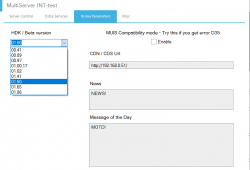
The reason I think its a different build is it seems some of the clothing and furniture placement GUI elements are a little different looking. I think it is very close though, and maybe like you say it was just loading some stuff from the server.
Check out my latest 0.41 build if you get a chance sometime, I fixed a good bit of stuff. I still dont have the Worldmap going unfortunately.

Updated Build:
Download Playstation Home 0.4.1 Build 303.050
- All scenes now fully mapped and running from USRDIR
- Lots of extra furniture enabled
- Sony Bravia TV Appliances Enabled
- Now the posters used in the cinema can be used in picture frames too.
- Comes with some default furniture set up
- Sitting enabled for 1 couch
- Loads of new picture hooks added
- Virtual PSP bug that could cause a freeze has been fixed
Note: There is a bug with the Bravia TVs where it wont play the video the second time you use it, if you remove the TV in furniture placement settings and place it again then it will be fixed for that session.
Currently the radios are not working, no audio comes out when you choose a track, but I have left them enabled as they still look cool. Put some MP3 files into USRDIR/MEDIA if you want to try get them working, maybe it needs a specific MP3 configuration?
View attachment 40207
View attachment 40208
View attachment 40209
@DeViL303 Now that you have found and discovered a lot more, do you know if the Bravia TV or the radio can be fixed?
Amazing news, we at Home Lab, using Multiserver 3 have this GDC build online.
Now its not perfect yet, but if anyone want to test it out here is a pkg that links up to my own VPS server.
You do not need to change DNS with this build. Just install and play.
DOWNLOAD: Playstation_Home_v0.4.1_GDC_DEMO_Build_ONLINE_303.220.pkg
Current known issues:
Also we discovered that you can open the debug menu by pressing L1+L2+L3 at the same, this means a keyboard is no longer needed to use the debug camera. (Credits to Brenden for this discovery)
Now its not perfect yet, but if anyone want to test it out here is a pkg that links up to my own VPS server.
You do not need to change DNS with this build. Just install and play.
DOWNLOAD: Playstation_Home_v0.4.1_GDC_DEMO_Build_ONLINE_303.220.pkg
Current known issues:
- Unstable on RPCS3 due to some NAT issue with the emulator. PS3 recommended.
- Goto and invites are not working - so you can only meet people in public spaces. [Should be fixed now]
- There is an instancing bug we are working on where you can sometimes see people in other scenes. [Should be fixed now]
Also we discovered that you can open the debug menu by pressing L1+L2+L3 at the same, this means a keyboard is no longer needed to use the debug camera. (Credits to Brenden for this discovery)
Last edited:
I am not sure tbh, but I will look at them again now. Also want to try restore the world map.@DeViL303 Now that you have found and discovered a lot more, do you know if the Bravia TV or the radio can be fixed?
Similar threads
-
 PS3 PlayStation Home Revival Events @ Home Laboratory
- Started by DeViL303
- Replies: 2
-
PS3 PlayStation Home Revived and Enhanced by Home Laboratory!
- Started by DeViL303
- Replies: 32
-
 PS3 PlayStation Home v0.41 (GDC Demo 2007) playable on HEN & CFW from DeViL303
- Started by STLcardsWS
- Replies: 2
-