
What was you changing though, I forget, was it the icons.mnu ?
Yes, if you want, i can send them.


What was you changing though, I forget, was it the icons.mnu ?

Thanks that would be great, I want to add them to the Visual Customization menu in the toolbox if they suit.Yes, if you want, i can send them.

Those don't seem to be working here. Every one seems to just show normal icons. Am I meant to do something else too?Here you are
You are right, I will consider that, My thinking is that a few hundred MB is not much in 2021 but I get your point. All the visual customizations could be included in an extra download for starters..@DeViL303 Some new ideas:
1- Due the large size of the PKG, for future releases you should consider to restructure the tool in a base PKG + modular addons (so the users only install the modules needed)
That would be cool to have alright and I have considered it, but it would make the toolbox firmware dependent. Also I would be afraid a user would install the wrong payload and brick. On NOR consoles you can recover this kind of brick by formatting the HDD, On NAND consoles this is a full brick afaik so its kind of dangerous. Or is there a way to avoid this issue?2- For Firmware category:
- Add option for swap Cobra 8.3 normal / debug (the one used with socat)
Will do. Good idea.- Add option for PS2 Netemu selector => https://store.brewology.com/ahomebrew.php?brewid=315
I will look into this for sure and do some testing. My initial plan was to avoid including sprx files as much as possible as this has caused me issues in the past, Cobra hashes etc.- Maybe an option for install some debug files (if possible). Something like was done in CFW 487 Pro.
Maybe yes, I will look into it, but again my thinking is that few hundred MB is not going to be missed in 2021. Users can use the File Explorer to delete files too.3- Option for delete category files from disk (some files once they are installed, the others are not longer needed)
Yes that would make the firmware dependent. This tool already modifies files in /dev_flash, so IMO currently it's already risky for NAND consoles.That would be cool to have alright and I have considered it, but it would make the toolbox firmware dependent. Also I would be afraid a user would install the wrong payload and brick. On NOR consoles you can recover this kind of brick by formatting the HDD, On NAND consoles this is a full brick afaik so its kind of dangerous. Or is there a way to avoid this issue?
I will look into this for sure and do some testing. My initial plan was to avoid including sprx files as much as possible as this has caused me issues in the past, Cobra hashes etc.
Maybe yes, I will look into it, but again my thinking is that few hundred MB is not going to be missed in 2021. Users can use the File Explorer to delete files too.
IIRC Andrews Sebes added an option to install files for specific firmware versions in XMBM+ Installer.This issue is that loading the wrong Cobra payload is an instant brick with no recovery menu. All the other files this swaps on flash will not affect the recovery menu on NANDs even if they only partially copy or become corrupted, Cobra payloads are a whole different level of risk.
True, that is an option. Just trying to think of every scenario, for example a user updates the FW after downloading the addon etc.
I figured out the patches myself. Your icons.qrc files do not seem to work here for some reason, no idea why. But If I patch my own they work.Yes, if you want, i can send them.
I figured out the patches myself. Your icons.qrc files do not seem to work here for some reason, no idea why. But If I patch my own they work.

Nice, that's strange
Here all of them are working lol
















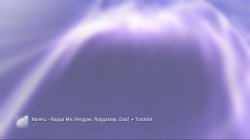





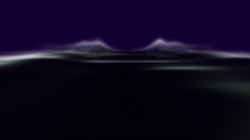
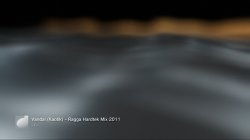

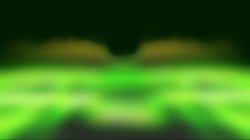











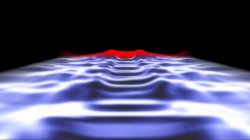




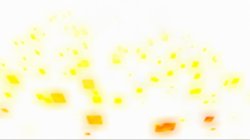


















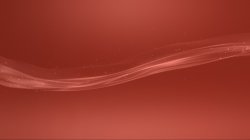








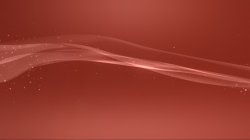

New Ultimate Toolbox feature allows you to force any of the 18 lines.qrc presets (overrides) to be used either always, or just in the music player.
On most presets this allows you to get around that annoying color change from boot time to XMB loaded.
Yes, there are a few ways.Is it possible to use a custom line.qrc for XMB as music player visualization?
Yes, there are a few ways.
The way I am doing it here is by using modified qrcs. Each of the 38 options in this new menu installs a special version of the OFFICIAL wave with modified presets to force each official preset in all environments. .
To do what you are saying, to have a CUSTOM wave that has a different preset used for the music player you would need to either create a custom qrc with a modified music_1 preset. OR patch custom_render_plugin.sprx to use a different preset for the music player.
Patching the sprx is the easiest way, this allows you to swap lines.qrc and still have your patch applied, I went with the hard way for my mod so it would remain FW independent. The hard way involved making 38 lines.qrcs with 72 modified mnus in each qrc (over 2700 mnus)
If you just want as specific wave style to be used for the music player for yourself I could make you one or patch the sprx for you. Just let me know which lines.qrc or which override you would like.
Here is that one, forced to show the same effect on all presets. So you will no longer get that annoying change from coldboot screen to XMB. It will just show the "fire" effect all the time, including in the music player. If you want something changing let me know.I like the 5th one in orange-black that looks fire.
View attachment 30143
Here is that one, forced to show the same effect on all presets. So you will no longer get that annoying change from coldboot screen to XMB. It will just show the "fire" effect all the time, including in the music player. If you want something changing let me know.
Even if you use font 72px, red, blinking, with a sound alert and a poison image the users won't read and will install it anyway...Yeah, To help mitigate the risk of user error I could add extra warnings in all caps, and double up on the confirmation dialogues so you need to confirm twice after choosing the swap payload option with emphasis put on the fact it can be a hard brick on NANDS.


