
- Forums
- PlayStation 3 (PS3)
- PS3 Homebrew
- PS3 Homebrew Apps / Plugins / Emulators
- Emulators for PS3
- RetroArch
You are using an out of date browser. It may not display this or other websites correctly.
You should upgrade or use an alternative browser.
You should upgrade or use an alternative browser.
PS3 RetroArch Corner (cores for free)
- Thread starter Crystal
- Start date


STLcardsWS
Administrator
Fixed by you or was an issue they had fixed?There isn't any more.

JediKnight007
Member
@JediKnight007 is very used to retroarch too (and i guess shaders), or well, any other that could help...
I'll see what I can do, but my Internet access is about to get near non-existent...

jsantos1980
Member
Hi.Only retroarch cores... so if will be developed a working PS2 core on PS3 (very unlikely)..... yes.
Is there any way to run PCSX2 on PS3 ( with Retroarch installed ), improving PS2 backwards compatibility ? Or default emulator on PS3 is by now, the only way to play PS2 games on non BC PS3? I mention this because PCSX2 is able to change internal resolution of PS2 games ( at least on PC), overcoming the PS2 native resolution.

Crystal
Developer
I think NoHi.
Is there any way to run PCSX2 on PS3 ( with Retroarch installed ), improving PS2 backwards compatibility ? Or default emulator on PS3 is by now, the only way to play PS2 games on non BC PS3? I mention this because PCSX2 is able to change internal resolution of PS2 games ( at least on PC), overcoming the PS2 native resolution.
jsantos1980
Member
Thanks.I think No
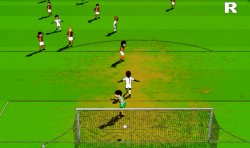
It's sad, but i was wondering if I could get something close to attached image when running PS2 games on PS3. I can play PS2 games
in my jailbroken PS3 ( CECH 2004 A ) but with a little blurry effect. To avoid this, i use a Comics style shader on PC ( PCSX2 but first releases ) and it works fine.
The PS2 emulator (inside PS3) has something alike to improve game resolution or PS2 native resolution is
the standard and it's not possible to go further ?
Regards
Attachments

sandungas
Developer
The official PS2 emulator that comes integrated inside the PS3 firmware is going to have a much better performance than a custom PS2 emulator runing under retroarch, i dont think any developer is going to try it because it looks like the kind of batttle where there are 99% probabilities of not being able to beat the performance of the rival... is better to dedicate the efforts to other things (like dynarec, cof cof)
Same rule probably applyes to the PSP and PS1 official emulators, the only difference is this ones are not so demanding, so maybe there is some room for improvements. But with PS2 no way... just think in the fact that the emulator is made by sony, it emulates a console made by sony, it runs in a console made by sony, and some games are in the performance limit of the PS3 hardware
Trying to beat them would be like when a far-familiar goes to your home and starts explaining you how the things works... like "the best way to cut the cheese is like this, i have a friend expert in cheeses" and "let me configure your TV because you dont know" or "this PC is no-good i have a friend that can sell you one that blablabla"
Edit:
I bet there is some room for performance improvements in the official PS2 emulator, but only posible to achieve by having the source code... this way we could start by doing a "cleanup" of the code, and who knows what more... rewriting functions to make them more efficient, or disabling other features, etc...
Same rule probably applyes to the PSP and PS1 official emulators, the only difference is this ones are not so demanding, so maybe there is some room for improvements. But with PS2 no way... just think in the fact that the emulator is made by sony, it emulates a console made by sony, it runs in a console made by sony, and some games are in the performance limit of the PS3 hardware
Trying to beat them would be like when a far-familiar goes to your home and starts explaining you how the things works... like "the best way to cut the cheese is like this, i have a friend expert in cheeses" and "let me configure your TV because you dont know" or "this PC is no-good i have a friend that can sell you one that blablabla"
Edit:
I bet there is some room for performance improvements in the official PS2 emulator, but only posible to achieve by having the source code... this way we could start by doing a "cleanup" of the code, and who knows what more... rewriting functions to make them more efficient, or disabling other features, etc...
Last edited:
I downloaded your newest retroarch for my ps3 and cps3 roms still crash or get an error aas the original retroarch. do you have a bios for this?Download last Retroarch stable from xbins.org: link (v1.9.0 - August 2020 old and SDK Sony version)
Update or add manually cores:
FBNeo core: Link
Atari800 core: Link (put atari800_libretro.info inside info folder)
BlueMSX core: Link (put bluemsx_libretro.info inside info folder)
PUAE core: Link (put puae_libretro.info inside info folder)
DosBox-SVN core: Link (put dosbox_libretro.info inside info folder)
Vice64 core: Link (put vice_x64_libretro.info inside info folder)
Fuse core: Link
Mednafen PCE core: Link (put mednafen_pce_libretro.info inside info folder)
Hatari core: Link (put hatari_libretro.info inside info folder)
Cannonball core: Link [Update - Multipass shaders OK]
mGBA core: Link (put mgba_libretro.info inside info folder) [Update - Downgrade to 0.8.1 last one working on real PS3 hardware]
(mgba: if you have ps3 pad problems then Load Core -> Nintendo - Game Boy Advance (mGBA) -> Settings ->Input -> Port 1 Controls -> Device Type -> RetroPad and after ->Save Controller Profile)
Gearboy core: Link [Update - Multipass shaders OK]
Snes9x core: Link [Update - Multipass shaders OK]
A good idea is update EBOOT.BIN Link [Updated with 3.55 keys]
If this is your first time using one of those cores, I strongly recommend that you study how they work on your PC.
FAQ for Dummies:
1) Does XXXX core need firmware inside system folder?
afirmware0_path = "5200.rom"
- Open xxxxx._libretro.info with a texteditor. Look for firmware_count, firmwareN_desc, firmwareN_path, firmwareN_opt... ect ect.
firmwareN_opt = "false" mean YES... it needs that firmware.
For example atari800 need only one bios/firmware file:
- firmware_count = 1
- firmware0_desc = "5200.rom (5200 BIOS)"
SHADERS!!!
- firmware0_opt = "false"
Tested all shaders and added more.... remove your old shaders folder (or ignore it) and put that one attached here!!
Work in progress.......
Hi, I'm trying to run some mame 2003 games that doesn't work using the mame 2003 core I have, but I can manage to run them in other devices (pc, psp ...) So I'm wondering where I can find the most updated mame 2003 core to try again (If it exist a most updated version) It's hard for me to beliebe that psp can run all the mame games but not the ps3!
Btw, the games are "Golden Axe revenge of the death adder" and "Metamorphic Force" just in case someone want to give a shot!
Thanks.
Btw, the games are "Golden Axe revenge of the death adder" and "Metamorphic Force" just in case someone want to give a shot!
Thanks.
Crystal
Developer
Golden Axe revenge of the death adder is a Sega32 system and that system is not working on mame 2003 plus for PS3 cause its driver works only in Little Endian Machines. You can play it on mame 0.125 for PS3.
You can play Metamorphic Force on FBNeo RL plus for PS3.
FBNeo RL Plus contains Mame 0.125 core, too. So you can play both on it.
You can play Metamorphic Force on FBNeo RL plus for PS3.
FBNeo RL Plus contains Mame 0.125 core, too. So you can play both on it.
Thank you very much! I'm going to try it later and I'll report about it : )Golden Axe revenge of the death adder is a Sega32 system and that system is not working on mame 2003 plus for PS3 cause its driver works only in Little Endian Machines. You can play it on mame 0.125 for PS3.
You can play Metamorphic Force on FBNeo RL plus for PS3.
FBNeo RL Plus contains Mame 0.125 core, too. So you can play both on it.
Ok, so I've downloaded and installed FBNeo RL Plus v2.20 but I'm still unable to run those games.
Golden axe seems to load and shows a "loading" bar, when it completes after 2 seconds, the game reset and goes back to the emulator rom list.
Metamorphic Force keeps freezing the ps3 and I have to use the power off button.
Not sure if it's something about my ps3, I'm using cfw Cobra Ferrox 4.87 and the roms are stored in usb_000.
Any ideas about what coul be the issue?
Golden axe seems to load and shows a "loading" bar, when it completes after 2 seconds, the game reset and goes back to the emulator rom list.
Metamorphic Force keeps freezing the ps3 and I have to use the power off button.
Not sure if it's something about my ps3, I'm using cfw Cobra Ferrox 4.87 and the roms are stored in usb_000.
Any ideas about what coul be the issue?
Crystal
Developer
Ok, so I've downloaded and installed FBNeo RL Plus v2.20 but I'm still unable to run those games.
Golden axe seems to load and shows a "loading" bar, when it completes after 2 seconds, the game reset and goes back to the emulator rom list.
Metamorphic Force keeps freezing the ps3 and I have to use the power off button.
Not sure if it's something about my ps3, I'm using cfw Cobra Ferrox 4.87 and the roms are stored in usb_000.
Any ideas about what coul be the issue?
To test FBNeo RL Plus just start Alien Arena, the freeware game included inside the package.
To use mame 0.125 core inside FBNeo RL Plus, you have to put mame 0.125 roms inside a foilder named MAME125 and then make again a rom scan.
Look correct files and crc32 of ga2.zip:
it's the working romset for ga2 for mame 0.125
(search mame 0.125 inside Archive.org).
About Metamorphic Force, that can be ran with fbneo core, just need a recent rom set and put it where you want, no name folder restraints.
Attachments
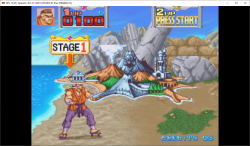
To test FBNeo RL Plus just start Alien Arena, the freeware game included inside the package.
To use mame 0.125 core inside FBNeo RL Plus, you have to put mame 0.125 roms inside a foilder named MAME125 and then make again a rom scan.
Look correct files and crc32 of ga2.zip:
View attachment 32592
it's the working romset for ga2 for mame 0.125
(search mame 0.125 inside Archive.org).
View attachment 32591
About Metamorphic Force, that can be ran with fbneo core, just need a recent rom set and put it where you want, no name folder restraints.
Ok! So i've followed your advice and setup mame 0.125 romset, now both games are working finally!
However, golden axe runs very slow and laggy (game and sound), it's not easy to play it like this, is there anything I can do to solve this ?
Btw, thank you very much for you help Crystal! : )
Crystal
Developer
Ok! So i've followed your advice and setup mame 0.125 romset, now both games are working finally!
However, golden axe runs very slow and laggy (game and sound), it's not easy to play it like this, is there anything I can do to solve this ?
Btw, thank you very much for you help Crystal! : )
Sega system32 is a heavy system to be emulated....
Crystal
Developer
I just compiled your RSXGL sources, libs and samples was builded but testing PKG of samples doesn't produce something of working.A few months ago I attempted to port rsxgl to retroarch. I did manage to get the xmb menu running however that's pretty much the extent of it. Cores seem to crash upon loading due to rsxgl not supporting context restart. There might be a way around that by loading the core directly however I haven't had much success with it.
You can find my source here for it.
https://github.com/OsirizX/RetroArch/tree/ps3_rsxgl
It does utilize an older version of rsxgl as it seems there was a major code refactor by gzorin that somehow broke uniform locations.
The version that is compatible with this build is located here.
https://github.com/OsirizX/RSXGL/tree/r1
Please note that menu icons are not working and there are some graphical glitches while using the menu. The xmb ribbon is rendered quite nicely however.
Overall rsxgl is nice but I believe it should just be used as a reference for future development of ps3 GL support.
On PS3 that sample back to XMB and on RPCS3 i got:
Code:
E SYS: 'sys_mmapper_unmap_shared_memory' failed with 0x80010002 : CELL_EINVAL, 00 [1]Attachments

OsirisX
Developer
@Crystal
From what I recall, I had to use an older version of PSL1GHT to get them working. I used this commit in particular for my rsxgl builds.
https://github.com/ps3dev/PSL1GHT/tree/862c7eb81eb4b38e9147b3a99b881271e08940c8
I can't say for certain that will fix the issue however. I'll take a closer look later if that doesn't work for you.
From what I recall, I had to use an older version of PSL1GHT to get them working. I used this commit in particular for my rsxgl builds.
https://github.com/ps3dev/PSL1GHT/tree/862c7eb81eb4b38e9147b3a99b881271e08940c8
I can't say for certain that will fix the issue however. I'll take a closer look later if that doesn't work for you.
Similar threads
-
 Retro Install Batocera on USB and create your retro console.
- Started by gamerman 5000
- Replies: 0
-
 PS5 [PS2 on PS5 / PS4] RetroArch PS2 (via Mast1c0re hack) - Includes 10 Libretro Retro Core's playable
- Started by STLcardsWS
- Replies: 8
-

-
 PS3 Zombies External Universal Settings Mod Centre for Operations and Resource Execution Version ZPS3v01
- Started by imkira3
- Replies: 4