RetroArch (PS3)

PS3 RetroArch (PS3) - Guide (2018 - WIP) __

Yeah, totally agree on release with only verified working cores.
Also which core should be used for what games (we can make a list (if needed) - at least for popular games)... for arcade we have 4 options (MAME2000, MAME2003, FBAlpha, FBAlpha2012), for NES & SNES we also have multiple emulators... so what is the best core to use (should we change core for some games, which ones)?
 
Last edited:
I see overlays work and look really good!
Is there a way to save overlay configs, so when the game loads their already enabled?
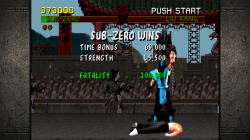
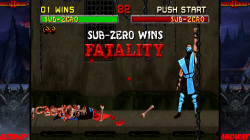
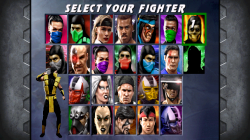
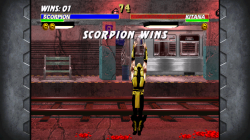
I have my own mortal kombat arcade kollection going on here..

RetroArch PS3_1mk.pngRetroArch PS3mk.png
RetroArch PS3_5.pngRetroArch PS3_6.png
RetroArch PS3_2.pngRetroArch PS3_3.png
 
I see overlays work and look really good!
Is there a way to save overlay configs, so when the game loads their already enabled?
I have my own mortal kombat arcade kollection going on here..

View attachment 11876View attachment 11877
View attachment 11872View attachment 11873
View attachment 11874View attachment 11875

If you go into Options on the Quick Menu (when game is loaded) i believe you can save config per game.
So i would assume it would save your Overlay that is currently loaded.
I have no tested myself yet.

Please share any overlays or additional stuff (that goes to everyone ):)
 
I tried that. I also tried saving retroarch.cfg save current / save new configurations as well.
It remembers the overlay cfg for each game it just doesnt have overlays turned on..
You have to go to overlays and turn them on each time you load a game.
It's not a huge hurdle to do that but for convenience, it would be nice if it just pre-loaded it turned on.

As for the bezels. I downloaded a big 573mb pack a while back. I'm not sure where I got it to give credits though.
Also there's no cfg's for them, you would have to manually create each ini and then rename the extension cfg.

So if you want I'll upload the pack or give you my MK ones with cfg's.. Whatever one works for you.
 
Last edited:
So if you want I'll upload the pack or give you my MK ones with cfg's.. Whatever one works for you.

Which ever you prefer, i think it will be good to gather some sort of collection for the PS3.

I tried that. I also tried saving retroarch.cfg save current / save new configurations as well.
It remembers the overlay cfg for each game it just doesnt have overlays turned on..
You have to go to overlays and turn them on each time you load a game.
It's not a huge hurdle to do that but for convenience, it would be nice if it just pre-loaded it turned on.
.
Seems like they should save, as Overlays are used for controls on the touchscreen devices so i doubt they would have to go in every time to activate overlays. I am assuming this may be a bug..
 
i posted a few screens a few post back but here is a video from libretro.

(Note : This is not PS3 Footage and No the PS3 can't play some of the systems shown :( )

The feature is added in the latest PS3 nighties
 
A new release with fully working and updated cores seems to be necessary, possibly with only cores set like 'green' from list, once the various tests are finished. :)
Keep in mind that list is not 100% at the moment.

I got away from testing each core. Since there was so much missing info.

Some worked as you know it was just getting the process down as @JediKnight007 did on several cores.
 
Dont you know of any Mod Menu of Call of duty black oks 2 pkg. OFW HAN Tool ps3
Your question is completly offtopic in this thread, before posting a questions in the forum try to find a thread where your question matches with what people s talking about, or create your own thread
 
Still doing a few things with but did let it go for the past couple of weeks due to time, but recently added some details for FBA
The emulated arcade boards and if you click most of the board names should take you to additional info and gamelist of that hardware.

Emulated Arcade Systems:
 
Does anyone know where you can get access to the Retroarch Neon Blue Dynamic Theme? On youtube the link doesn't exist anymore
 
@STLcardsWS I love how far this guide has progressed. You are doing an amazing job. I'm sorry I haven't been around to help you anymore but real life always seems to get in my way. lol. Anyway, I started messing around with Retroarch again and I came across an issue that maybe you can test and if you get the same results then you can add it to the issues list of your guide.

Retroarch seems to crash when I am scrolling through my games if I have anything other than covers showing. For example, my NES box art is displaying while I scroll through my NES list and I have no issues. I change that to screen shot or title screen and when I start scrolling through my games, Retroarch just freezes. If I scroll through very slowly, it tends to not freeze as fast but it still eventually freezes.

Second thing I have been messing with is Webman Mod for launching my retro games through Retroarch (Great guide by the way). Now I have a very large game list which isn't too much of an issue inside Retroarch because once I find and play a game it is then put in my recent list making it easy to find. However, in Webman, it tries to list every single game all at once and takes a long time to load or it freezes on me. And when the list does eventually load, it takes forever to scroll through everything just to find the one game I want to play. Is there a way for me choose which games I want Webman to display?
 
@STLcardsWS I love how far this guide has progressed. You are doing an amazing job. I'm sorry I haven't been around to help you anymore but real life always seems to get in my way. lol. Anyway, I started messing around with Retroarch again and I came across an issue that maybe you can test and if you get the same results then you can add it to the issues list of your guide.

Retroarch seems to crash when I am scrolling through my games if I have anything other than covers showing. For example, my NES box art is displaying while I scroll through my NES list and I have no issues. I change that to screen shot or title screen and when I start scrolling through my games, Retroarch just freezes. If I scroll through very slowly, it tends to not freeze as fast but it still eventually freezes.

Second thing I have been messing with is Webman Mod for launching my retro games through Retroarch (Great guide by the way). Now I have a very large game list which isn't too much of an issue inside Retroarch because once I find and play a game it is then put in my recent list making it easy to find. However, in Webman, it tries to list every single game all at once and takes a long time to load or it freezes on me. And when the list does eventually load, it takes forever to scroll through everything just to find the one game I want to play. Is there a way for me choose which games I want Webman to display?

Guide has been idle for about a month or so. Have many logs in the fire lol.

In midst of updating/re-doing our console hack pages that are linked at bottom of the site's footer.
PS3 is most progressed of those >>>>> http://www.psx-place.com/threads/hacking-the-ps3.10718/

Yea myself as well has an issue with time. not near enough time for me to do all things i want to do, but when time allows i do a bit here and there,

In webMAN MOD that is normal behavior as it not design to handle massive roms list. Just not enough memory in the plugin. The feature in webMAN MOD is only for favorites and not complete romsets (or large collections). You can choose the games you want to display by adding just those in the folder's for those cores (path locations in the webMAN MOD portion of the guide)

I have not messed with RetroArch in a bit, but i have seen those issues in various builds in the past.
Where scrolling speed will affect the console.. I have seen the issue come and go various times from various builds.
 
Just wanted to throw out a little tip that I've been doing. You can download thumbnails directly to your computer from http://thumbnailpacks.libretro.com and FTP them over to your PS3 after. I've been trying to set up retroarch on my PS3 again and trying to download the thumbnails through retroarch doesnt always work and seems to take forever when it does. I used to download the thumbnails through retroarch on my computer and then transfer them from my computer retroarch folder to my PS3 retroarch folder. But I've found that just downloading the zip yourself from the site above works the best.
 
RetroArch (PS3 Cores) by version
This Color = New cores since previous update
This Color = Cores that have been re-added.

This Color = Not working / does not work well / needs additional testing

v0.9.7
v0.9.8
v0.9.9
v1.0.0.2
  1. fb_alpha
  2. fceumm
  3. gambatte
  4. genesis_plus_gx
  5. mednafen_pce_fast
  6. mednafen_wswan
  7. prboom
  8. snes9x_next
  9. vba_next
  10. .
  11. ..
  12. .
  13. .
  14. .
  15. .
  16. .
  17. .
  1. fb_alpha
  2. fceumm
  3. gambatte
  4. genesis_plus_gx
  5. mednafen_pce_fast
  6. mednafen-ngp
  7. mednafen_vb
  8. mednafen_wswan
  9. nestopia
  10. prboom
  11. snes9x_next
  12. vba_next
  13. .
  14. .
  15. .
  16. .
  17. .
  1. fb_alpha
  2. fceumm
  3. gambatte
  4. genesis_plus_gx
  5. mednafen_pce_fast
  6. mednafen-ngp
  7. mednafen_vb
  8. mednafen_wswan
  9. nestopia
  10. nxengine
  11. prboom
  12. quicknes
  13. snes9x_next
  14. tyrquake
  15. vba_next
  16. .
  17. .
  1. fb_alpha
  2. fceumm
  3. gambatte
  4. genesis_plus_gx
  5. mame0.78 (2003)
  6. mednafen_pce_fast
  7. mednafen-ngp
  8. mednafen_vb
  9. mednafen_wswan
  10. nestopia
  11. nxengine
  12. prboom
  13. quicknes
  14. snes9x_next
  15. stella
  16. tyrquake
  17. vba_next
v1.3
v1.3.6
v1.6.0
v1.6.3
v1.7.2
v1.7.3
v1.7.4
  1. 2048
  2. fb_alpha
  3. fceumm
  4. gambatte
  5. genesis_plus_gx
  6. gw
  7. handy_libretro
  8. mame0.78 (2003)
  9. mednafen_pce_fast
  10. mednafen_lynx
  11. mednafen_pcfx
  12. mednafen-ngp
  13. mednafen_vb
  14. mednafen_wswan
  15. nestopia
  16. nxengine
  17. prboom
  18. prosystem
  19. quicknes
  20. snes9x_next
  21. stella
  22. tyrquake
  23. vba_next
  24. vecx
  25. .
  26. .
  27. .
  28. .
  29. .
  30. .
  31. .
  32. .
  33. .
  1. fb_alpha
  2. fceumm
  3. gambatte
  4. genesis_plus_gx
  5. gw
  6. handy_libretro
  7. mame0.78 (2003)
  8. mednafen_pce_fast
  9. mednafen_supergrax
  10. mednafen_lynx
  11. mednafen_pcfx
  12. mednafen_vb
  13. mednafen_wswan
  14. nestopia
  15. nxengine
  16. o2em
  17. prboom
  18. prosystem
  19. quicknes
  20. snes9x_next
  21. stella
  22. tyrquake
  23. vba_next
  24. vecx
  25. virtualjaguar
  26. .
  27. .
  28. .
  29. .
  30. .
  31. .
  32. .
  33. .
  34. .
  1. 2048
  2. fbalpha2012
  3. fceumm
  4. genesis_plus_gx
  5. gw
  6. handy
  7. mame2000
  8. mame2003
  9. mednafen_gba
  10. mednafen_lynx
  11. mednafen_ngp
  12. mednafen_pce_fast
  13. mednafen_pcfx
  14. mednafen_supergrafx
  15. mednafen_vb
  16. mednafen_wswan
  17. nestopia
  18. nxengine
  19. prboom
  20. prosystem
  21. quicknes
  22. snes9x2010
  23. stella
  24. vba_next
  25. .
  26. .
  27. .
  28. .
  29. .
  30. .
  31. .
  32. .
  33. .
  34. .
  1. 2048
  2. fbalpha2012
  3. fceumm
  4. gambatte
  5. genesis_plus_gx
  6. gw
  7. handy
  8. mame2000
  9. mame2003
  10. mednafen_gba
  11. mednafen_lynx
  12. mednafen_ngp
  13. mednafen_pce_fast
  14. mednafen_pcfx
  15. mednafen_supergrafx
  16. mednafen_vb
  17. mednafen_wswan
  18. nestopia
  19. nxengine
  20. o2em
  21. prboom
  22. prosystem
  23. quicknes
  24. snes9x2010
  25. stella
  26. vba_next
  27. virtualjaguar
  28. .
  29. .
  30. .
  31. .
  32. .
  33. .
  1. fbalpha2012
  2. fceumm
  3. freeintv
  4. fuse
  5. gambatte
  6. gearboy
  7. gearsystem
  8. genesis_plus_gx
  9. gw
  10. handy
  11. mame2000
  12. mgba
  13. mednafen_ngp
  14. mednafen_pce_fast
  15. mednafen_vb
  16. mednafen_wswan
  17. nestopia
  18. nxengine
  19. pokemini
  20. prosystem
  21. prboom
  22. quicknes
  23. snes9x2010
  24. snes9x
  25. stella
  26. tyrquake
  27. tgbdual
  28. theodore
  29. vba_next.
  30. ...
  31. .
  32. .
  33. .
  34. .
  1. fbalpha2012
  2. fceumm
  3. freeintv
  4. fuse
  5. gambatte
  6. gearboy
  7. gearsystem
  8. genesis_plus_gx
  9. gw
  10. handy
  11. mame2000
  12. mgba
  13. mednafen_ngp
  14. mednafen_pce_fast
  15. mednafen_vb
  16. mednafen_wswan
  17. nestopia
  18. nxengine
  19. pokemini
  20. prosystem
  21. prboom
  22. quicknes
  23. snes9x2005_plus
  24. snes9x2010
  25. snes9x
  26. stella
  27. tyrquake
  28. tgbdual
  29. theodore
  30. vba_next.
  31. ...
  32. .
  33. .
  34. .
  1. 2048
  2. cannonball
  3. fbalpha2012
  4. fceumm
  5. freeintv
  6. fuse
  7. gambatte
  8. gearboy
  9. gearsystem
  10. genesis_plus_gx
  11. gw
  12. handy
  13. mame2000
  14. mednafen_ngp
  15. mednafen_pce_fast
  16. mednafen_vb
  17. mednafen_wswan
  18. mgba
  19. nestopia
  20. nxengine
  21. pokemini
  22. prboom
  23. prosystem
  24. quicknes
  25. snes9x
  26. snes9x2005
  27. snes9x2005_plus
  28. snes9x2010
  29. stella
  30. tgbdual
  31. theodore
  32. tyrquake
  33. vba_next
  34. vecx
Starting at version 1.3 every official version has had either Missing cores that have worked very well in the past or included cores that do not work.

Notes (incomplete)

v1.3

  • mednafen_pcfx (does not work?)
v1.3.6
  • mednafen_supergrax (not really needed as the same emulation comes from the mednafen_pce_fast)
  • o2em (non working on PS3?)
  • mednafen_pcfx (does not work?)
v1.6.0
  • mednafen_gba (low speed)
  • Starting in this version to present we seen fbalpha get left out and fbalpha2012 has appeared.
  • Also, Starting in this version snes9x is not present but the snes9x2010 core is.
  • mednafen_pcfx (does not work?)


What the core list should be on PS3 port (almost complete :) )
  1. 2048
  2. fb_alpha
  3. fb_alpha2012
  4. fceumm
  5. freeitv
  6. gambatte
  7. gearboy
  8. gearsystem
  9. genesis_plus_gx
  10. handy
  11. mame0.35b7 (2000)
  12. mame0.78 (2003)
  13. mednafen_pce_fast
  14. mednafen-ngp
  15. medanfen_lynx
  16. mednafen_vb
  17. mednafen_wswan
  18. mgba
  19. nestopia
  20. nxengine
  21. prboom
  22. prosystem
  23. quicknes
  24. snes9x_next
  25. stella
  26. tgbdual
  27. theodore
  28. tyrquake
  29. vba_next
  30. vecx

Need Testing:
  • Cannonball (has had issues in the past)
  • Snes9x_2010
  • snes9x_2005
  • Snes9x_2005_plus
  • fuse
  • o2em (i do not think this one works, but not sure)
  • gearsystem
 
Last edited:
- pcfx core had always worked with the one game I tried, but never full-speed.

- snes9x_next = snes9x2010

- snes9x2005 (non-Plus) was not full-speed on its debut, but it got fixed rather quickly. Compare this to mednafen_neopop - at some point, it would boot games but the controls wouldn't work - and it disappeared for about 2 years.

- SuperGrafx is not a clone of pce_fast; it plays the six SuperGrafx games in addition to all PCE/TG-16 carts and CDs. pce_fast is actually the clone. I guess it's broken up this way much like the FBA cores are for lower-memory platforms. At some point, pce_fast couldn't play CD games, but SuperGrafx could - not sure if this is the case anymore.

- might want to add a link to the list of MSU-1 games I made - I update it periodically.
 
Back
Top